This repository was archived by the owner on Jun 10, 2023. It is now read-only.
OCEmu Configurator guide
OCEmu Configurator is a tool, that allows you to customize OCEmu's virtual machine components.
To launch the tool, go to Run -> Run OCEmu or press the shell icon on the toolbar.
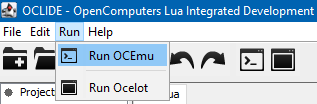
A new window with a default list of components will appear.
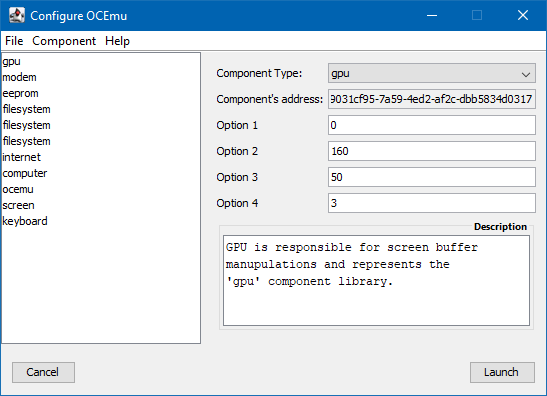
- The
Filemenu allows to clear configuration and save or read it from file. - The
Componentmenu allows to add and delete components from the list. - The
Helpmenu is currently useless.
When you're done with configuration, simply press Launch button and the OCEmu window will appear.
The default filesystem directory for OCEmu virtual machine is set to OCEmu/.machine/tmpfs.
The default projects directory is set to OCEmu/.machine/tmpfs/home