


ONLYOFFICE Documents is a free office application that turns your iOS device into a mobile productivity powerhouse.
Crafting important presentations on the go? Reviewing spreadsheets between meetings for that last minute change?
ONLYOFFICE app has you covered.
- Document editor: Full-featured text editing with formatting options
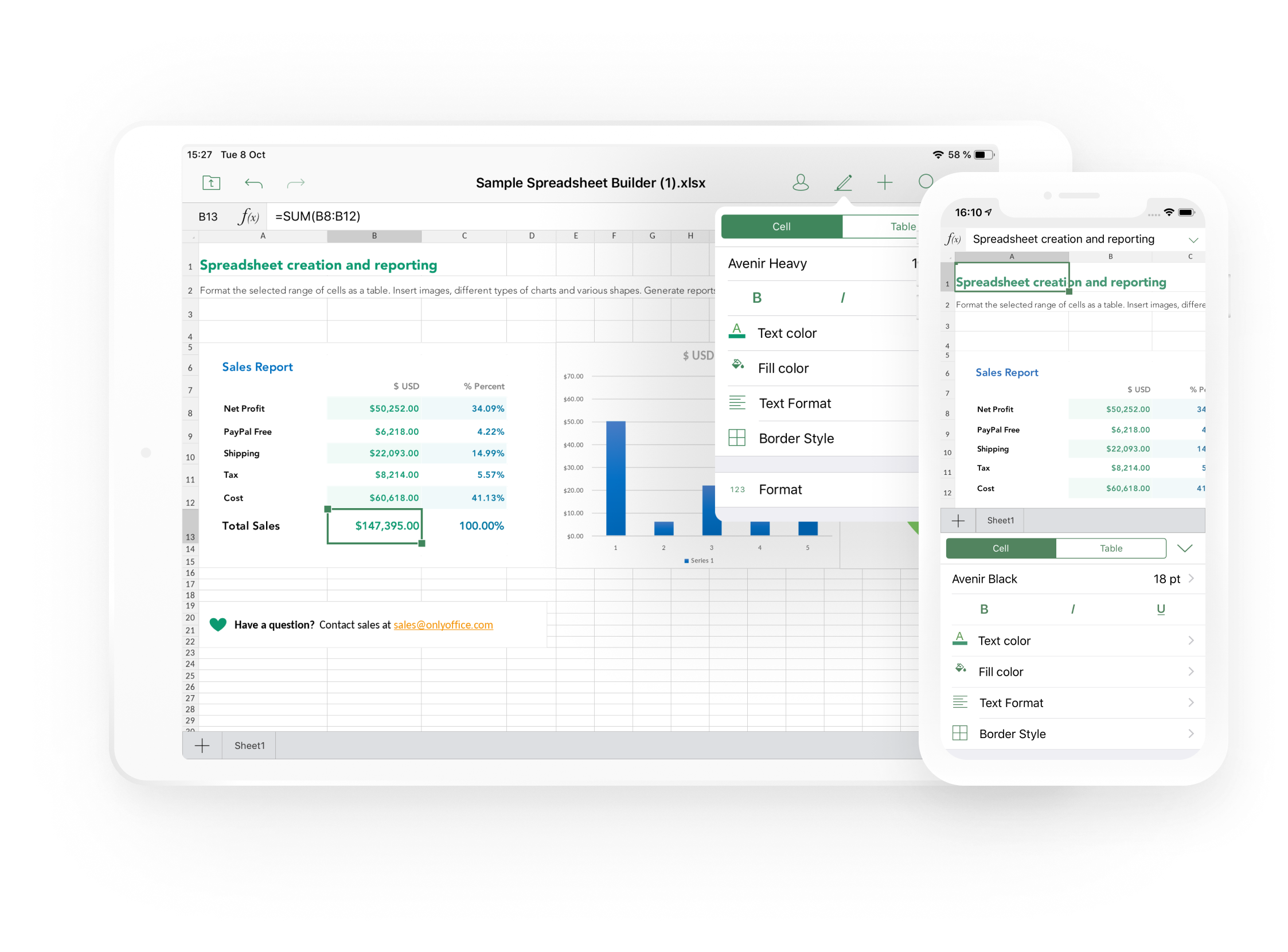
- Spreadsheet editor: Advanced calculations with 450+ formulas
- Presentation editor: Create stunning slideshows with rich media
- PDF viewer: View and annotate PDFs seamlessly
- Form filler: Complete online forms with ease
- Media player: Handle photos and videos alongside your documents
Access professional-grade editing tools that rival desktop applications. Create complex spreadsheets with 450+ formulas, design presentations with animations and transitions, format documents with advanced typography, and collaborate in real-time with team members across the globe.
Open standard and protected PDFs for viewing. Quickly convert a printed document into an editable file using your iPhone or iPad camera. View and complete online PDF forms with an intuitive interface that guides you smoothly from field to field. Save completed forms as PDF or DOCX files for easy sharing and record-keeping.
Connect AI models like OpenAI, Anthropic, Google, etc. to get writing assistance and automate tasks in your documents and spreadsheets effortlessly.
The familiar toolbar and layout ensure zero learning curve for users transitioning from traditional office suites. Your muscle memory remains intact while gaining enhanced functionality.
Built on open source principles under the GNU AGPL v3 license, ONLYOFFICE ensures complete transparency and community-driven development. Access the full source code to verify security, contribute improvements, or customize the solution for your specific needs.
- Offline document editing
- Document templates
- Advanced search capabilities
- Multi-language support (19 languages)
- Dark mode support
- Biometric authentication
- Push notifications
- 3D Touch shortcuts
Access and edit documents stored locally on your iOS device. Perfect for offline work when connectivity is limited or when you prefer keeping sensitive files private.
Connect to your ONLYOFFICE cloud account for real-time collaboration with team members. Share documents, track changes, and work together seamlessly regardless of location.
Link your favorite cloud storage services including Dropbox, Google Drive, Box, and others. Edit documents directly from these platforms without the hassle of constant downloading and uploading.
Connect to Nextcloud, ownCloud, or any WebDAV-compatible cloud service. Manage, view, and edit documents directly from the app, maintaining your preferred workflow and security standards.
- iOS 14.0 or later
- iPhone, iPad, and iPod touch compatible
- Internet connection required for cloud features
Ready to boost your mobile productivity? Download ONLYOFFICE Documents from the App Store and start creating professional documents wherever you are.
- Xcode 15.0 or later
- CocoaPods
- iOS 14.0+ deployment target
- Clone the repository:
git clone https://github.com/ONLYOFFICE/documents-app-ios.git
cd documents-app-ios- Install dependencies:
pod install- Open the workspace:
open ONLYOFFICE-Documents-opensource.xcworkspace- Build and run the project in Xcode
- Technical issues & bugs: If you encounter a problem, please submit an issue.
- Questions & discussions: Join our Community Forum to ask questions and connect with other users.
- Feature suggestions: Share your ideas on our feedback platform.
- Help Center (Tutorials): Learn how to work with the app.
- Need help for developers? Check our API documentation.
ONLYOFFICE Documents for iOS is released under the AGPLv3 license. See the LICENSE file for complete licensing information and terms of use.