


Compass is a Grafana visualization plugin for displaying heading or orientation data on a compass dial.
It is especially useful for ship navigation, robotics, UAVs, or any time-series data representing direction in degrees (0–360).
Optionally the panel can display true and/or apparent wind angle.

- Smoothly animated compass dial that rotates with heading values.
- Multiple needle types:
- Default: classic north/south needle with red tip.
- Arrow: bold arrow-style needle.
- Ship: minimal ship silhouette pointing forward.
- Custom SVG: load your own vector as a needle.
- Custom PNG: load your own bitmap as a needle.
- Cardinal direction labels (N/E/S/W).
- Configurable colors for bezel, dial, text, needle, and tail.
- Minor and major tick marks for easy orientation.
- Optional numeric heading readout (e.g.
273°). - Optional indicator and numeric heading for true wind direction.
- Optional indicator and numeric heading for apparent wind direction.
- Optional numeric display for true wind speed.
- Optional numeric display for apparent wind speed.
- Install the plugin by copying it into Grafana’s plugin directory or installing from the Grafana Marketplace.
- Restart Grafana.
- Add a new panel and select Compass as the visualization.
- Configure the data source and select the field representing heading (0–360 degrees).
- Heading Field: Select the numeric field in your series that represents heading in degrees.
- Truewind Direction Field: Select the numeric field in your series that represents truewind direction in degrees.
- Truewind Velocity Field: Select the numeric field in your series that represents truewind velocity in degrees.
- Apparent wind Direction Field: Select the numeric field in your series that represents apparent wind direction in degrees.
- Apparent wind Velocity Field: Select the numeric field in your series that represents apparent wind velocity in degrees.
- Show Labels: Toggle cardinal direction labels (N/E/S/W).
- Show Numeric Heading: Display a numeric degree readout below the compass.
- Truewind Velocity UOM: Select the unit of measure for the truewind.
- Apparent wind Velocity UOM: Select the unit of measure for the apparent wind.
- Rotation Mode: Select to rotate the needle (North up) or rotate the dial (Bow up).
-
Needle Type
Default– Red-tipped classic compass needleArrow– Stylized arrow needleShip– Simplified vessel silhouette (points to heading)SVG– Load a custom vector (provide URL or relative path)PNG– Load a custom image (provide URL or relative path)
-
Needle Color: Color of the primary needle.
-
Tail Color: Color of the tail (for default needle).
-
Custom SVG: Path/URL to your own SVG asset.
-
Custom PNG: Path/URL to your own PNG asset.
- Dial Color – Background color of compass dial.
- Bezel Color – Color of outer rim.
- Text Color – Color of labels, ticks, numeric heading.
- True Wind Color: Color of the true wind indicator and labels.
- Apparent Wind Color: Color of the apparent wind indicator and labels.
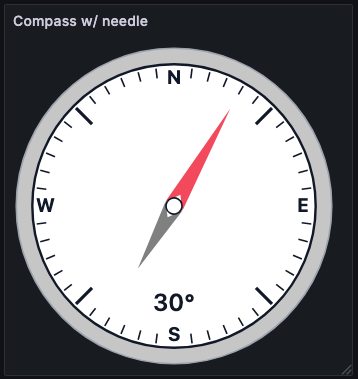
Arrow needle with labels and numeric heading enabled
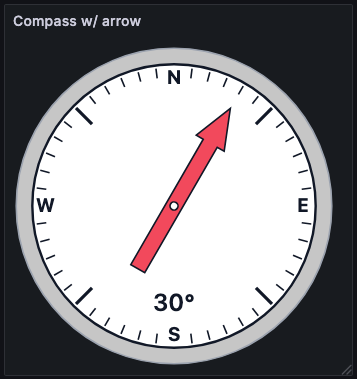
Arrow needle with labels and numeric heading enabled
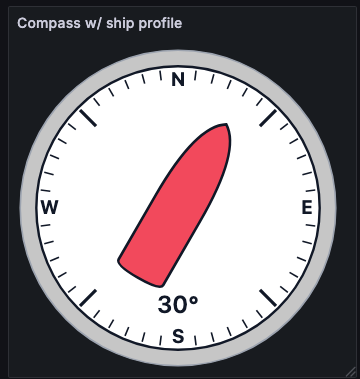
Ship silhouette needle for vessel heading visualization
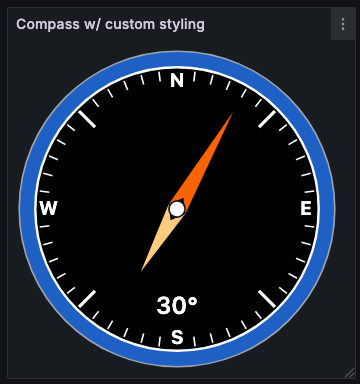
Standard needle compass with custom styling
North up orientation for wind indicator visualization

Bow up orientation for wind indicator visualization