Sentinel-Drift is a lightweight agentless, open-source tool to detect and fix configuration drift across your server fleet. It compares the actual state of configuration files on your servers against a "Source of Truth" (SoT) stored in this repository.
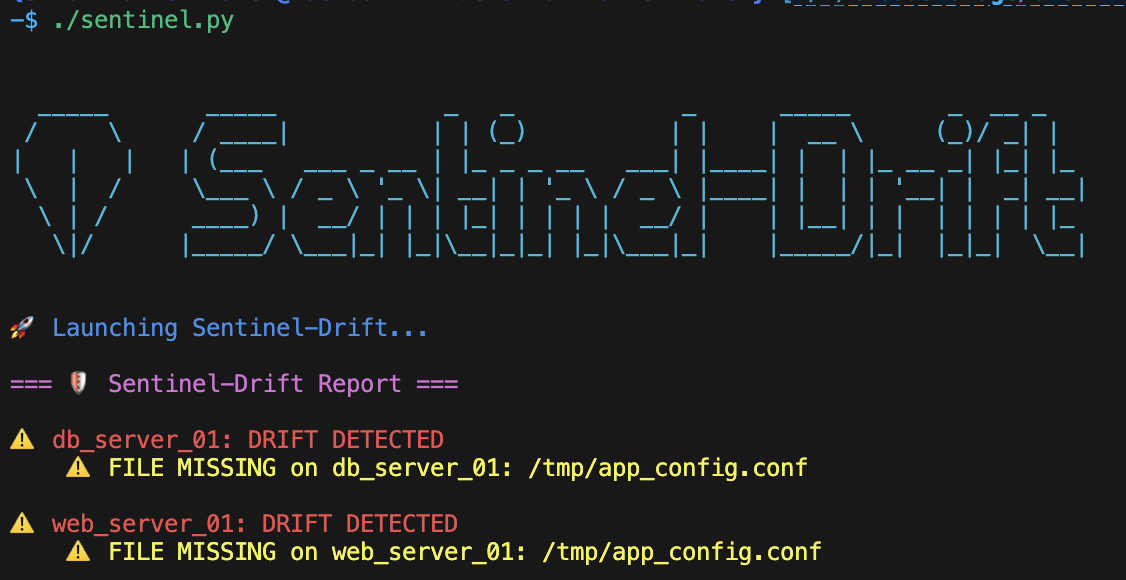
- Source of Truth: Define your desired configuration states in the
source_of_truth/folder. - Drift Detection: Calculates SHA-256 hashes to verify integrity (Content & Metadata).
- Smart Diff: Displays a clean, readable
diffoutput showing exactly what changed. - Multi-File Support: Audit multiple configuration files per server.
- Modular Architecture: Logic is split into specialized task files for better maintainability.
- Secure Vault Integration: Handles encrypted Source of Truth files with in-memory decryption (no secrets on disk).
- Auto-Fix / Ask-Fix: Automatically repair drift or ask for confirmation before overwriting.
- Robust CLI: Python wrapper (
sentinel.py) with safety checks, summary reporting, and interactive modes. - Audit Logging: Keeps a history of all audit runs in
audit_history.log.
We use a modular architecture orchestrated by a Python wrapper.
.
├── sentinel.py             # 🧠 CLI Wrapper & Entry Point
├── sentinel_drift.yml      # 📜 Main Playbook
├── inventory.yml           # 🗺️ Server Inventory
├── config_maps/            # 📍 Host-to-File Mappings
│   ├── standard_servers.yml
│   └── ...
├── source_of_truth/        # 💎 Reference Config Files (SoT)
│   └── ...
├── tasks/                  # 🧩 Modular Ansible Tasks
│   ├── audit_file.yml      # Orchestrator
│   ├── detect_drift.yml    # Logic: Hash & Metadata Check
│   ├── generate_diff.yml   # Logic: Diff Generation
│   ├── display_results.yml # Logic: Console Output
│   ├── remediate_drift.yml # Logic: Auto-Fix / Ask-Fix
│   └── log_results.yml     # Logic: History Logging
└── audit_history.log       # 📝 Execution Logs
Sentinel-Drift is built on Ansible. You don't need to install any agent on your remote servers, but you need a control machine (your laptop or a CI/CD runner) with the following requirements:
- Ansible Core: Version 2.9 or higher.
- Python: Version 3.8 or higher (on the control machine).
- SSH Access: The control machine must have SSH access to the target servers (using keys is recommended).
To install Ansible on your control machine:
# MacOS (Homebrew)
brew install ansible

# Linux (Ubuntu/Debian)
sudo apt update && sudo apt install ansible

# Python (pip)
pip install ansible
Please refer to Ansible official documentation if you have an installation issue.
List your servers and organize them into groups (e.g., web_servers, db_servers).
You can specify the SSH user and key here.
all:
  hosts:
    web_01:
      ansible_host: 192.168.1.10
      ansible_user: ubuntu
      ansible_ssh_private_key_file: ~/.ssh/id_rsa
  children:
    standard_servers:
      hosts:
web_01:Place the "perfect" version of your configuration files in the source_of_truth/ directory. You can organize them in subfolders.
Create a YAML file in config_maps/ matching your group name (e.g., standard_servers.yml).
Define the audit_files list to tell Sentinel-Drift which files to check.
You can also specify permissions (mode), owner, and group.
# config_maps/standard_servers.yml
audit_files:
  - src: "sample_app/standard_config.conf" # Path inside source_of_truth/
    dest: "/etc/app/config.conf"           # Path on the remote server
    mode: "0644"                           # Optional: Check permissions
    owner: "root"                          # Optional: Check owner
    group: "root"                          # Optional: Check group

  - src: "ssh/sshd_config"
    dest: "/etc/ssh/sshd_config"
mode: "0600"Use the sentinel.py wrapper script for a better experience.
Audit Mode (Default): Checks for drift and displays a summary.
./sentinel.pyGenerate HTML Report:
Creates a report.html dashboard after the audit.
./sentinel.py --report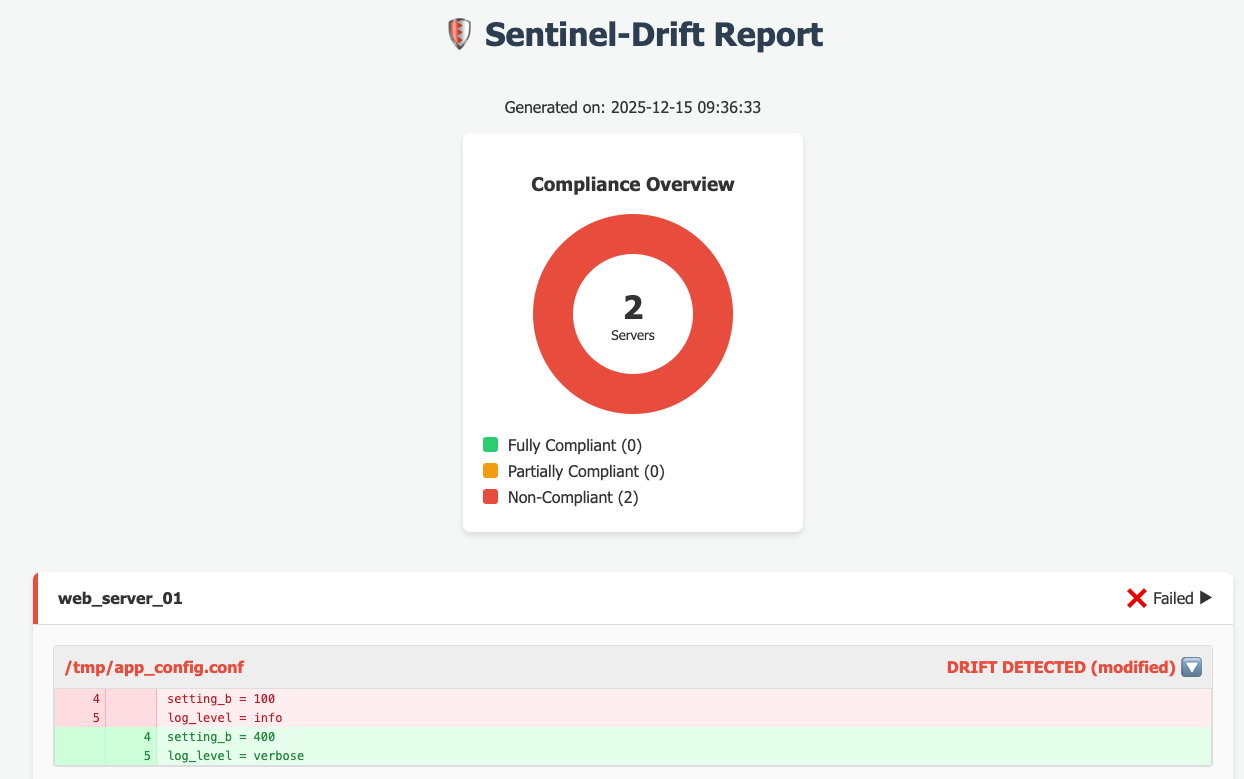
Interactive Fix Mode: Asks you for confirmation before fixing each detected drift.
./sentinel.py --ask-fixAuto-Fix Mode: Automatically overwrites drifted files with the Source of Truth. (Use with caution!)
./sentinel.py --auto-fixUsing Ansible Vault: If your Source of Truth contains encrypted files, provide the vault password. You can enter it interactively (secure prompt) or pass it as an argument.
# Interactive prompt (hides input)
./sentinel.py --vault-pass

# Pass password directly (useful for scripts)
./sentinel.py --vault-pass "my_secret_password"
Debug Mode: Show full Ansible output.
./sentinel.py -vAfter the run,if you used --report, you can open the generated report.html file in your browser to see the compliance dashboard.
If your configuration files contain secrets (passwords, API keys), DO NOT store them in plain text. Use Ansible Vault.
- Encrypt your file:
ansible-vault encrypt source_of_truth/database/db_config.conf
- Run Sentinel-Drift with the vault password:
Sentinel-Drift will automatically decrypt the file in memory to compare it with the remote server.
./sentinel.py --vault-pass
Check audit_history.log for a summary of the execution:
[2023-10-27 10:00:00] [OK]    Host: web_01 | File: /etc/app/config.conf
[2023-10-27 10:00:01] [DRIFT] Host: db_01  | File: /etc/app/config.conf | Ref: custom_config.conf
[2023-10-27 10:05:00] [FIXED] Host: db_01  | File: /etc/app/config.conf | Ref: custom_config.conf
MIT