docs_interface_flash run jumper
Your OpenBuilds Interface can be flashed over USB to recover or upgrade Firmware
The regular method of putting the interface into Programming mode - is to use the MODE and RESET buttons on the left hand side.
In some circumstances, such as during firmware debugging/development, or if you are unable to use the buttons to set the mode, you can move the AUTORST Jumper to the FLASH position, to enable automatic flashing without needing to press the buttons.
The AUTORST Jumper is inside the Interface, on the back, near the buttons. You do need to take your Interface apart (carefully) to change the jumper.
Remember to move it back to RUN mode once you are done.
- No autoreset (prevents accidental resets)
- Requires use of the Buttons to enter FLASH Mode
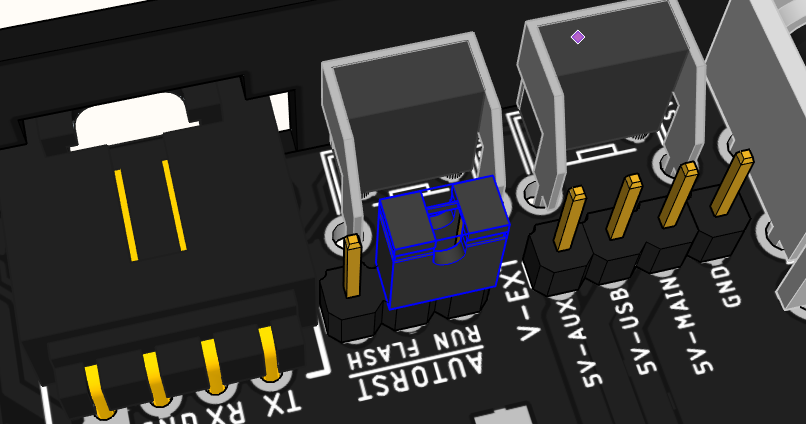
- Autoreset enabled, can cause unwanted resets of Interface, if USB cable is connected.
- Automates flashing of firmware, just click FLASH in the Firmware Wizards in CONTROL, no need to press the MODE/RESET buttons.
