

- Smart Abbreviations: Automatically scales large numbers using standard signifiers (k, M, B, T, P, E, Z, Y).
- Localisation Support: Correctly formats abbreviations based on the selected language (e.g.,
Mrd.for German Billions,億for Japanese). Configure via the "Localisation" field option. - Full Value Tooltip: Hover over any abbreviated number to see the exact, unformatted value in a tooltip.
- Customisable Appearance: Add custom prefixes (like currency symbols) and suffixes.
There are a few different ways to install this extension:
- (Recommended) Via Directus Marketplace search for
formatted-numbers - Go to
YOUR_DIRECTUS_URL/admin/settings/marketplace/extension/bcbadf1e-c666-4351-b6f0-d914f62a3c53and install from there - Self-hosted: see Directus Docs to install extensions.
Note: You might need to set the following environment variable:
MARKETPLACE_TRUST: all
When configuring a field to use the "Formatted numbers" display, you can customise the following options:
- Decimals: Set the maximum number of decimal places to display (default: 2). This controls how accurate the displayed number is.
- Localisation: Choose the formatting rules for a specific language. Supported languages:
- English (en)
- French (fr)
- German (de)
- Spanish (es)
- Japanese (ja)
- Chinese (zh)
- Prefix: Add text or symbols before the number (e.g.,
$,€). - Suffix: Add text or symbols after the number (e.g.,
units,EUR).
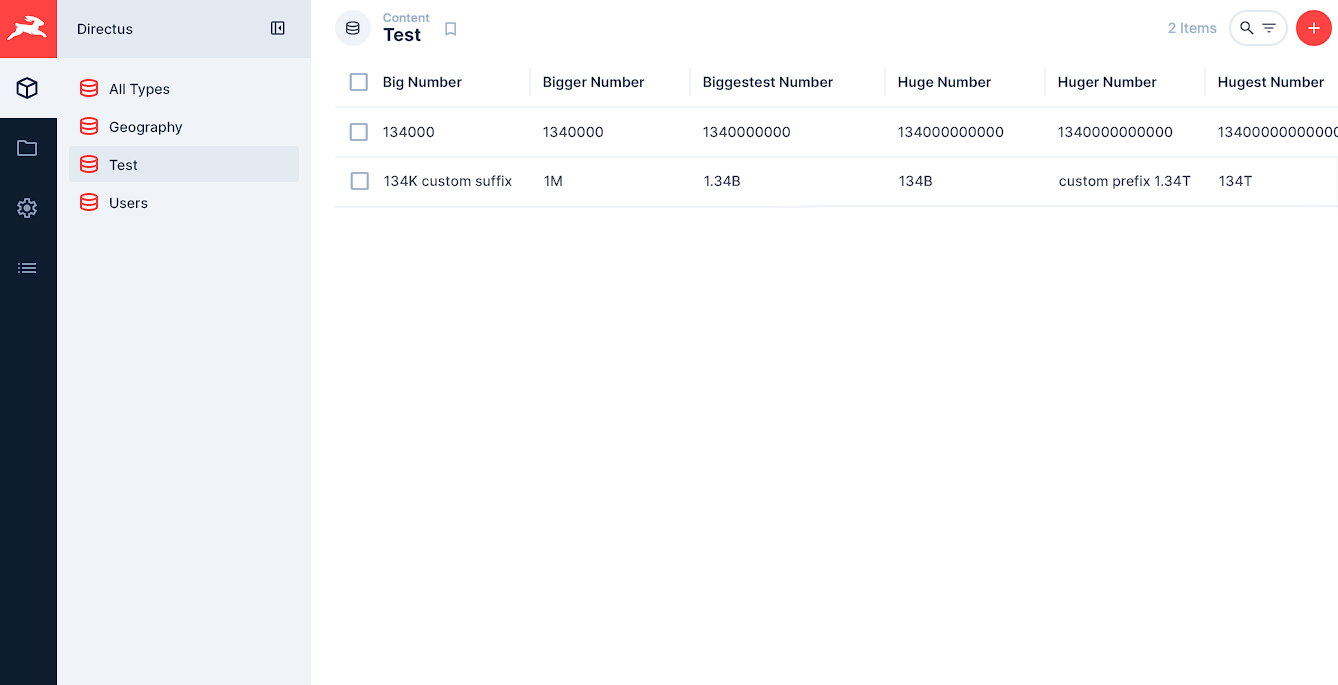
| Raw Value | Config | Output |
|---|---|---|
1,234,567 |
en, 2 decimals |
1.23M |
123,456,789,000 |
de, 1 decimal |
123,5Mrd. |
5,000 |
en, prefix: $ |
$5K |
100,000,000,000,000 |
en |
100T |
The extension supports values from thousands up to septillions. Do you require more? Open an issue and we'll add it!
- K: Kilo (10³)
- M: Mega (10⁶)
- B / G: Giga / Billion (10⁹)
- T: Tera / Trillion (10¹²)
- P: Peta / Quadrillion (10¹⁵)
- E: Exa (10¹⁸)
- Z: Zetta (10²¹)
- Y: Yotta (10²⁴)
Please open an issue on this repository. We're happy to hear back from you!
Developed by Protoqol.