


Transform your coding experience with real-time collaboration! Write, share, and execute Python/C++/Java code together in a powerful, intuitive environment.
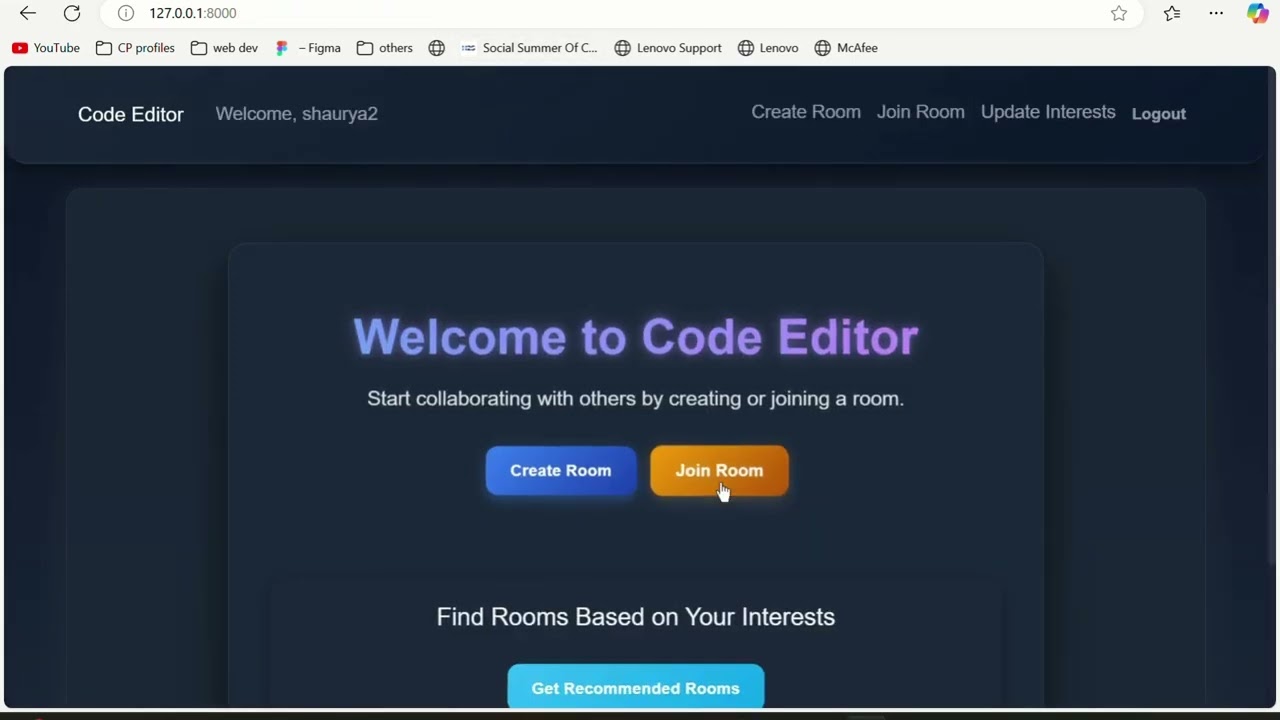
- Real-time collaboration with live editing, cursor tracking, and room-based sessions
- Powerful editor with syntax completion, auto-indentation, and in-browser Python execution
- 🔮 AI-Powered Code Completion for intelligent suggestions based on your code context
- 🧠 Smart Auto-Indentation to keep your code beautifully structured
- 🔗 Bracket Auto-Completion to eliminate syntax errors while typing
- Secure authentication, private rooms, and sandboxed code execution
- Built-in chat for team discussions
- Python 3.9+
- Docker
- Docker Compose git clone https://github.com/ShauryaDusht/CodeTogether.git
cd CodeTogether - Create a Virtual Environment:
python3 -m venv venv For Linux:
source venv/bin/activate For Windows:
.
env\Scripts ctivate - Install Requirements:
pip install -r requirements.txt Create a .env file in the root directory with the following content:
SECRET_KEY=your-secret-key
DEBUG=True
ALLOWED_HOSTS=127.0.0.1,localhost
HUGGINGFACE_API_KEY=you-secret-keypython manage.py migrate python manage.py runserver Open your browser and access the app at http://127.0.0.1:8000.
Ensure the .env file is present with the following content:
SECRET_KEY=your-secret-key
DEBUG=True
ALLOWED_HOSTS=127.0.0.1,localhost
HUGGINGFACE_API_KEY=you-secret-key- Build and Run the Application:
docker-compose up --build - Stop the Application:
docker-compose down Open your browser and access the app at http://127.0.0.1:8000.
- Django & Django Channels for robust server-side operations
- WebSocket implementation for real-time features
- AI Assistant for intelligent code recommendations
- Modern Bootstrap UI for responsive design
- Advanced code editor integration
- AI-enhanced smart editing (autocomplete, indenting, bracket handling)
- SQLite (default) for easy setup
- Scalable to PostgreSQL for production
- Docker Compose for container orchestration
- Environment-based configuration
collaborative_code_editor/            # Root project directory
├── collaborative_code_editor/        # Project configuration
│   ├── __init__.py
│   ├── asgi.py                       # ASGI configuration (needed for WebSockets)
│   ├── settings.py                   # Project settings
│   ├── urls.py                       # Main URL configuration
│   └── wsgi.py                       # WSGI configuration
├── code_editor/                      # Main app
│   ├── migrations/
│   │   └── __init__.py
│   ├── templates/                    # HTML templates
│   │   ├── code_editor/
│   │   │   ├── home.html
│   │   │   ├── join_room.html
│   │   │   └── room.html
│   │   └── authentication/
│   │       ├── login.html
│   │       └── register.html
│   ├── admin.py                      # Admin interface configuration
│   ├── apps.py                       # App configuration
│   ├── consumers.py                  # WebSocket consumers
│   ├── models.py                     # Database models
│   ├── routing.py                    # WebSocket URL routing
│   ├── urls.py                       # HTTP URL routing
│   └── views.py                      # HTTP views
├── static/                           # Static files
│   └── code_editor/
│       ├── css/
│       │   ├── auth.css              # Authentication styles
│       │   ├── join_room.css         # Join room page styles
│       │   └── style.css             # Global styles
│       └── js/
│           └── script.js             # Frontend JavaScript
├── .gitignore                        # Git ignore file
├── docker-compose.yml                # Docker Compose configuration
├── Dockerfile                        # Docker configuration
├── LICENSE                           # Project license
├── manage.py                         # Django management script
├── README.md                         # Project documentation
├── .env                              # Environment variables file (to be created)
└── requirements.txt # Project dependenciesI welcome contributions! If you'd like to contribute, feel free to fork the repository, make changes, and create a pull request.
Please ensure your changes are well-documented.
For any issues or suggestions, open an issue in the repository.
Feel free to reach out to me via email for any queries or collaboration opportunities:
📧 [email protected]