
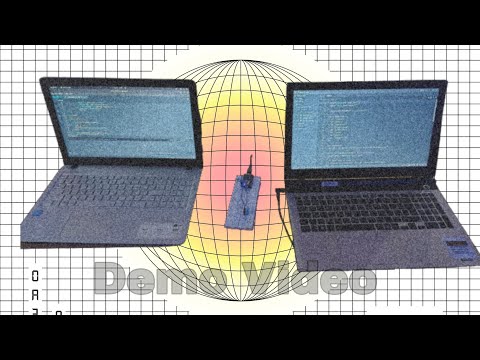
NB: The temperature reading from DHT11 takes some time to change, and so the video has been edited to reduce the duration between each reading change

[pronunciation: Thaa-ba-sa-khi]
- Team Lead: Mohammed Fahad - Government Engineering College Palakkad
- Member 2: N Fadeela - Government Engineering College Palakkad
- Member 3: Mohammed Muflih - Government Engineering College Palakkad
A beautiful flawless project that plays melodies according to the subjected temperature 😉
Nobody likes to sense the surrounding temperature by themselves, do they? So, we made this complicated facade to help you with that 😌
We collect data from a temperature sensor and play accurate melodies for you 🎶
For Software:
- Languages used:
- Javascript
- CPP
- Framework ysed:
- Arduino
- Node.JS
- Libraries used:
- Server side: Audic, ws
- Hardware side: dht11, ESP8266WiFi, WiFiClient
- Tools used:
- Code Editors: Arduino IDE & Zed
- Sound editing: Audacity
For Hardware:
- Components:
- NodeMCU v1 (ESP8266)
- DHT11 temperature sensor
- Read data from DHT11 sensor
- Send the data to ntfy
- On the PC, establish a web socket to ntfy api.
- Checking the temperatures, and playing specified audio files
Firstly, copy the repo to your local machine:
git clone https://github.com/Ranger-NF/Thaapasakhi/
cd Thaapasakhi
Now, there are 2 parts to this repo/project: Server (src/server) and NodeMCU (src/microcontroller). Follow the following steps for each component:
- Server:
cd src/server
npm install
- NodeMCU:
-
Open
src/mircrocontroller/main/main.inofile in Arduino IDE -
Enter missing details:
- Enter your Wifi SSID & Password in main.ino (line 5 & 6):
const char* SSID = "<ENTER_WIFI_SSID>"; // File: src/microcontrollers/main/main.ino const char* password = "<ENTER_WIFI_PASSWORD>";- Create a topic over at ntfy and enter the topic name in main.ino (line 76):
String url = "/<ENTER_TOPIC_NAME>"; // File: src/microcontrollers/main/main.ino -
Connect NodeMCU board and upload the code
-
-
Server:
cd src/server node index.js -
NodeMCU: Just connect it to power

There are 3 parts: Microcontroller, Server(ntfy) and your PC(Node.js web server)


GND(Ground) pin is connected to GND, VDD pin is connected to 3.3v and Signal pin is connected to D2 of NodeMCU


thaapasakhi-demo-final.mp4
NB: It would be better if you turn up the volume
- Mohammed Fahad: Server side logic, NodeMCU logic
- N Fadeela: Proposed the idea, collected the melodies and documented the project
- Mohammed Muflih: Assembled the circuit, edited audio files and NodeMCU logic
Made with ❤️ at TinkerHub Useless Projects

