参考:nelvko/clash-for-linux-install
git clone --branch master --depth 1 https://gh-proxy.org/https://github.com/nelvko/clash-for-linux-install.git \
  && cd clash-for-linux-install \
&& bash install.shclashctl每次打开terminal后会自启,但是关闭terminal后则会关闭。从安全和使用的角度来讲,这是一个比较好的使用方式。但是比如一旦关闭terminal,代理中断,一些需要用代理下载的东西/连接也会中断。因此,可以将其做成服务
# 确认 clash 是否已经有了对应的 systemd 服务配置文件
ls /etc/systemd/system/ | grep -E "clash|mihomo"

# 启用开机自启动
sudo systemctl enable clash
# 如果你的服务名是 mihomo
sudo systemctl enable mihomo

# 管理服务
## 启动服务
sudo systemctl start clash
## 停止服务
sudo systemctl stop clash
## 重启服务
sudo systemctl restart clash
## 查看服务运行状态(会显示是否活跃、有无错误等信息)
sudo systemctl status clash
## 如果之后想取消开机自启
sudo systemctl disable clash

# 验证配置
## 检查是否已启用开机自启
sudo systemctl is-enabled clash
## 查看服务实时状态
sudo systemctl status clash# 帮助命令
clashsub -h
# URL添加订阅
clashsub add <URL>
# 配置文件添加订阅
cp /path/to/your/config.yaml /opt/clash/resources/config.yaml
## 重新启动服务
# clashoff && clashon
# 列出所有已添加的订阅
clashsub ls
# 切换使用哪个订阅(如果有多个)
clashsub use <订阅ID>
# 更新订阅配置(从URL重新下载)
clashsub update
# 设置自动更新(每2天更新一次)
clashsub update --auto
# 查看订阅操作日志
clashsub log# Usage: clashctl COMMAND [OPTIONS]
# Global Options: -h, --help 显示帮助信息
# 开启代理
clashctl on
# 关闭代理
clashctl off
# 内核状况
clashctl status
# 系统代理
clashctl proxy
# Web 面板
clashctl ui
# Web 密钥
clashctl secret
# 订阅管理
clashctl sub
# 升级内核
clashctl upgrade
# Tun 模式 (所有流量都走代理)
clashctl tun
# Mixin 配置
clashctl mixin # 开启代理
clashon
# 关闭代理
clashoff
# 查看代理状态
clashstatus
# 打开Web控制面板
clashui
# 更新配置
clashupdate
# 重启服务
clashrestart
# 😾 Tun 状态:关闭
clashtun
# 😼 Tun 模式已开启
clashtun on开启代理后,系统会自动设置以下环境变量:
- http_proxy / HTtP_PROXY
- https_proxy / HTTPS_PROXY
- all_proxy / ALL_PROXY
- no_proxy / NO_PROXY(本地地址不走代理)
该脚本的特色功能,让你在保留自定义配置的同时,仍能正常更新订阅。Mixin允许你写一份"自定义配置",每次更新订阅时,系统会自动将订阅配置和你的Mixin配置合并,确保你的个性化设置不会被覆盖
# 😼 查看 Mixin 配置
clashmixin

# 😼 编辑 Mixin 配置
clashmixin -e

# 😼 查看原始订阅配置
clashmixin -c

# 😼 查看运行时配置
clashmixin -r
示例文件:保存后,系统会自动重启服务使配置生效。
# mixin.yaml 示例
# 这里的内容会与订阅配置合并,优先级更高

# 自定义DNS
dns:
  enable: true
  listen: 0.0.0.0:53
  default-nameserver:
    - 114.114.114.114
    - 223.5.5.5
  nameserver:
    - https://doh.pub/dns-query
    - https://dns.alidns.com/dns-query

# 自定义规则
rules:
  # 添加直连规则
  - DOMAIN-SUFFIX,local, DIRECT
  - DOMAIN-KEYWORD,office, DIRECT

# 自定义端口(覆盖订阅配置)
mixed-port: 7890
allow-lan: true
mode: rule
log-level: info# 查看内核日志
journalctl -u clash -f
# 或
journalctl -u mihomo -f
# 查看状态
clashstatus# 进入安装目录执行卸载脚本
cd /{path}/clash
sudo bash uninstall.sh服务启动自动检查分配端口号,注意放开对应端口
查看前端地址及密钥
# 获取Web UI访问地址
clashui

# 输出示例:
# 😼 Web UI 访问地址:
# - 本地地址: http://127.0.0.1:9090/ui
# - 内网地址: http://192.168.1.100:9090/ui
# - 密钥(Secret): xxxxxx

# 设置访问密码(密钥)
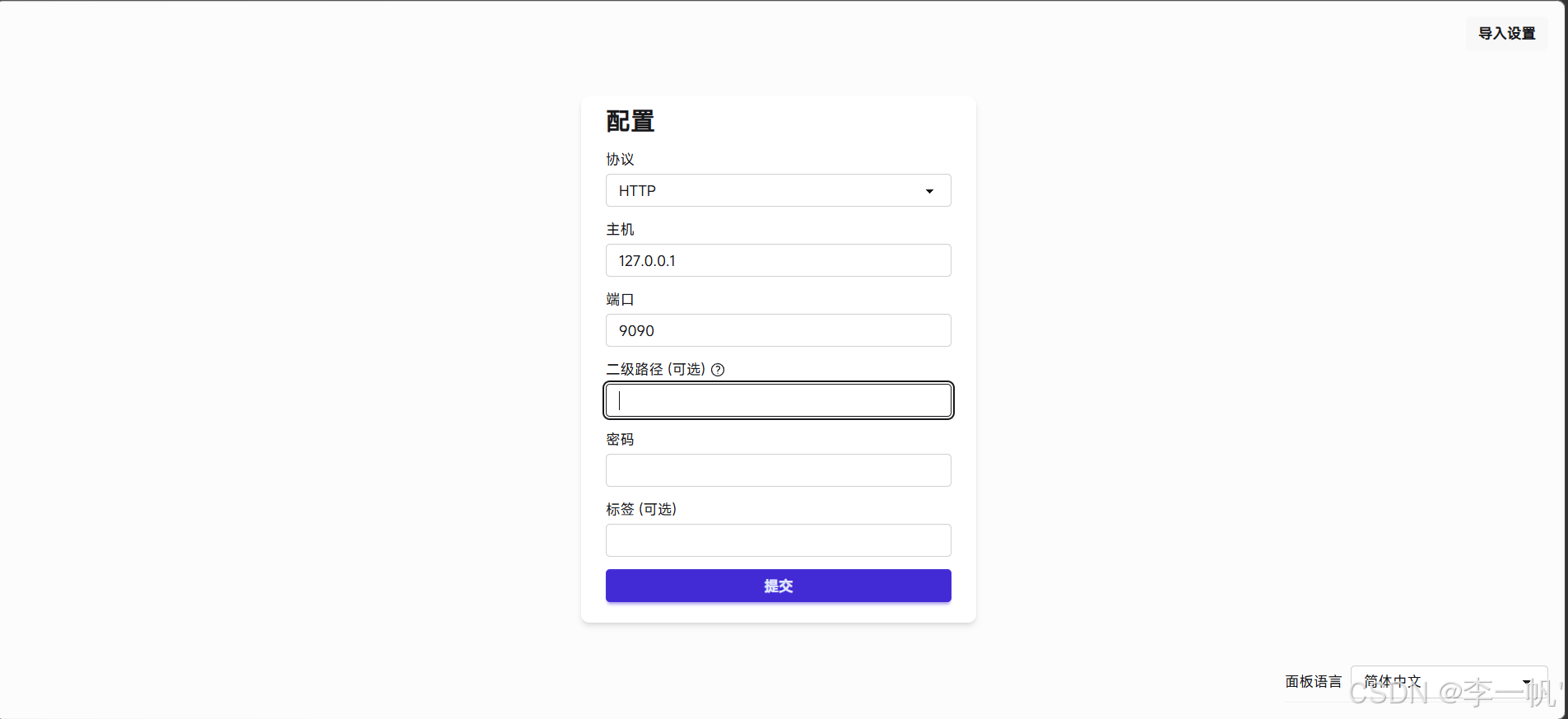
clashsecret your_secret_key- 登录页
IP填可访问到的IP(如内网/公网),二级路径无需填写,填入正确密钥即可
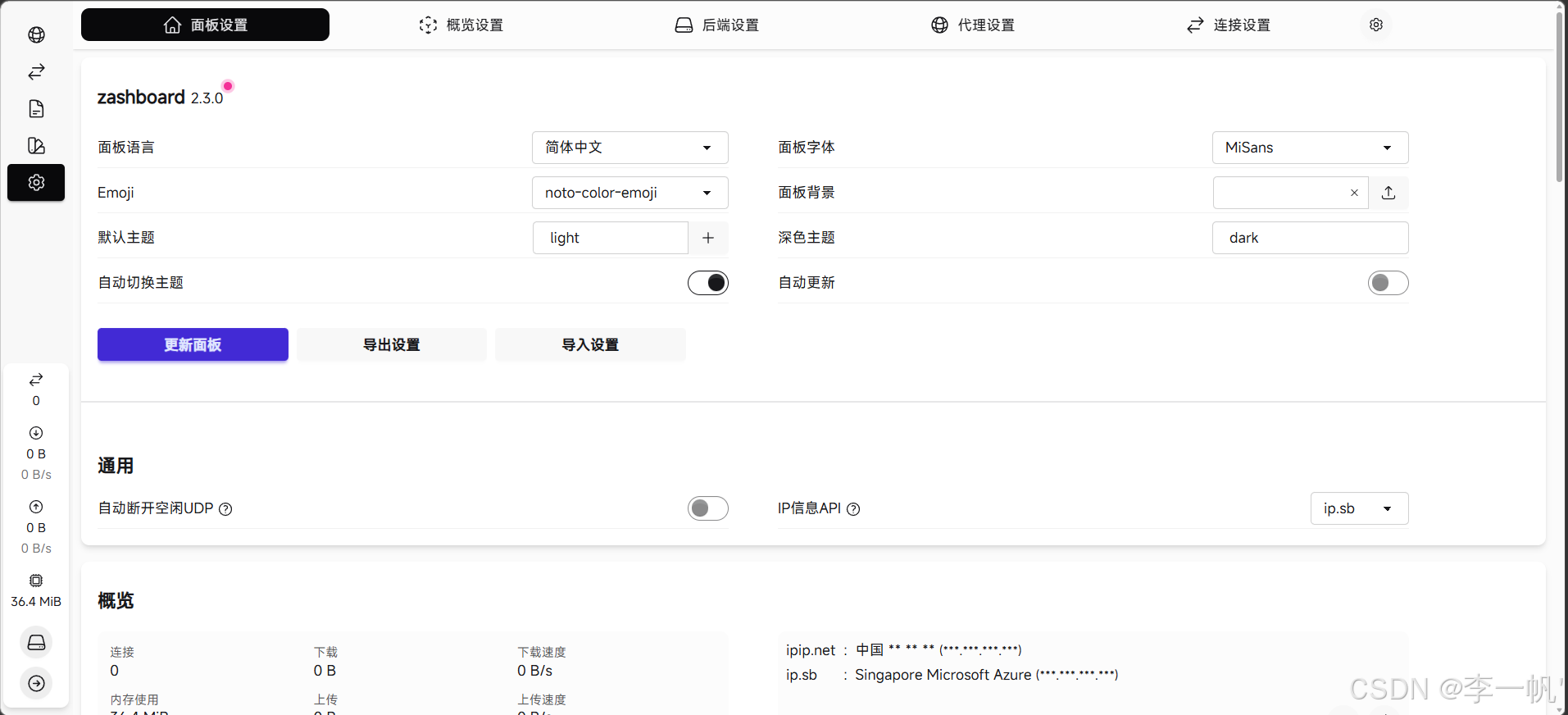
- 管理页