Bluetooth Deprecation
Historically, you may have had the Rover Bluetooth module included in your app. The purpose of the Rover Bluetooth module is to track whether your users have Bluetooth enabled on their device. This manifests as the isBluetoothEnabled column in the Audience app.
In order for this module to function it depends on the iOS framework: Core Bluetooth. To date there hasn't been any significant tradeoff to including Core Bluetooth in your app; however this is changing with iOS 13. In the upcoming version of iOS, including Core Bluetooth in your app will trigger the operating system to display a new permission prompt on behalf of your app.
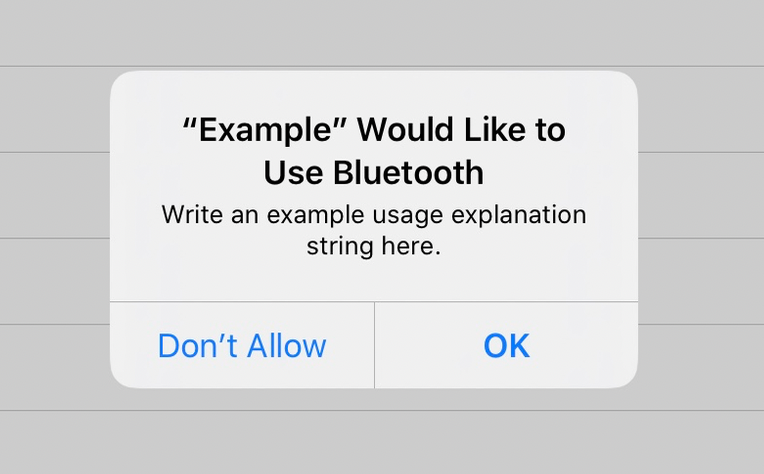
If you are not including Core Bluetooth in your app for any other reason other than to track whether your users have Bluetooth enabled, the presence of this prompt likely does not justify its use. For that reason we are deprecating the Rover Bluetooth module and encourage you to remove it from your app.
Note that the Rover Bluetooth module is not required for Beacons.
First, remove it from your dependencies by removing the following like from Podfile (or equivalent for Carthage, etc.):
pod 'RoverCampaigns/Bluetooth' # Remove thisThen remove it from the list of assemblers given to
RoverCampaigns.initialize():
RoverCampaigns.initialize(assemblers: [
    //...
    BluetoothAssembler() // Remove this
])If it proves important for you to keep the module, then ensure you have the privacy prompt usage string required by Apple for use of the API. If you do not, the app will unceremoniously crash with SIGABRT at runtime.
Add an appropriate NSBluetoothAlwaysUsageDescription to your app's
Info.plist. You can do so in the Xcode GUI by choosing "Add Row" and selecting "Privacy - Bluetooth Always Usage Description"