Version 2.34.0
Contributors: Jyrki Oraskari, Mathias Bonduel, Kris McGlinn, Anna Wagner, Pieter Pauwels, Ville Kukkonen, Simon Steyskaland, and Joel Lehtonen.
This repository presents the results of our ongoing work to create a usable converter to convert Industry Foundation Classes (IFC) STEP formatted files into Resource Description Framework (RDF) triples that follow the small ontologies devised in the World Wide Web Consortium (W3C) Linked Building Data Community Group (W3C LBD-CG) (https://github.com/w3c-lbd-cg/).
Proceedings of the 6th Linked Data in Architecture and Construction Workshop: The IFC to Linked Building Data Converter - Current Status.
It is recommended to use OpenJava 15. OpenJava can be downloaded from (https://jdk.java.net/15/)
Precompiled applications are available in the published release. https://github.com/jyrkioraskari/IFCtoLBD/releases
- Desktop application: IFCtoLBD-Desktop Minimum requirement is JAVA 15.
These are runnable JAR files. If the Java installation is fine, the file can be run by clicking it.
When converting large files, run.bat can be used. It is also faster since it allows the program to use more memory for the calculation.
Also Windows 10 installations are availabe. The zip files contain script files to run the program neatly in the windows operating system.
If the program does not start, try the following command at the command line: java -jar IFCtoLBD-Desktop.jar.

The converter can be compiled using maven and Java JDK (the above link). Maven can be downloaded from https://maven.apache.org/download.cgi.
First, make sure that the JAVA_HOME environment variable point to the JAVA JDK directory. JRE is not enough. Then run the following commands:
cd IFCtoRDF
call mvn clean install
cd ..

cd IFCtoLBD_Geometry
call mvn clean install
cd ..

cd IFCtoLBD
call mvn clean install
cd ..

cd IFCtoLBD_Desktop
call mvn clean install
cd ..

cd IFCtoLBD_OpenAPI
call mvn clean install
call mvn enunciate:docs install
cd ..
The best way to create a runnable [Java 15] (https://jdk.java.net/15/) program is to
- Use an Eclipse (https://www.eclipse.org/) installation,
- Import the runtime definition: Eclipse:/Project Explorer/IFCtoLBD_Desktop_Java15/others/Main 15.launch
- Run as "Main Java 15"
- Export:Java/Runnabe Jar file/Next
- Launch configuration:"Main 15 - IFCtoLBD Desktop Java15", Package resource libraries into generated JAR
- Select destination file and Finish.
An example command line usage of the program is:
java -jar IFCtoLBD.jar Duplex_A_20110505.ifc http://uribase out.ttl
The Maven library was published on 29th of May, 2020.
<dependency>
  <groupId>io.github.jyrkioraskari</groupId>
  <artifactId>IFCtoLBD</artifactId>
  <version>1.88</version>
  <classifier>jar-with-dependencies</classifier>
</dependency>
https://mvnrepository.com/artifact/io.github.jyrkioraskari/IFCtoLBD/1.88
How to use the code:
new IFCtoLBDConverter("c:\\in\model.ifc", "http://example.uri/", "c:\\out\\file.ttl",2, true, false, true, false, false, true);
The example implementation can be found in the IFCtoLBD_Python subfolder
Installation:
pip install JPype1
# !/usr/bin/env python3

import jpype

# Enable Java imports
import jpype.imports

# Pull in types
from jpype.types import *

jpype.startJVM(classpath = ['jars/*'])

from org.linkedbuildingdata.ifc2lbd import IFCtoLBDConverter

lbdconverter = IFCtoLBDConverter("https://dot.dc.rwth-aachen.de/IFCtoLBDset",  3)

model=lbdconverter.convert("Duplex_A_20110505.ifc");

model.write(jpype.java.lang.System.out)
jpype.shutdownJVM()
Install Docker Desktop: https://www.docker.com/get-started
Command-line commands needed to start the server at your computer;
docker pull jyrkioraskari/ifc2lbdopenapi:latest

docker container run -it --publish 8081:8080 jyrkioraskari/ifc2lbdopenapi
Then the software can be accessed from the local web address: http://localhost:8081/IFCtoLBD_OpenAPI
jyrkioraskari/IFCtoLBD_BIMBot-Plugin
This project is released under the open source Apache License, Version 2.0
@software{jyrki_oraskari_2021_5772656,
  author       = {Jyrki Oraskari and
                  Mathias Bonduel and
                  Kris McGlinn and
                  Pieter Pauwels and
                  Freddy Priyatna and
                  Anna Wagner and
                  Ville Kukkonen and
                  Simon Steyskaland and
                  Joel Lehtonen},
  title        = {jyrkioraskari/IFCtoLBD: IFCtoLBD 2.33.0},
  month        = dec,
  year         = 2021,
  publisher    = {Zenodo},
  version      = {2.33.0},
  doi          = {10.5281/zenodo.5772656},
  url          = {https://doi.org/10.5281/zenodo.5772656}
}
Last Sunday the software was pached to contain Log4J version 2.15 and today version 2.16 was added. The OpenAPI installation was shortly tested under Apache Tomcat 9.0.54 and updated to the current IFCtoLBD release. The Docker image is also updated.
Example usage: java -jar IFCtoLBD_Java_15.jar http://lbd.example.com/ c:\IFC\Duplex_A_20110505.ifc c:\IFC\Duplex_A_20110505.ttl
The Unicode notation of the degree sign character caused Jena to stop reading the raw ifcOWL output. This is fixed now.
Java 8 is more than seven years old now, which means that not all libraries are supporting that old Java variant any more. To keep the software secure, it is preferred to deprecated the version of the code in a long run. Currently, a separate Java 8 branch is kept in case only Java 8 can be used.
The program code was modified so that the default backslash notation for UTF-8 characters is removed. äÄöÖåÅßüÜáÁàÀâ should be human-readable.
The sofware was tested to function with https://jdk.java.net/15/
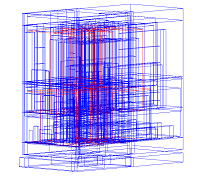
Testing the correctness of the created bounding boxes.
-
What does it mean when IFCtoLBD says Java heap space?
- The most probable situation for this is when a large file is converted. Try to start the program using
run.bat.
- The most probable situation for this is when a large file is converted. Try to start the program using
-
Why does the program say: "Error: Cannot determine which IFC version the model it is: [IFC2X2_FINAL]"
- IFC 2x2 Final was published as early as 2003, 14 years ago. There are still some test files that are generated using this version. Support for this may be added. Currently the supported IFC versions are: IFC2x3TC1, FC2x3FINAL, IFC4, IFC4 ADD1 and IFC4 ADD2.
-
Nothing happens when I start the program.
-
Check that Java 15 is installed, open a command prompt, from the releases list, download the precompiled binaries, then at the directory where IFCtoLBD-Desktop_Java_15.ja is located. Run the following command:
java -jar IFCtoLBD-Desktop_Java_15.jar -
If any further problem, under the Windows 10 operating system, you can also try to use the bundled version of the converter: IFCtoLBD_Java15.exe
-
-
I have a problem running the OpenAPI interface under Apache Tomcat 9:
- Check that the JAVA_HOME environmental variable at your computer points to Java version 15 or newer. The older versions of Java are not supported any more (If you must to use it for some reason, an older release of the converter can be used), since the used libraries don't support them any more.
-
In Windows, I cannot open the program by double clicking the file
- Open a command prompt as admin
- Run the following commands:
assoc .jar=jarfile
type jarfile="your java installation directory\bin\javaw.exe" -jar "%1" %*
where your java installation directory is the base directory where your Java runtime is installed.
The research was funded by the EU through the H2020 project BIM4REN.