

Automatically publish messages or news in your announcement channels!
A bot that will automatically publish every new message in your announcement/news channels to other servers who follow it. An excellent solution for servers who rely on bots (such as RSS feeds) or webhooks to publish their news, allowing your moderators to get some rest from manual publishing.
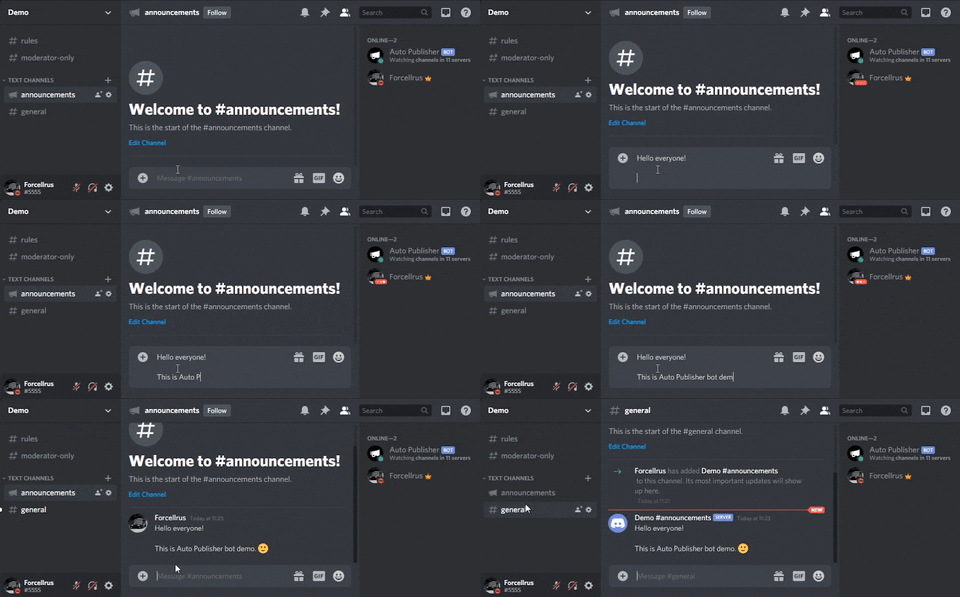
The bot features no commands because the setup is really easy!
- Ensure Python 3.11 is installed. Download it here.
- Clone this repository or download the zip file.
- Open a terminal in the cloned folder where you cloned the repository or extracted the zip file.
- Run
pip install -r requirements.txtto install the dependencies. - Open the file ".env.template" and complete all variables:
TOKEN: The token of your bot. Obtain it from the Discord Developer Portal.OWNER_ID: Your Discord ID.PUBLISH_DELAY_SECONDS: (Optional) Delay in seconds before publishing messages. Defaults to 10. Useful for preventing rate limiting issues.
- Rename the file ".env.template" to ".env".
- Run
python3 main.pyorpython main.pyto start the bot.
If you have cloned the repository, you will find a docker-compose.yml file in the folder.
-
Make sure Docker and Docker Compose are installed. Download Docker here and Docker Compose here.
-
Navigate to the folder where you cloned the repository or extracted the zip file.
-
Open the
docker-compose.ymlfile and update the environment variables as needed (such asTOKEN,OWNER_ID, and optionallyPUBLISH_DELAY_SECONDS). -
In the terminal, run the following command from the folder to start the bot:
docker-compose up -d
- Ensure Docker is installed. Download it from the Docker website.
- Open a terminal.
- Run the bot with the command below:
- Modify the variables according to your requirements.
- Set the
TOKEN, andOWNER_ID.
docker run -d \
-e TOKEN=BOT_TOKEN \
-e OWNER_ID=DISCORD_ID_OF_OWNER \
-e PUBLISH_DELAY_SECONDS=10 \
--name AutoPublisher \
--restart any \
-v autopublisher_log:/app/AutoPublisher/Logs \
ghcr.io/serpensin/discordbots-autopublisher:latest- The bot can only publish 10 messages per hour per channel (just as users), this is rate limited by Discord!
- If you want to temporarily stop the bot from publishing messages in any of your announcement channels, just disable its'
View Channelpermission in a desired channel and enable it back when you're ready. - You should run the /permissions command to see the permissions the bot needs to work properly. (
View Channel,Send Messages,Manage MessagesandRead Message History)