Activation Guide ‐ Microsoft Store
-
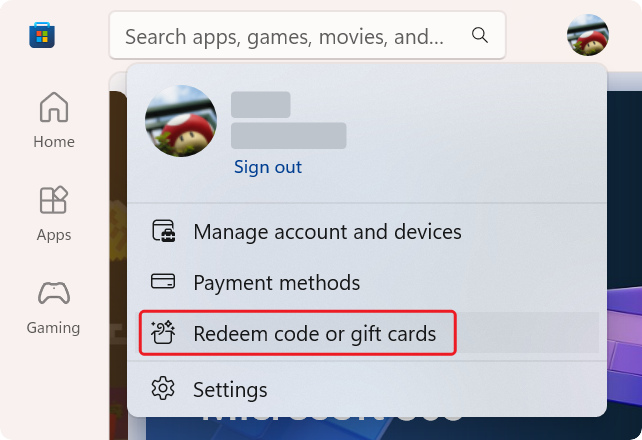
Open Microsoft Store and log in to your Microsoft account. Then click on "Profile Avatar > Redeem code or gift cards":
-
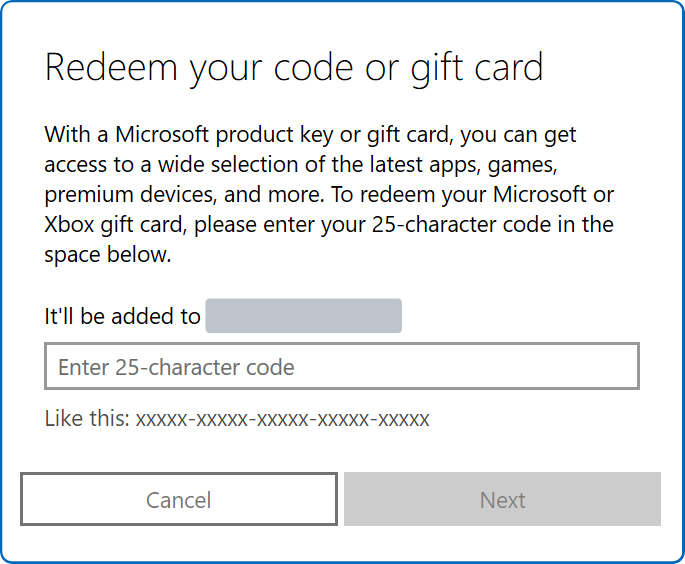
Enter the redemption code in the pop-up window and click "Next":
If your code looks like 'XXXX-XXXX-XXXX-XXXX-XXXXXX', it should be a license key for the Desktop version. Please refer to Activation Guide - Desktop.
-
Restart the Microsoft Store version of Snipaste.
-
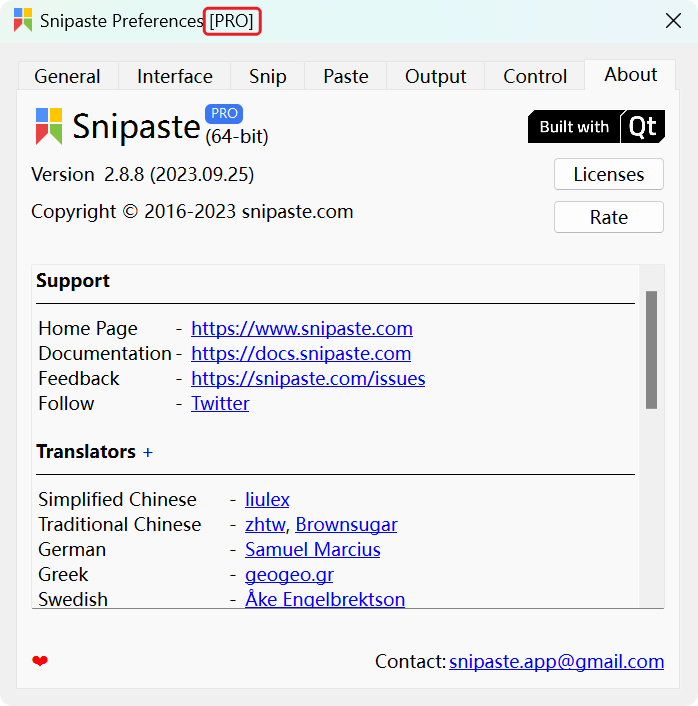
Open the Preferences dialog and check if it is recognized as the Pro version:
If it still shows as the free version, you may wait a minute or two and then restart Snipaste again.
- Microsoft Store Order history: https://account.microsoft.com/billing/orders
- You can use up to 10 devices with Microsoft Store. To manage your devices: https://account.microsoft.com/devices/content