Add new button
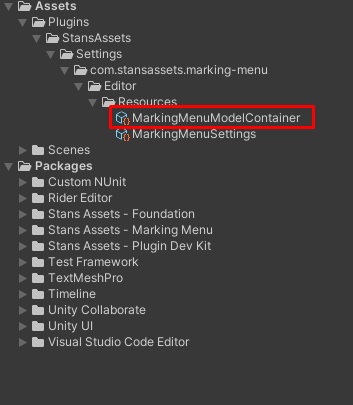
After completing “Setup” step, new ScriptableObject named “MarkingMenuModelContainer “will be created in the Assets/Plugins/StansAssets/Settings/com.stansassets.marking-menu/Editor/Resources/MarkingMenuModelContainer.asset. This object is used to setup your radial menu and customize its look and functionality.
Note: By default our team provides some common use cases as examples on how Menu Marker can be used to speed up your workflow, so “Items Collection” will have 5 entries on “fresh start”.

- Expand items list and increase list count or reset collection
- Specify display name and custom item id. Now your new button will appear in context menu on scene view.
- Right click to show context menu


Max Selectable Angle - allows to specify max angle between cursor and element’s position, suitable to select this element
Display name - name which will appear on the element itself in the Screen view. Feel free to use any name you want
Relative position - Vector2 which represents a position of the element relative to mouse cursors position
Pivot - Vector2 which represents the position of the element’s Pivot point
Size - Vector2 which represents a size of the element(its width by X axis,and its height by Y axis)
Type - type of the element, determines elements behaviour (currently only Action is implemented => same behaviour as regular Unity Button)
Custom item id - string representation id of the item, must be unique
Unity Event - allows to add a method you want to be executed when this element is triggered