
ConEmu Integration provides a seamless experience for using the ConEmu console emulator directly within the Visual Studio IDE.
Choose the version that matches your Visual Studio environment:
- Visual Studio 2026: ConEmu Integration 2026
- Visual Studio 2022: ConEmu Integration 2022
- Visual Studio 2019: ConEmu Integration 2019
- Visual Studio 2017: ConEmu Integration 2017
- Visual Studio 2015: ConEmu Integration 2015
- 🖥️ Integrated Tool Window: Host ConEmu as a native, dockable tool window within Visual Studio.
- 📂 Solution Explorer Integration:
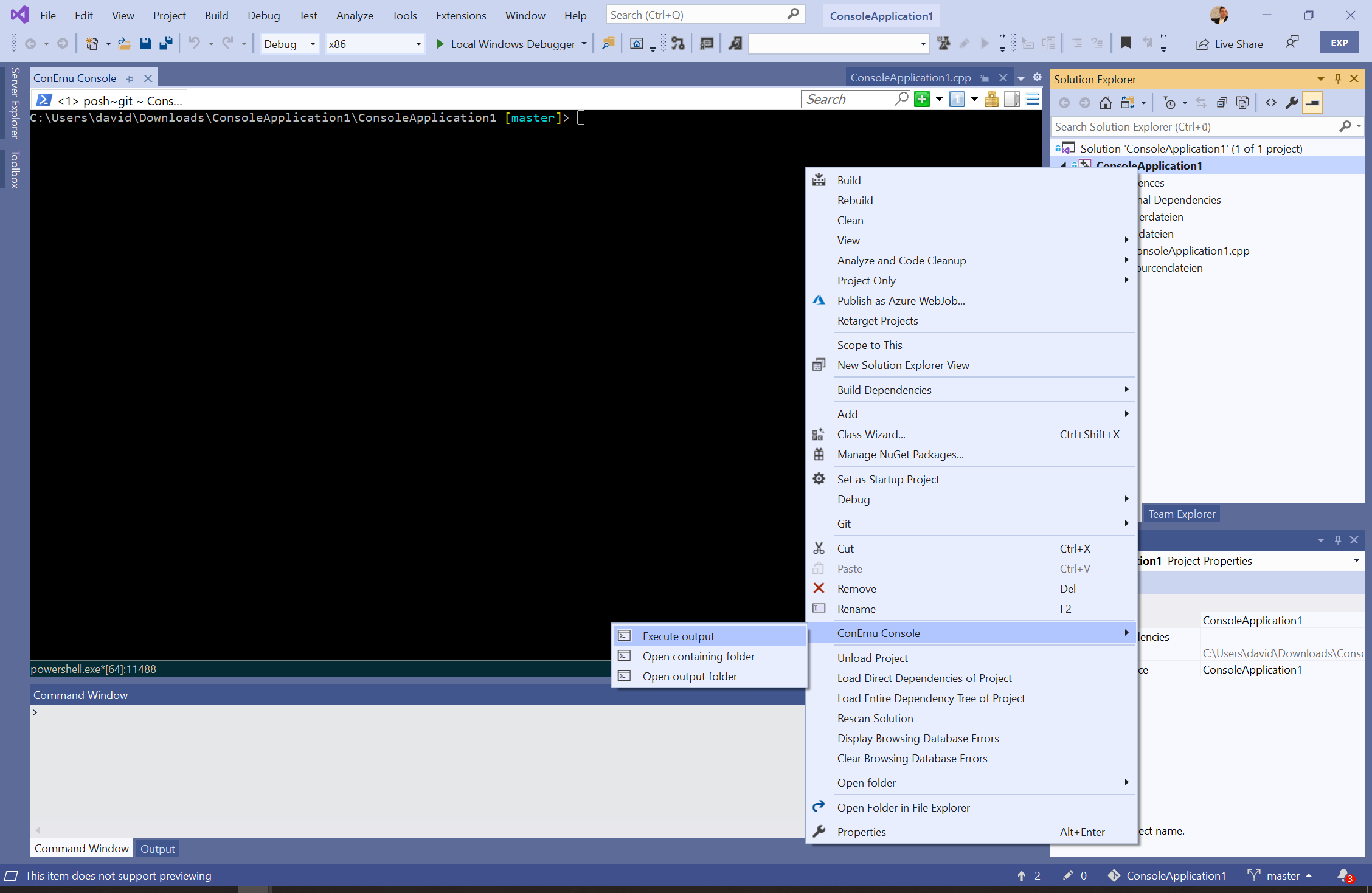
- Open the containing folder of any file or project directly in ConEmu.
- Open the project's build output directory.
- Execute the project's compiled binary using ConEmu.
- Fully compatible with the Folder View mode in Solution Explorer.
- 🚀 Quick Access: Launch or focus the ConEmu tool window instantly from the View menu.
- ⚙️ Advanced Customization: Dedicated options page for managing ConEmu executable paths, shell settings, and custom tasks.
- Visual Studio: Version 2015 or newer (latest updates recommended).
- ConEmu: Build 151201 or higher (Compatible with Installed or Portable versions).
- Architecture: Supports both
x86andx64versions ofConEmu.exe. - Visual Studio on ARM64: Currently not supported due to missing native support in ConEmu #1488.
- Configuration: Requires the path to
ConEmu[64].exeto be defined in the Visual Studio settings.
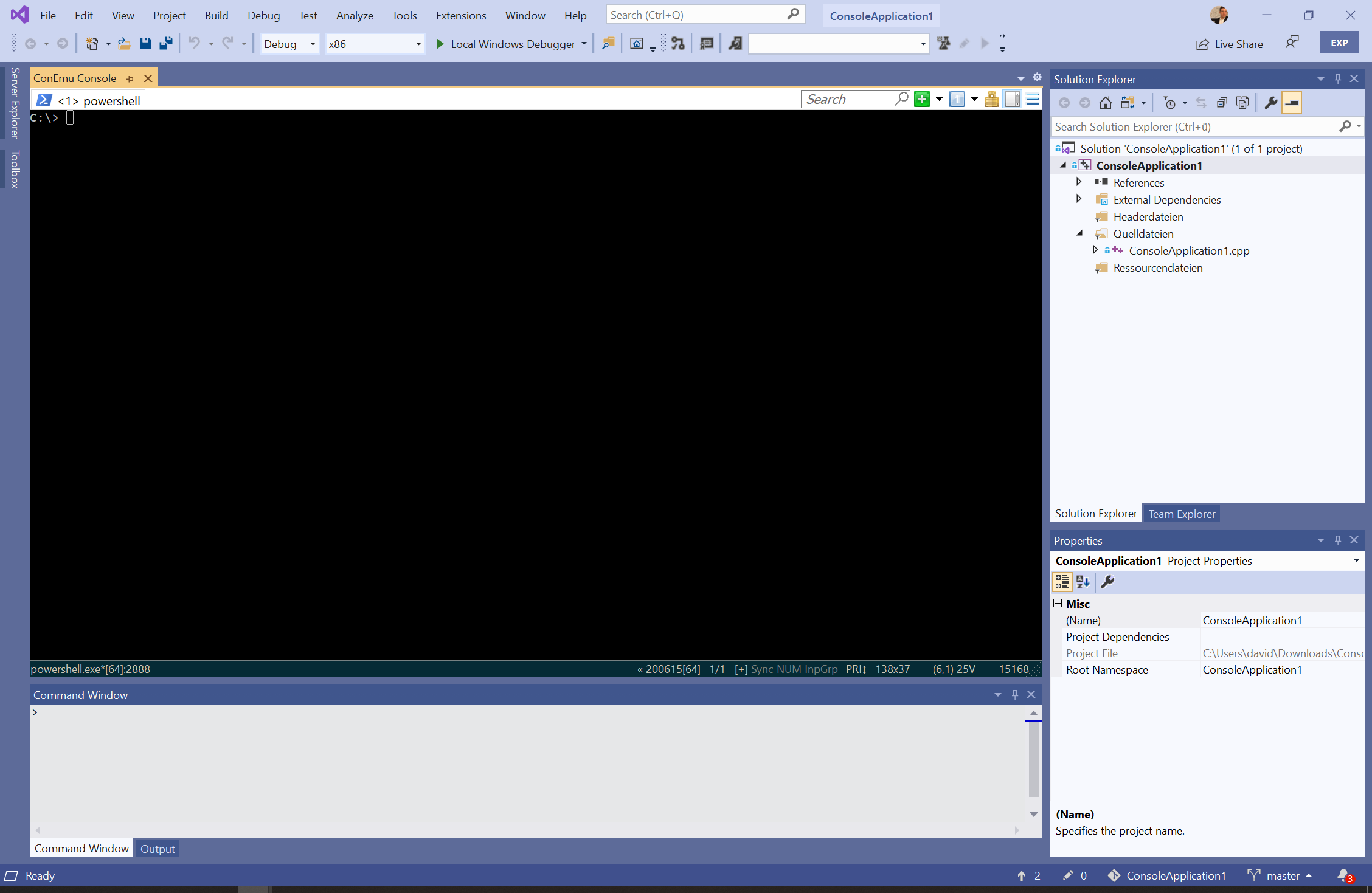
The extension hosts ConEmu as a first-class tool window, allowing you to use your favorite terminal alongside your code.
Right-click on any item in the Solution Explorer to access ConEmu-specific commands, including opening folders or executing binaries.
ConEmu is not bundled with this extension. After installation, navigate to Tools > Options > ConEmu Integration to specify the path to your ConEmu executable.
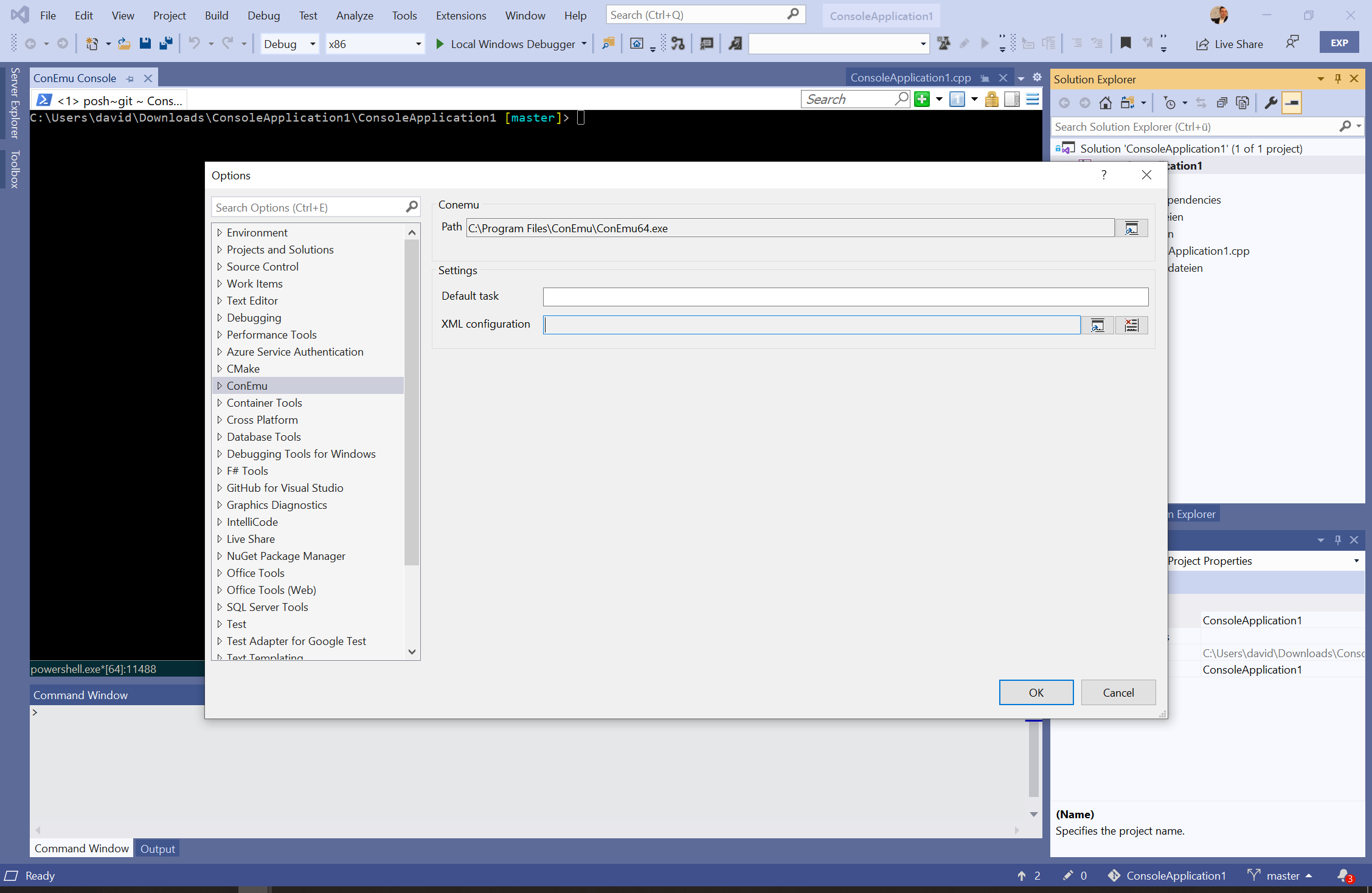
- Default Task: You can customize the startup or default task (e.g.,
{cmd},{powershell}, or{bash}). - External Configuration: If you wish to use a custom
ConEmu.xml, you can specify the path in the extension settings.
Caution
The extension utilizes an internal configuration for stability. Using an external XML file may lead to layout or compatibility issues if specific hosting settings are modified.
ConEmu-Maximus5 is a Windows console emulator with tabs, which presents multiple consoles and GUI applications as one customizable GUI window.

- Project Home: GitHub
- ConEmu Inside: GitHub
- NuGet Package: ConEmu.Control.WinForms
en-US(English)de-DE(German)
This project is licensed under the Apache 2.0 License.
Note: "ConEmu" and "ConEmu Inside" are governed by their own respective licenses. Please refer to their project repositories for details.