Instantly open the containing folder or output directory for any item within the Visual Studio Solution Explorer.
Tired of navigating through layers of directories just to find a file's location? The Open Folder Extension integrates seamless file and folder access right into your Visual Studio workflow, significantly boosting your productivity.
Select the version compatible with your environment:
- Visual Studio 2026: Open Folder Extension 2026
- Visual Studio 2022: Open Folder Extension 2022
- Visual Studio 2019: Open Folder Extension 2019
- Visual Studio 2017: Open Folder Extension 2017
- Visual Studio 2015: Open Folder Extension 2015
- Open Containing Folder: Quickly open the directory holding a selected file or project.
- Open Output Folder: Immediately navigate to the output directory of a selected project (e.g.,
bin\Debug).
The target folder can be opened directly in the following applications:
- File Explorer
- PowerShell
- Command Prompt (CMD)
Right-click any file or project within the Solution Explorer.
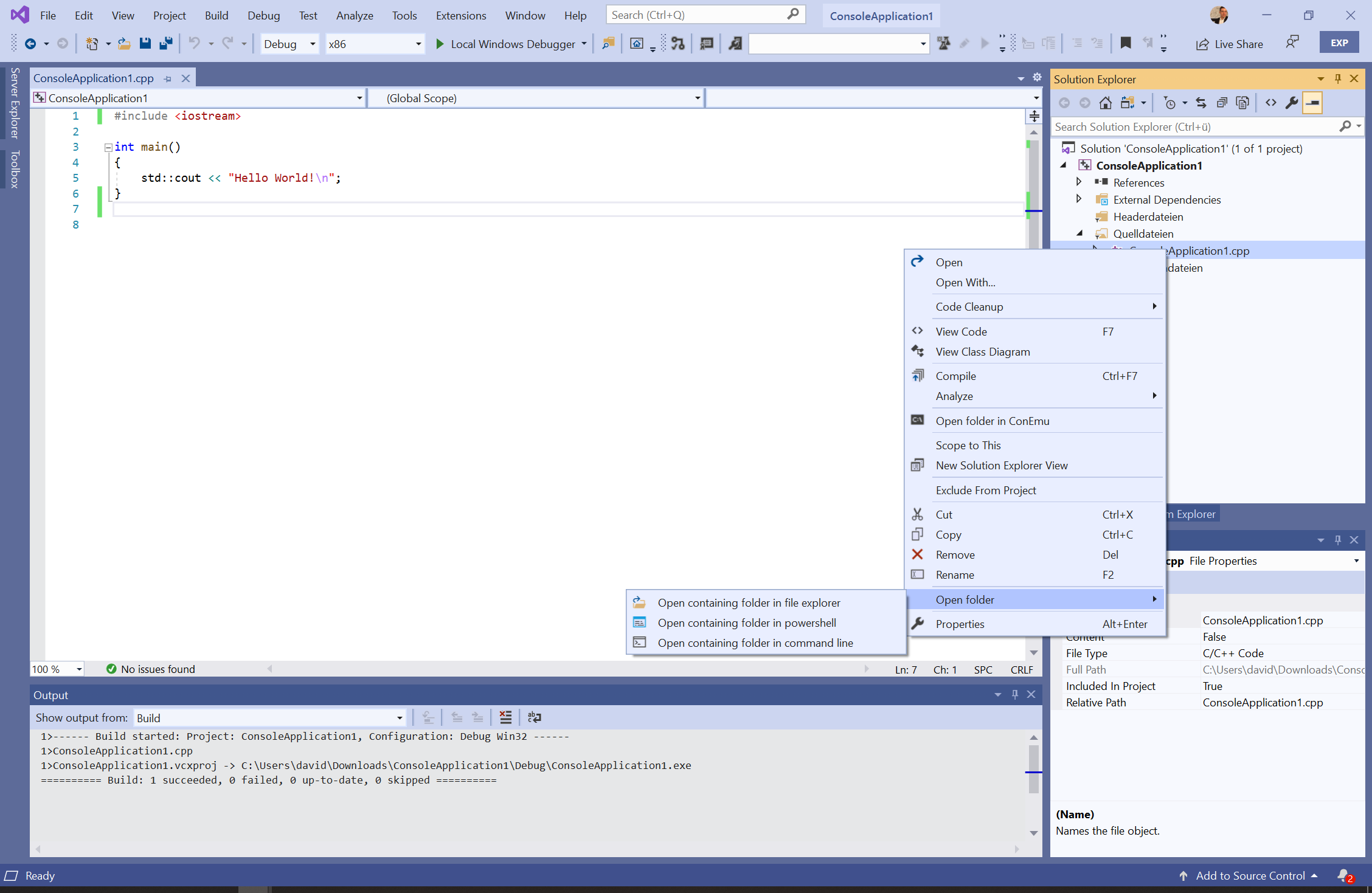
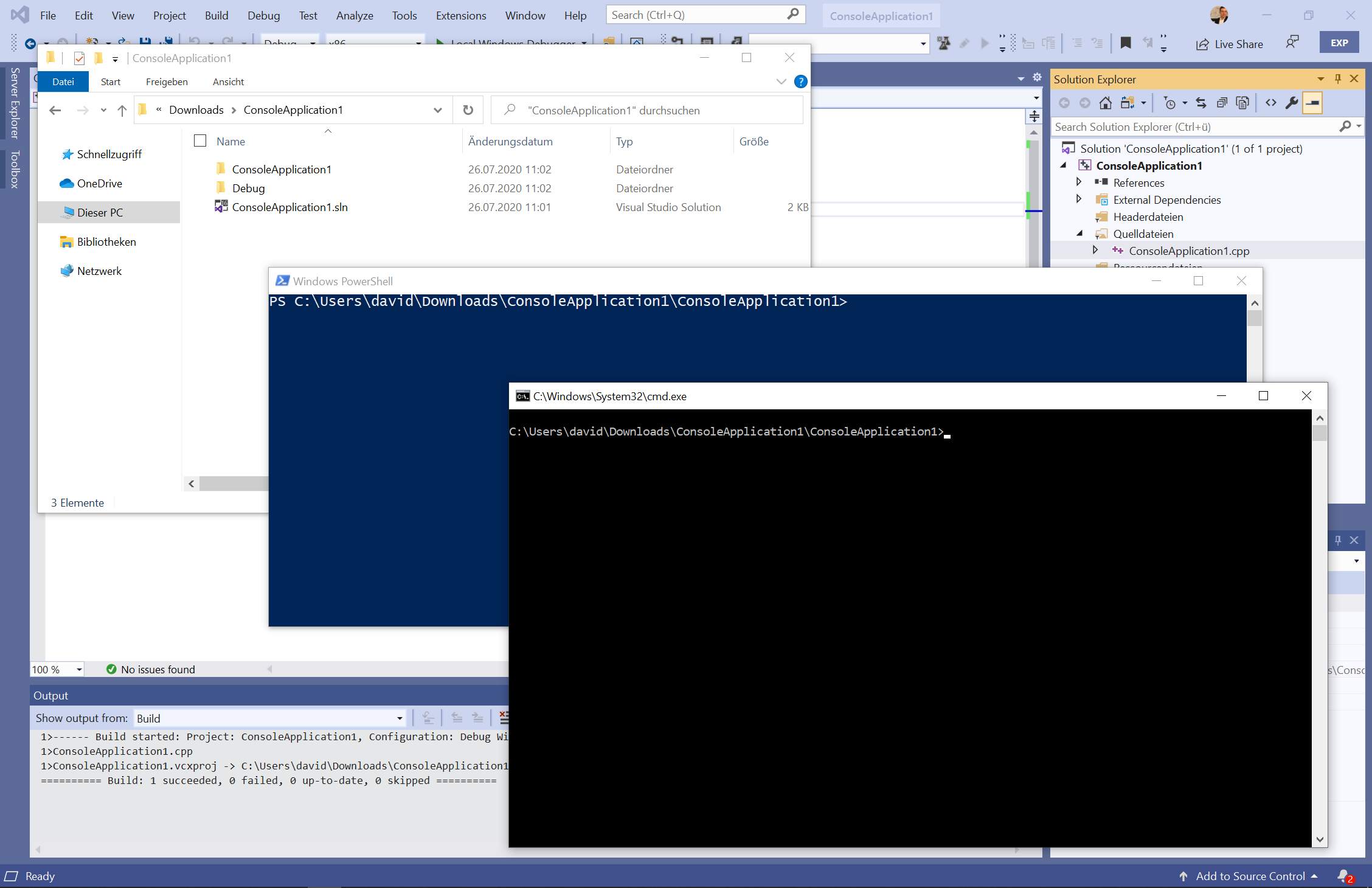
Select "Open folder" to launch the directory in your chosen application (e.g., File Explorer).
Right-click a project within the Solution Explorer.
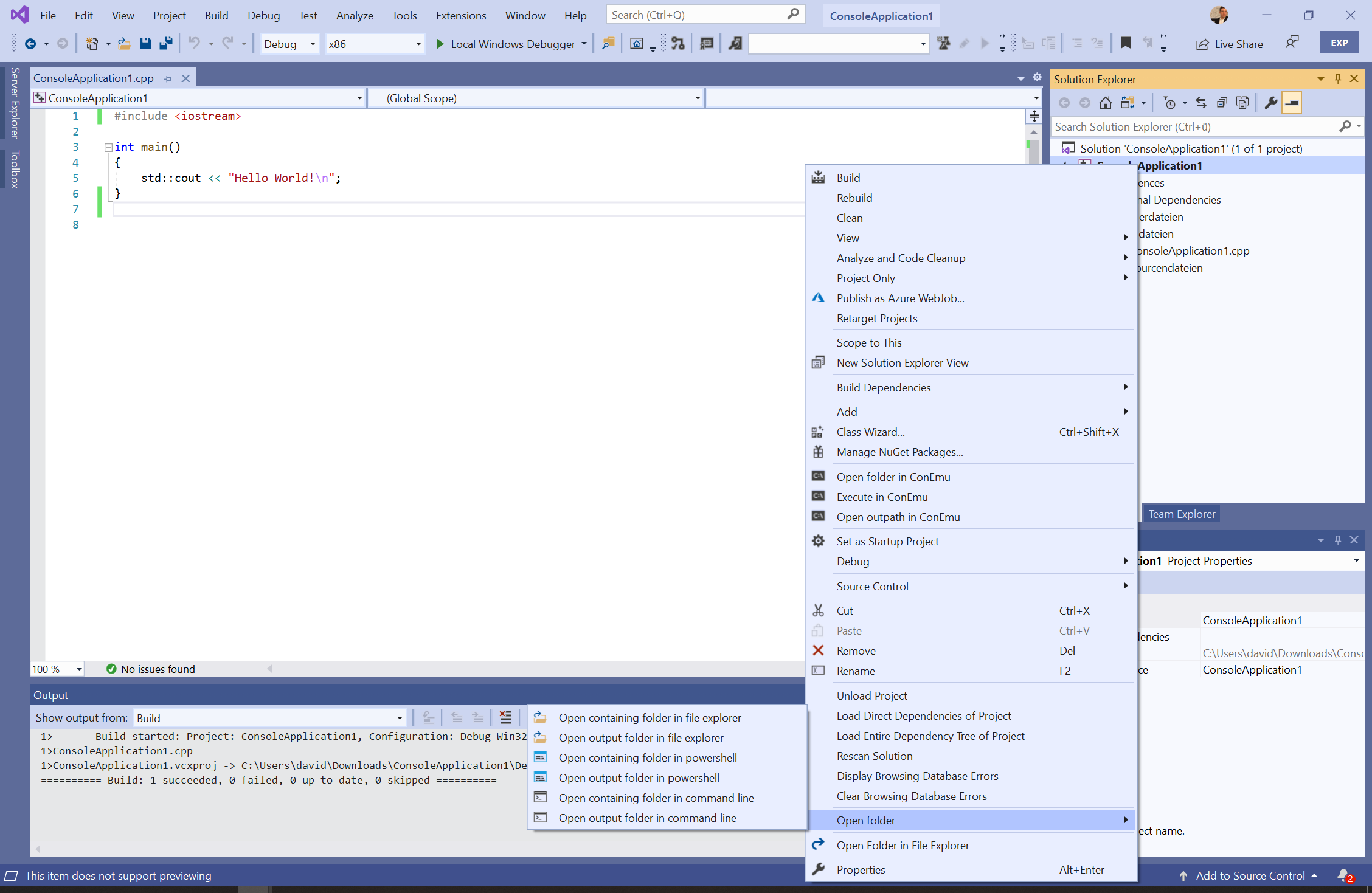
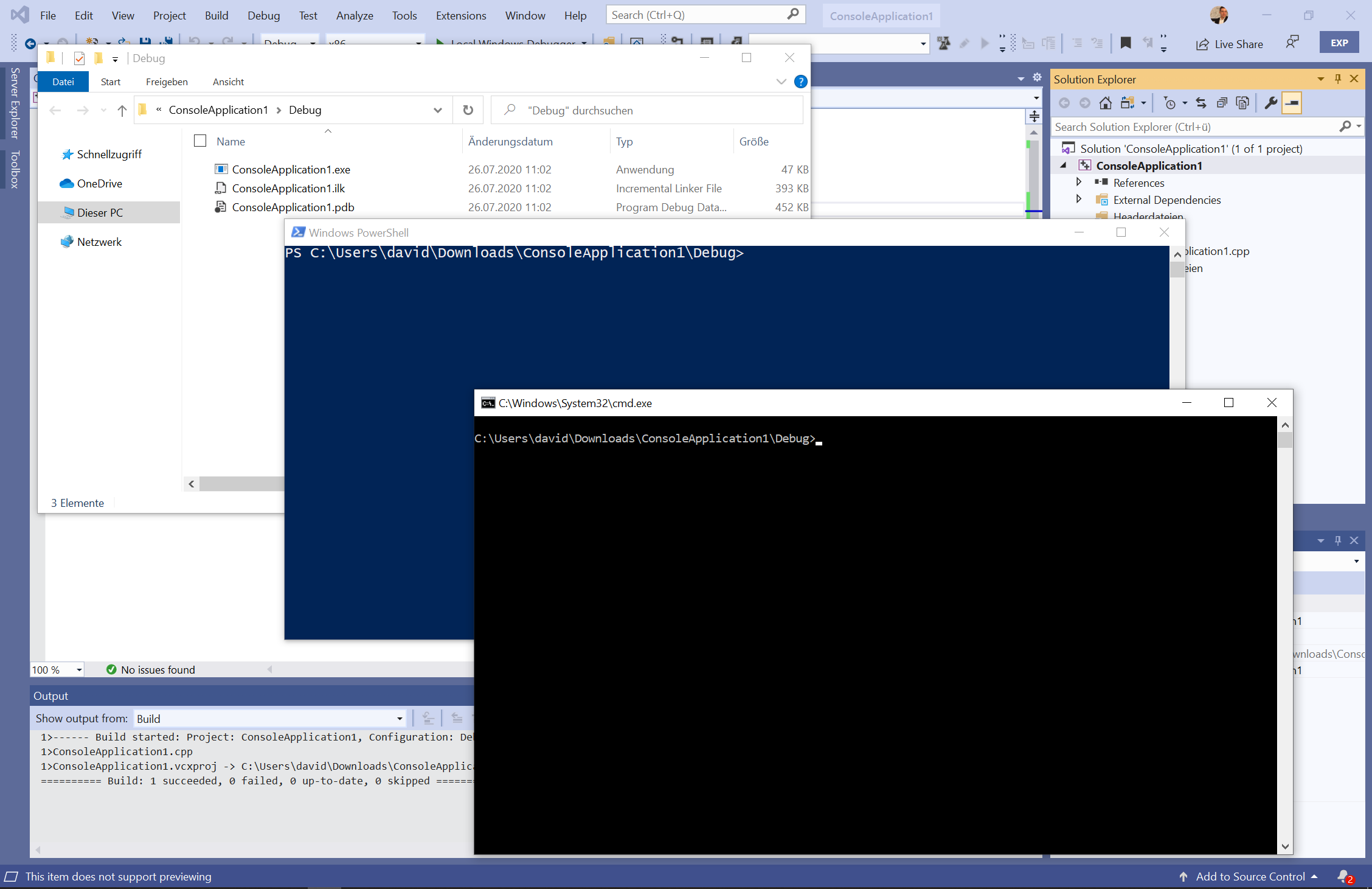
Select "Open output path" to instantly access the compiled output directory.
- en-US (American English)
- de-DE (Standard German)
This extension is released under the Apache 2.0 License.