This repo was forked from the following public location - https://github.com/turbot/steampipe-mod-aws-well-architected
Theses checks have been expanded to cover all pillars of the Well Architected Framework and enable customer responses via the use of the CSV.
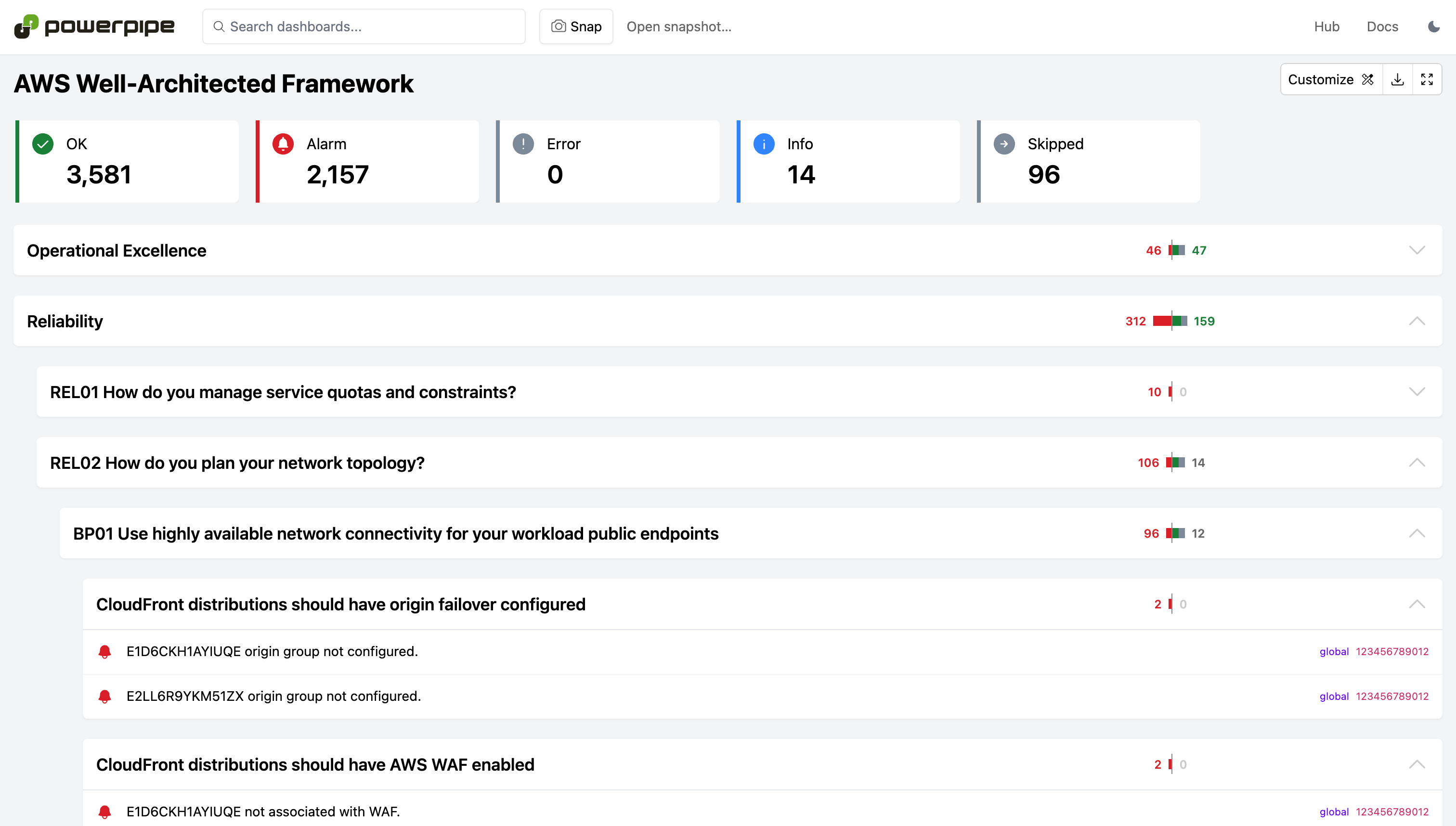
Run checks in a dashboard:
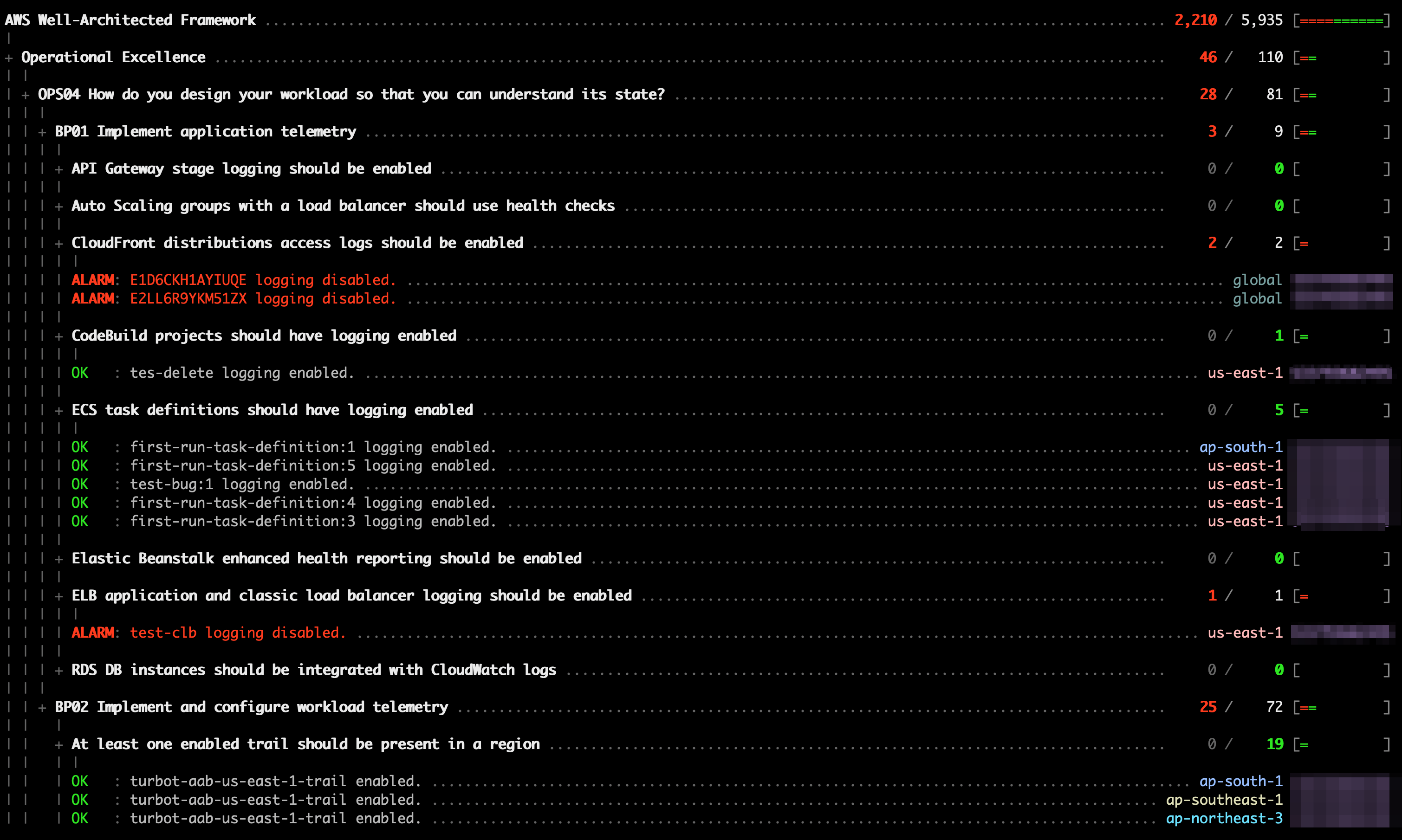
Or in a terminal:
Install Powerpipe https://powerpipe.io/downloads, or use Brew:
brew install turbot/tap/powerpipeThis mod also requires Steampipe with the following data sources.
Install Steampipe https://steampipe.io/downloads, or use Brew, AWS plugin & CSV plugin:
brew install turbot/tap/steampipe
steampipe plugin install aws
steampipe plugin install csv
Steampipe will automatically use your default AWS credentials. Optionally, you can setup multiple accounts or customize AWS credentials.
Finally, install the mod:
mkdir dashboards
cd dashboards
powerpipe mod init
powerpipe mod install github.com/turbot/steampipe-mod-aws-well-architectedThe CSV file is used to show answers from the customer. An example is located in the root of this respository war.csv
Copy this file root of the directory you installed the mod.
cp ../war.csv .and customise with the answers from the customer.
Error, Ok & Info are valid values for the status column and will show the relative status in the powerpipe dashboard.
Start Steampipe as the data source:
steampipe service startStart the dashboard server:
powerpipe serverBrowse and view your dashboards at http://localhost:9033
Instead of running benchmarks in a dashboard, you can also run them within your
terminal with the powerpipe benchmark command:
List available benchmarks:
powerpipe benchmark listRun a benchmark:
powerpipe benchmark run well_architected_frameworkRun a benchmark for a specific pillar:
powerpipe benchmark run well_architected_framework_securityRun a benchmark for a specific question:
powerpipe benchmark run well_architected_framework_sec01Run a benchmark for a specific best practice:
powerpipe benchmark run well_architected_framework_sec01_bp01Different output formats are also available, for more information please see Output Formats.
The benchmark queries use common properties (like account_id, connection_name and region) and tags that are defined in the dependent AWS Compliance mod These properties can be executed in the following ways:
It's easiest to setup your vars file, starting with the sample:
cp steampipe.spvars.example steampipe.spvars
vi steampipe.spvars
Alternatively you can pass variables on the command line:
powerpipe benchmark run well_architected_framework_security --var 'common_dimensions=["account_id", "connection_name", "region"]'Or through environment variables:
export PP_VAR_common_dimensions='["account_id", "connection_name", "region"]'
export PP_VAR_tag_dimensions='["Environment", "Owner"]'
powerpipe benchmark run well_architected_framework_securityThis repository is published under the Apache 2.0 license. Please see our code of conduct. We look forward to collaborating with you!
Steampipe and Powerpipe are products produced from this open source software, exclusively by Turbot HQ, Inc. They are distributed under our commercial terms. Others are allowed to make their own distribution of the software, but cannot use any of the Turbot trademarks, cloud services, etc. You can learn more in our Open Source FAQ.
Want to help but don't know where to start? Pick up one of the help wanted issues:
- Thanks to @JPPienaar and @nathanwebsterdotme from Daemon for developing some of the control mappings used in the Well-Architected Framework benchmarks.