This is a solution to the Space tourism multi-page website challenge on Frontend Mentor. Frontend Mentor challenges help you improve your coding skills by building realistic projects.
Users should be able to:
- View the optimal layout for each of the website's pages depending on their device's screen size.
- See hover states for all interactive elements on the page.
- View each page and be able to toggle between the tabs to see new information.
| Desktop View | Tablet View | Mobile View |
|---|---|---|
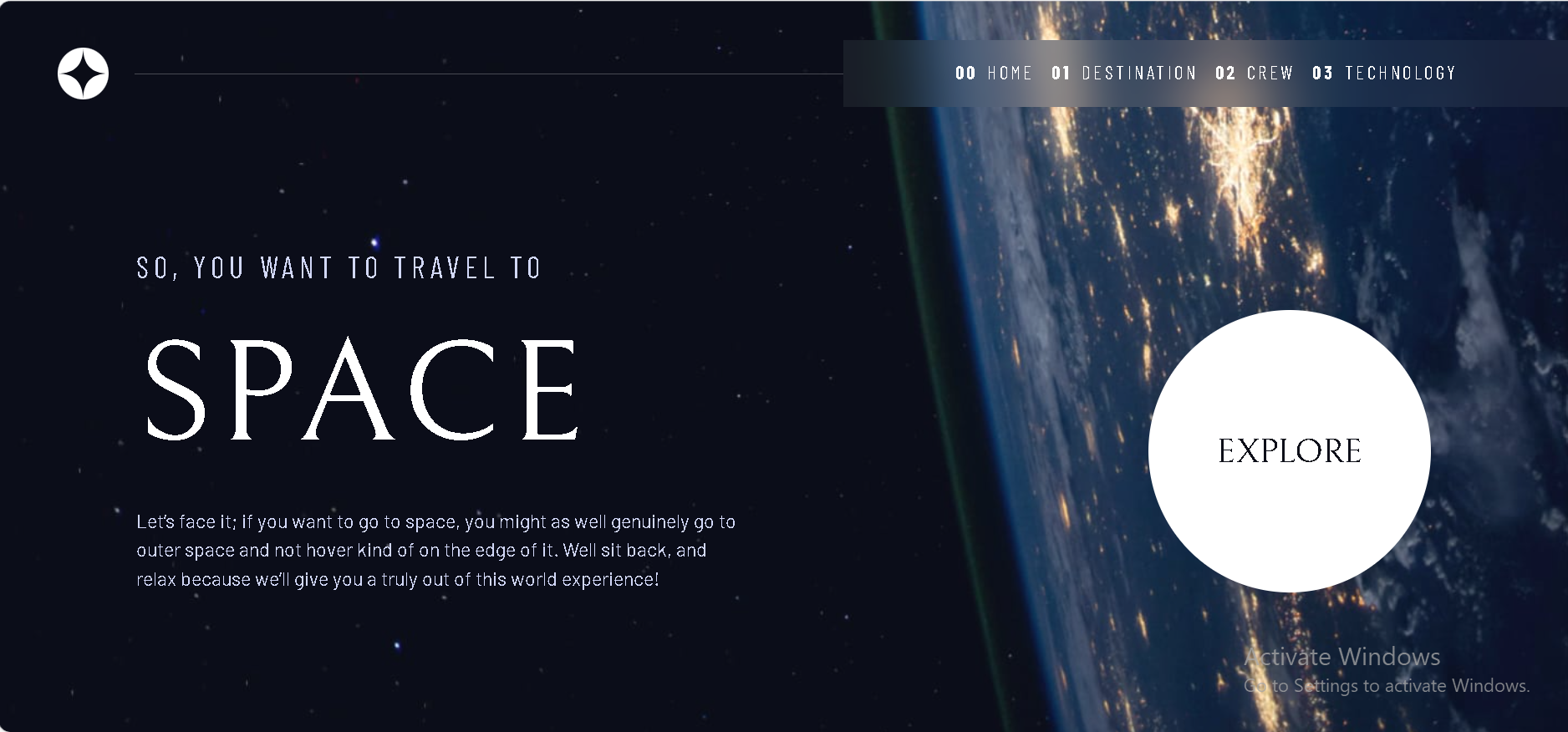 |
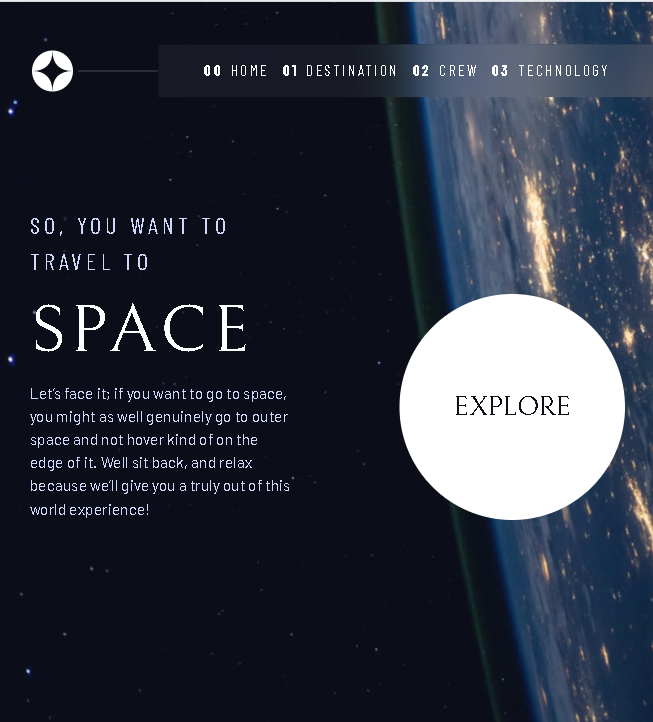 |
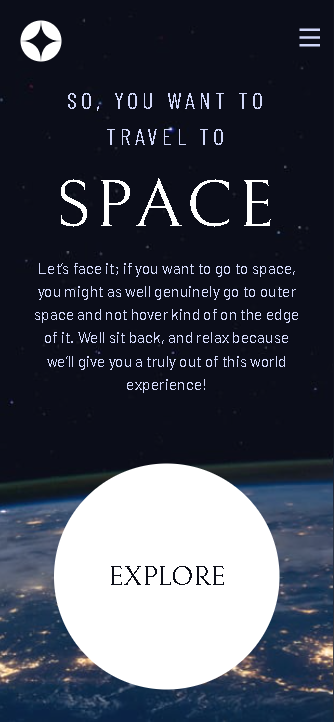 |
- React - A JavaScript library for building component-based user interfaces.
- TypeScript - For adding static type-checking to JavaScript, improving code quality and maintainability.
- React Router - For handling client-side routing to create a seamless multi-page experience.
- CSS Custom Properties & Flexbox/Grid - For creating a robust, responsive, and maintainable design system.
- Vite - For a fast and modern development and build environment.
- Mobile-first workflow - Ensuring a great experience on all screen sizes.
This was a comprehensive project that solidified my understanding of building a complete multi-page application in React from the ground up.
A major learning was architecting the application with a clear separation of concerns. The data was centralized in a data.json file, which was then imported and distributed to "page" components. These pages, in turn, were composed of smaller, reusable UI components. This is a powerful and scalable pattern.
I'm particularly proud of the state management for the interactive tabs on the Destination, Crew, and Technology pages. Using the useState hook to manage the currentIndex of the selected item, and then using that index to pull the correct data from the imported array, proved to be an elegant and efficient solution.
// Example from Destination.tsx
import { useState } from 'react';
import { destinations } from '../data';

function Destination() {
  const [currentIndex, setCurrentIndex] = useState(0);
  const currentDestination = destinations[currentIndex];

  return (
    // ...
    <img src={currentDestination.images.png} />
    // ...
    {destinations.map((destination, index) => (
      <button
        key={destination.name}
        aria-selected={currentIndex === index}
        onClick={() => setCurrentIndex(index)}
      >
        {destination.name}
      </button>
    ))}
    // ...
  );
}
This pattern of mapping over a data array to render UI and using state to control which item is "active" was reused across three different pages, demonstrating its flexibility.
This project has been an excellent foundation. Looking forward, I plan to focus on:
- Animations and Page Transitions: The current page transitions are instant. I want to learn and implement a library like Framer Motion to add fluid, meaningful animations as the user navigates between pages and tabs, which would elevate the "space travel" theme.
- Data Fetching: While this project used a local JSON file, in a real-world scenario, this data would come from an API. I plan to practice fetching data asynchronously using
useEffectand handling loading/error states. - Accessibility (A11y): I implemented basic accessibility features like
aria-selectedandaria-controls. I want to deepen my knowledge by using tools like screen readers and accessibility auditors to ensure my applications are usable by everyone.
- Website - Victor Okpe
- Frontend Mentor - @victorbjay
This project was completed as a collaborative effort with Google's Gemini assistant. The process involved a detailed, iterative approach to ensure the layout, functionality, and architecture precisely matched the design brief and followed professional best practices. The back-and-forth dialogue was instrumental in debugging, refactoring, and finalizing the solution.