A modular node-programming language, program creator, animation system, toolkit, router, and debugger made for VRChat







VRCOSC acts as a wrapper around VRChat's OSC system to make creating OSC programs easier through modules and node-programming, provide interfaces for other APIs and frameworks that might be useful to an OSC project, and act as a centralised source for useful OSC programs so that a user will only need to download a single application. Our framework supports developing your own modules to save you the trouble of having to set up everything yourself, as well as allowing other people to seamlessly use your module on their PC. See how to create a module here.
Featuring:
- Custom node-programming language
- ChatBox animation system
- Per-avatar profiles
- Built-in router
- Automatic updates
- Common API interfaces
- Drag-and-drop Unity prefabs
- Debug tools
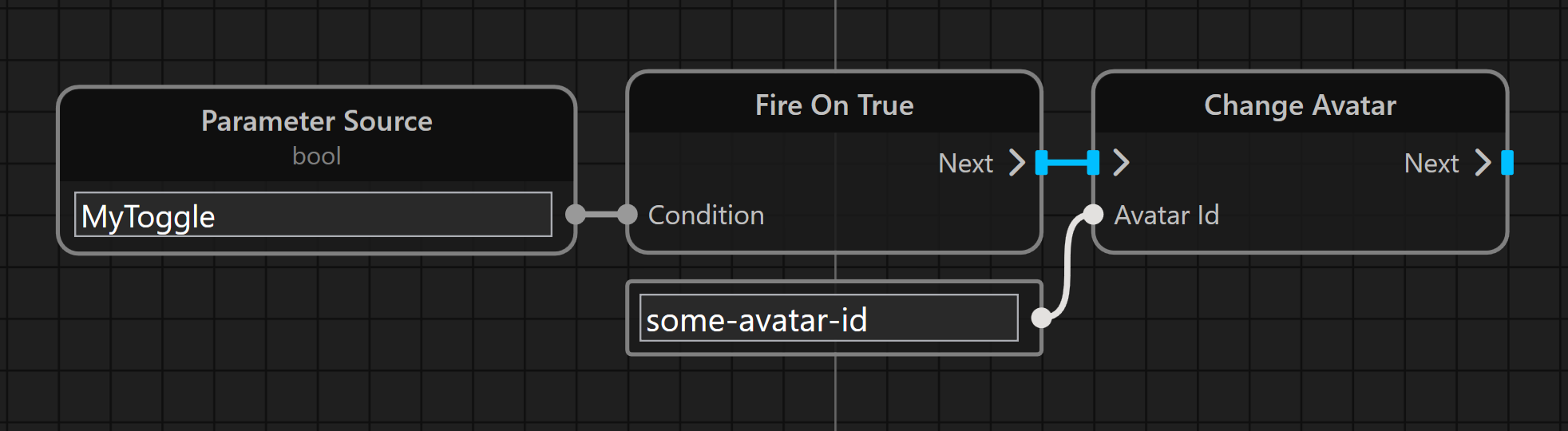
VRCOSC contains a custom node-programming language called Pulse, built to allow users to make custom behaviour without making a module. It allows for connecting APIs to VRChat, the speech engine to parameters, doing complex maths, and more! You can check out Pulse here!
VRCOSC's ChatBox animation system allows you to display what you want, when you want, how you want. Check out the ChatBox-Config forum channel of our Discord server to see some of the configs people have created or you can make your own by following the docs! The ChatBox uses a community-created list to block the ChatBox from being used in certain worlds. You can turn this off in the app settings, but we recommend you keep it on out of respect.
- Download and run
VRCOSCSetup.exefrom the latest releases - Enable the modules you'd like to use
- Press the run button!
Check the FAQ if you have any issues with installing, using the app, or using any of the prefabs. Join the Discord server if you need any other help.
Optionally, you can download any first-party prefabs you want and add them to your avatar from here.
If you have a module idea join the Discord server and tell us or create it yourself!
All modules support sending generic parameters that are standardised so that public avatars can utilise these features. Most modules have ChatBox support, providing generic variables for you to use.
You can find the Official Modules source code here.
| Module Name | Description |
|---|---|
| Media | Allows for media (Spotify, YouTube, etc) display in the ChatBox and control over the media sessions |
| Twitch | Connects Twitch events to Pulse, and allows Pulse to control your Twitch |
| Pulsoid | Connects to Pulsoid to get your heartrate - Supported Devices |
| HypeRate | Connects to HypeRate to get your heartrate - Supported Devices |
| ParameterSync | Allows for saving and syncing parameters between avatars |
| Speech To Text | Listens to your speech and displays the result in the ChatBox |
| Voice Commands | Control avatar parameters with your voice |
| DateTime | Converts the date and time to useful avatar parameters |
| Counter | Counts how many times a parameter on your avatar has changed to be displayed in the ChatBox |
| PiShock | Control groups of PiShock shockers from your avatar or your voice |
| Maths | Define complex equations to drive avatar parameters |
| Keybinds | Trigger keybinds using avatar parameters |
| Client Events | Listens for events from VRChat and triggers parameters on your avatar |
| Hardware Stats | Gathers hardware stats to send to your avatar and ChatBox |
| SteamVR Stats | Gets statistics from your SteamVR session |
| SteamVR Haptic Control | Control SteamVR haptics on your devices |
| Index Gesture Extensions | Allows for custom gestures to be sent to VRChat from your Index controllers |
| AFK Detection | Detects when you're AFK in VRChat or SteamVR |
| Process Manager | Open and close apps on your PC using avatar parameters |
| Stopwatch | A simple stopwatch |
| Weather | Gets weather from a postcode/zipcode/city |
This program is licensed under the GNU General Public License V3. Please see the license file for more information.
Other libraries included in this project may contain different licenses. See the license files in their repos for more information.

