Adding and Removing Entities from Mega Torch and Dread Lamp Block Lists
Torchmasters Blocking Lights (Mega Torch and Dread Lamp) use internal Block Lists to determine if a given mob should be blocked during spawn checks. These lists generally use minecrafts mob type flagging system to add them to the correct one, but sometimes mods implement their entities differently than torchmaster can detect it.
Sometimes Torchmaster may also add a Mob to one of the Blocking Lights errornously.
Both issues can be configured - but if you think something is a bug, feel free to open an issue on github.
To change the blocking list for one of the Torchmaster Lights, you first need to determine the Entity Type ID. This can be done via a multitude of ways, but in most cases the easiest option is to just look at the entity ingame while the F3 Debug menu is visible.
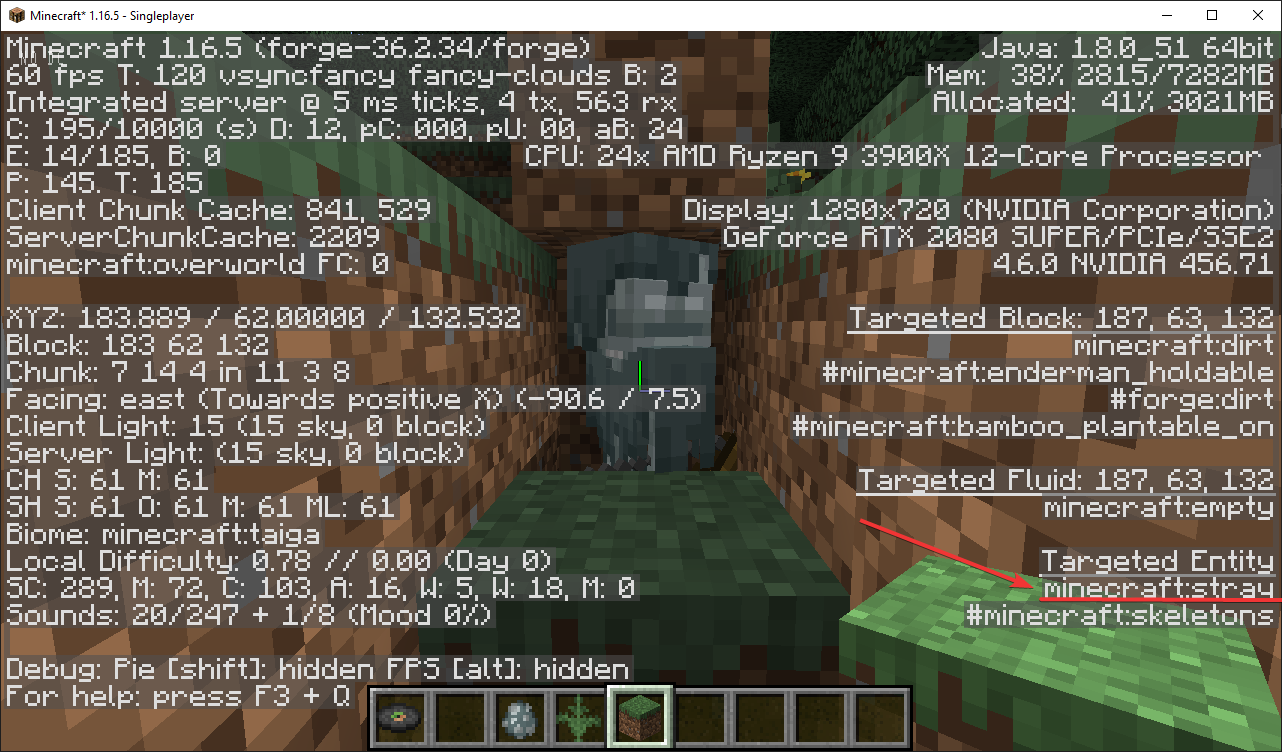
Simply look at the entity, press the F3 Key and note the Target Entity on the bottom right. The first entry is the its entity id.
For example, the Stray in Minecraft uses the Entity Type ID minecraft:stray
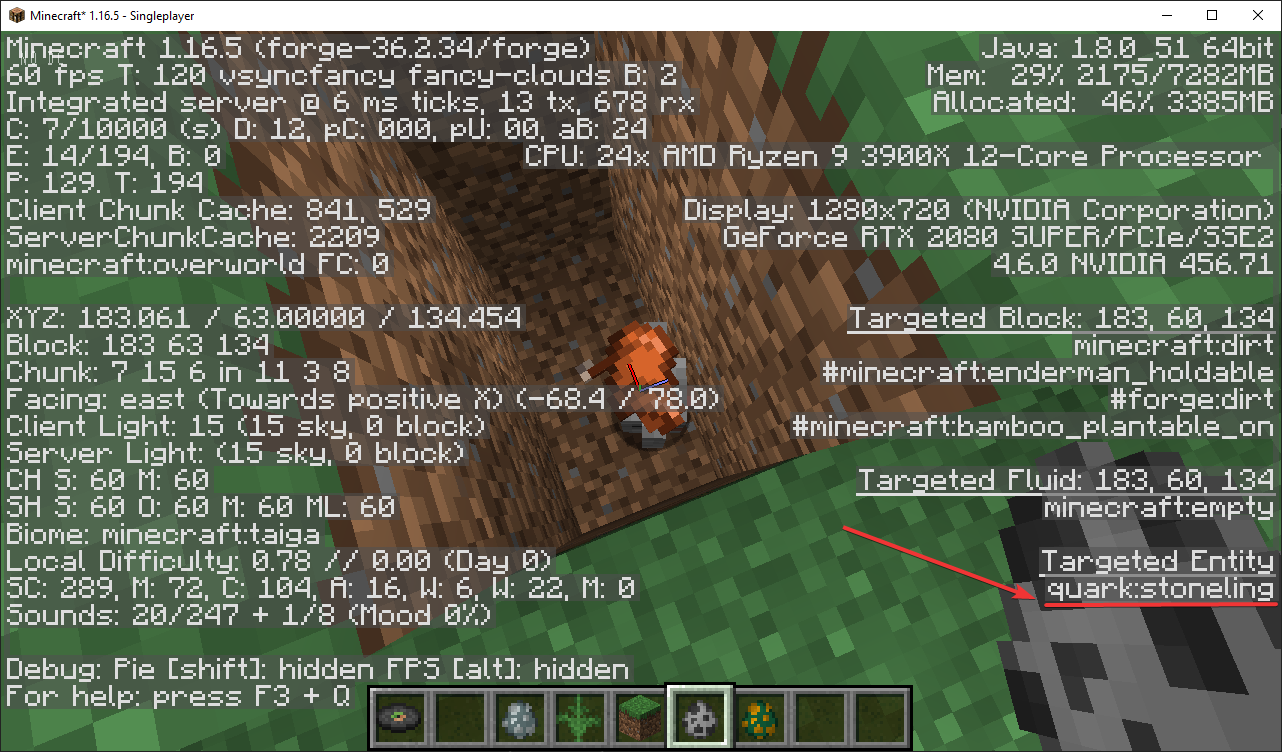
 Modded entities generally use their
 mod id in front of the name, i.e. quark:stoneling
Blocklist configuration is currently done via the torchmaster.toml configuration (in later versions the file may be called torchmaster-common.toml) and resides in the config directory.
The config contains 2 entries for block list configurations:
As their name implies, the megaTorchEntityBlockListOverrides is used for the Mega Torch, while the dreadLampEntityBlockListOverrides is used for the Dread Lamp.
These settings are called arrays and in the toml configuration language, the values need to be enclosed in square brackets. The value itself also needs to be in double quotes, otherwise you will get an error during startup. Each block list entry needs to be prefixed by either a + or a -.
+ prefix means "add this entity to the blocked list", while - means "remove this entity from the list".
By default, the lists are empty. You will need to put your mobs in quotes + the operation prefix between the brackets.
megaTorchEntityBlockListOverrides = []
dreadLampEntityBlockListOverrides = []
Note: This setting is redundant since the Mega Torch already blocks the Stray!
Make sure you add the + prefix in front of the entity type name to add the mob to the block list.
megaTorchEntityBlockListOverrides = [
  "+minecraft:stray"
]
Note: Multiple entries are separated by comma, new lines are optional. This setting will add sheep and pig to the block list of the mega torch
megaTorchEntityBlockListOverrides = [
  "+minecraft:sheep",
  "+minecraft:pig"
]
Note: Using the - prefix will remove a mob from the block list, allowing it to spawn even though a torch or lamp is nearby.
This setting will cause the creeper to still be allowed to spawn.
megaTorchEntityBlockListOverrides = [
  "-minecraft:creeper"
]
You can obviously mix and match how ever you like. Modded entities work just like minecraft ones, just with a their modname. The name should show up in the F3 Menu just like it does for minecraft entities.
megaTorchEntityBlockListOverrides = [
  "-minecraft:creeper",
  "+minecraft:bat",
  "+minecraft:cow",
  "-minecraft:slime",
  "+environmental:duck",
  "+quark:stoneling"
]
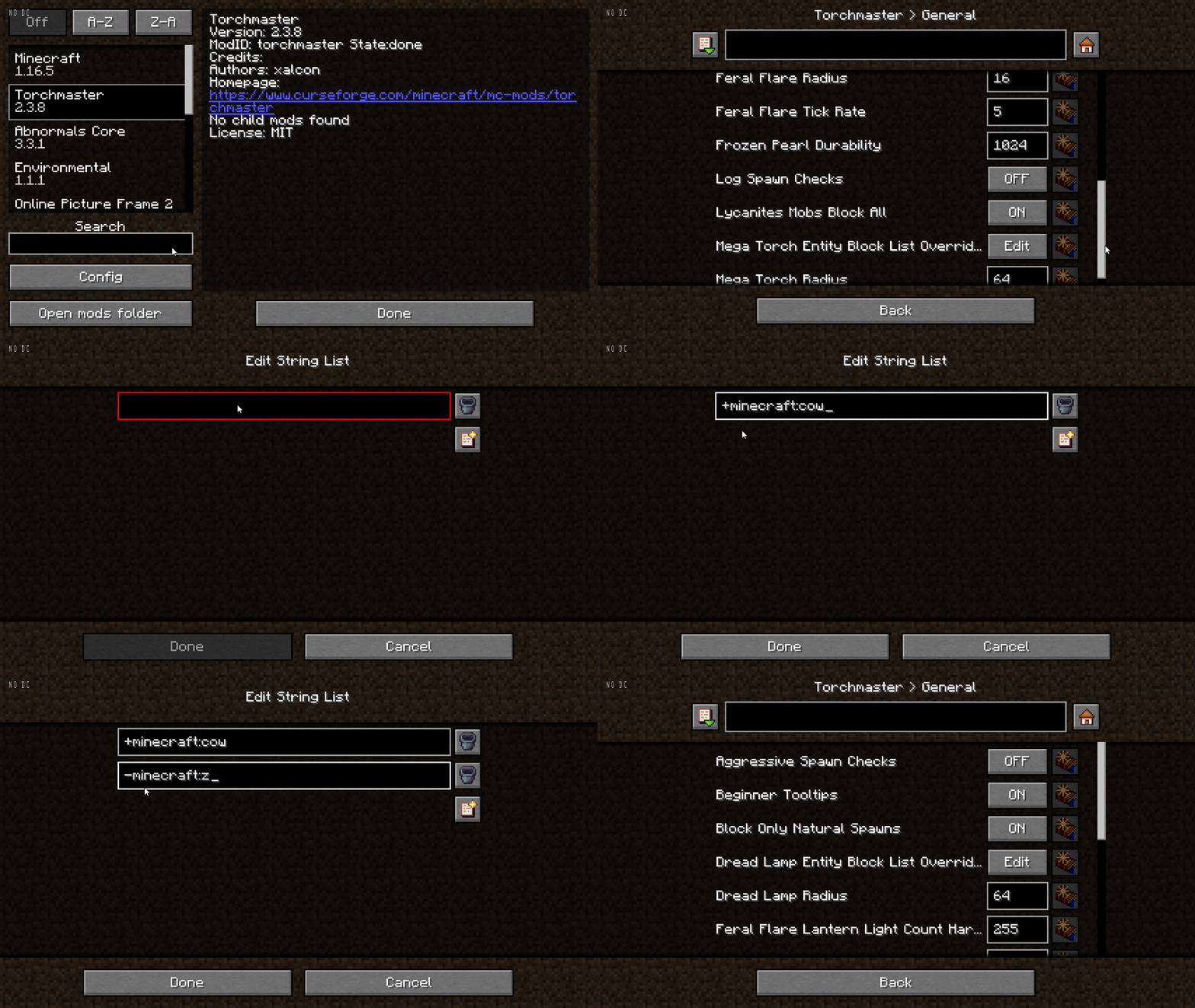
If you use a mod like Config Menu for Forge or Modmenu for fabric, you will need to drop the double quotes, here is a sample how this could look like: