A Reactive live chat application that connects random users for real-time communication. This project demonstrates the use of the WebSocket protocol to enable bidirectional communication between clients and the server. Built using React.js on the front end and FastAPI on the back end, this example illustrates how WebSockets can be implemented to handle real-time chat functionality, ensuring seamless communication between users.
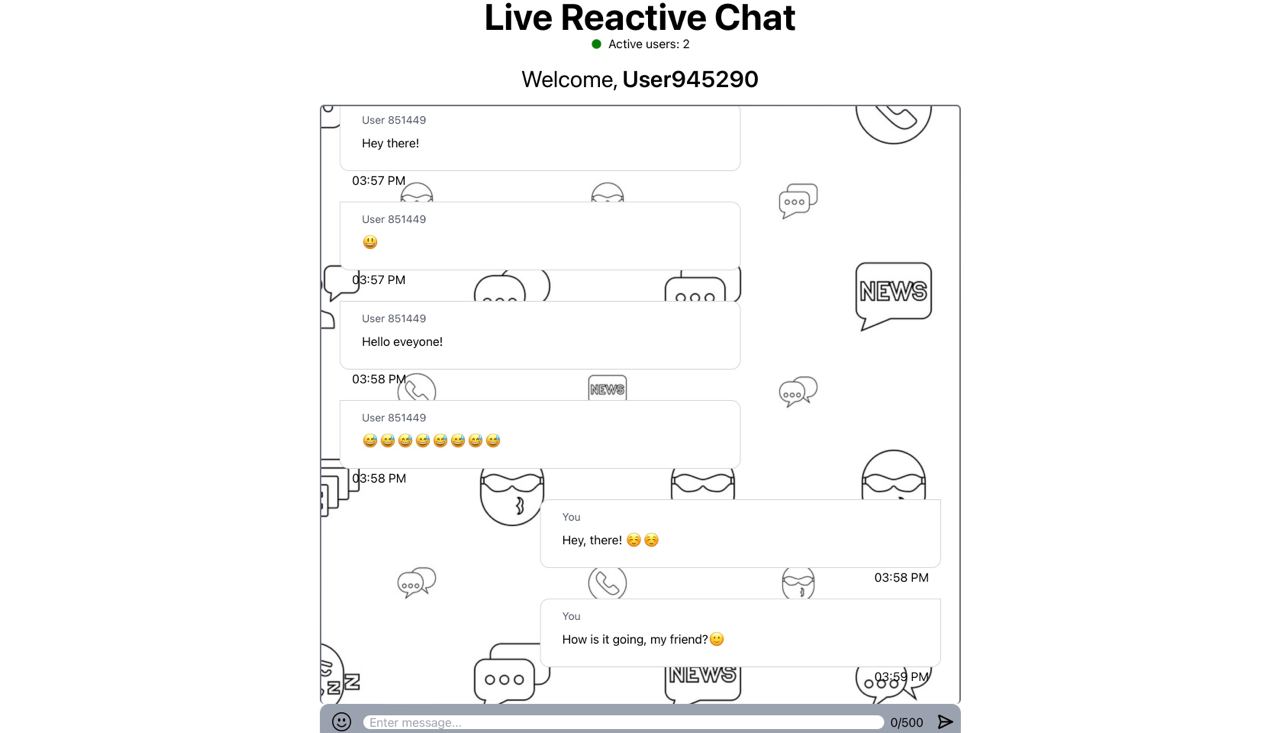
- Real-time chat: uses web socket protocol to enable live communication between random users.
- Scalable architecture: built with FastAPI and React.js, it ensures high-performance communication.
- React.jsive UI: front end built with React.js, making the UI smooth and interactive.
Follow these steps to set up and run this project locally:
Ensure you have the following installed:
- Node.js (v14+)
- Python (v3.8+)
-
Clone the repository:
git clone https://github.com/Yulian302/neo-live-chat.git
-
Navigate to the root project directory:
cd neo-live-chat -
Create and activate a virtual environment:
python3 -m venv venv source ./venv/bin/activate -
Install project requirements:
pip install -r requirements.txt
-
Run your local server using uvicorn:
uvicorn main:app --port [PORT] --reload
You can use any open port. The recommended choice is 8000 as you wouldn't need to change it in your React.js app.
- Go to the React.js root directory:
cd neo-livechat/neo-livechat-React.js - Install required dependencies and run the project:
npm i && npm start
Contributions are what make the open-source community an amazing place to learn, inspire, and create. Any contributions you make are greatly appreciated. Steps to contribute:
- Fork the project.
- Create your feature branch (
git checkout -b feature/[FEATURE_NAME]). - Commit your changes (
git commit -m 'Add some AmazingFeature'). - Push to the branch (
git push origin feature/[FEATURE_NAME]). - Open a pull request.
Distributed under the MIT License. See LICENSE for more information.