
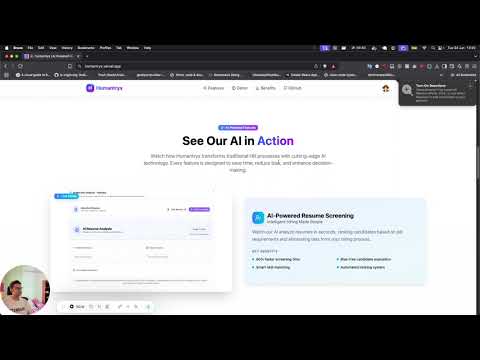
Humantryx is an AI-powered Human Resource Management System built with Next.js and modern technologies. It streamlines HR processes including employee management, attendance tracking, leave management, and payroll processing, all enhanced with intelligent automation.
- 🧱 Core: Next.js 15 + React 19 + TypeScript 5.8
- 🎨 UI: Tailwind CSS + Shadcn/UI + Motion/React
- 🔒 Auth: Better-Auth + Role-based access control
- 🗄️ Database: PostgreSQL + Drizzle ORM
- 🚀 API: tRPC + React Query
- 🧠 AI: OpenAI API + LangChain.js + Groq
- 📊 Vector DB: Pinecone
- ⚡ Caching: Upstash Redis
- 📝 Forms: React Hook Form + Zod
- 📅 Tables: TanStack Table
- 🎯 Authorization: CASL for permissions
- 📧 Email: resend + react-email
- 📦 Package Manager: pnpm
- Secure Authentication: Better-auth integration with session management
- Role-Based Access Control: Super Admin, HR Manager, and Employee roles
- Permission-Based System: Granular permissions using CASL
- Protected Routes: Middleware-based route protection
- Complete Employee Lifecycle: Add, update, delete employee records
- Invitation System: Secure employee onboarding with email invitations
- Profile Management: Comprehensive employee profiles with documents
- Organizational Structure: Department and role management
- Real-time Tracking: Clock in/out with location validation
- Attendance Reports: Detailed analytics and reporting
- Leave Integration: Seamless integration with leave management
- Overtime Management: Automatic overtime calculation
- Smart Leave Requests: AI-powered natural language leave requests
- Approval Workflows: Multi-level approval processes
- Leave Policies: Configurable leave types and policies
- Calendar Integration: Visual leave calendar with team insights
- Automated Calculations: Salary, deductions, and benefits calculation
- Payslip Generation: Professional payslip templates
- Tax Management: Compliance with tax regulations
- Reporting: Comprehensive payroll reports
- Resume Screening: Automated candidate evaluation
- Document Knowledge Base: AI-driven document search and retrieval
- Smart Leave Parsing: Natural language for leave requests
- Company News: Internal communication platform
- Announcements: Important updates and notifications
- Team Collaboration: Enhanced team communication tools
-
Run:
git clone https://github.com/your-org/humantryx.git cd humantryx pnpm install cp .env.example .env -
Copy
.env.exampleto.envand configure your environment variables. -
Set up the database:
pnpm db:migrate    # Apply database schema
pnpm db:seed    # Seed with initial data (currently not implemented)
-
Run the development server:
pnpm dev # Start development server -
Build for production:
pnpm build      # Create production build
pnpm start      # Start production server
| Command | Description |
|---|---|
pnpm dev |
Start local development |
pnpm build |
Create a production build |
pnpm start |
Start production server |
pnpm lint |
Run ESLint |
pnpm type-check |
Run TypeScript type checking |
pnpm db:push |
Apply database schema changes |
pnpm db:studio |
Open Drizzle Studio |
pnpm db:seed |
Seed database with test data |
# Deploy to Vercel
vercel --prod

# Set environment variables in Vercel dashboard
# Configure database and external services# Build Docker image
docker build -t humantryx .
# Run with Docker Compose
docker-compose up -dWe welcome contributions! Please read our Contributing Guide for details on our code of conduct and the process for submitting pull requests.
MIT © 2025 Humantryx Team
Built with ❤️ by Adarsha Acharya using modern web technologies for the future of HR management.