
If you're here looking for a place picker you have probably read this:
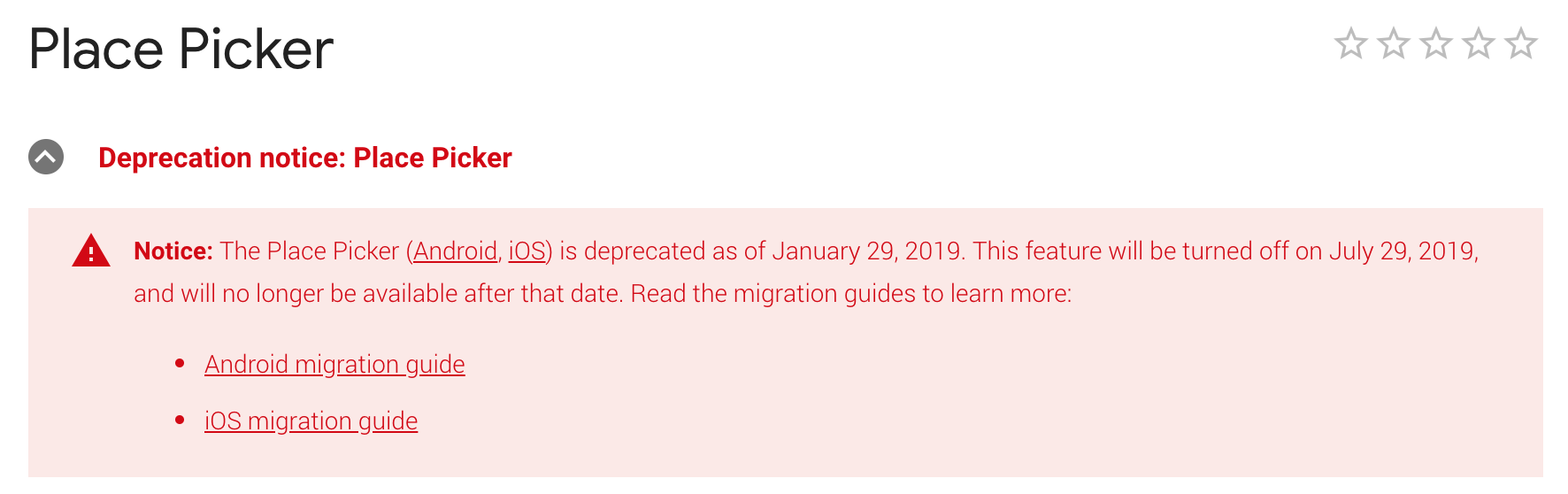
As of the end of January 2019, Google deprecated the so useful Place Picker bundled in the Places SDK for Android. The main reason was due the new pricing model of the Places API.
PING Place Picker is here to help you to (almost) plug-and-play replace the original Google's Place Picker.


Different than Google's Place Picker, PING doesn't search for places according to where the user is pointing the map to. Instead, it shows only the nearby places of the current location.
This was intentional and the reason is simple. By using the /nearbysearch from Google Places Web API we are going to be charged a lot for each map movement.

According to Nearby Search pricing each request to the API is going to cost 0.04 USD per each (40.00 USD per 1000).
To avoid our money being burned by using /nearbysearch, PING relies on Place API's findCurrentPlace() that is going to cost 0.030 USD per each (30.00 USD per 1000).
Moreover, we don't fire a new request when the user moves the map.
Add Jitpack in your root build.gradle at the end of repositories:
allprojects {
	repositories {
		...
		maven { url 'https://jitpack.io' }
	}
}
Step 2. Add the dependency
dependencies {
        // Places library
        implementation 'com.google.android.libraries.places:places:1.1.0'
        // PING Place Picker
        implementation 'com.github.rtchagas:pingplacepicker:1.0.+'
}
- Add Google Play Services to your project - How to
- Sign up for API keys - How to
- Add the Android API key to your AndroidManifest file as in the sample project.
- Optional but strongly recommended to enable R8 in you gradle.properties file
Check the sample project for a full working example.
    private fun showPlacePicker() {
        val pingBuilder = PingPlacePicker.IntentBuilder()
        pingBuilder.setAndroidApiKey("YOUR_ANDROID_API_KEY")
        pingBuilder.setGeolocationApiKey("YOUR_GEOLOCATION_API_KEY")
        try {
            val placeIntent = pingBuilder.build(this)
            startActivityForResult(placeIntent, REQUEST_PLACE_PICKER)
        }
        catch (ex: Exception) {
            toast("Google Play Services is not Available")
        }
    }

    override fun onActivityResult(requestCode: Int, resultCode: Int, data: Intent?) {
	super.onActivityResult(requestCode, resultCode, data)
	if ((requestCode == REQUEST_PLACE_PICKER) && (resultCode == Activity.RESULT_OK)) {
	    val place: Place? = PingPlacePicker.getPlace(data!!)
	    toast("You selected: ${place?.name}")
	}
} private void showPlacePicker() {
PingPlacePicker.IntentBuilder builder = new PingPlacePicker.IntentBuilder();
builder.setAndroidApiKey("YOUR_ANDROID_API_KEY")
.setGeolocationApiKey("YOUR_GEOLOCATION_API_KEY");
try {
Intent placeIntent = builder.build(getActivity());
startActivityForResult(placeIntent, REQUEST_PLACE_PICKER);
}
catch (Exception ex) {
// Google Play services is not available...
}
}
@Override
public void onActivityResult(int requestCode, int resultCode, Intent data) {
if ((requestCode == REQUEST_PLACE_PICKER) && (resultCode == RESULT_OK)) {
Place place = PingPlacePicker.Companion.getPlace(data);
if (place != null) {
Toast.makeText(this, "You selected the place: " + place.getName(), Toast.LENGTH_SHORT).show();
}
}
}PING needs two API keys in order to work.
It was decided to split the API keys to clearly distinguish what you're going to be charged for. Also, the Geolocation API does not allow an Android API key to be used. To not expose an unrestricted key for all APIs, the Geolocation API key is now required.
| Key | Restriction | Purpose |
|---|---|---|
| Android key | Android Applications | Used as the Places API key. Main purpose is to retrieve the nearby places. |
| Geolocation key | API: Geolocation API only | Used to perform reverse geocoding on the current user position. That is, discover the address that the user is current pointing to. |
As some features are charged by Google, you can alter the default PING Place Picker behaviour by overriding below resources:
<!-- 0.002 USD per each (2.00 USD per 1000) -->
<bool name="show_confirmation_photo">true</bool>

<!-- 0.007 USD per each (7.00 USD per 1000) -->
<bool name="show_confirmation_map">true</bool>Let's together make PING awesome!
Please feel free to contribute with improvements.