Ernesti/Kirchholtes Random Walker #6
There are no files selected for viewing
This file contains hidden or bidirectional Unicode text that may be interpreted or compiled differently than what appears below. To review, open the file in an editor that reveals hidden Unicode characters.
Learn more about bidirectional Unicode characters
This file contains hidden or bidirectional Unicode text that may be interpreted or compiled differently than what appears below. To review, open the file in an editor that reveals hidden Unicode characters.
Learn more about bidirectional Unicode characters
| Original file line number | Diff line number | Diff line change |
|---|---|---|
| @@ -1,55 +1,38 @@ | ||
| # Random Walk Simulation | ||
|
|
||
| ## Implementation | ||
| The application is written in Python3 using Shapely to generate a Playground for multiple Random-Walkers. | ||
| Obstacles and borders are implemented as shapely polygons limiting the walking ranges of the walkers. | ||
|
|
||
| Organized in 2 Modules: | ||
|
|
||
| - random_walker: Contains the default Random-Walker and different extensions, organized in subclasses. Each subclass follows specific rules when walking randomly over the Playground. Most subclasses are chess-inspired and follow the basic movement rules for five of the six stones on the board (sadly there is no Knight...). | ||
| - playground: Defining the area, in which the Walker is allowed to "play". A playground is seed-generated s.t. different obstacels can be implemented, while the default map simply spans an quadratic area that can be scaled via initial argument. | ||
|
|
||
| ## Application | ||
|
|
||
| When running our Random-Walker-Application, a number of randomly chosen walkers will walk a set number of steps following their spefific rules. The resulting paths are drawn and returned as a plot. | ||
| For the execution of main.py you can set the following flags (if no flags are set during execution, default parameters are set for a number of 2 walkers on the default playground with scaling factor 4 -> playground size: 1000 x 1000): | ||
| - -h : show help message and how to use it | ||
| - -w : number of walkers {1...Inf} | ||
| - -n : space separated list of walker names to choose from {Rook,King,Bishop,Queen,Pawn} | ||
| - -ls: set playground scale factor {1...Inf} | ||
| - -ps : set playground/map generation seed (-> currently only one other playground available (seed=1) containing a hole, representing a lake) {0,1} | ||
| - -s : number of steps per walkers {1...Inf} | ||
| - --save : save the simulation to a file | ||
|
|
||
|
|
||
| ## Examples Configurations | ||
|  | ||
|
|
||
| Simulate three Kings: | ||
| - python main.py -w 3 -n King | ||
|
|
||
juliusernesti marked this conversation as resolved.
Show resolved
Hide resolved
|
||
| Simulate four walkers, choose from Queen and Pawn: | ||
| - python main.py -w 4 -n Queen Pawn | ||
|
|
||
| Simulate two random walkers for 10 steps: | ||
| - python main.py -w 2 -s 10 | ||
|
|
||
| Simulate two random walkers on a map with obstacles: | ||
| - python main.py -w 2 -ps 1 | ||
This file contains hidden or bidirectional Unicode text that may be interpreted or compiled differently than what appears below. To review, open the file in an editor that reveals hidden Unicode characters.
Learn more about bidirectional Unicode characters
| Original file line number | Diff line number | Diff line change |
|---|---|---|
| @@ -1,40 +1,61 @@ | ||
| #!/usr/bin/env python | ||
juliusernesti marked this conversation as resolved.
Show resolved
Hide resolved
|
||
| # -*- coding: utf-8 -*- | ||
| """A Random Walk Simulation """ | ||
| import argparse | ||
| from typing import List | ||
| import matplotlib.pyplot as plt | ||
| import random_walker | ||
| from playground import Playground | ||
|
|
||
|
|
||
| def main(steps: int, walkers: int, save: bool, map_seed: int, land_scale: int, | ||
| walker_types: List[str]): | ||
| """ | ||
| Execute the random walker simulation for a given set of parameters | ||
|
|
||
| :param steps: number of steps per walker | ||
| :param walkers: number of walkers | ||
| :param save: save the created figure | ||
| :param map_seed: map seed for the playground | ||
| :param land_scale: scale for the playground | ||
| :param walker_types: specified walker types | ||
| :return: | ||
| """ | ||
| # Create Playground and walkers | ||
| playground = Playground(seed=map_seed, scaling=land_scale) | ||
| walker_list = random_walker.create_different_walkers(walkers, steps, walker_types) | ||
| # Add Playground to plt | ||
| plt.title("Random Walk ($n = " + str(steps) + "$ steps)") | ||
| for x_positions, y_positions in playground.get_line_segments(): | ||
| plt.plot(x_positions, y_positions, color='red') | ||
| # for each walker calculate the random walk and add to plt | ||
| for walker_index in range(walkers): | ||
| walker = walker_list[walker_index] | ||
| walker.execute_random_walk(playground) | ||
| # plotting the walk | ||
| plt.plot(walker.x_positions, | ||
| walker.y_positions, | ||
| label=str(type(walker).__name__) + ' index: ' + str(walker_index)) | ||
| # show legend and plot | ||
| plt.legend() | ||
| # optional save the plot | ||
juliusernesti marked this conversation as resolved.
Show resolved
Hide resolved
|
||
| if save: | ||
|
Collaborator
There was a problem hiding this comment.
|
||
| plt.savefig("./rand_walk_{}.png".format(steps)) | ||
| plt.show() | ||
|
|
||
|
|
||
| if __name__ == '__main__': | ||
| # Parse Arguments | ||
| parser = argparse.ArgumentParser(description='Executes and prints some random walkers') | ||
| parser.add_argument('-w', '--walkers', type=int, default=3, help='number of walkers') | ||
| parser.add_argument('-n', '--names', default=random_walker.get_walker_names(), nargs='+', | ||
| choices=random_walker.get_walker_names(), | ||
| help='space separated list of names of walker types to choose randomly') | ||
| parser.add_argument('-ls', '--landscale', type=int, default=4, help='playground scale') | ||
| parser.add_argument('-ps', '--playgroundseed', type=int, default=0, | ||
| choices=[0, 1], help='map generation seed') | ||
| parser.add_argument('-s', '--steps', type=int, default=100, help='number of steps per walker') | ||
| parser.add_argument('--save', action="store_true", help='save figure') | ||
| args = parser.parse_args() | ||
| # Execute Main | ||
| main(args.steps, args.walkers, args.save, args.playgroundseed, args.landscale, args.names) | ||

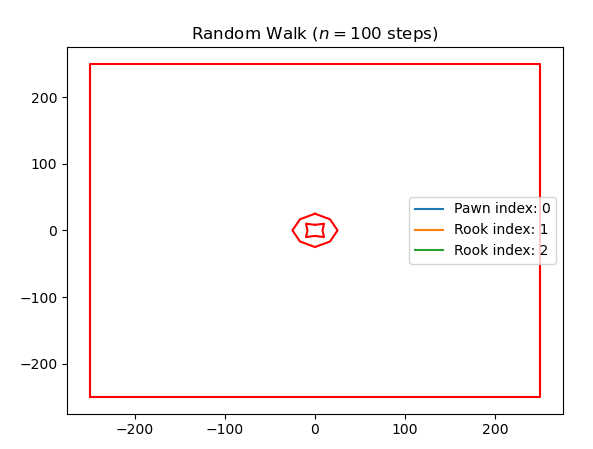
This file contains hidden or bidirectional Unicode text that may be interpreted or compiled differently than what appears below. To review, open the file in an editor that reveals hidden Unicode characters.
Learn more about bidirectional Unicode characters
| Original file line number | Diff line number | Diff line change |
|---|---|---|
| @@ -0,0 +1,94 @@ | ||
| # -*- coding: utf-8 -*- | ||
| """ Playground class for the random walk simulation """ | ||
|
|
||
| from shapely.geometry import Polygon, Point | ||
|
|
||
|
|
||
| class Playground: | ||
| """Defines a playground with obstacles for RandomWalkers""" | ||
| def __init__(self, scaling: int = 1, x_max: int = 250, y_max: int = 250, seed: int = 0): | ||
juliusernesti marked this conversation as resolved.
Show resolved
Hide resolved
|
||
| """ | ||
| Create a new Playground | ||
|
|
||
| :param scaling: scale factor for x and y | ||
| :param x_max: x range | ||
| :param y_max: y range | ||
| :param seed: map seed | ||
| """ | ||
| self.x_max = scaling * x_max | ||
| self.y_max = scaling * y_max | ||
| x_max = self.x_max | ||
| y_max = self.y_max | ||
| border_polygon = [ | ||
| (-x_max, -y_max), | ||
| (-x_max, y_max), | ||
| (x_max, y_max), | ||
| (x_max, -y_max), | ||
| ] | ||
| holes = [] | ||
| if seed == 1: | ||
| moon_lake = [ | ||
| (x_max/2.5, y_max/2.5), | ||
| (x_max/2.5, -y_max/2.5), | ||
| (0, -y_max/2), | ||
| (0, -y_max/1.5), | ||
| (x_max*2/3, -y_max/1.5), | ||
| (x_max*3/4, 0), | ||
| (x_max * 1 / 2, y_max * 5 / 6), | ||
| (x_max/4, y_max*3/4), | ||
| (x_max / 2.5, y_max / 2.5) | ||
| ] | ||
| holes.append(moon_lake) | ||
| ''' In Development: | ||
| elif seed == 2: | ||
| outer_lake_border = [ | ||
| (0, y_max/10), | ||
| (x_max/15, y_max/15), | ||
| (x_max / 10, 0), | ||
| (x_max / 15, -y_max / 15), | ||
| (0, -y_max / 10), | ||
| (-x_max / 15, -y_max / 15), | ||
| (-x_max / 10, 0), | ||
| (-x_max / 15, y_max / 15), | ||
| (0, y_max/10) | ||
| ] | ||
| inner_lake_border = [ | ||
| (0, y_max/30), | ||
| (x_max/25, y_max/25), | ||
| (x_max/30, 0), | ||
| (x_max/25, -y_max/25), | ||
| (0, -y_max/30), | ||
| (-x_max/25, -y_max/25), | ||
| (-x_max/30, 0), | ||
| (-x_max/25, y_max/25), | ||
| (0, y_max/30) | ||
| ] | ||
| holes.append(outer_lake_border) | ||
| holes.append(inner_lake_border) | ||
| ''' | ||
| self.holes = holes | ||
| self.shape = Polygon(border_polygon, holes) | ||
juliusernesti marked this conversation as resolved.
Show resolved
Hide resolved
|
||
|
|
||
| def is_position_in_playground(self, x_position: float, y_position: float) -> bool: | ||
| """ | ||
| Check, whether the given walker position is valid on the playground | ||
|
|
||
| :param x_position: walker position | ||
| :param y_position: walker position | ||
| :return: True for a valid position, else False | ||
| """ | ||
| position = Point((x_position, y_position)) | ||
| return self.shape.contains(position) | ||
juliusernesti marked this conversation as resolved.
Show resolved
Hide resolved
|
||
|
|
||
| def get_line_segments(self) -> list: | ||
| """ | ||
| Get all parts from the playground in order to print them with py plot | ||
|
|
||
juliusernesti marked this conversation as resolved.
Show resolved
Hide resolved
|
||
| :return: list of polygon border | ||
| """ | ||
| result = [] | ||
| for hole in self.holes: | ||
| poly = Polygon(hole) | ||
| result.append(poly.exterior.xy) | ||
| result.append(self.shape.exterior.xy) | ||
| return result | ||

Loading
Sorry, something went wrong. Reload?
Sorry, we cannot display this file.
Sorry, this file is invalid so it cannot be displayed.
Oops, something went wrong.
Add this suggestion to a batch that can be applied as a single commit.
This suggestion is invalid because no changes were made to the code.
Suggestions cannot be applied while the pull request is closed.
Suggestions cannot be applied while viewing a subset of changes.
Only one suggestion per line can be applied in a batch.
Add this suggestion to a batch that can be applied as a single commit.
Applying suggestions on deleted lines is not supported.
You must change the existing code in this line in order to create a valid suggestion.
Outdated suggestions cannot be applied.
This suggestion has been applied or marked resolved.
Suggestions cannot be applied from pending reviews.
Suggestions cannot be applied on multi-line comments.
Suggestions cannot be applied while the pull request is queued to merge.
Suggestion cannot be applied right now. Please check back later.
Uh oh!
There was an error while loading. Please reload this page.