A terminal UI for browsing and exporting macOS iMessage conversations, built with Go and Bubble Tea.
Reads the iMessage SQLite database (chat.db) and displays conversations with contact names, timestamps, message counts, sent/received stats, and full message history.
makeOr manually:
go build -o smsDbViewer .Requires Go 1.22+. No CGO needed — uses a pure Go SQLite driver (modernc.org/sqlite).
# Default: reads ~/Library/Messages/chat.db
./smsDbViewer
# Specify a database file
./smsDbViewer /path/to/chat.dbNote: macOS requires Full Disk Access for your terminal app to read
~/Library/Messages/chat.dband the Contacts database.Grant this in System Settings > Privacy & Security > Full Disk Access
| Key | Action |
|---|---|
j / k / ↑ / ↓ |
Navigate |
/ |
Filter conversations by name |
s |
Search all messages |
enter |
Open conversation |
q |
Quit |
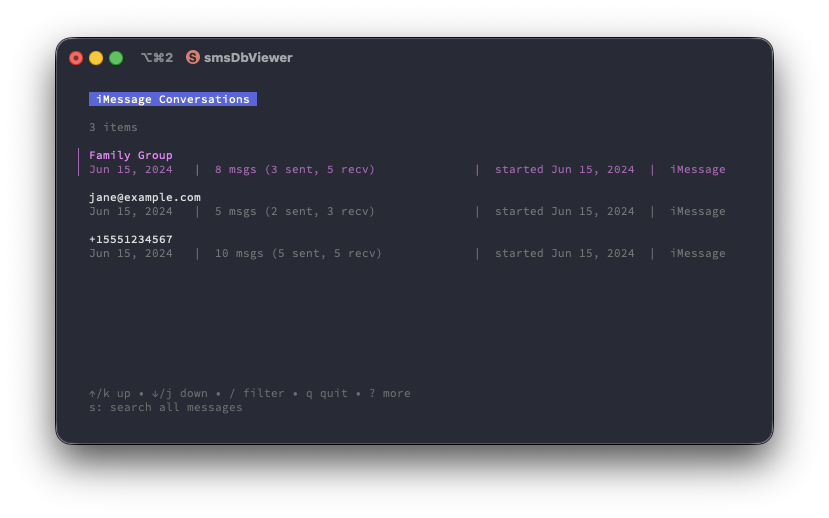
Each conversation shows: contact name, last activity, message count (sent/received breakdown), start date, and service type.
| Key | Action |
|---|---|
Type + enter |
Search all messages |
j / k / ↑ / ↓ |
Navigate results |
enter |
Open matching conversation |
s |
New search |
esc |
Back to conversation list |
Searches across all conversations. Results show the sender, message text, conversation name, and date.
| Key | Action |
|---|---|
↑ / ↓ / pgup / pgdn |
Scroll messages |
| Mouse wheel | Scroll messages |
a |
Browse attachments |
e |
Export conversation as CSV |
t |
Jump to top (oldest loaded) |
b |
Jump to bottom (newest) |
esc / backspace |
Back to conversation list |
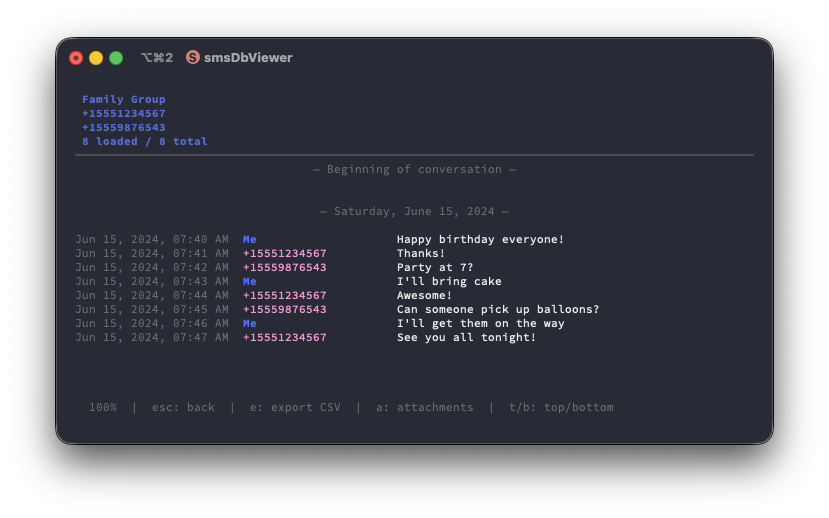
The header shows contact name, phone number/email, and message count. Older messages load automatically when you scroll to the top (200 messages per page).
| Key | Action |
|---|---|
j / k / ↑ / ↓ |
Navigate attachments |
/ |
Filter by filename or type |
enter |
Open attachment with default macOS app |
esc |
Back to message view |
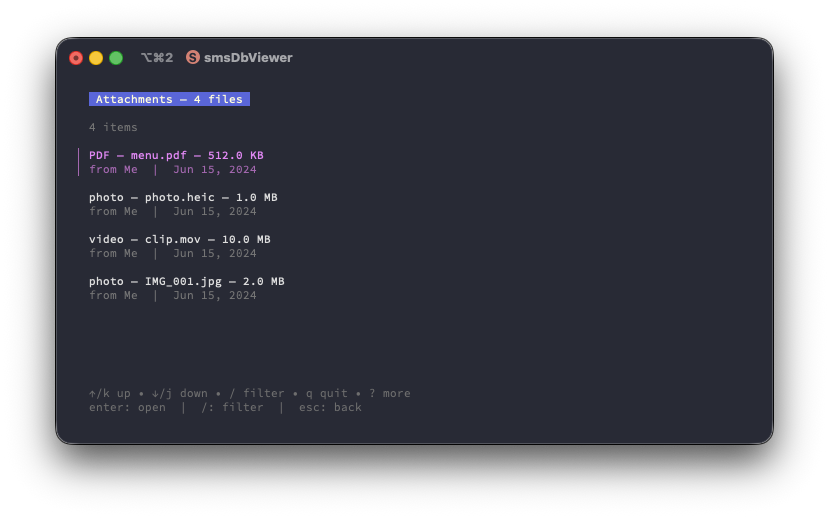
Press a while viewing a conversation to browse all attachments. Each entry shows the type (photo, video, PDF, etc.), filename, size, sender, and date. Press enter to open the selected file in its default application.
Press e while viewing a conversation to export all messages to a CSV file. The file is saved to the current directory with an auto-generated name based on the contact name and timestamp:
John_Doe_20260120_175930.csv
Columns: Timestamp, From, To, Body, Service, AttachmentType, AttachmentFile, AttachmentSize
Tests use an in-memory SQLite database seeded with sample data (3 conversations, 23 messages, 4 attachments across multiple types). No access to the real iMessage database is needed to run tests.
make testTest coverage includes:
- Conversation fetching, ordering, and participant resolution
- Message pagination (cursor-based) and chronological ordering
- Attachment parsing (JPEG, HEIC, PDF, video, multi-attachment messages)
- Attachment list fetching (per-chat, ordering, file paths, sender info)
- Global message search across conversations
- CSV export (header, row count, from/to fields, attachment columns, filename generation)
- Contact name resolution (phone normalization, email matching, case insensitivity)
- Apple epoch timestamp conversion
- CSV escaping (commas, quotes, newlines)
- Contact name resolution from macOS AddressBook (phone numbers and emails)
- Contact details shown in conversation header (name, phone, email)
- Sent vs received message counts per conversation
- Conversation start date displayed in the list
- Global message search across all conversations
- CSV export of full conversation history
- Attachment details: type (photo, video, PDF, GIF, audio, etc.), filename, and file size
- Attachment browser with filterable list and open-in-default-app support
- Async loading with progress indicators
- Cursor-based pagination for large conversations (tested with 61k+ messages)
- Fixed-width columns for aligned timestamps and sender names
- Date separators between message groups
- Color-coded sent vs received messages
- iMessage and SMS conversations
- Group chat support with participant lists and display names
- Conversation filtering by name
- Mouse wheel scrolling support
- Read-only — never modifies the database
main.go           Entry point, arg parsing, program bootstrap
db.go             SQLite queries, data types, date conversion
model.go          Bubble Tea state machine (conversation list, message view, search, attachments)
contacts.go       macOS AddressBook contact resolution
export.go         CSV export
styles.go         Lip Gloss terminal styling
testdb_test.go    In-memory test database with sample data
db_test.go        Database layer tests
contacts_test.go  Contact resolution tests
export_test.go    CSV export tests
Makefile          Build, test, run targets