
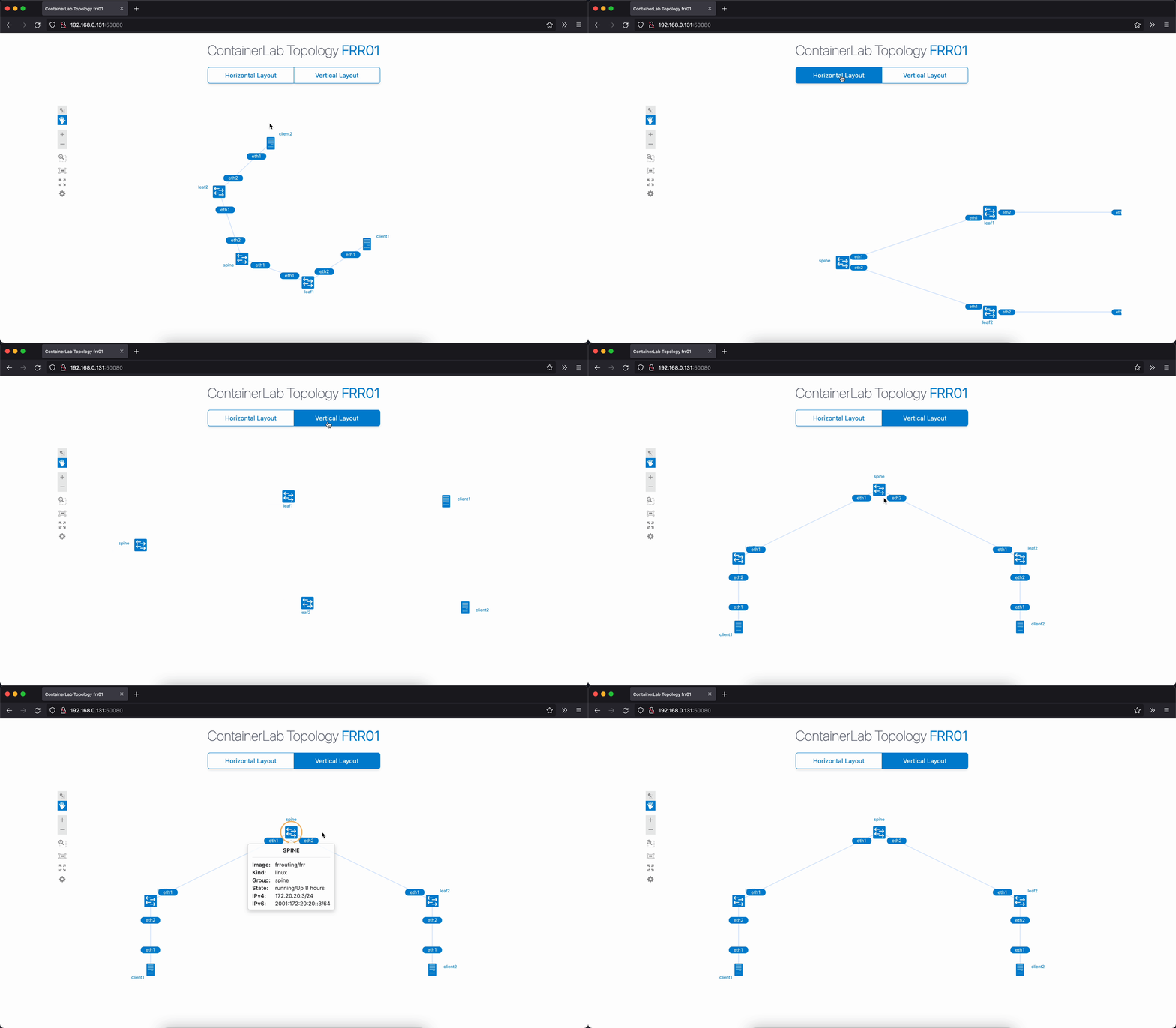
A NextUI-based HTML template to visualize network topologies that were built by Containerlab.
The group attribute defines the role of each node. This value is used for the on-demand horizontal/vertical layout of the topology.
An example of a Containerlab YAML configuration file that leverages the group attribute is shown below.
name: frr01

topology:
  nodes:
    spine:
      kind: linux
      image: frrouting/frr
      group: spine
      binds:
        - spine/daemons:/etc/frr/daemons
    leaf1:
      kind: linux
      image: frrouting/frr
      group: leaf
      binds:
        - leaf1/daemons:/etc/frr/daemons
    leaf2:
      kind: linux
      image: frrouting/frr
      group: leaf
      binds:
        - leaf2/daemons:/etc/frr/daemons
    client1:
      kind: linux
      image: ghcr.io/hellt/network-multitool
      group: server
    client2:
      kind: linux
      image: ghcr.io/hellt/network-multitool
      group: server

  links:
    - endpoints: ["spine:eth1", "leaf1:eth1"]
    - endpoints: ["spine:eth2", "leaf2:eth1"]
    - endpoints: ["leaf1:eth2", "client1:eth1"]
    - endpoints: ["leaf2:eth2", "client2:eth1"]
The horizontal/vertical sort order of the nodes can be controlled by the sortOrder parameter defined in the clab_blue_label_template.js file.
layoutConfig: {
  sortOrder: ['superspine', 'spine', 'leaf', 'server'],
},The static files required by the HTML template are:
- NextUI stylesheet
next.css& fonts - Template stylesheet
clab_style.css - NextUI JS file
next.js - Template topology JS file
clab_blue_label_template.js
The Containerlab embedded web server isn't programmed to serve static files. It only serves a default HTML template or a custom one via the --template flag. So, to serve the static files needed, we have to use an external web server.
Alternatively, we can add this capability to Containerlab by modifying the graph code as shown here.
Using Containerlab to serve the static files is advantages verses using an external web server because we don't have to worry about or waste time configuring/troubleshooting another tool, and instead focus on building and visualizing our networks directly from Containerlab.
Generate the network topology by indicating the custom HTML file with the --template flag
containerlab graph --topo topo.clab.yml --template clab_blue_label_template.html If using the modified Containerlab, then we need to also specify the directory where the static files are served from
containerlab graph --topo topo.clab.yml --template clab_blue_label_template.html --static-dir ./assetsThe topology can be access by default at http://<docker-host-ip>:50080
- The interface labels will overlap each other when viewing large topology on smaller screens.
- The enter-full-screen mode doesn't work.