Fix for Oracle Cloud Infrastructure Out of Capacity error.



Installation Configuration How to use In Use Show your support❤️ Contributors
git clone https://github.com/mosesman831/OCI-OcC-Fix.git && cd OCI-OcC-Fix && pip install -r requirements.txt
Pro Tip Use the One Command Install to setup quickly
Run Git Clone.
git clone https://github.com/mosesman831/OCI-OcC-Fix.gitEnter the folder.
cd OCI-OcC-FixInstall requirements and dependicies
pip install -r requirements.txtOpen Releases and download latest
Install required dependicies
pip install -r requirements.txtInstall unzip if not already installed.
sudo apt-get install unzip
wget
wget https://github.com/mosesman831/OCI-OcC-Fix/archive/refs/heads/main.zip && unzip main.zip && mv OCI-OcC-Fix-main OCI-OcC-Fix && rm main.zipInstall required dependicies
pip install -r requirements.txtOpen Oracle Cloud and log in.
Click profile icon and then "My Profile / User Settings"
Find API keys, click "Add API Key" button
Click "Download Private Key" and then "Add". Save the file as oci_private_key.pem
Copy the contents from the Text Box and save it to file config.
Pro Tip You could use
nanoto edit the files easier.
Open Telegram and message @BotFather
Send /newbot
Enter name and username
Message @Rose-Bot to get User ID ("uid")
Send /id
Get userid
Create an instance from from the OCI Console in the browser (Menu -> Compute -> Instances -> Create Instance)
Change image and shape.
Adjust Networking section, set "Do not assign a public IPv4 address" checkbox. If you don't have existing VNIC/subnet, please create VM.Standard.E2.1.Micro instance before doing everything.
Download and save the public and private SSH key.
Click Ctrl + Shift + I or F12 to open browser's dev tools -> network tab
Click Create and see if you get the Out of capacity error. Now find /instances API call (red).
Right click on it -> copy as curl (bash/cmd). Paste the clipboard contents in any text editor.
Open bot.py in a a text editor.
Find the variables and replace the xxxx fields respectively.
availabilityDomains = ["xxxx"]
#e.g. availabilityDomains = ["KHsT:UK-MANCHESTER-1-AD-1","KHsT:UK-MANCHESTER-1-AD-2"]
displayName = 'xxxx'
#e.g. displayName = 'VPS1'
compartmentId = 'xxxx'
#e.g. compartmentId = 'ocid1.tenancy.oc1..aaaaaaaa...'
subnetId = 'xxxx'
#e.g. subnetId = 'ocid1.subnet.oc1.uk-manchester-1.aaaaaaa...'
ssh_authorized_keys = "xxxx"
#e.g. ssh_authorized_keys = "ssh-rsa AAAAB3NzaC1yc2EAAAADAQABKDNBgQDf... ssh-key-2024-03-15"
boot_volume_size_in_gbs="xxxx"
#Leave blank for default
#e.g. boot_volume_size_in_gbs="47"
boot_volume_id="xxxx"
#e.g. boot_volume_id="ocid1.bootvolume.oc1.uk-manchester-1.aaaaaaa..."Run bot.py by double-clicking or running
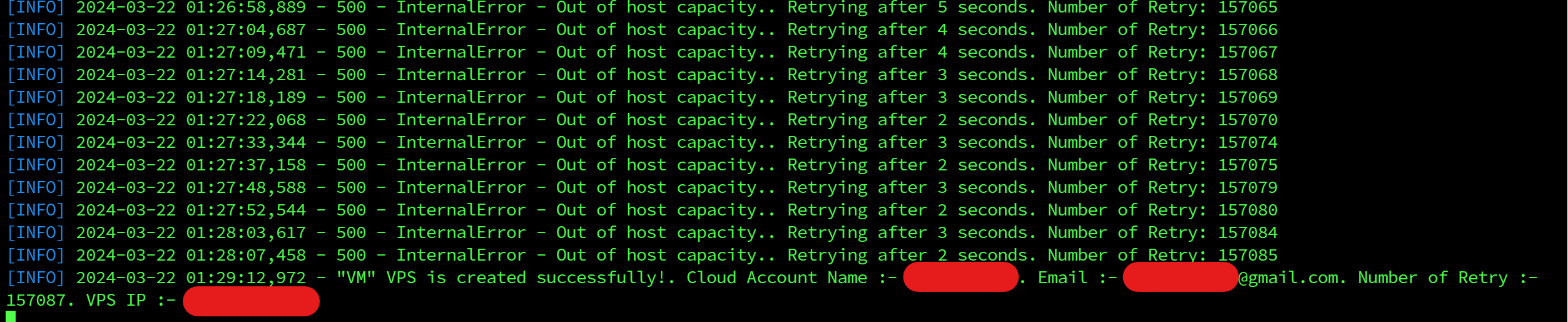
python bot.pypython3 bot.pytmux new && python3 bot.pyUse tmux to keep window running even after logout.
tmux newPrerelease Prototype v0.1--prototype
 Peter Eisenschmidt 💻 |