This VS Code extension streamlines creation and management of VS Code snippets.


Available on VS Code Marketplace, Open VSX Registry, or Github Releases.
Read installation and getting started for more info
The Snippets view updates to include all snippets of the active editor's language.
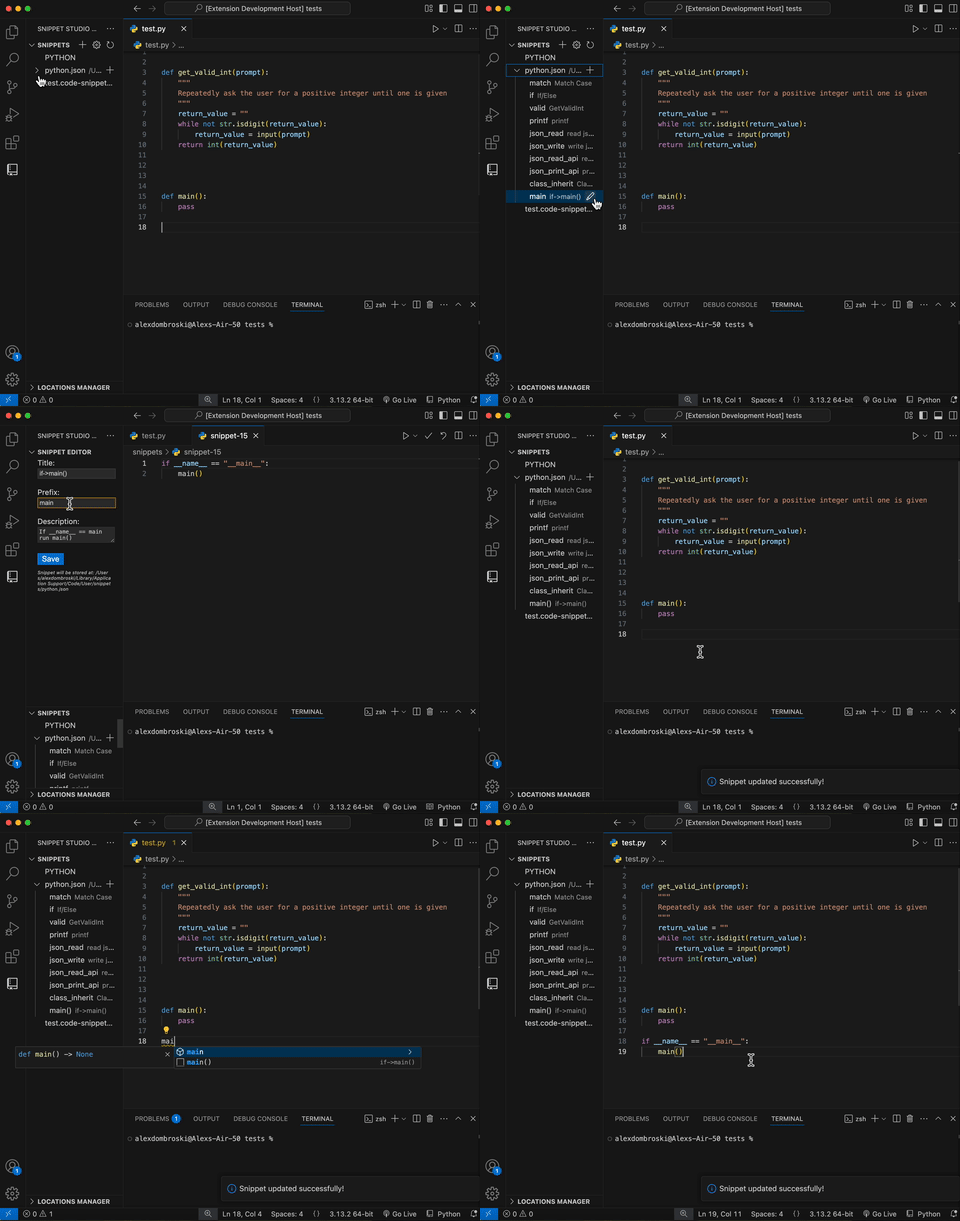
Double click a snippet file to open it. Double click to peek at a snippet. You can also reorder and move snippets.
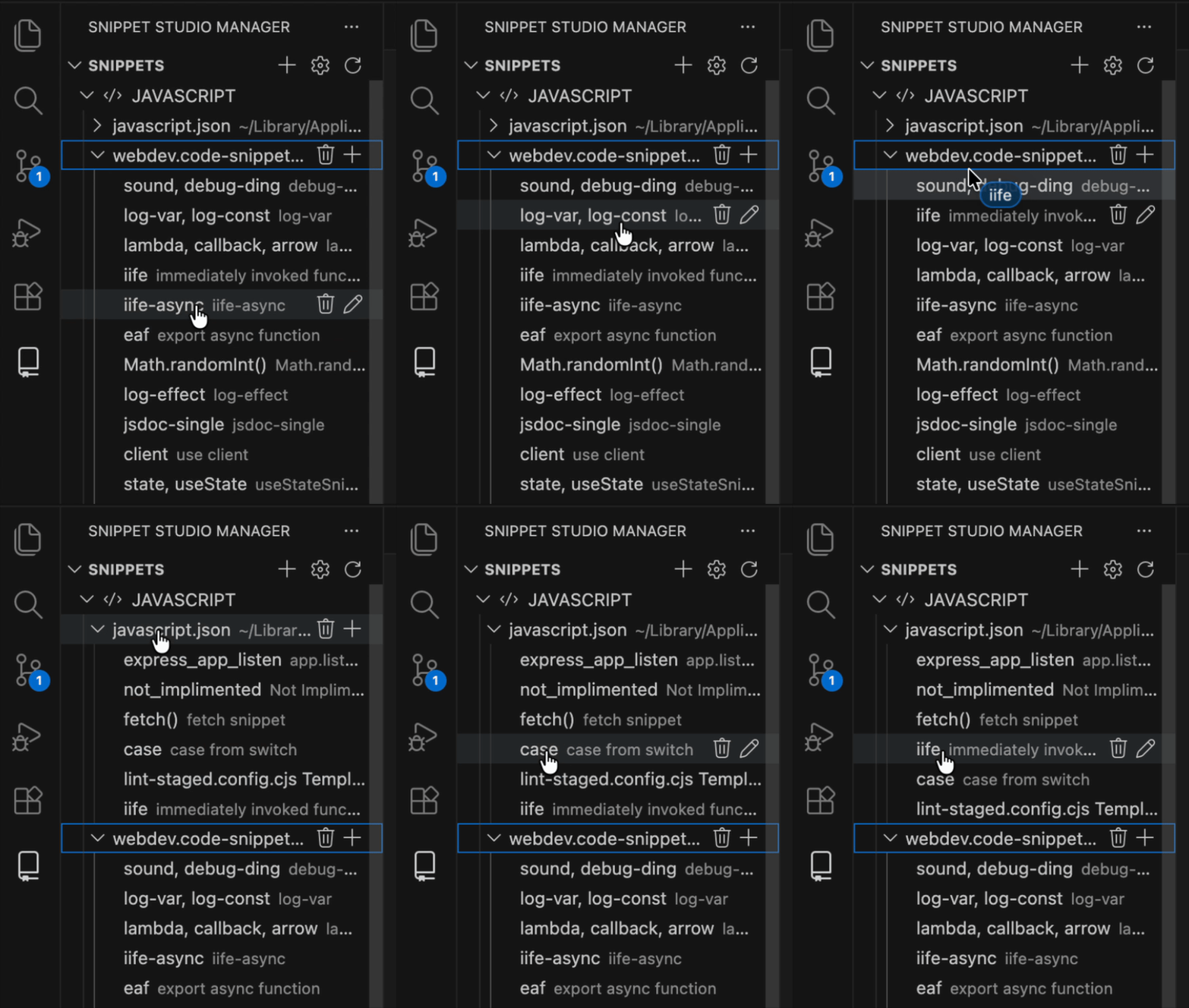
See how to manage snippets in depth.
The Locations Manager view lists snippet files found on your filesystem.
See how to create global and project snippet files.
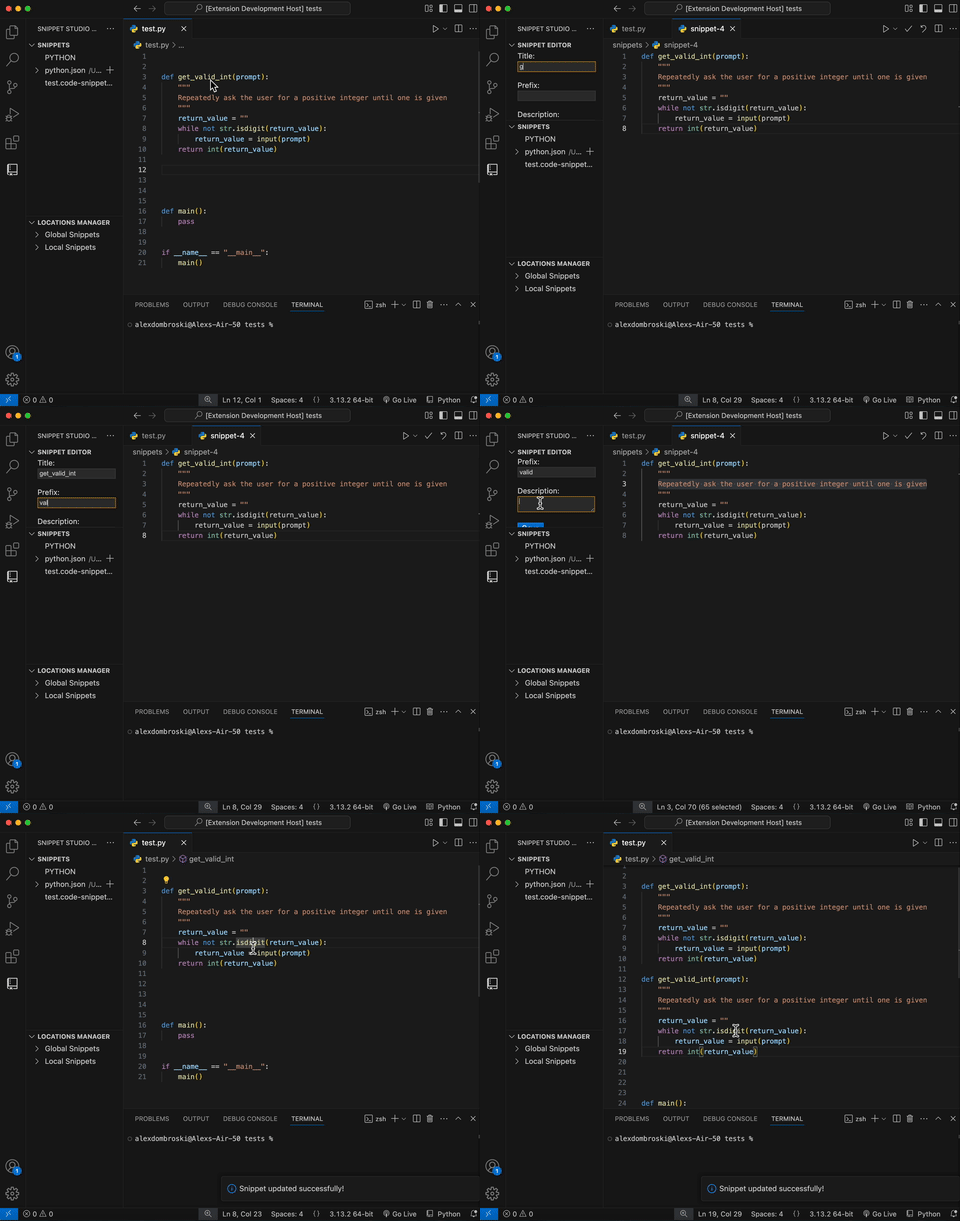
The Snippet Editor view only appears when creating or editing snippets.
Command to easily add attach a keybinding to a snippet. These are bound to the target languages by default.
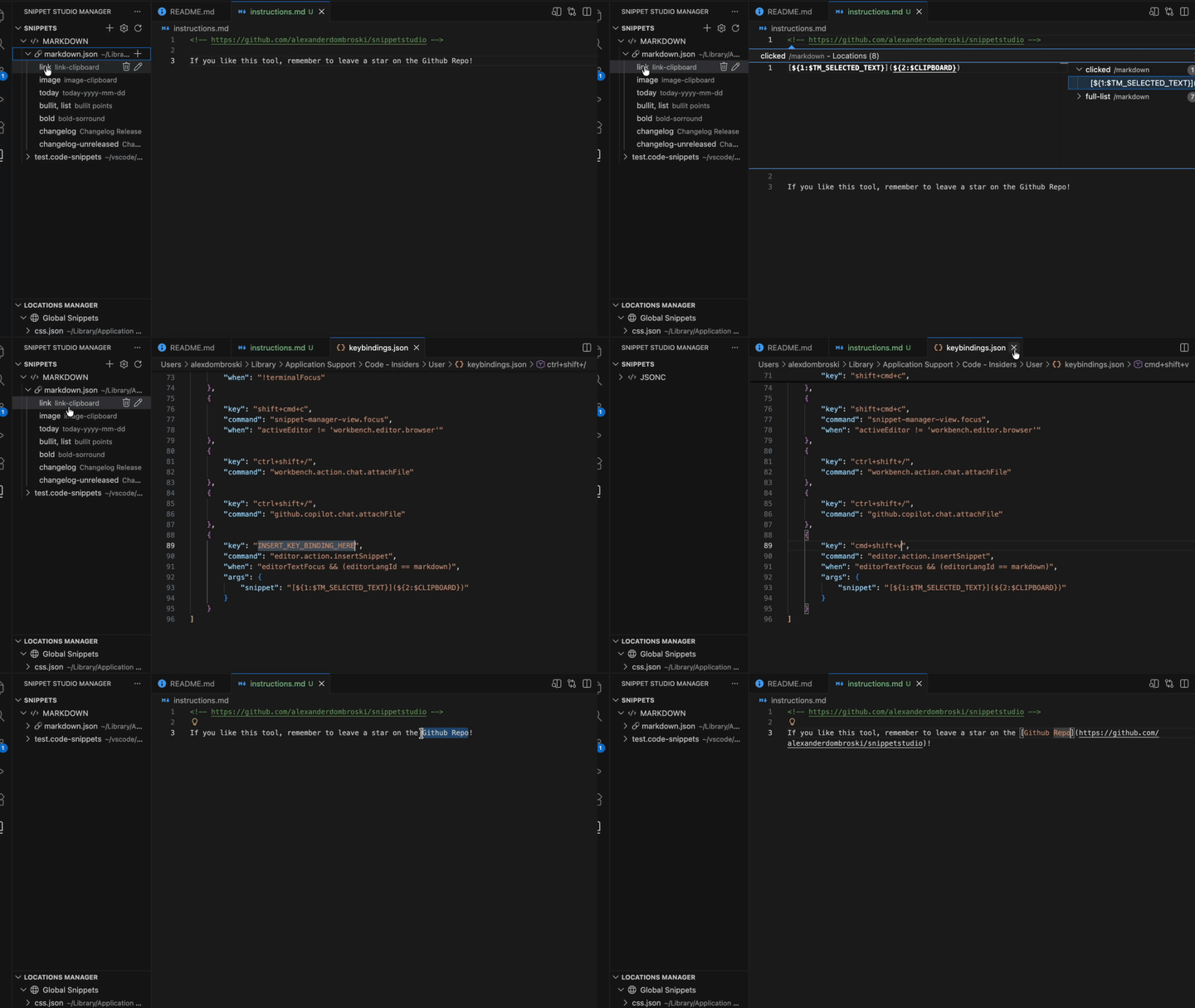
Use insertion features such as placeholders, tabstops, variables, etc to make your snippets more powerful.
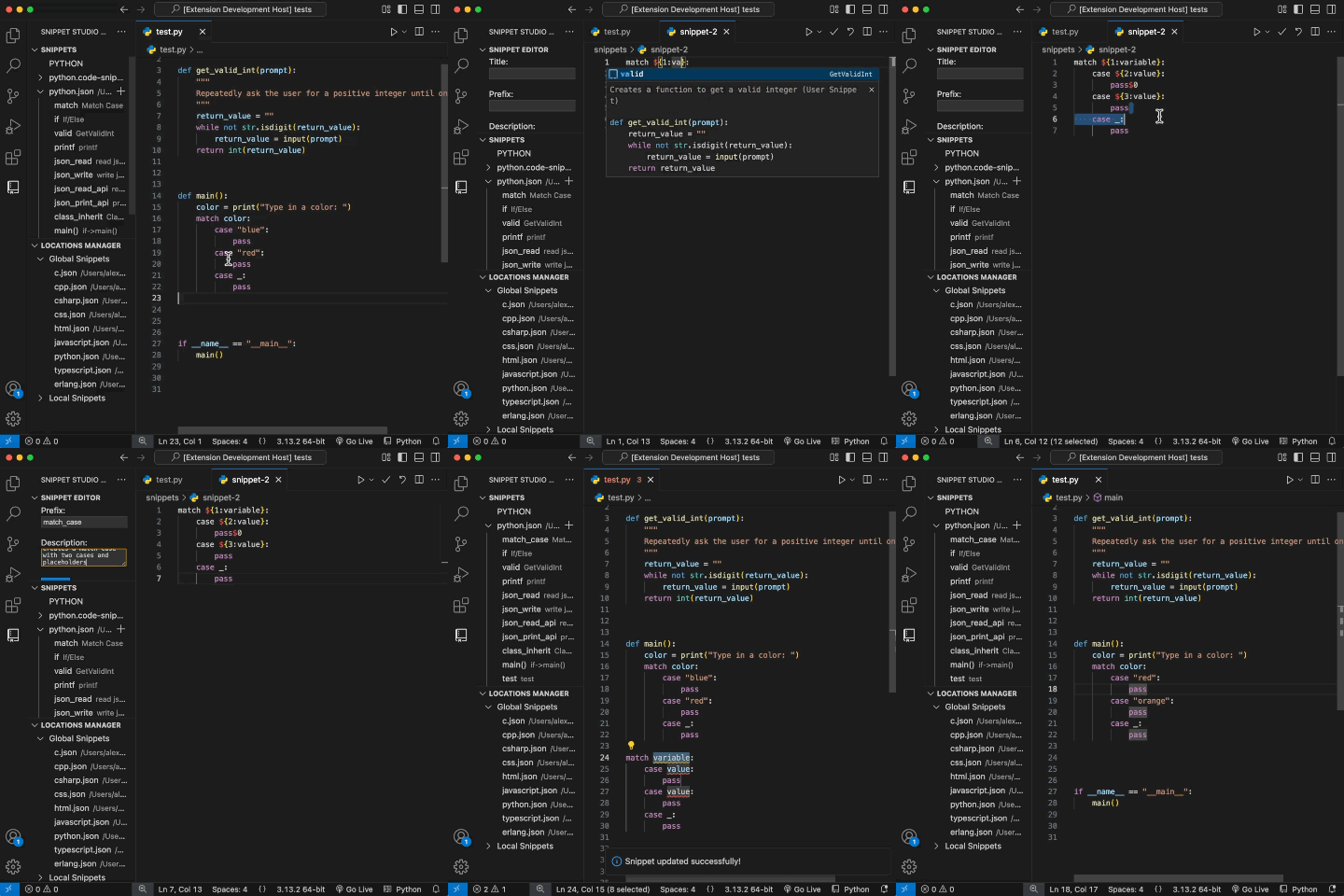
Share snippets easily by selecting which snippets you need and transferring them to a single .code-snippets file.
Import and export snippets using GitHub gists
VS Code already has powerful syncing that provides a way to backup your snippets.
Snippets added to the active profile, or choose files to sync across all profiles.
Import snippets from your friend's profile backups or profile templates.
Copy snippets from snippet extension packs you download and modify them to be more helpful
Save terminal commands commonly ran in the terminal across workspaces or globally. Hit the run button to automatically create a terminal and run it.

Web Version: This extension is not currently stable for web versions of VS Code due to its reliance on Node.js file system APIs.
See this discussion for more info about adding support for other platforms.



Check out the changelog!
This extension tracks basic Telemetry. Most IDEs allow you to disable it.
This extension is open source! Feel free to add GitHub issues, ideas or contribute.

Star this project!
