Releases: amatino-code/amatino-swift
Amatino Swift 0.0.14

0.0.14 adds support for the new Entity (and in future, other objects) listing paradigm, based on a Disposition property, introduced in API 0.0.19. Lists of Entities may now be retrieved using Entity.retrieveList()
Changelog
- Removed deprecated
EntityList - Added
EntityList.retrieveList(), available in both error-first and and Result callback forms - Added
Dispositionstruct - Added
Entity.dispositionproperty - Removed
EntityListScopeenum - Added
Stateenum
Example list retrieval
Entity.retrieveList(
    authenticatedBy: session,  // Session instance created elsewhere
    withName: "great",         // Optionally search by fragments of names
    then: { (error, list) in   // Result enum version also available
        // Hooray! Do things with Entity list
    }
)Amatino Swift 0.0.13
Amatino Swift 0.0.13 removes JSON data from HMAC signature computations, for compatibility with Amatino API 0.0.18. There are no public facing changes.
Note that 0.0.13 does not support installation via CocoaPods, and is likely to be the last release delivered as a Framework. Future releases will be delivered as a Swift Package.
Amatino 0.0.11 macOS & iOS
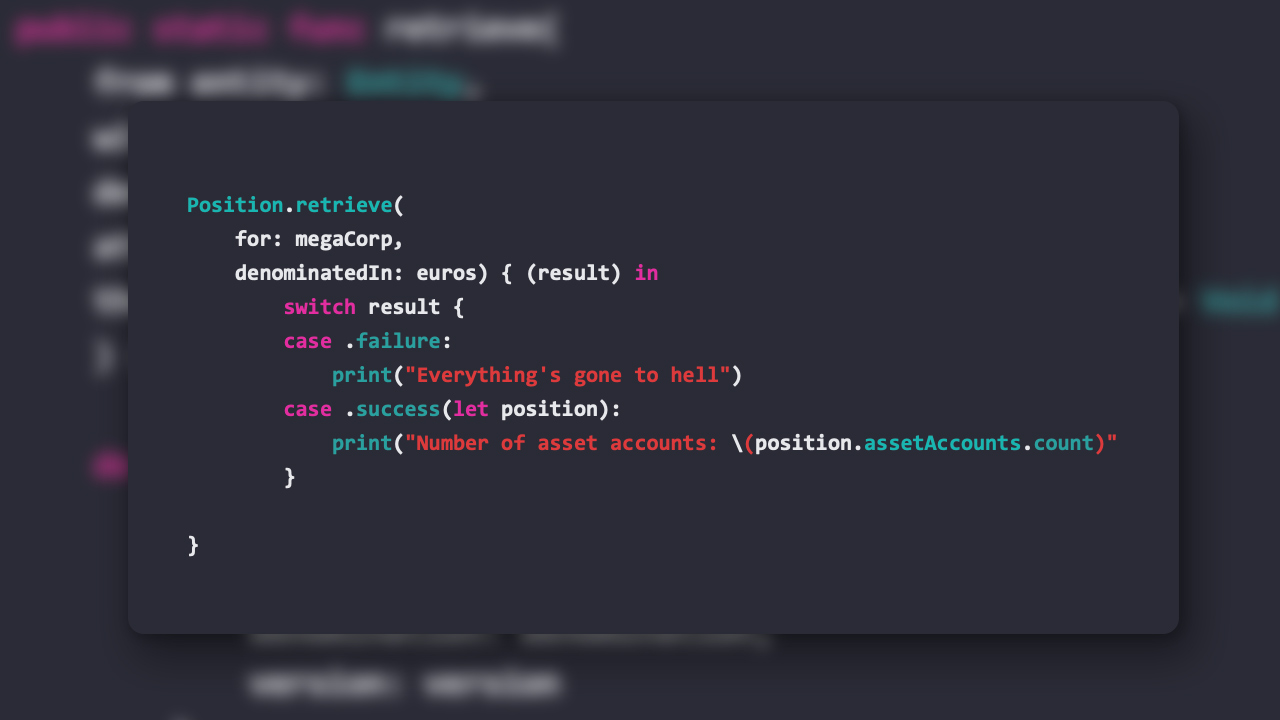
Amatino Swift 0.0.11 has been released! This is a huge release with wide ranging changes and substantial new features. It is not backwards compatible with 0.0.10, but any code written for 0.0.10 will compile for 0.0.11 with minor adjustments.
- Almost all asynchronous Amatino methods now accept a
(Result<T, Error>) -> Voidcallback parameter, using the new Swift 5Resulttype. The previous(Error?, T?) -> Voidparameter remains available. You now have a choice to use either depending on your preferred style. - Add
Denominationprotocol, which codifies the characteristics ofCustomUnitandGlobalUnitand allows method signatures accepting either of those classes to be streamlined. - Add
Denominatedprotocol, which gives default behaviours to classes denominated in aDenomination, such asTransactionsandLedgers. - Renamed many method signatures parameters for more expressive syntax. For example,
someMethod(then: (Error?, Object?)rather thansomeMethod(callback: (Error?, Object?) - Remove all use of
Int64, replace withInt. Amatino Swift will not function on 32-bit platforms, so the occasional use ofInt64added needless confusion. - The
AmatinoErrorcase.inconsistentInternalStatehas been renamed.inconsistentState - Publicly exposed
Account.create()takingAccount.CreateArgumentsstruct. Gives extra flexibility when designing GUI for account creation GlobalUnitListnow conforms to theSequenceprotocol. I.e. you can loop over the list without needing to access the raw.unitsproperty.- The
GlobalUnitListunitsproperty is now sorted first byGlobalUnit.priorityand then alphabetically byGlobalUnit.name AccountTypehas a new static method,.typeWith(:name), which returns anAccountTypewith the given nameTreenow conforms to theSequenceprotocol, iterating overNodeconforming objects- Multiline strings throughout the library are no longer peppered with
\nnewlines. For example,AmatinoErrormessages. Account.CreateArgumentsnow enforces a minimum.namecharacter length of 1.Treenow features a.flatAccountsproperty, which returns recursive flattened list of all Accounts in theTreeasNodeobjects. This is effectively a list of allAccountsin anEntity.- Add new
AccountRepresentativeprotocol, to whichAccount,TreeNodeandPlaceholderNodeconform. Provides baseAccountmetadata -accountId,name,type, and is accepted in many places whereAccountwas formerly required. - Fixed an internal typo in
Account.DeletionArguments(no effect on public API) Transaction,Balance,Account,Ledger,GlobalUnitList,Performance,PositionandEntitymethods may no longer throw. Errors are now exclusively handled by the error parameter in respective callbacks.Ledgermay now be retrieved with an object conforming to theAccountRepresentativeprotocol. This saves an intermediaryAccountretrieval when, for example, retrieving aLedgerbased on aTreenode- Add
Userclass includingcreate(),retrieve(),delete()methods - Add
Userclass lifecycle testing Ledger.nextPage()renamed.retrieveNextPage()RecursiveLedger.nextPage()renamed.retrieveNextPage()- Add
Session.delete()method
Amatino 0.0.10 macOS & iOS
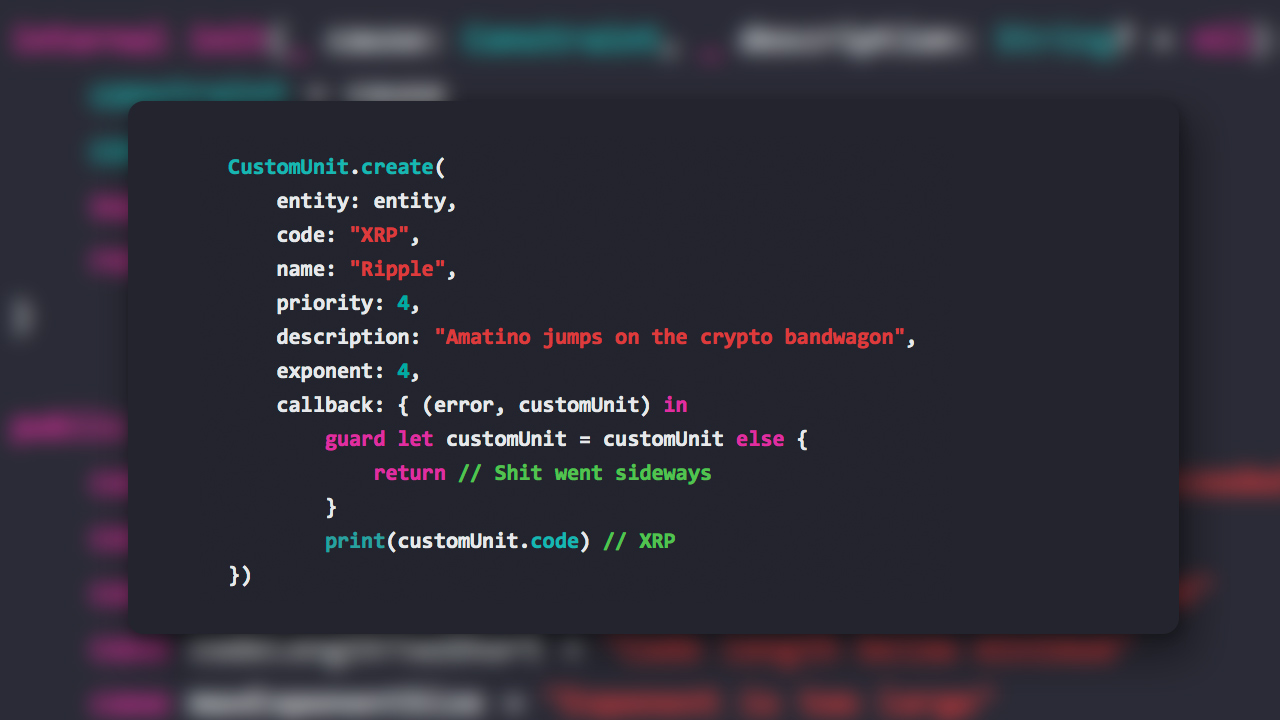
A new version of Amatino Swift has been released. 0.0.10 adds some Custom Unit capabilities, slims some method signatures, and various smaller bits and pieces.
Note that release 0.0.9 was skipped for reasons of... science. 0.0.8 is the previously released Swift library version.
- Big breaking change:
Sessionis no longer required as an argument forPerformance,Position,Transaction,Balance, andRecursiveBalance - Build out the previously useless
CustomUnit, including.retrieve(),.create(),.createMany(), andupdate()methods - Added unit tests for new
CustomUnitmethods. - Simplify internal
AmatinoObjectprotocol (no change to public API) Entitynow conforms toEquatableprotocol- Add
Entity.delete()method - Add
EntityListobject - Fixed a bug causing
LedgerandRecursiveLedgeriterators to skip the first row in the Ledger
Amatino 0.0.8 macOS & iOS
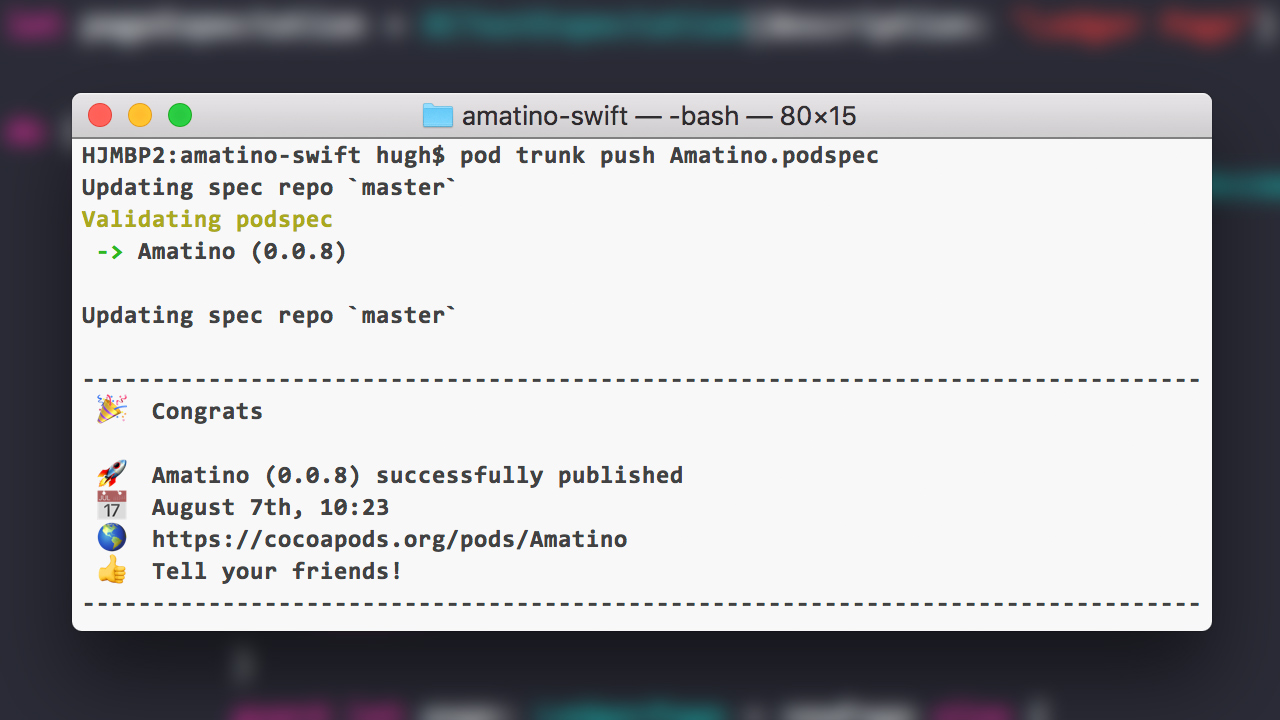
A new version of Amatino Swift has been released. 0.0.8 makes Amatino Swift CocoaPods compatible. You can now install Amatino by adding it to your Podfile:
pod 'Amatino', '>= 0.0.8'
The underlying library is unchanged. Here's the full changelog:
- Added
Amatino.podspec - Changed macOS target to 10.10 (arbitrary at this point)
- Changed iOS target to 10.3 (arbitrary at this point)
- Added MIT license
- Updated
readme.mdto reflect latest development of the library
Amatino 0.0.7 macOS & iOS
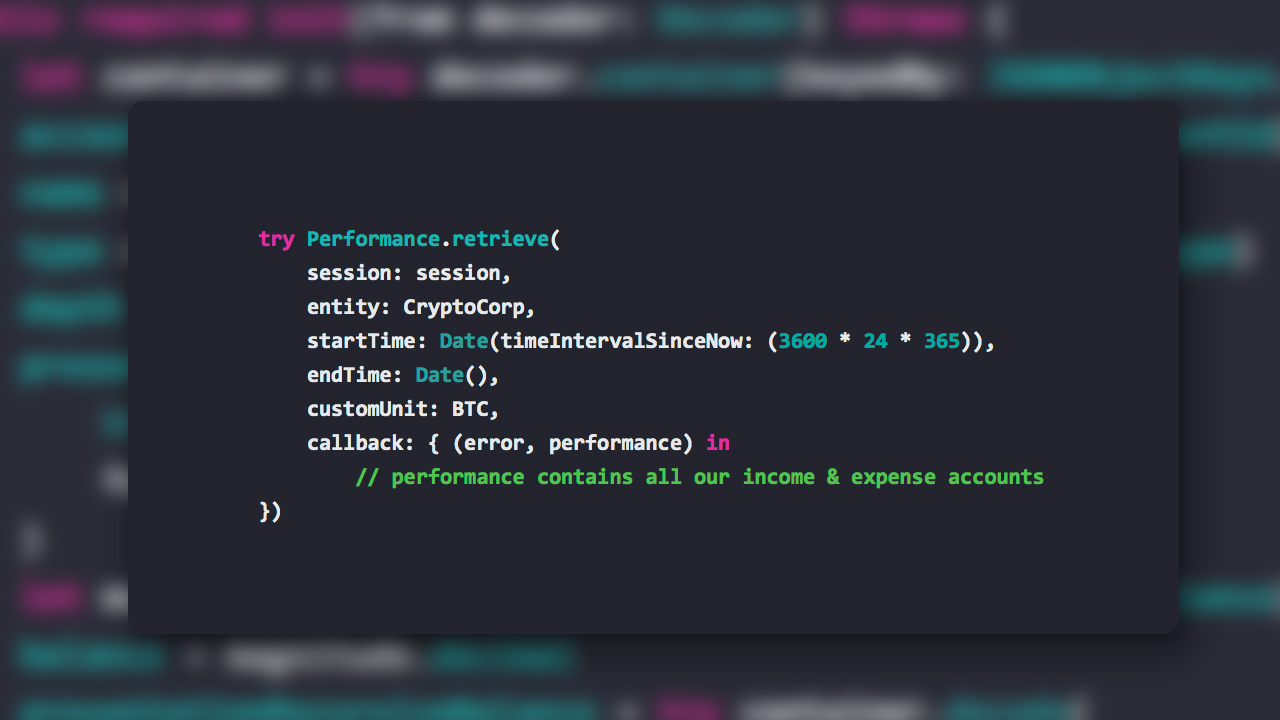
Amatino Swift 0.0.7 is now available! You can install it via Carthage or get the source code from GitHub. 0.0.7 is a major new release that adds significant capability. The powerful Tree, Position, and Performance objects are now available. Here's the full change-log:
- Remove
InternalLibraryError, which sneakily survived the error consolidation purge in 0.0.6 - Add
Account.update()method - Add
Account.delete()method - Add
Account.deleteRecursively()method - Add
Treeclass - Add
Positionclass - Add
Performanceclass - Add
Nodeprotocol - Add
NodeconformingTreeNodeandPlaceholderNodeclasses (used byTree,Position, andPerformance) - Consolidate
SessionCreateArguments&SessionAttributesintoSession - Consolidate
BalanceRetrieveArgumentsintoBalance - Drastically simplified and empowered the internal
EntityObjectprotocol, reducing code complexity and duplication (does not affect public API) - Added unit tests for new features
Plant some Trees
Trees present the entire chart of accounts of an Entity as a hierarchical object. Each node in the Tree summarises an Account, including an individual and recursive balances.Each node is represented by an instance of a class conforming to the Node protocol. Two such classes existing: TreeNode and PlaceholderNode.
TreeNodes present summarised account data, including individual and recursive balances. PlaceholderNodes stand in for TreeNodes where the requesting User does not have read permissions for the Account in question. A PlaceholderNode still includes children, which may include TreeNodes if the User has permission to read from accounts further down the hierarchy.
try Tree.retrieve(
  session: session,
  entity: starkIndustries,
  globalUnit: usd,
  callback: { (error: Error?, tree: Tree?) in {
    // tree.accounts contains a hierachary of all
    // Accounts in this entity, as either TreeNode
    // or PlaceholderNode instances
})
Determine Position
Positions are generic representations of the accounting construct variously known as a balance sheet, statement of financial position, or something else depending on your jurisdiction. They include hierarchical representations of all asset, liability, and equity Accounts inside an Entity.
Like the Tree, each Account is represented by an instance of an object conforming to the Nodeprotocol.
try Position.retrieve(
    session: session,
    entity: starkIndustries,
    globalUnit: usd,
    callback: { (error, position) in
        // position.assets, position.liabilities,
        // and position.equities combine to give
        // a financial position for the Entity.
})
Measure Performance
Performances are generic representations of the accounting construct variously known as an income statement, statement of financial performance, or comprehensive income statement, depending on your jurisdiction. They include hierarchical representations of all income and expense accounts inside an Entity.
Like the Tree and Position objects, each Account is represented by an instance of an object conforming to the Node protocol.
try Performance.retrieve(
    session: session,
    entity: starkIndustries,
    startTime: Date(timeIntervalSinceNow: (-3600*24*10)),
    endTime: Date(),
    globalUnit: usd,
    callback: { (error, performance) in
        // performance.incomeAccounts & performance.expenseAccounts
        // contain the performance of the Entity over the specified
        // timeframe
})
Updating & Deleting Accounts
Account instances now feature.update() and delete() methods, which do what it says on the tin. Here's an example of an update operation:
try account.update(
    name: "Newly updated account name",
    parent: nil,
    type: account.type, // using the existing value
    counterParty: nil,
    colour: nil,
    globalUnit: USD,
    callback: { (error, account) in
        // The returned Account instance is updated
})
Delete operations require a bit of thought. Deleting an Account does not delete any Transactions with Entries party to that Account. As such, you must supply an Account you wish to transfer any Entries to upon deletion. Here's an example:
try account.delete(
    entryReplacement: cash,
    callback: { (error) in
        // A lack of error indicates the Account is a goner
    })
What next...
0.0.8 will probably focus on units of account, i.e. GlobalUnits & CustomUnits. In particular, loading CustomUnits into an Entity so that you can denominate Transactions in whatever unit suits you.Amatino 0.0.6 macOS & iOS
Amatino Swift 0.0.6 has arrived! 0.0.6 makes lots of under the hood changes, the most important being to the error types emitted by the library. Here's the changelog:
- Added
Transaction.update()method - Added
Transaction.delete()method - Added
sessionandentityproperties toTransaction(A side-effect of the addition of.update()and.delete()) - Consolidated all errors emitted by Amatino Swift under a single error type,
AmatinoError - Potential API response errors (e.g. server errors) are now gracefully & descriptively emitted by instances of
AmatinoError. - Consolidated creation, update, and retrieval argument structs into
Transaction, e.g.TransactionCreateArguments->Transaction.CreateArguments - Consolidated
AccountCreateArgumentsstruct intoAccountasAccount.CreateArguments - Replaced overloaded
Account.create()&.retrieve()withAccount.createMany()&.retrieveMany() - Internally re-plumbed
Transactionto conform to a new internalEntityObjectprotocol, reducing code duplication (causes no changes to API) - Renamed
UrlParameters(:Entity:[UrlTarget])entity label fromentityWithTargetstoentity - Removed defunct
ObjectCore,AmatinoObjectError, andConstraintErrortypes - Consolidated
EntityCreateArgumentsstruct intoEntity.CreateArguments - New unit tests for new features
New Error Handling
Before 0.0.6, errors thrown by Amatino Swift were an absolute mess. There was AmatinoObjectError, ConstraintError, ResponseError, and even just plain old Error. Now, you can be sure that any error thrown by Amatino Swift will be of type AmatinoError.
AmatinoError provides an enum, Kind, off of which you can switch via AmatinoError.kind. For example, a Transaction.retrieve() request might yield a .notFound case when the Amatino API returns 404. You can get a verbose String description of an error by examining the AmatinoError.message property.
Some objects, such as Transaction, provide a superclass of AmatinoError called ConstraintError, which provides more detailed information about input constraint violations. For example, when you supply Transaction.create() with a description that is too long.
You can still handled these more verbose ConstraintError cases with a plain AmatinoError handler, as AmatinoError will flag them with the .constraintViolated case.
Transaction Update & Deletion
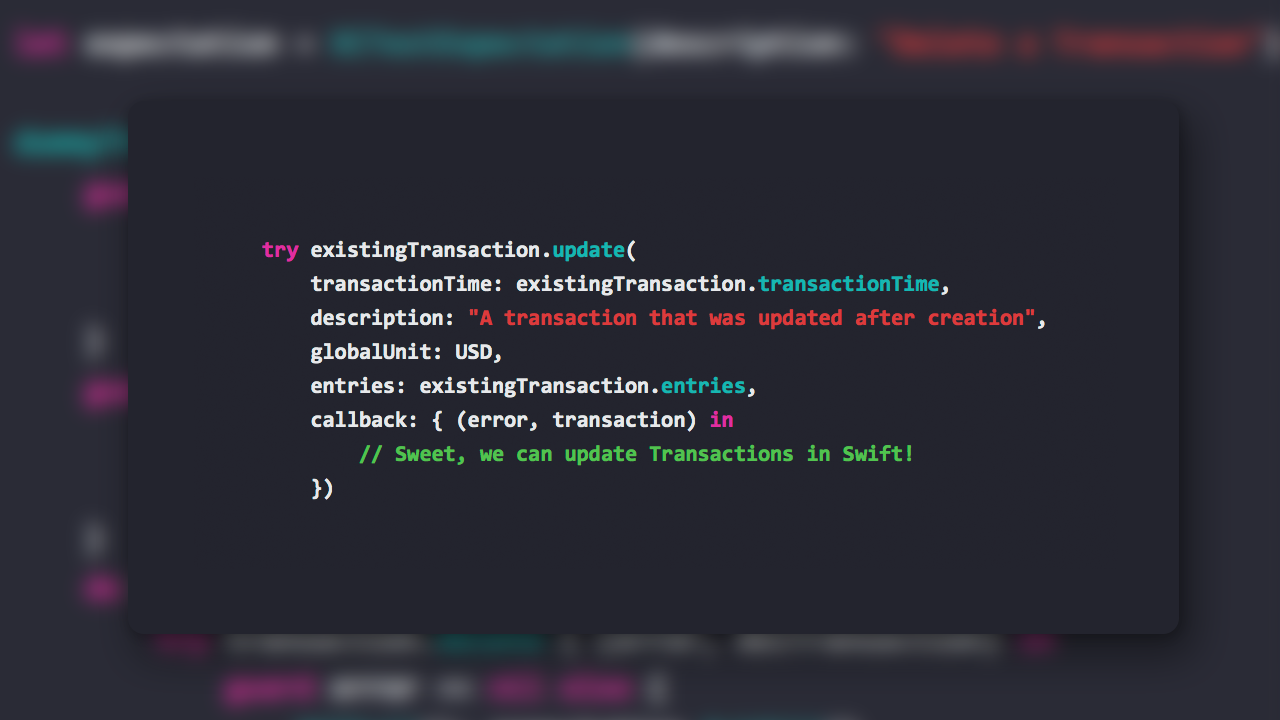
Sometimes you might which to change a Transaction after storing it. Perhaps an error was made, or underlying facts have changed. You can now do so using the update() instance method. Here's an example:
try transaction.update(
    transactionTime: transaction.transactionTime,
    description: "Some new description",
    globalUnit: usd,
    entries: transaction.entries,
    callback { (error, transaction) in
        // Woot! The returned Transaction instance
        // is updated.
})
You may also flat out delete a Transaction using the delete() instance method. Example:
try transaction.delete( { (error, transaction) in
    // It's gone! The returned transaction is in an
    // .active = false state and is no longer used.
})
Consolidation of ancillary structs
Many Amatino Swift classes depend on a variety of ancillary structs to perform their work. For example, Transaction uses CreateArguments and UpdateArguments, as well as several internal types. These types were previously in their own files.
This arrangement was causing the Amatino Swift project to be a bit jumbled. Code completion when typing the start of an object name was also getting crowded. So, as a matter of preference, I've been moving all ancillary types into their relevant classes. For example, TransactionCreateArguments has become Transaction.CreateArguments.
This process started in 0.0.5, and is ongoing in 0.0.6. There are a few cases of the old style left, which I'll probably get to in 0.0.7.
Enjoy!
Amatino 0.0.5 macOS & iOS
Amatino is a double entry accounting API, and Amatino Swift allows macOS & iOS developers to utilise Amatino in a Swift application. v0.0.5 is a major new Alpha release introducing the Ledger class, and some attendant smaller changes.
- Added new
Ledgerclass - Added new
RecursiveLedgerclass - Added new
LedgerPageclass, a low level class underpinningLedgerandRecursiveLedger - Added new
LedgerRowstruct, used by Ledgers parentAccountrenamed toparentinAccountCreateArgumentsinitialisersAccountTypeis now inferred byAccountCreateArgumentswhen aparentis supplied- Added new
Account.create()async initialisers for various attribute mixes Transactionwill now throwConstraintErrorif debits & credits do not balance on creation- Fixed a bug whereby all times sent to the Amatino API were in local system timezone rather than UTC
- Added new Ledger-related unit tests
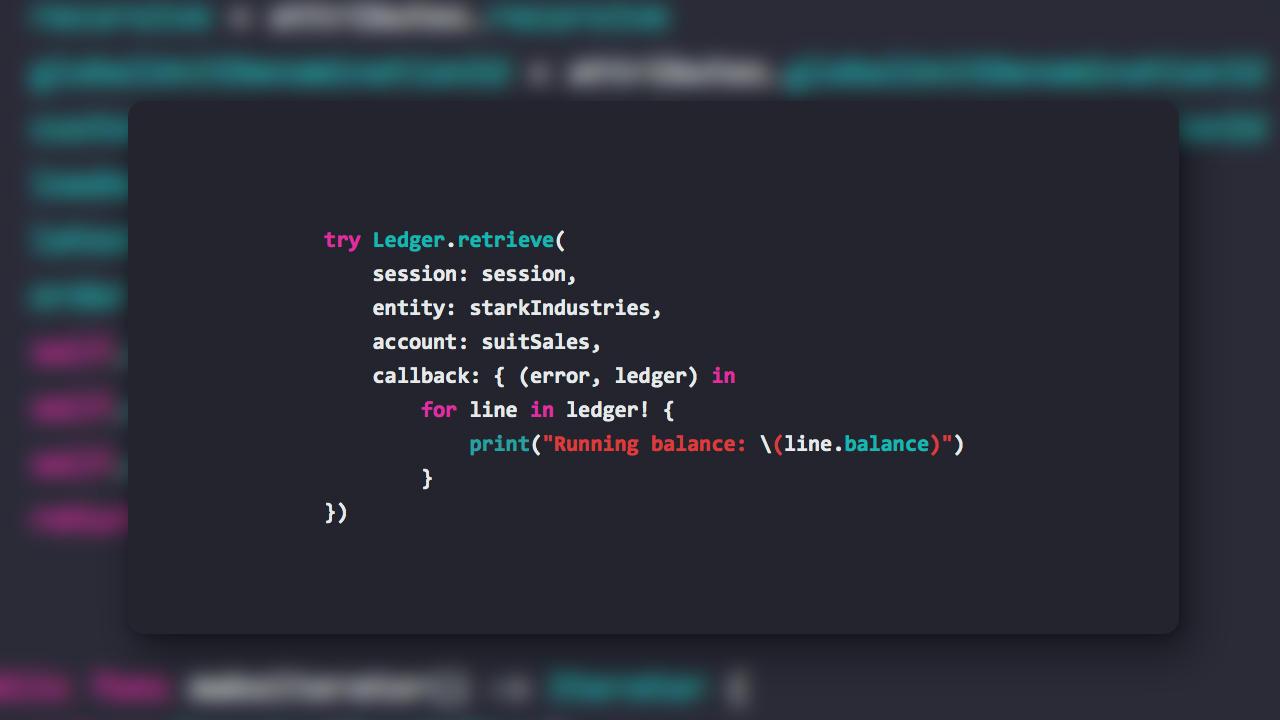
Retrieving a Ledger
try Ledger.retrieve(
    session: session,
    entity: starkIndustries,
    account: cashAccount,
    callback: { (error: Error?, balance: Balance?) in
        guard error == nil else {
            // Handle error, e.g. 404 account not found, 403
            // you are not authorised to view the account
        }
        guard let cashLedger: Ledger = ledger else {
            // Should never happen, but practicing safe nil
            // unwrapping is good feng shui
        }
        // Do cool stuff with cashLedger. For example, we can
        // iterate over all the LedgerRows it contains:
        for line in cashLedger {
            print('Running balance: (\line.balance)')
        }
        // Ledgers are paginated in batches of 500 rows. To
        // get the next 500 rows, we call .nextPage():
        try! cashLedger.nextPage() { (error, rows) in
            guard let newRows: [LedgerRow] = rows else {
                // Handle errors
            }
            for line in newRows {
                print('Running balance: (\line.balance)')
            }
        }
        // The newly retrieved rows are now available in
        // the original `cashLedger` as well.
})
Multiple Ledger.retrieve() overloads are available, allowing you to tailor the Ledger to your needs. For example, you might want to retrieve a specific timeframe or denominate the ledger in a particular unit (e.g. a non-native currency). You can also reverse-order the Ledger such that the first pages retrieves the most recent transactions.
RecursiveLedger syntax is identical to Ledger, but delivers every Transaction in the target Account and all of its children.
Installation
Amatino Swift may be installed via Carthage. Addgithub "amatino-code/amatino-swift"to your Cartfile.
Enjoy, and be sure to tell me what you think!
Amatino 0.0.4 iOS & MacOS
Amatino Swift allows MacOS and iOS developers to build double-entry accounting functionality into their apps. Until today's v0.0.4 release, it was a bit tricky to install. To make installation easy, Amatino Swift is now compatible with Carthage. Carthage is a Swift dependency manager.
You can install Carthage by downloading and running Carthage.pkg from the Carthage project releases page.
Installing Amatino Swift with Carthage
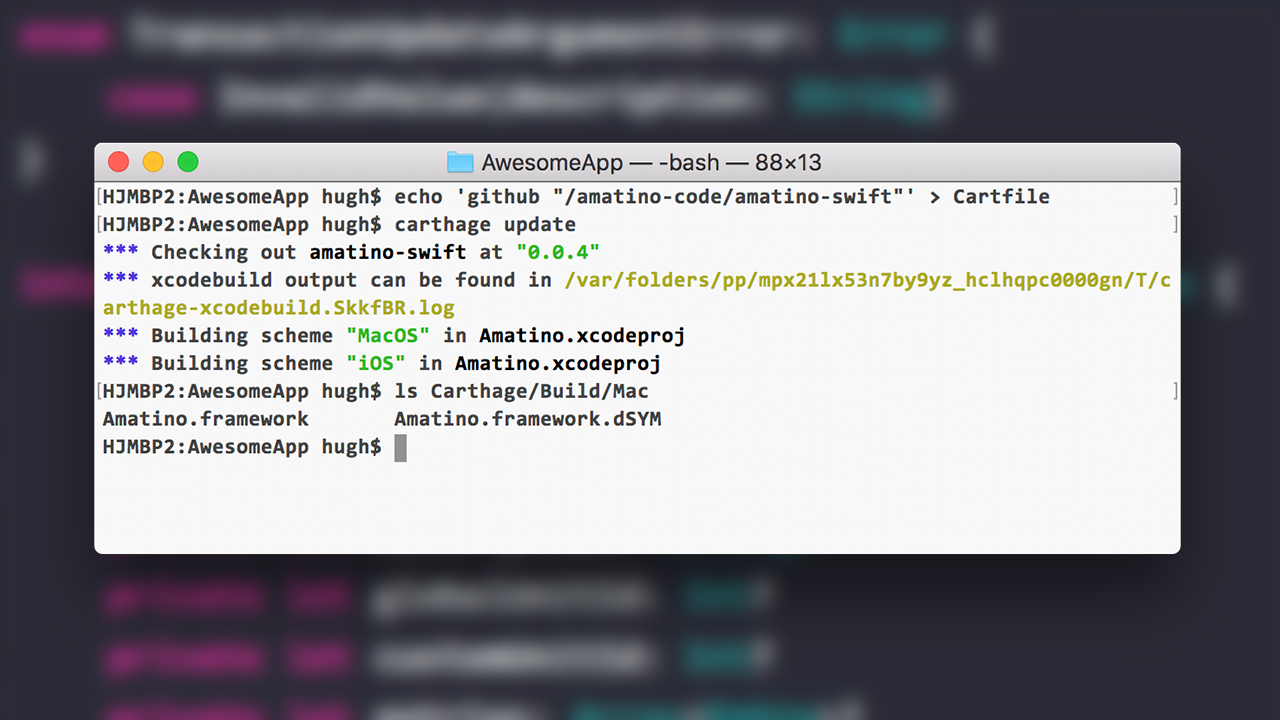
Navigate to your project directory, and create a Cartfile. Inside that file, add the line github "amatino-code/amatino-swift". You can do this in one line with the following command:
$ echo 'github "amatino-code/amatino-swift"' > CartfileNext, tell Carthage to download the Amatino Swift repository and compile MacOS and iOS frameworks:
$ carthage updateOnce the process is complete, you should have Amatino.framework binaries available in the Carthage/Build/Mac and Carthage/Build/iOS directories.
To start using the build frameworks, follow the instructions available in the Carthage project documentation. There is some dragging and dropping and fiddling involved, but the process only takes about five minutes.
Apart from the addition of Carthage support, 0.0.4 is identical to 0.0.3. Expect new features, including Ledgers, in 0.0.5!
Amatino 0.0.3 iOS & MacOS
Amatino Swift 0.0.3 is now available. Amatino Swift is library / framework that lets MacOS and iOS developers build double-entry accounting functionality into their applications. v0.0.3 is backwards compatible with v0.0.2, and makes the following changes:
- Add new
Balanceclass - Add new
RecursiveBalanceclass - Add new
GlobalUnitListclass - Add new
Transaction.createMany()method - Add unit tests covering all of the above
- Remove some debugging craft and dead code
These features build on v0.0.2's progress toward making Amatino Swift easy to use. Where in the past you would need to manually encode and decode Data responses via the AmatinoAlpha class, you now have more expressive, clean, and simple syntax at your disposal.
##Balance & RecursiveBalance
Balance and RecursiveBalance allow you to retrieve the balance of a particular account. In practice, that means the total of all debits & credits party to that account. A 'recursive' balance totals debits and credits for the target account, and any child accounts.
Balances can be retrieved for any combination of date and denomination. For example, you might have an account denominated in U.S. Dollars, but be interested in retrieving its balance in Euros.
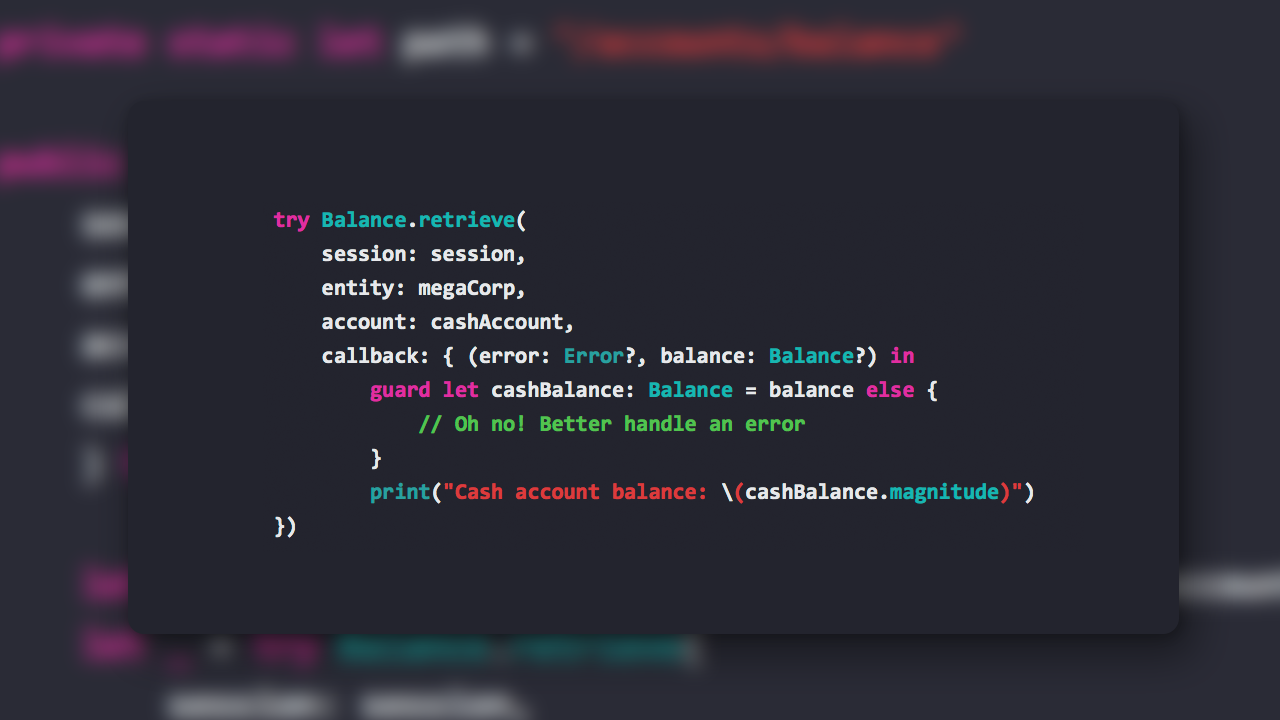
Here's an example of Balance.retrieve() in action:
try Balance.retrieve(
      session: session,
      entity: starkIndustries,
      account: cashAccount,
      callback: { (error: Error?, balance: Balance?) in
          guard error == nil else {
              // Handle error, e.g. 404 account not found, 403 you are not
              // authorised to view the account
          }
          guard let cashAccountBalance: Balance = balance else {
              // Should never happen, but we guard against nil like good
              // little programmers!
          }
          // Do cool stuff with the cashAccountBalance
          print("Cash account balance: \(cashAccountBalance.magnitude)")
  })
Transaction.createMany()
You can already create single Transactions using Transaction.create(). createMany() allows you to create up to ten Transactions in a single request. This dramatically reduces the round-trip latency suffered when you have more than one Transaction to insert.
createMany() is fed by lists of TransactionCreateArguments structs. Here’s an example:
let tx1Arguments = try TransactionCreateArguments(
    transactionTime: Date(),
    description: "Raise invoice for slick services",
    globalUnit: usd,
    entries: [
        Entry(side: .debit, account: receivables, amount: Decimal(20)),
        Entry(side: .credit, account: revenueAccount, amount: Decimal(20))
    ]
)
let tx2Arguments = try TransactionCreateArguments(
    transactionTime: Date(),
    description: "Borrow some Benjamins",
    globalUnit: usd,
    entries: [
        Entry(side: .credit, account: bankLoan, amount: Decimal(200)),
        Entry(side: .debit, account: cashAccount, amount: Decimal(200))
    ]
)
try Transaction.createMany(
    session: session,
    entity: starkIndustries,
    arguments: [tx1Arguments, tx2Arguments],
    callback: { (error: Error?, transactions: [Transaction]?) in
        guard error == nil else {
            // Handle errors
        }
        guard storedTransactions: [Transactions] = transactions else {
            // Should never happen, but guarding against nil is
            // spiritually wholesome
        }
        // Do cool stuff with newly stored Transactions
})
GlobalUnitList
v0.0.2 introduced the GlobalUnit class, without a way to list available Global Units! Enter GlobalUnitList, which will provide you with, you guessed it, a list of all available Global Units! Here’s how to use it:
try GlobalUnitList.retrieve(
    session: session,
    callback: { (error: Error?, units: GlobalUnitsList?) in
        guard error == nil else {
            // Handle errors
        }
        guard currencies: GlobalUnitList = units else {
            // Should never happen, but accidentally
            // unwrapping nil angers the startup gods
        }
        // Do cool stuff with our shiny currency list
        print("Retrieved \(currencies.count) currencies")
        return
})
There are 36 currencies available. You can look for a specific GlobalUnit in the GlobalUnitList with it’s unitWith(code:) method:
guard let USD: GlobalUnit = currencies.findWith(code: "USD") else {
    // .findWith() returns an optional. If we end up here, Amatino
    // doesn't support a currency with the supplied code.
}
// Do cool stuff with our new currency
print("Loaded a currency! Name: \(USD.name)")
Installation
I’m in the process of creating Carthage and Cocoapods distributions for Amatino Swift. In the mean time, compiled libraries are available on GitHub. You are also most welcome to clone the repo and compile Amatino Swift yourself.
Still to come
Many objects specified in the Amatino API HTTP documentation are not yet available in Amatino Swift. For example, account Ledgers. Further, available objects are missing some critical methods, like Transaction.delete().
Look out for v0.0.4 and onwards to add yet more capability to Amatino Swift. Let me know how you want Amatino Swift to develop on Twitter or on the forums. Sign up to the Development Newsletter to be notified when new versions of Amatino Swift are available.