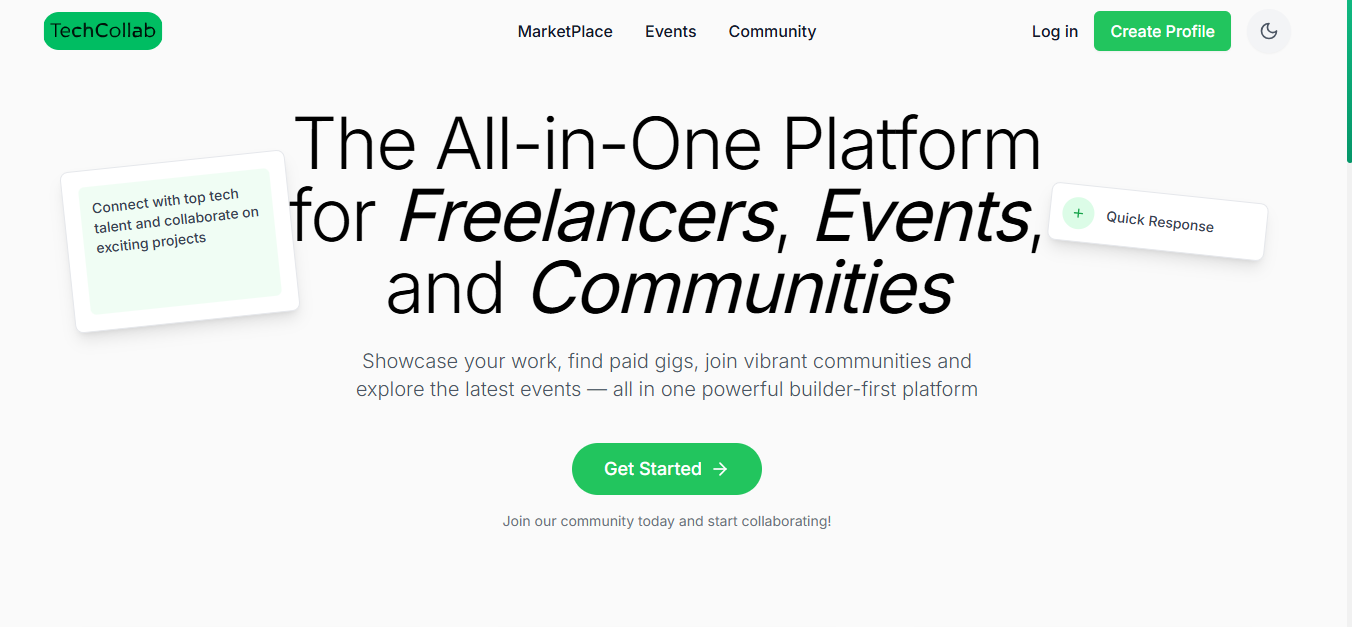





A comprehensive platform connecting talented freelancers with exciting projects, managing tech events, and building vibrant communities
- Smart Marketplace: Browse and post freelance gigs with advanced filtering
- AI-Powered Search: Natural language search using Google Gemini AI
- Real-time Chat: Instant messaging between clients and freelancers
- Event Management: Create and discover tech events, workshops, and meetups
- Community Building: Connect with like-minded professionals and build networks
- User Profiles: Comprehensive profiles with skills, portfolios, and ratings
- Proposal System: Submit and manage project proposals
- Dark/Light Theme: System-wide theme toggle with persistent preferences
- File Uploads: Cloudinary integration for images and documents
- Real-time Notifications: Live updates for messages, proposals, and events
- Google OAuth: Secure authentication with Google Sign-In
- Responsive Design: Mobile-first design that works on all devices
- Save Functionality: Bookmark gigs and events for later
- Smart Search: "I need a React developer under $500" → Automatically filters and sorts
- Auto-suggestions: AI-powered search suggestions as you type
- Query Interpretation: Explains how your search was processed
- Fallback System: Graceful degradation if AI services are unavailable
- Framework: React 18.2+ with TypeScript
- Build Tool: Vite 4.0+
- Styling: Tailwind CSS 3.0+
- UI Components: Custom component library with Radix UI primitives
- Icons: Lucide React
- Routing: React Router Dom 6.0+
- State Management: React Context API
- HTTP Client: Axios
- Runtime: Node.js 18.0+
- Framework: Express.js 4.18+
- Database: MongoDB 6.0+ with Mongoose ODM
- Authentication: JWT + Google OAuth 2.0
- File Storage: Cloudinary
- Real-time: Socket.IO
- AI Integration: Google Gemini API
- Validation: Express Validator
- Language: TypeScript 5.0+
- Code Quality: ESLint + Prettier
- Version Control: Git
- Package Manager: npm
# Clone the repository
git clone https://github.com/yourusername/techcollab.git
cd techcollab

# Install dependencies
npm run install:all

# Set up environment variables
cp backend/.env.example backend/.env
cp project/.env.example project/.env

# Start development servers
npm run dev
Open http://localhost:3000 to view the app and http://localhost:5000 for the API.
- Node.js 18.0 or higher
- npm 8.0 or higher
- MongoDB 6.0+ (local or Atlas)
- Git
-
Clone the Repository
git clone https://github.com/yourusername/techcollab.git cd techcollab -
Install Backend Dependencies
cd backend npm install -
Install Frontend Dependencies
cd ../project npm install -
Build the Backend
cd ../backend
npm run build
Create backend/.env file:
# Database
MONGODB_URI=mongodb://localhost:27017/techcollab
# Or use MongoDB Atlas: mongodb+srv://username:password@cluster.mongodb.net/techcollab

# JWT Secret (generate a secure random string)
JWT_SECRET=your_super_secure_jwt_secret_here

# Cloudinary Configuration (for file uploads)
CLOUDINARY_CLOUD_NAME=your_cloudinary_cloud_name
CLOUDINARY_API_KEY=your_cloudinary_api_key
CLOUDINARY_API_SECRET=your_cloudinary_api_secret

# AI Configuration
GEMINI_API_KEY=your_google_gemini_api_key

# Server Configuration
PORT=5000
NODE_ENV=developmentCreate project/.env file:
# API Configuration
VITE_API_URL=http://localhost:5000-
MongoDB Atlas (Free):
- Sign up at MongoDB Atlas
- Create cluster → Get connection string
-
Cloudinary (Free tier available):
- Sign up at Cloudinary
- Dashboard → Account Details → Copy credentials
-
Google Gemini API (Free tier available):
- Visit Google AI Studio
- Create API key
# Start backend server (Terminal 1)
cd backend
npm run dev

# Start frontend server (Terminal 2)
cd project
npm run dev# Build backend
cd backend
npm run build
# Build frontend
cd project
npm run build- AI Search: Type natural language queries like "React developer under $300"
- Create Gig: Post your services with detailed descriptions and pricing
- Event Management: Create tech events and workshops
- Community Building: Connect with professionals in your field
- Real-time Chat: Communicate instantly with other users
- Theme Toggle: Switch between light and dark modes
- File Uploads: Add images to your gigs and profile
User Input: "I need a mobile app developer under $500"
AI Processing:
- Category: mobile
- Price: 0-500
- Sort: relevance
Result: Filtered gigs matching criteria
- Auto-complete based on popular searches
- Context-aware recommendations
- Skill-based filtering
- "cheap web developer" → Web category, price low to high
- "experienced UI designer" → Design category, rating sorted
- "React expert urgent project" → Web category, newest first
POST /api/auth/register    - User registration
POST /api/auth/login       - User login
POST /api/auth/google      - Google OAuth login
GET  /api/auth/me          - Get current user
GET    /api/gigs           - Get all gigs (with filters)
POST   /api/gigs           - Create new gig
GET    /api/gigs/:id       - Get gig by ID
PUT    /api/gigs/:id       - Update gig
DELETE /api/gigs/:id       - Delete gig
POST /api/ai/search        - AI-powered search
GET  /api/ai/suggestions   - Get search suggestions
GET    /api/events         - Get all events
POST   /api/events         - Create new event
GET    /api/events/:id     - Get event by ID
PUT    /api/events/:id     - Update event
DELETE /api/events/:id     - Delete event
GET    /api/chat/conversations  - Get user conversations
POST   /api/chat/send          - Send message
GET    /api/chat/:id           - Get conversation
-
Deploy Backend to Railway
cd backend npm install -g @railway/cli railway login railway project create techcollab-backend railway up -
Deploy Frontend to Vercel
cd project npm install -g vercel vercel login vercel --prod -
Set Environment Variables
- Railway: Set all backend env vars in dashboard
- Vercel: Set
VITE_API_URLto your Railway backend URL
- Backend: Render, DigitalOcean, AWS, Heroku
- Frontend: Netlify, GitHub Pages, Cloudflare Pages
- Database: MongoDB Atlas (recommended)
The app features a comprehensive dark/light theme system:
/* Light Theme */
--background: #fafafa
--card-bg: #ffffff
--text: #1f2937

/* Dark Theme */
--background: #232323
--card-bg: #171717
--text: #f9fafb
--accent: #219653- Persistent theme preferences
- System preference detection
- Smooth transitions
- Component-level theme support
We welcome contributions! Please follow these steps:
- Fork the repository
- Create a feature branch
git checkout -b feature/amazing-feature
- Make your changes
- Commit your changes
git commit -m 'Add amazing feature' - Push to the branch
git push origin feature/amazing-feature
- Open a Pull Request
- Follow TypeScript best practices
- Use conventional commit messages
- Add tests for new features
- Update documentation
- Ensure responsive design