




CanAirIO is a citizen science initiative for air quality tracking, visualization and dissemination by using PM2.5 particulate material sensors paired with your smartphone via bluetooth.
This code is for CanAir.io Android app that using a DIY device that handle a pollution sensor (Honeywell, Sensirion, Plantower, Panasonic) or others air quality sensors.

You can install it from the release section downloading the last signed apk or installing from GooglePlay
- Android SDK
- CMake
Please first clone the project with all submodules:
git clone --recursive https://github.com/kike-canaries/canairio_android.gitThis application uses a Firebase Database instance to store mobile air quality reports,
For local development, you will need to create a database in the Firebase Console using hpsaturn.pollutionreporter as the application identifier and retrieve a google-services.json file. See instructions here.
After that copy this file into the project:
cd canairio_android && cp ~/google-services.json app/Please put your Aqicn API key in app/src/main/res/values/api_aqicn.xml or create a fake file like with:
<resources>
    <string name="api_aqicn_key">7cbbbb864b9c0755b8xxxxyyy</string>
</resources>./gradlew assembleDebugPlease see the firmware documentation for using and configure your device.
For now you need any Android device with Bluetooth 4 or above. You can download the CanAirIO app from GooglePlay, keep in mind that it is in continuos development then please any feedback, report errors, or any thing please let us knowed it via our contact form or on our Telegram chat
You have two configuration options or modes of your CanAirIO device from the app:
For record tracks on your device (Sdcard) or publish it to the cloud (share), please follow the next steps:


NOTE: Also all recorded tracks will be saved in the /sdcard/canairio/ directory on json format.

Also, you can connect your CanAirIO device to the WiFi and leave this like a fixed station. In this mode you only need the Android app only for initial settings, after that the device could be publish data without the phone. For this you need configure it in settings section:

- Station Name: for example:
PM25_Berlin_Pankow - Wifi Name and Password:
- Your Wifi network credentials.
- Save the credentials with the switch.
- InfluxDB Cloud: add the next values,
- Database name:
canairio - Hostname:
influxdb.canair.io - Save the settings with the switch.
- Database name:
The data will be configured and showed in CanAirIO Grafana Server.
- Reboot device: Only for restart your CanAirIO device
- Factory Reset: For set all settings to default on your CanAirIO device
If you want to contribute to the code or documentation, consider posting a bug report, feature request or a pull request.
When creating a pull request, we recommend that you do the following:
- Clone the repository
- Create a new branch for your fix or feature. For example, git checkout -b fix/my-fix or git checkout -b feat/my-feature.
- Run to any clang formatter if it is a code, for example using the
vscodeformatter. We are using Google style. More info here - Document the PR description or code will be great
- Target your pull request to be merged with
develbranch
Also you can consider make a donation, be a patron or buy a device:
- Via Ethereum:
- 0x1779cD3b85b6D8Cf1A5886B2CF5C53a0E072C108
- Be a patron: Github Sponsors, LiberaPay
- Buy a device: CanAirIO Bike in Tindie
- Inviting us a coffee: buymeacoffee, Sponsors
NOTE: Supporting our Citizen Science Initiative many people be able to fight for air quality rights in many countries with this kind of problems. More info in CanAir.IO
For our supporters, patrons or donors, we will send the files for our coming version:
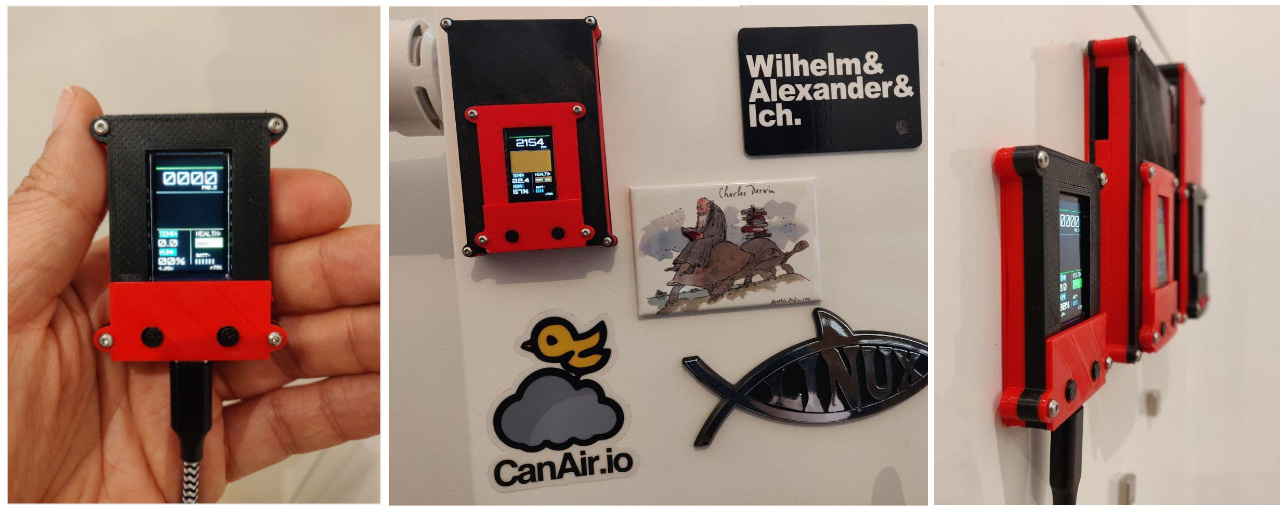
- BLE scanning and connecting
- Receive data via BLE notification
- Basic chart for PM 2.5 data
- BLE persist connection on background service
- List recorded tracks fragment
- Firebase connection for publish reports
- Open Street map fragment
- Export data to json on external storage (SD)
- Osmdroid routes (for line or dinamic points)
- Add other air quality APIs to map (AQICN ie)
- Flutter migration for have to iOS app
- Osmdroid clusters (for static points)