Biome extension provides support for the Biome in Nova.
It uses biome lsp-proxy as LSP server
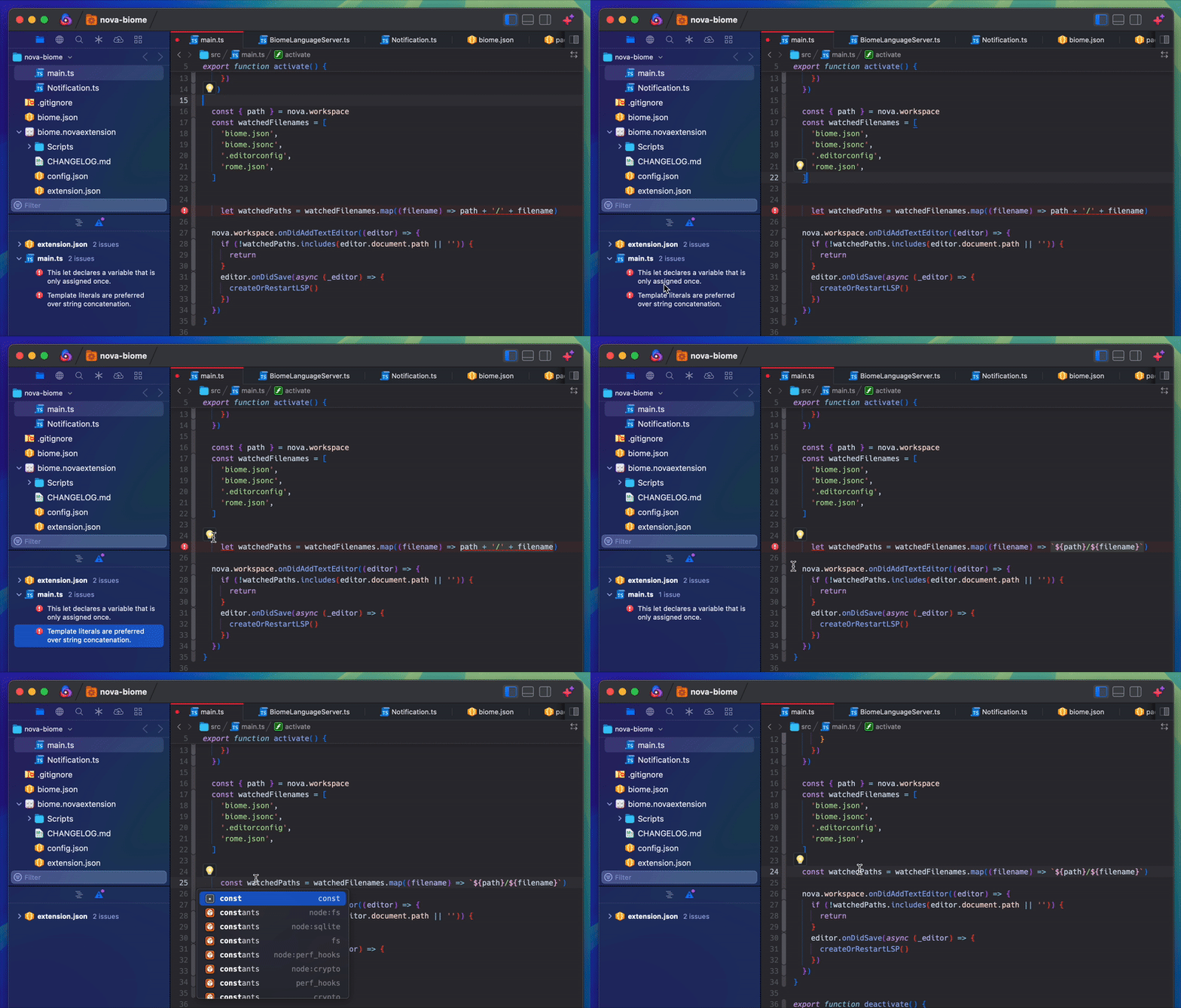
Format code like Prettier, save time
- Biome is a fast formatter for JavaScript, TypeScript, JSX, TSX, JSON, CSS and GraphQL that scores 97% compatibility with Prettier, saving CI and developer time.
Fix problems, learn best practice
- Biome is a performant linter for JavaScript, TypeScript, JSX, CSS and GraphQL that features 315 rules from ESLint, TypeScript ESLint, and other sources.
brew install biome
- Diagnostics
- Code Actions
- Format on Save (disabled by default)
Go to Extensions -> Extension Library... -> Biome -> Settings
Default value: /opt/homebrew/bin/biome
Change it if you installed biome without brew
Enables/Disables autoformat on save using biome
Currently included syntaxes: astro, css, graphql, javascript, javascriptreact, json, jsonc, svelte, typescript, typescript.tsx, typescriptreact, vue
The Biome extension watches changes in biome.json, biome.jsonc, .editorconfig and rome.json and restarts the LSP server to immediately reflect changes on diagnostics/formatting behavior
biome.json
{
  "formatter": {
    "enabled": true,
    "formatWithErrors": false,
    "indentStyle": "space",
    "indentWidth": 2,
    "lineEnding": "lf",
    "lineWidth": 80,
    "attributePosition": "auto"
  },
  "organizeImports": {
    "enabled": true
  },
  "linter": {
    "enabled": true,
    "rules": {
      "recommended": true
    }
  },
  "javascript": {
    "formatter": {
      "jsxQuoteStyle": "double",
      "quoteProperties": "asNeeded",
      "trailingCommas": "all",
      "semicolons": "asNeeded",
      "arrowParentheses": "always",
      "bracketSpacing": true,
      "bracketSameLine": false,
      "quoteStyle": "single",
      "attributePosition": "auto"
    }
  },
  "overrides": [
    {
      "include": ["*.json"],
      "formatter": {
        "indentWidth": 2
      }
    }
  ]
}-
Clone repo
git clone https://github.com/besya/nova-biome.git -
Navigate to project folder
cd nova-biome -
Install dependencies
npm install -
Run watch
npm run watch -
Enable extension
Extensions > Activate Project as Extension
Clean (cleans biome.novaextension/Scripts directory)
npm run clean
Build (builds src to biome.novaextension/Scripts)
npm run build
Watch (rebuilds src to biome.novaextension/Scripts on src change)
npm run watch