Deploying slam mirrorbot on Heroku with Github Workflows

- Token Pickle
- Github account
-
Heroku account
- Recommended to use 1 App in 1 Heroku account.
- Don't use bin/fake credits card, because your Heroku account will get banned.
- Heroku is free service, so don't expect too much.
- Text editor
-
Star and Fork this repo then upload token.pickle to your forks, or you can upload your token.pickle to your Index and put your token.pickle link to
TOKEN_PICKLE_URL(Recommended) (NOTE: If you don't upload token.pickle uploading will not work). -
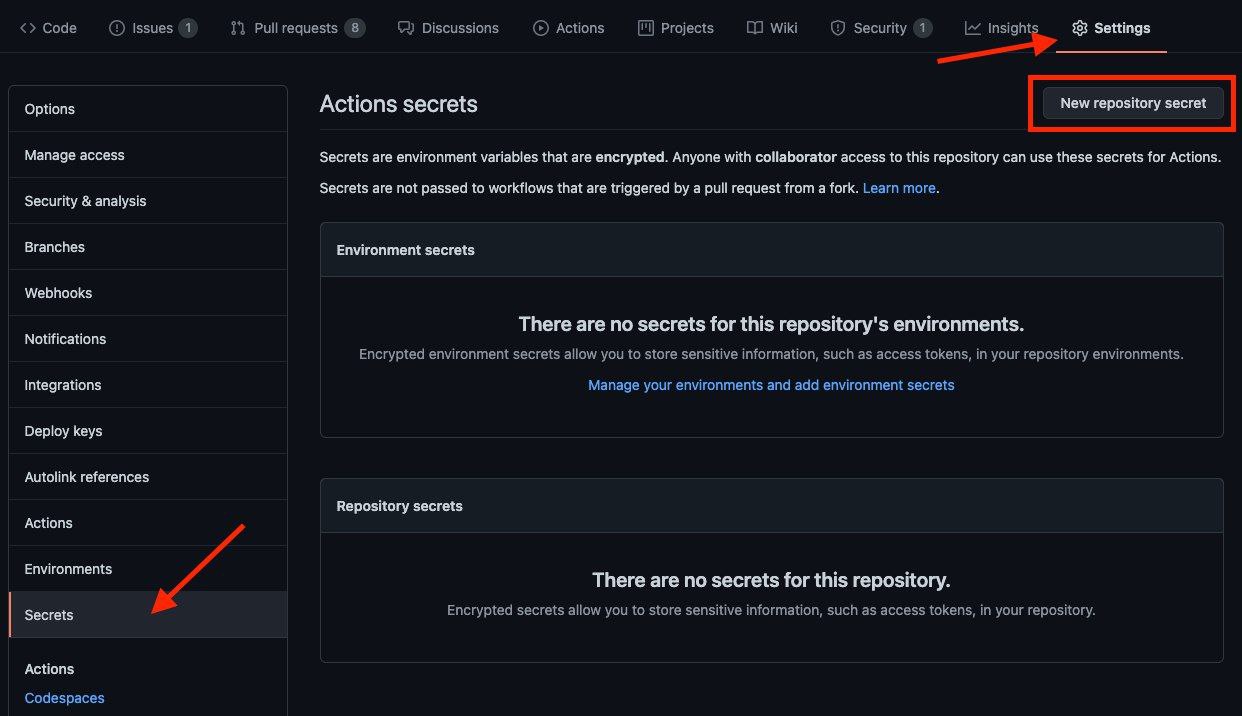
Go to Repository
Settings->Secrets -
Add the below Required Variables one by one by clicking
New Repository Secreteverytime.
-
HEROKU_EMAIL: Heroku Account Email Id in which the above app will be deployed -
HEROKU_API_KEY: Your Heroku API key, get it from https://dashboard.heroku.com/account -
HEROKU_APP_NAME: Your Heroku app name, Name Must be unique -
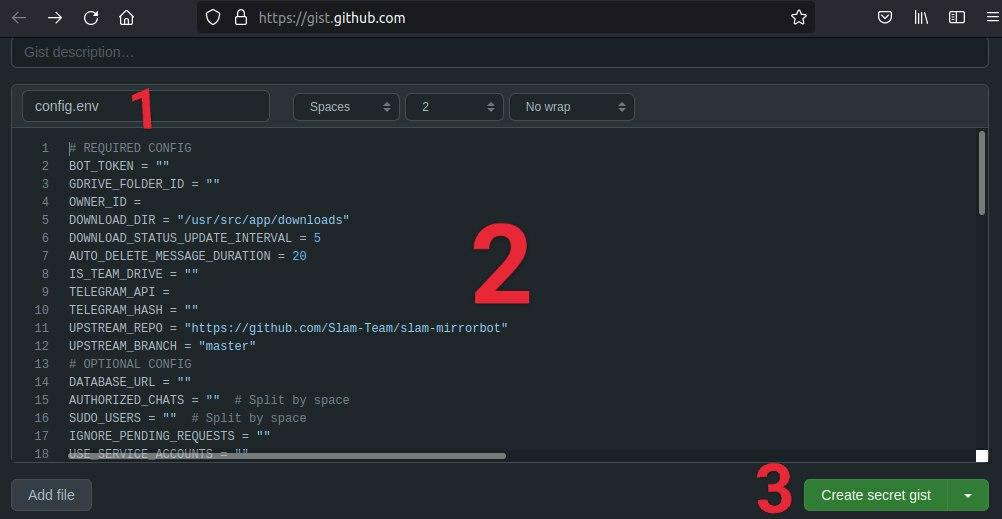
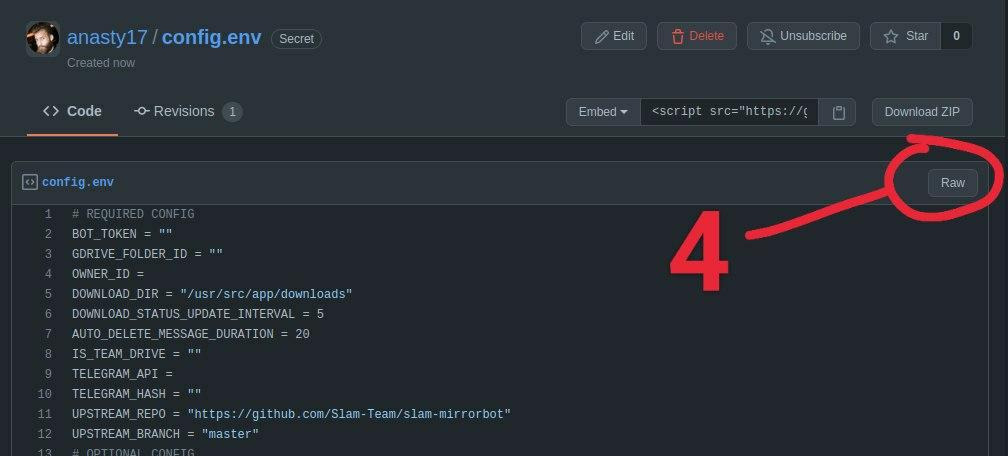
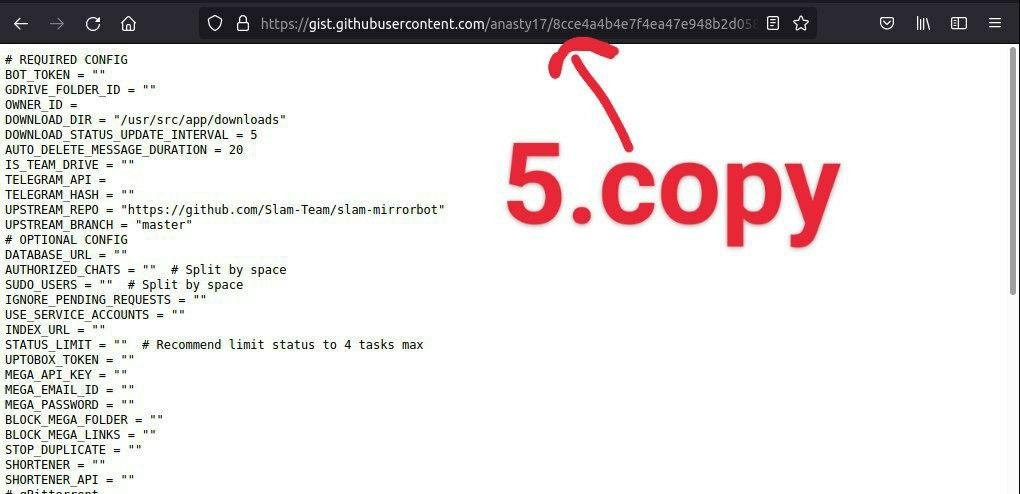
CONFIG_FILE_URL: Fill This in any text editor. Remove the_____REMOVE_THIS_LINE_____=Trueline and fill the variables. For details about config you can see Here. Go to https://gist.github.com and paste your config data. Rename the file toconfig.envthen create secret gist. Click on Raw, copy the link. This will be yourCONFIG_FILE_URL. Refer to below images for clarity.-
NOTE: Remove commit id from raw link to be able to change variables without updating the
CONFIG_FILE_URLin secrets. should be in this form: https://gist.githubusercontent.com/username/gist-id/raw/config.env - Before: https://gist.githubusercontent.com/anasty17/8cce4a4b4e7f4ea47e948b2d058e52ac/raw/19ba5ab5eb43016422193319f28bc3c7dfb60f25/config.env
- After: https://gist.githubusercontent.com/anasty17/8cce4a4b4e7f4ea47e948b2d058e52ac/raw/config.env
- You only need to restart your bot after editing
config.envGist secret.
-
NOTE: Remove commit id from raw link to be able to change variables without updating the
-
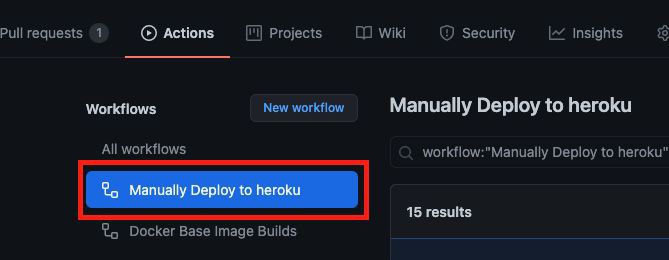
After adding all the above Required Variables go to Github Actions tab in your repo
-
Select
Manually Deploy to Herokuworkflow as shown below: -
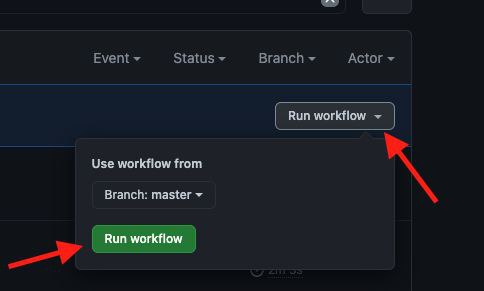
Then click on Run workflow
-
Done! your bot will be deployed now.
- Don't change/edit variables from Heroku if you want to change/edit do it in
config.envfrom your gist, after it just restart your Heroku app. - Got app suspended? Just redeploy with same app name.
- In README.md already said DEAD REPO AND NO MORE UPDATE if you got any bug/issue, you should fix it by yourself.
-
AkhileshNSfor Github Workflow method to deploy Heroku app