Initiates a "scan for updates" action and lists available patches from the configured WSUS server in a user friendly way.
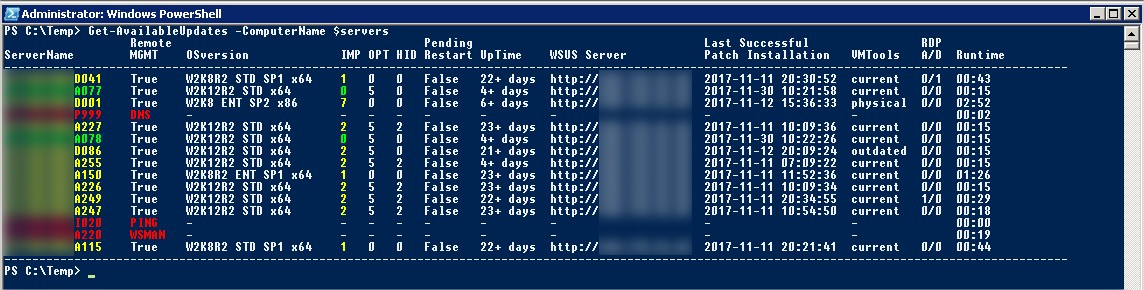
- RED | Connection / Authentication problem
- YELLOW | There is at least one available important patch
- GREEN | There isn't any available important patch
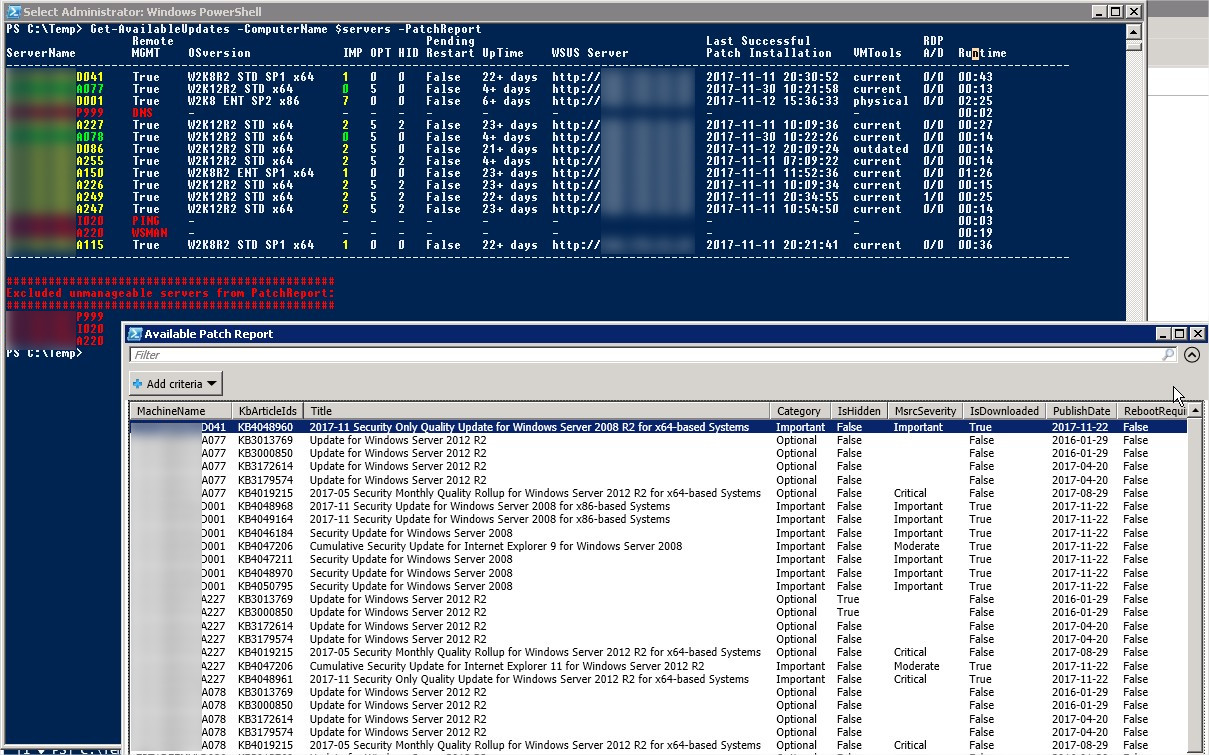
Using the "PatchReport" switch parameter, the available patches will be shown in a popup gridview window.
PowerShell version 3+ is a must.
Get-Help Get-AvailableUpdates -Examples
The "manageable" property shows the the result of the connection prerequisities in order (DNS -> PING -> WSMAN -> WMI -> Invoke-Command) and stop processing at the first error. This property represents an easy way to immediately assume what went wrong with a problematic server:
- DNS - DNS name can not be resolved, probably DMZ server
- PING - ICMP is blocked / server is restarting or offline / DNS outdated
- WSMAN - Remote management is not enabled
- WMI - Wrong authentication (server is in different domain and there is no trust between domains)/access denied
- INVOKE - IP was declared instead of DNS name, and Invoke-Command is not possible in case of IPs just with HTTPS + trusted hosts
For detailed error massage use "-RAW" switch parameter in function and check "ErrorDetails" property
Calling the function on a couple of target systems.
Calling the function on a couple of target systems with "-PatchReport" switch parameter. in this case the result will be shown in a new popup gridview window. It really helps to provide list of expected patches to management/application admins.