A video conferencing app with automated attendance-taking to ease teachers' administrative load!
Watch our demo here:
Table of Contents
We all love the energy of great classes and workshops - where we leave feeling inspired and connected with people. When the pandemic forced classes online, something seemed to be off. Online sessions just didn’t feel as engaging as in-person ones.
Teaching tuition online we felt handicapped at not being able to manage sessions as easily as before - especially if we were the only teacher in the session. Attention spans of students were much shorter. What made it worse was that we had to keep students engaged while:
- Taking attendance
- Taking notes on students’ progress, and
- Conducting activities
Our focus sometimes ended up being on the tech, not the discussions.
Enter Mooz. Think zoom, but optimized for teaching. We want to enable teachers to put their energy into doing what they do best - running high energy sessions that students love.
We do that by first automating a tedious but key admin task - attendance taking.
First, you can sign up or log in.

You will enter the lobby where you can see all the classes that you have enrolled for. Click "join session to join the selected class instantly".
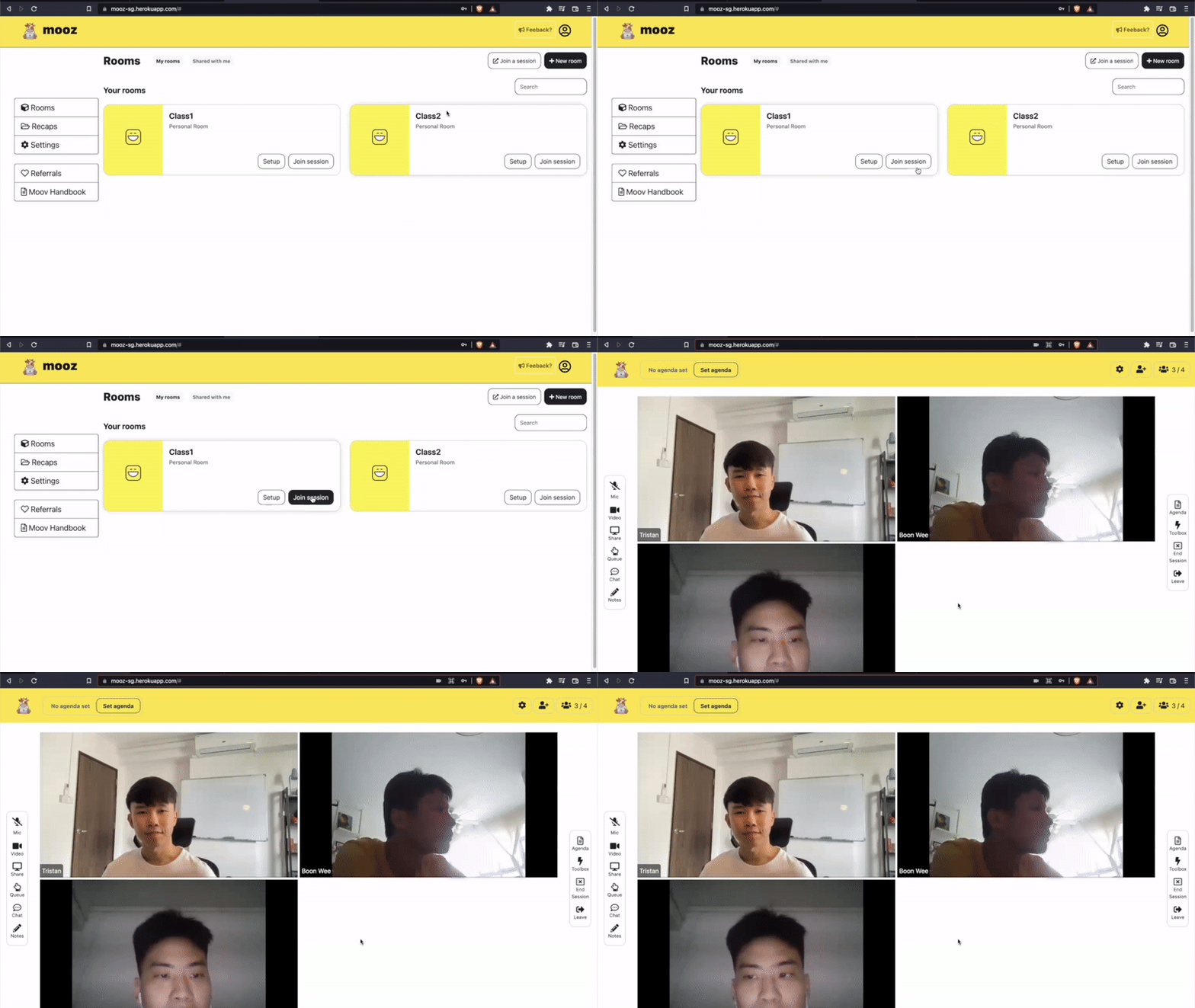
Upon joining the room, you will see a gallery view of all the other users in the room. You can choose to mute and unmute yourself, and switch on and off your camera using the toolbar on the left hand side.

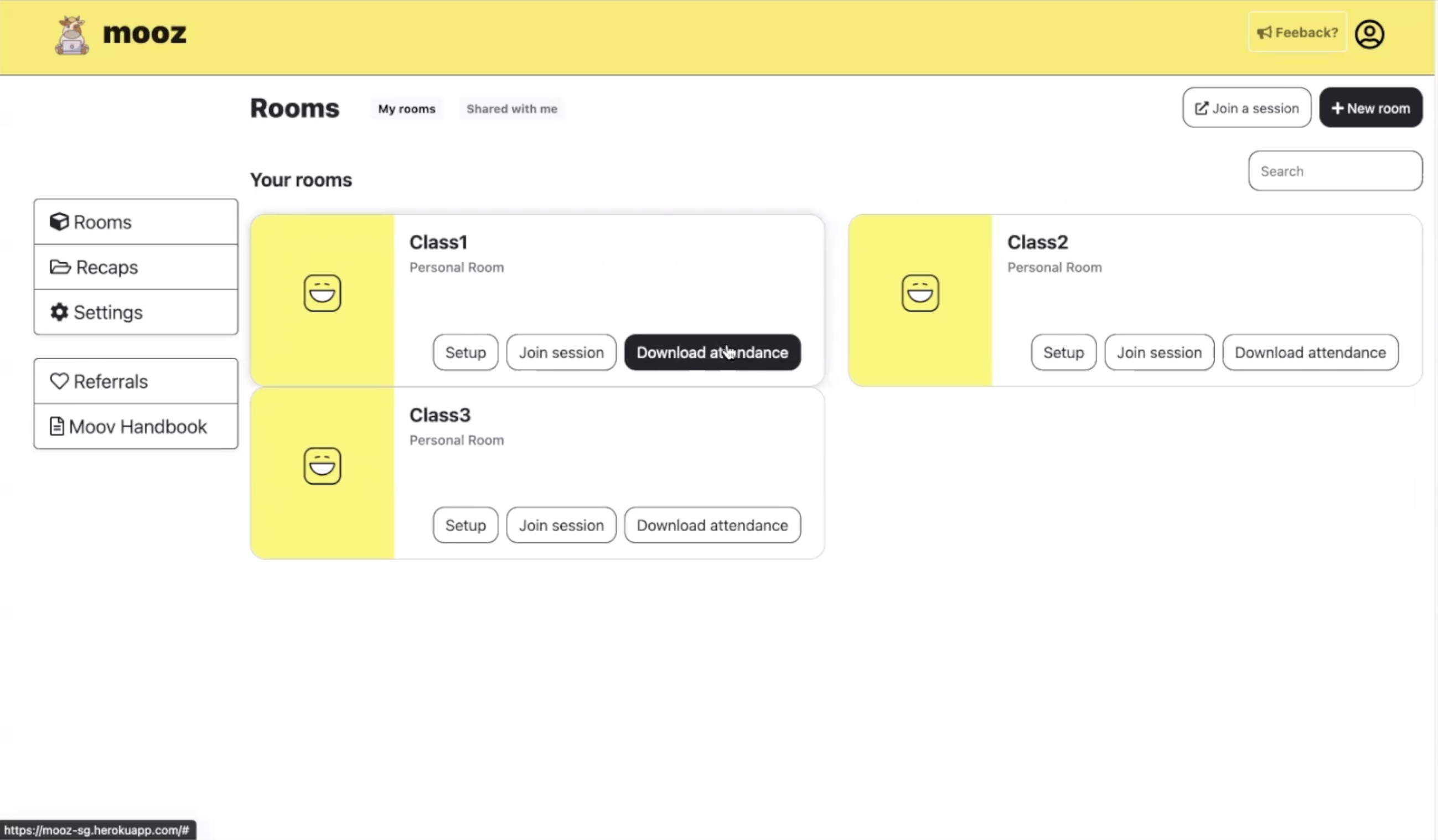
If you are signing in as an admin (these could be teachers or school staff), you will see an additional button called "Download attendance" in the lobby. Everytime a student joins the class, he/she will be added to the attendance list automatically. The user with an admin role can choose to download the attendance any time.
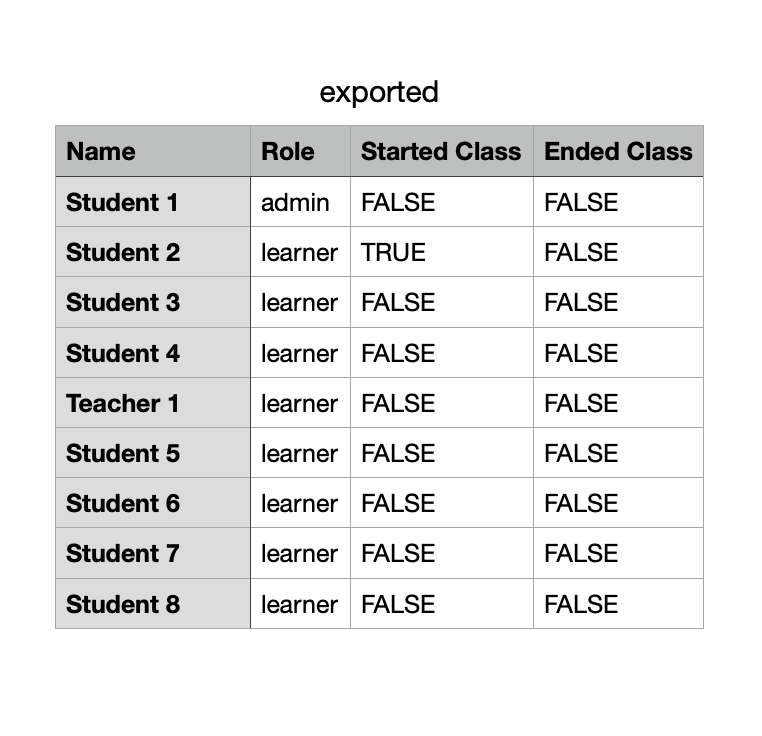
Upon downloading the attendance sheet, you will see a list of all the students and their attendance (denoted by TRUE or FALSE) when class is started and ended.
Frontend
- React.js
Backend
- Express
- MongoDB
- Mongoose
At this point of bootcamp, we have learnt SQL and worked with PostgreSQL + Sequelize. We wanted to explore NoSQL databases for this project, and chose MongoDB with Mongoose as they are very accessible options. The database was eventually moved online to MongoDB Atlas in order to deploy the app on Heroku.
Video Call Functionality
- Socket.IO
- Simple Peer
Real-time communication between browser and server is natively supported by all modern browsers through the Websocket API. We chose to use Socket.IO as it abstracts away details and fallbacks required for a vanilla Websocket implementation.
Try Mooz here!
Sign in to admin role with teacha@teacha.com and learner role with boya@boya.com. All passwords are 123.
Tristan: teo.jia.jun.29@gmail.com, Githhub
Justus: weizhengjustus.lim@gmail.com, Githhub
Boon Wee: bwceemail@gmail.com, Githhub