A userspace PTY wrapper that simulates laggy/slow network connections for local terminal applications.
Make any local terminal app feel like it's running over SSH on a bad connection, a 9600 baud serial line, or a flaky mobile network.
Add some slack to both your standard output and standard input, today! (demo)
Primary installation: Homebrew (recommended)
# Tap the Homebrew formula and install ttylag
brew tap cbrunnkvist/tap && brew install ttylag
Alternatives (still supported):
- Go install:
go install github.com/cbrunnkvist/ttylag@latest- Build from source:
git clone https://github.com/cbrunnkvist/ttylag
cd ttylag
go build -o ttylag .
Notes:
- The Homebrew formula is defined at Formula/ttylag.rb and the tap is cbrunnkvist/tap (tested).
- If you prefer not to use Homebrew, the go install and build-from-source methods remain available.
Generate and install the man page:
# Generate man page
go run cmd/genman/main.go > ttylag.1

# Install (Linux/macOS)
sudo install -m 644 ttylag.1 /usr/local/share/man/man1/

# View
man ttylag# Simulate a 9600 baud serial connection
ttylag --serial 9600 -- bash
# Simulate a laggy SSH connection
ttylag --rtt 400ms --jitter 80ms --down 80kbit --up 20kbit -- htop
# Use a preset profile
ttylag --profile 3g -- vimttylag [flags] -- <command> [args...]
The -- separator is required before the command.
      --rtt string           Round-trip time (split evenly up/down)
      --up-delay string      Upstream delay (user→child)
      --down-delay string    Downstream delay (child→user)
  -j, --jitter string        Jitter for both directions
      --up-jitter string     Upstream jitter
      --down-jitter string   Downstream jitter
  -u, --up string            Upstream bandwidth limit (e.g., 56kbit)
  -d, --down string          Downstream bandwidth limit
  -c, --chunk int            Max bytes per write (0=unlimited)
      --frame string         Coalesce output interval (e.g., 40ms)
  -s, --serial int           Serial port speed in bps (e.g., 9600)
      --bits-per-byte int    Bits per byte for serial (default 10 for 8N1) (default 10)
      --seed int             Random seed for jitter (0=random)
  -p, --profile string       Connection profile (see below)
  -h, --help                 Show help
  -v, --version              Show version
  -L, --list-profiles        List available profiles

Bandwidth formats: 100, 100bps, 56kbit, 56k, 1mbit, 100KB
  k=1000 (SI units), not 1024
NAME                   RTT    JITTER        DOWN          UP  MODE
----                   ---    ------        ----          --  ----
2400                     -         -       2kbit       2kbit  serial
3g                   200ms      50ms       1mbit     384kbit  packet
9600                     -         -       8kbit       8kbit  serial
cable                 30ms       5ms      50mbit       5mbit  packet
dialup               150ms      30ms      56kbit      34kbit  packet
dsl                   50ms      10ms       8mbit       1mbit  packet
edge                 500ms     100ms     200kbit     100kbit  packet
intercontinental     250ms      30ms      10mbit       5mbit  packet
lte                   50ms      15ms      20mbit       5mbit  packet
lte-poor             150ms      50ms       2mbit     500kbit  packet
lunar                2.56s      50ms     128kbit      16kbit  packet
mars-close            6m0s        1s       2mbit      16kbit  packet
mars-far             44m0s        2s     500kbit       8kbit  packet
satellite            600ms      50ms      25mbit       5mbit  packet
satellite-geo        700ms     100ms      10mbit       2mbit  packet
wifi-bad             200ms     100ms     500kbit     250kbit  packet
wifi-poor             80ms      40ms       2mbit       1mbit  packet
# See how htop renders over a slow link
ttylag --rtt 600ms --jitter 100ms --down 50kbit --up 10kbit -- htop

# Test vim over simulated 3G
ttylag --profile 3g -- vim myfile.txt# Classic 9600 baud
ttylag --serial 9600 -- bash
# Even slower - 2400 baud
ttylag --serial 2400 -- bash# Output arrives in 40ms bursts
ttylag --rtt 100ms --frame 40ms --chunk 32 -- bash# Use a fixed seed for reproducible behavior
ttylag --rtt 200ms --jitter 50ms --seed 12345 -- bash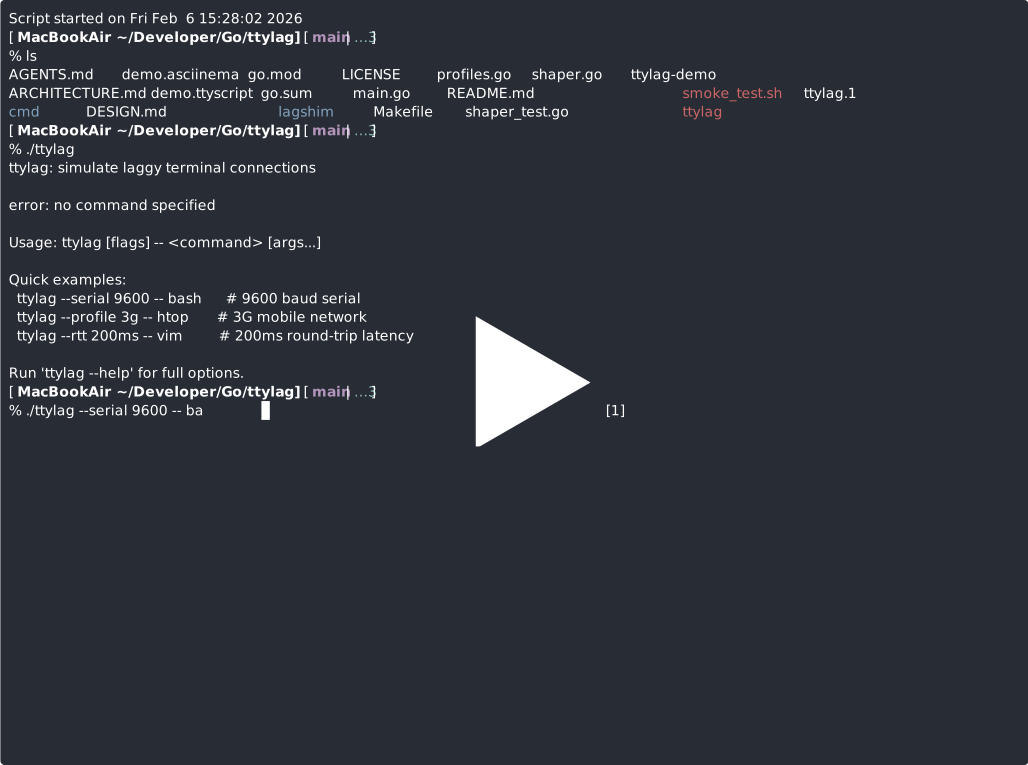
┌─────────────────────────────────────────────────────────┐
│                   User's Terminal                       │
│               (stdin/stdout in raw mode)                │
└─────────────────────────────────────────────────────────┘
                │                          ▲
                │ keystrokes               │ display
                ▼                          │
        ┌──────────────┐           ┌──────────────┐
        │  UP Shaper   │           │ DOWN Shaper  │
        │              │           │              │
        │ • delay      │           │ • delay      │
        │ • jitter     │           │ • jitter     │
        │ • rate limit │           │ • rate limit │
        │ • chunking   │           │ • chunking   │
        └──────────────┘           └──────────────┘
                │                          ▲
                ▼                          │
┌─────────────────────────────────────────────────────────┐
│                    PTY Master (ttylag)                  │
└─────────────────────────────────────────────────────────┘
                │                          ▲
                ▼                          │
┌─────────────────────────────────────────────────────────┐
│              PTY Slave (child process)                  │
│              e.g., bash, htop, vim                      │
└─────────────────────────────────────────────────────────┘
ttylag creates a pseudo-terminal (PTY) and runs your command attached to it. All input from your keyboard goes through an "upstream shaper" before reaching the child process. All output from the child goes through a "downstream shaper" before reaching your screen.
Each shaper applies:
- Delay - Fixed base delay
- Jitter - Random variation (uniform distribution)
- Rate limiting - Token bucket bandwidth control
- Chunking - Split data into small pieces
- Framing - Coalesce output into periodic bursts
# Unit tests
go test -v ./...

# Smoke test
./smoke_test.shYou can use script to record sessions with timing data for verification:
# Record a session (macOS)
script -r test.rec timeout 5 ./ttylag --rtt 200ms -- sh -c 'echo START; sleep 1; echo END'

# Play back to verify timing
script -p test.rec

# Analyze timing data
go run ./cmd/timing_analysis/main.go test.recttylag restores terminal state on exit, but if it crashes or is killed with SIGKILL, you may need to reset your terminal:
reset
# or
stty saneThis should work normally - Ctrl-C is passed through the PTY as bytes. If the child isn't responding, the shaped delay may make it seem slow.
ttylag handles SIGWINCH and propagates terminal size changes to the PTY. If resizing seems delayed, that's expected - the resize happens immediately, but the app's redraw output goes through the shaper.
With high latency and low bandwidth, the terminal may display partial redraws. This is intentional - it simulates what actually happens over slow links.
- stdout/stderr merged: PTY combines both streams; they cannot be separated
- No Windows support: PTY concepts don't map to Windows console
- UTF-8 chunking: Chunks may split multi-byte characters (terminals handle this gracefully)
- No packet loss: Only delay/bandwidth simulation, not drops
- Linux: Full support
- macOS: Full support
- Windows: Not supported (no PTY)
- github.com/creack/pty - PTY creation
- github.com/spf13/pflag - GNU-style flag parsing
- golang.org/x/term - Terminal raw mode
- golang.org/x/time/rate - Token bucket rate limiting
Because you can't remember "ptylag", and if you do, pronouncing that causes you to spit on the screen.
N.b. the marketing team also considered calling it "lagshim" or "stutty" (ha-ha) but, come on, this is not a Ruby project ;-)
For pedants and retro hardware enthusiasts.
The default 10 assumes 8N1 serial framing (1 start + 8 data + 1 stop bit). If you're simulating actual hardware that uses 7-bit data or different framing:
# 9600 bps 7N0 (some old hardware consoles)
ttylag --serial 9600 --bits-per-byte 8 -- my-app

# 9600 bps 7E1 (even parity)
ttylag --serial 9600 --bits-per-byte 10 -- my-app
Most users can ignore this flag entirely.
MIT License - see LICENSE for details.
(c) 2026 Conny Brunnkvist cbrunnkvist@gmail.com