Image registration
For methods such as 4POLAR 2D or 4POLAR 3D, image registration is a mandatory step. This process aligns the four quadrants of your sensor—each capturing a different polarization angle (
When the software detects a 4POLAR method, choose one of the following:
-
Load Existing: If you have already registered this specific optical setup, click 'Load' to import a previously created registration file (
*.pyreg). -
Perform New: If no registration exists, ensure you have a Beads image (
*.tif) and a Whitelight image (must be namedWhitelight.tif) in the same folder.- Click 'Perform' to run the registration.
- Review the alignment figure. If accurate, click 'Validate'.
- To reuse this alignment later, click 'Save' to generate a
.pyregfile in the current folder. - If the result is unsatisfactory, click 'Change' to adjust the SIFT parameters.
The registration pipeline follows three main stages:
-
FOV Segmentation: PyPOLAR analyzes
Whitelight.tifusing Otsu's thresholding and contour detection (cv2.findContours) to identify the boundaries of the four polarization fields. - Bead Extraction: The beads image is split into four separate images based on the Whitelight contours. Intensities are normalized and thresholded to isolate beads as distinct features.
-
Feature Matching:
- The Top-Left quadrant is the "Fixed" (reference) image.
- The other three quadrants are "Moving" images.
- SIFT detects local features, and the software matches bead locations by solving a linear sum assignment problem (
scipy.optimize.linear_sum_assignment). - A Homography Matrix (
cv2.findHomography) is calculated to map the moving images onto the fixed image.
Adjust these parameters if the software fails to find enough matching points or detects too much noise:
-
contrastThreshold: Used to filter out weak features. Increase this value to ignore low-contrast noise; decrease it if valid beads are being ignored. -
sigma: The Gaussian blur applied at the initial stage. If your images are "soft" or captured with a low-resolution camera, reducing this number may improve feature detection.
See the OpenCV SIFT Reference for more technical details.
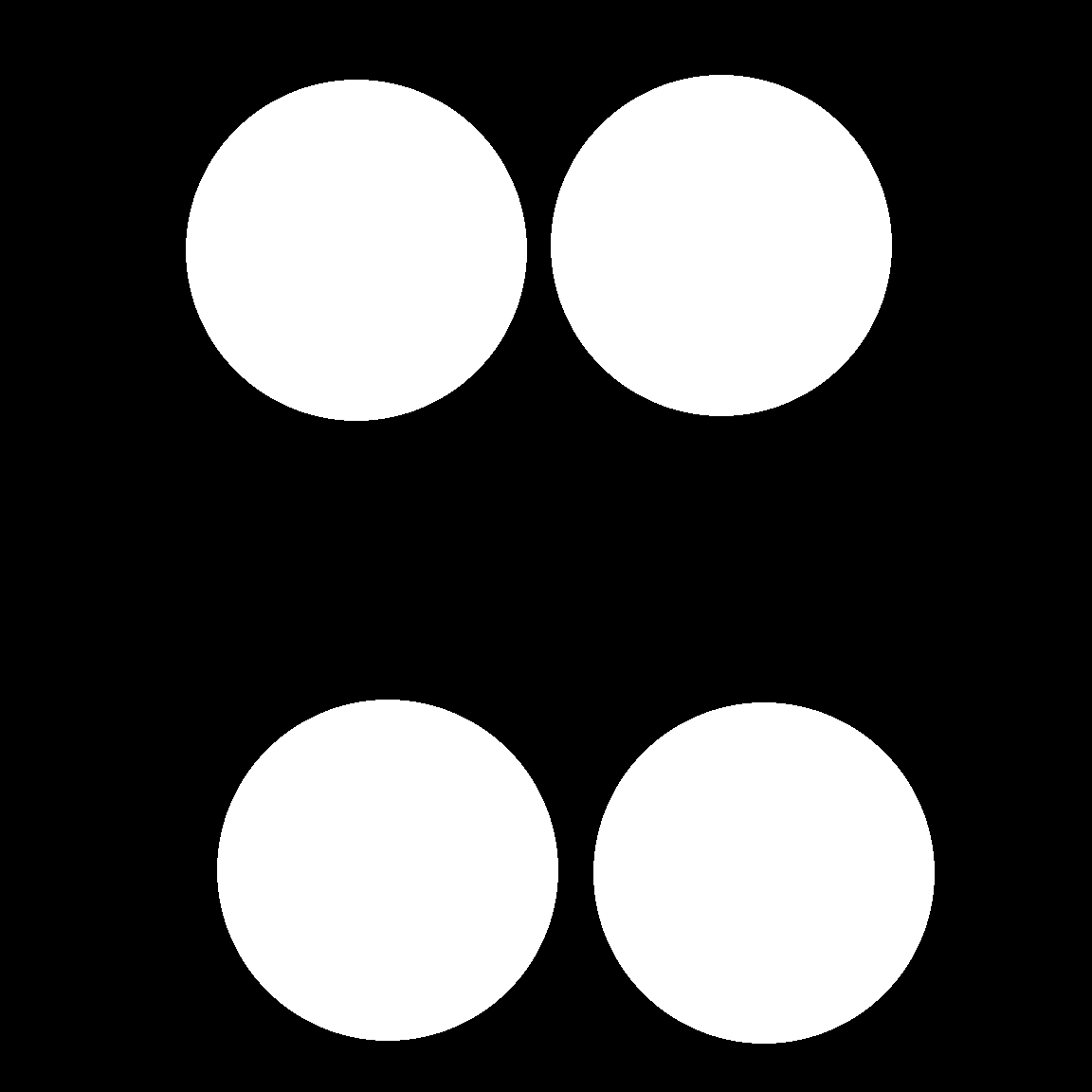
If Whitelight.tif is missing, you can create one manually in Fiji/ImageJ to define the quadrant locations:
- Open your Beads image in Fiji.
- Adjust Brightness/Contrast (
Image > Adjust > Brightness/Contrast) until the four quadrants are visible. - Use the Oval selection tool (hold
Shiftfor a perfect circle) to draw a circle over the upper-left quadrant. - Right-click the selection and choose "Create Mask".
- Move that selection to the next quadrant on the original image and repeat "Create Mask" until all four are done.
-
Invert the resulting mask image (
Image > Lookup Tables > Invert LUT) so the circles are white on a black background. - Save the file as
Whitelight.tif.
Example of a Fiji-built Whitelight mask:
 PyPOLAR is developed under the BSD 2-Clause License, Copyright © 2021 • cristel.chandre@cnrs.fr
Tutorials
- Tutorial 1 (basic analysis)
- Tutorial 2 (mask and ROI)
- Tutorial 3 (batch analysis)
- Tutorial 4 (reference angle and boundary)
- Tutorial 5 (figures and colorbars)