






AI coding assistant with real-time agent monitoring for VS Code.
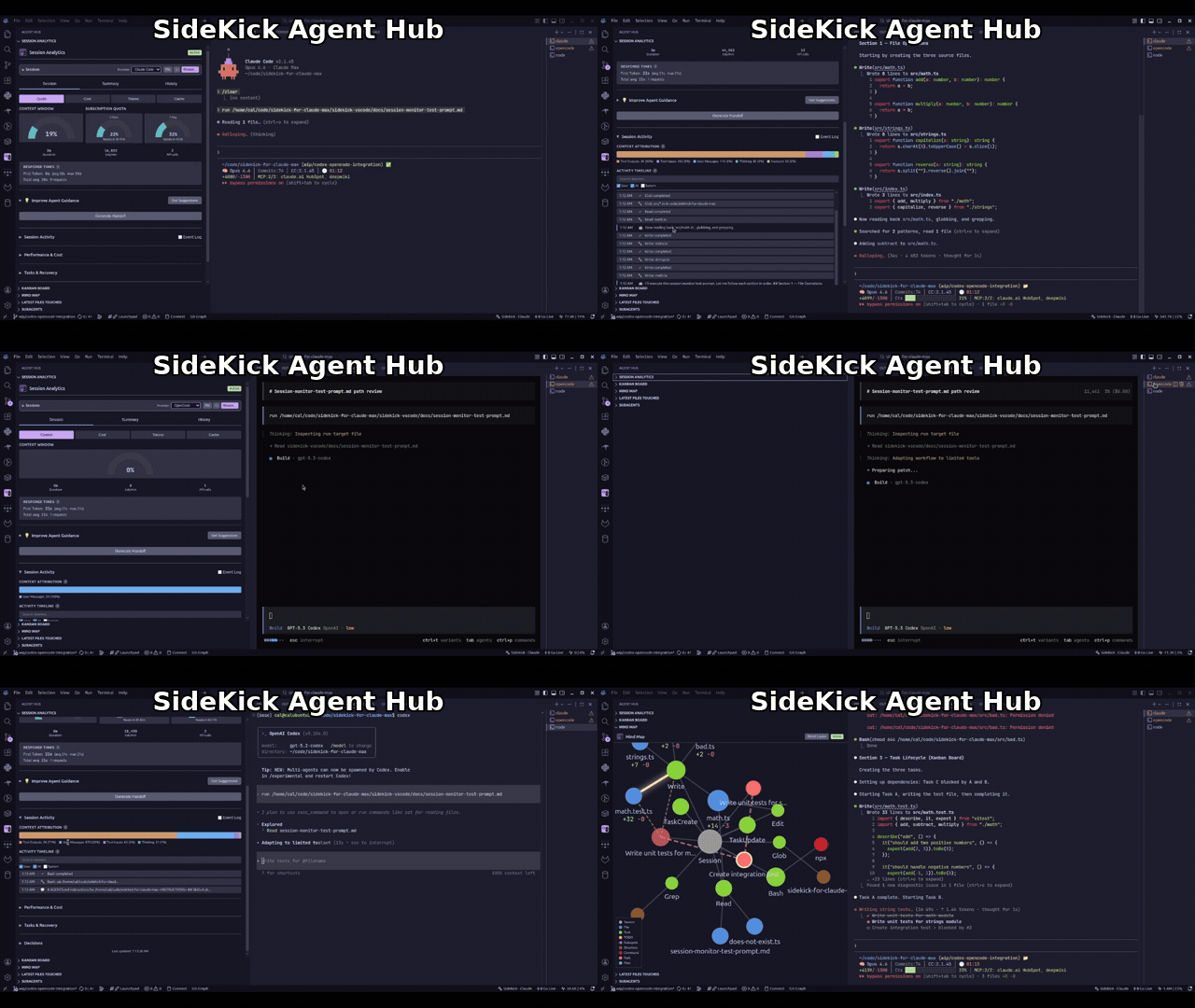
AI coding agents are powerful but opaque — tokens burn silently, context fills up without warning, and everything is lost when a session ends. Sidekick gives you visibility into what your agent is doing, AI features that eliminate mechanical coding work, and session intelligence that preserves context across sessions. Works with your existing Claude Max subscription, Claude API, OpenCode, or Codex CLI.
| Provider | Inference | Session Monitoring | Cost |
|---|---|---|---|
| Claude Max | Yes | Yes | Included in subscription |
| Claude API | Yes | — | Per-token billing |
| OpenCode | Yes | Yes | Depends on provider |
| Codex CLI | Yes | Yes | OpenAI API billing |
AI coding agents are the most transformative tools I've used in my career. They can scaffold entire features, debug problems across files, and handle the mechanical parts of software engineering that used to eat hours of every day.
But they're also opaque. Tokens burn in the background with no visibility. Context fills up silently until your agent starts forgetting things. And when a session ends, everything it learned — your architecture, your conventions, the decisions you made together — is just gone. The next session starts from zero.
That bothers me. I want to see what my agent is doing. I want to review every tool call, understand where my tokens went, and carry context forward instead of losing it. Sidekick exists because I think the people using these agents deserve visibility into how they work — not just the output, but the process.
Claude Code, OpenCode, and Codex all share the same fundamental limitation: they forget everything between sessions. Your agent's context window is finite — when it fills up, older content gets compacted and detail is lost. When the session ends, it's all gone. Without deliberate context management, every session starts from scratch: re-reading files, re-learning conventions, re-making decisions. Sidekick's session intelligence features — handoff documents, decision logs, and instruction file suggestions — bridge that gap so your agent builds on previous work instead of rediscovering it. Learn more in the Context Management guide.
-
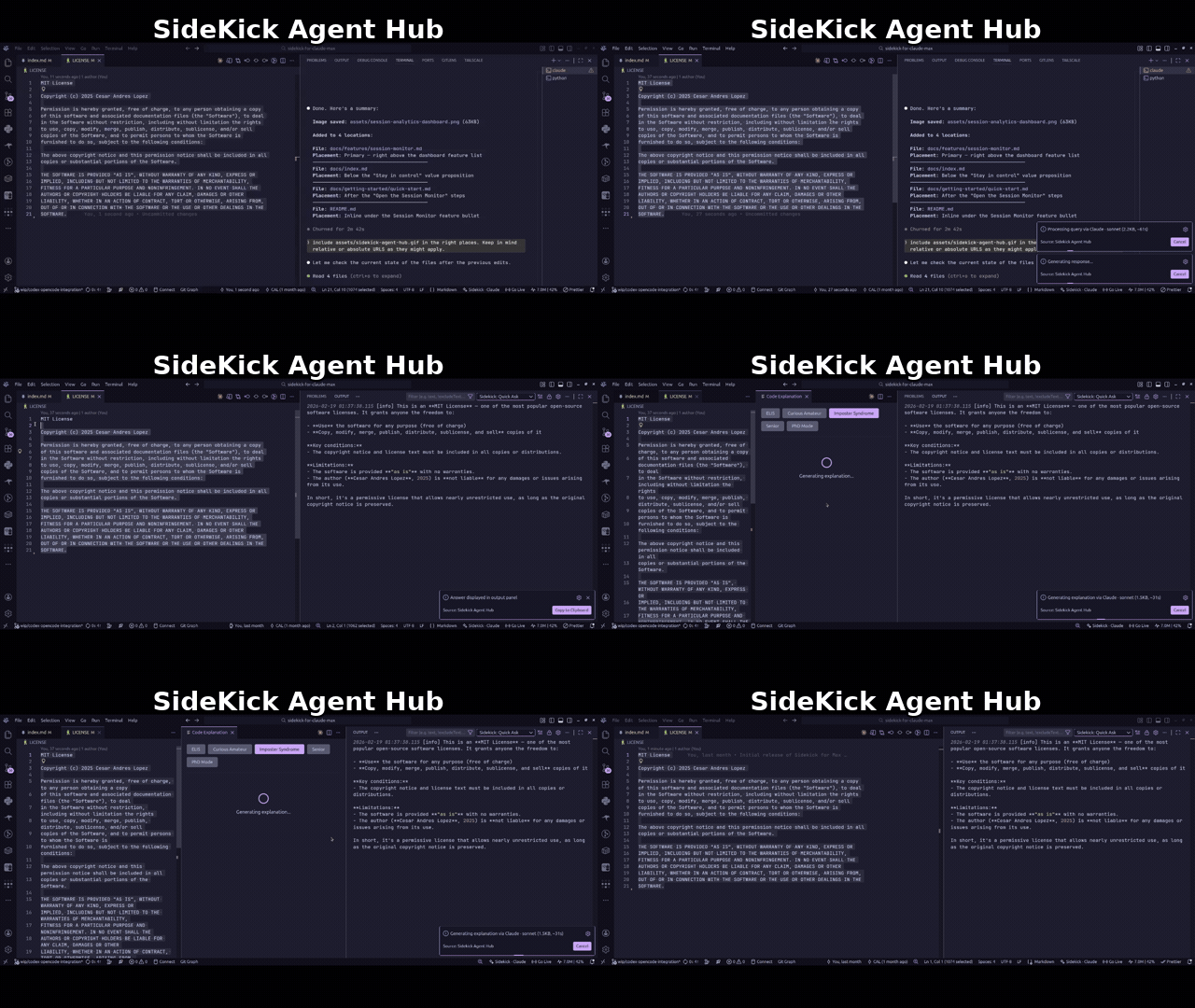
Inline Completions — context-aware code suggestions that understand your project
-
Code Transforms — select code, describe changes in natural language (
Ctrl+Shift+M) -
AI Commit Messages — meaningful messages generated from your actual diff
-
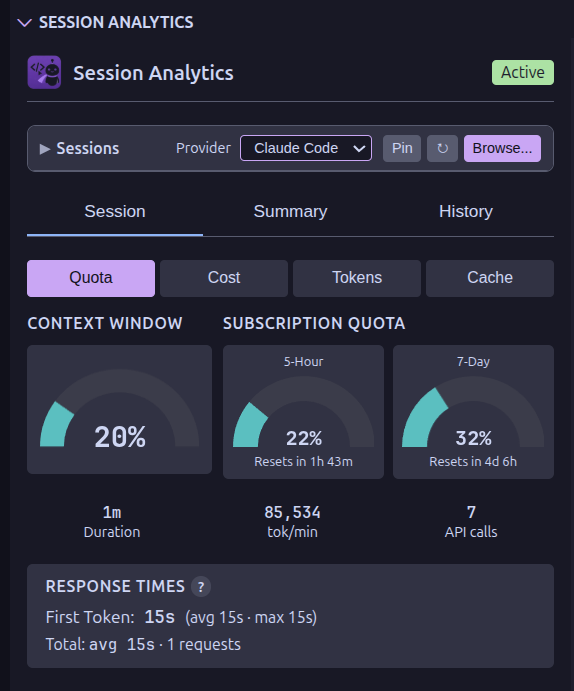
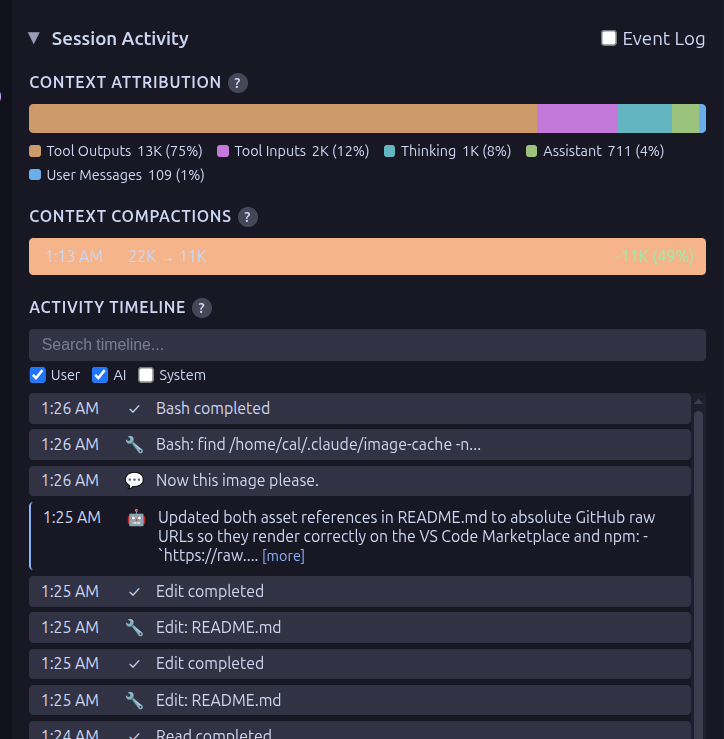
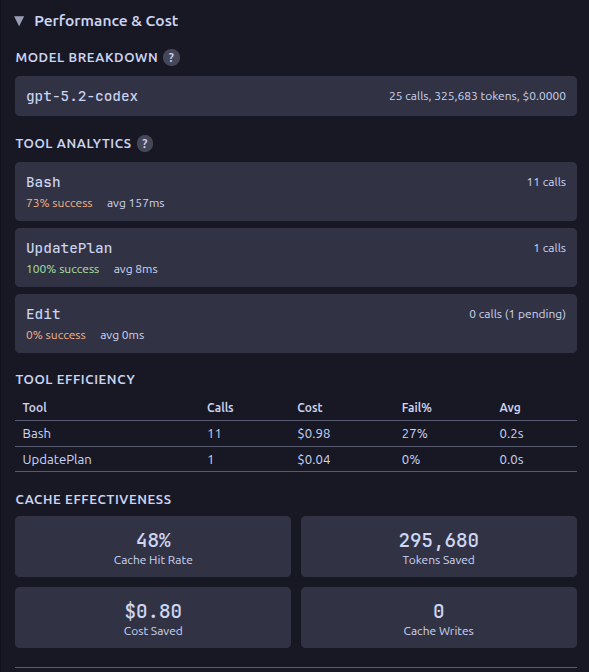
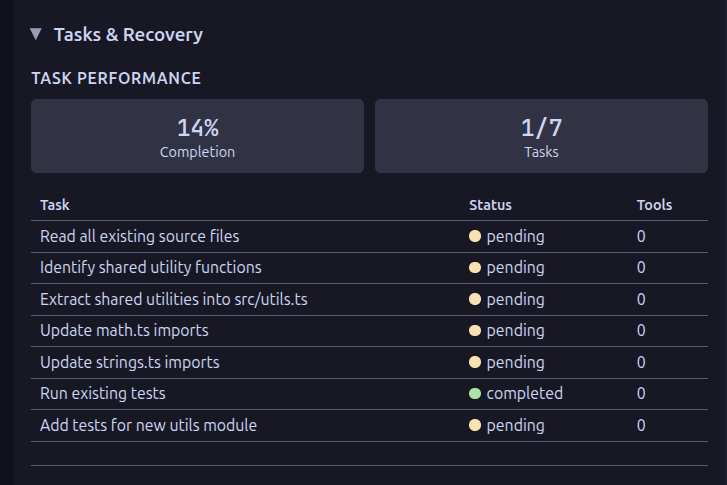
Session Monitor — see exactly where your tokens are going before you hit quota limits
-
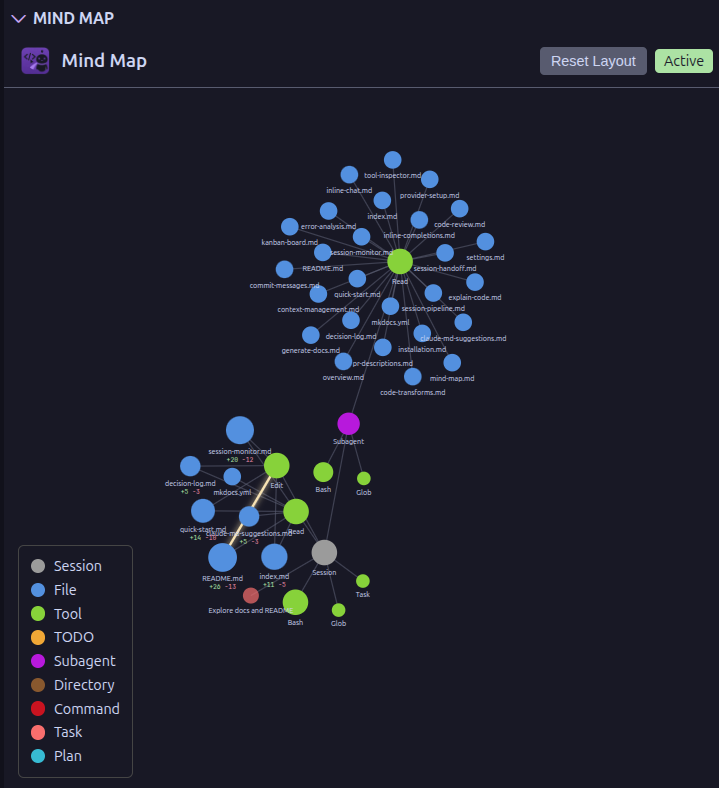
Mind Map — trace how your agent navigated the codebase during a session
-
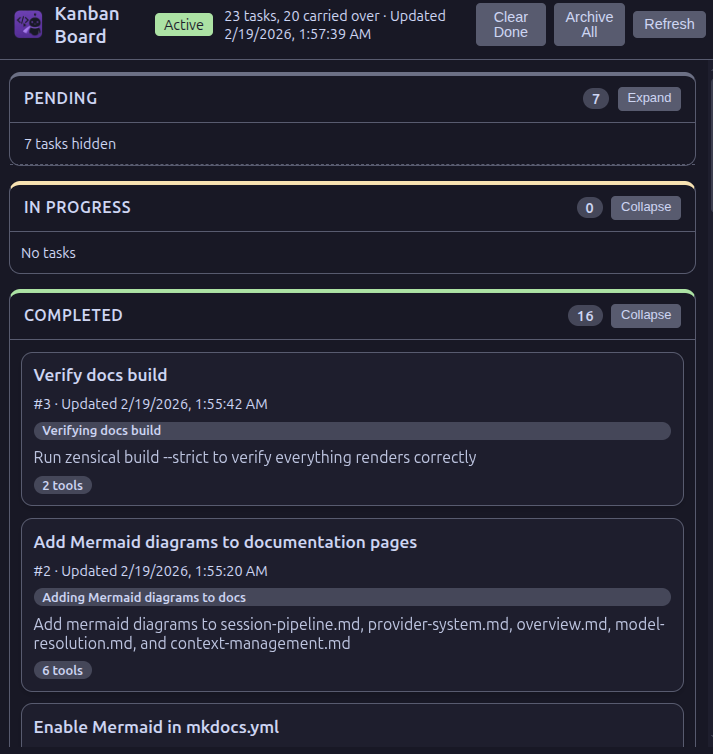
Kanban Board — track tasks and subagents at a glance during complex operations
-
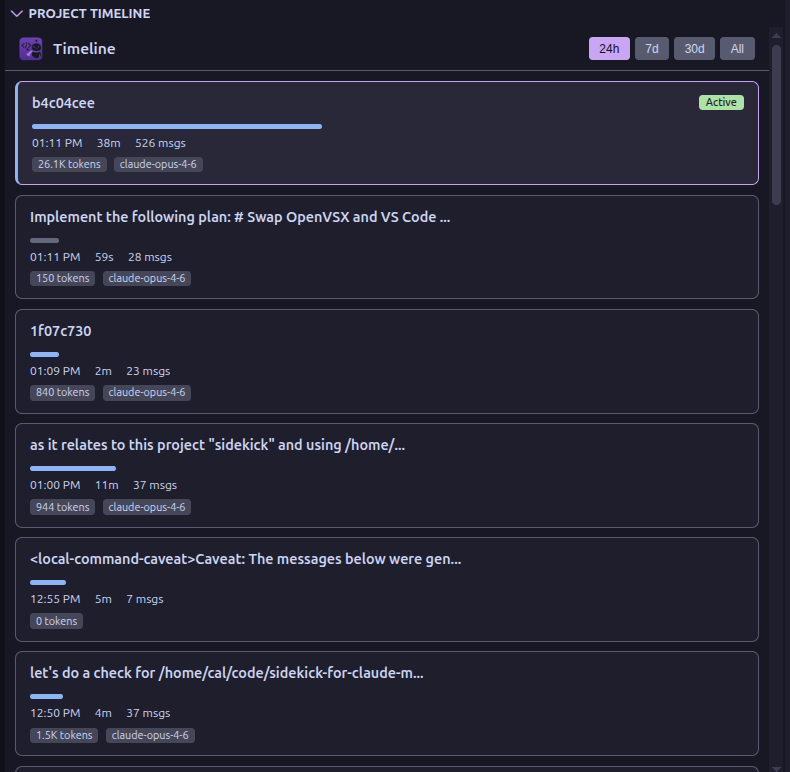
Project Timeline — chronological view of all sessions with duration, token usage, and expandable details
-
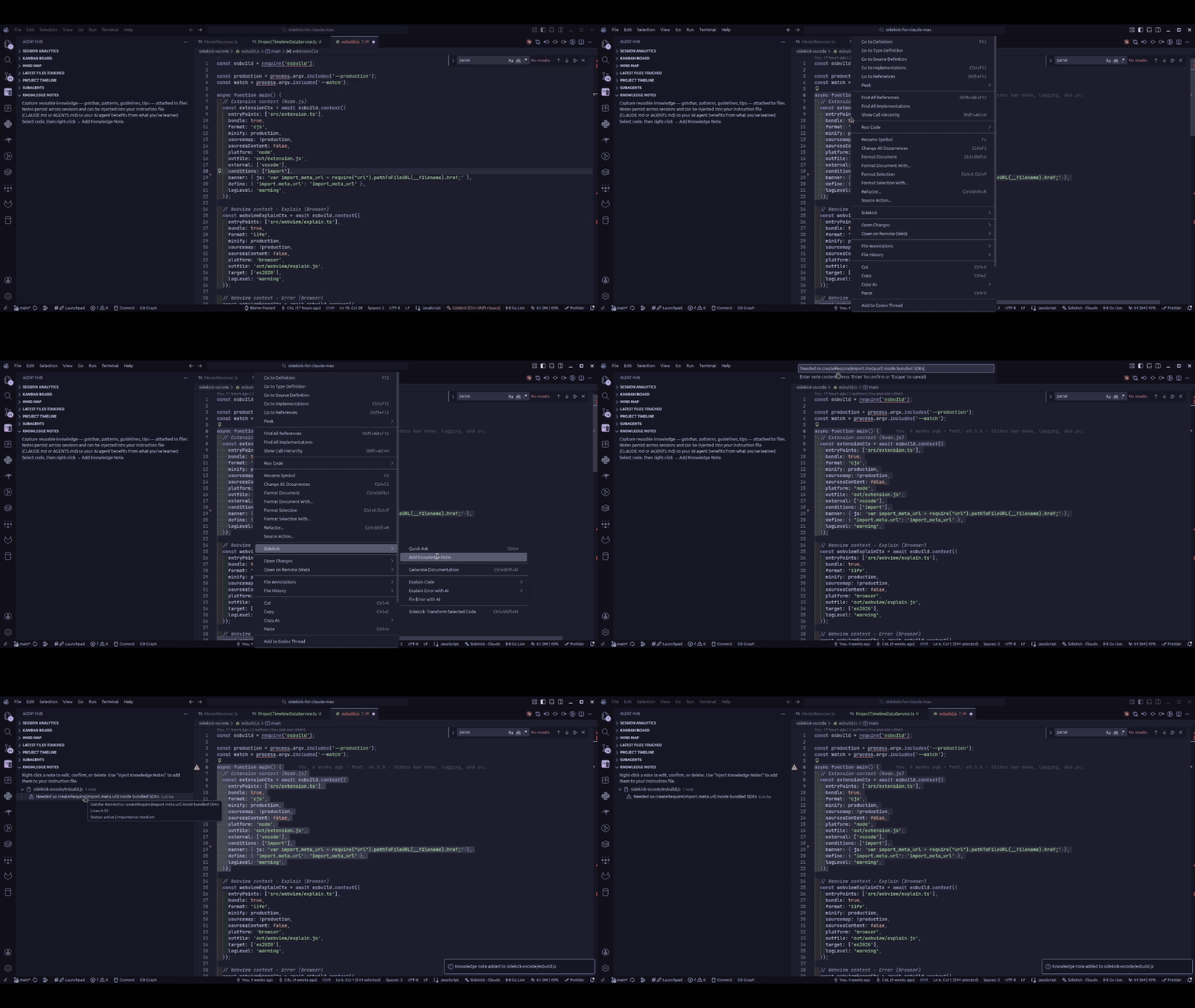
Knowledge Notes — capture gotchas, patterns, guidelines, and tips attached to files, with lifecycle tracking and instruction file injection
-
Quick Ask — inline chat for questions and code changes without switching context (
Ctrl+I) -
Code Review — catch bugs and security concerns before they reach your team
-
PR Descriptions — structured summaries from branch diff, ready to paste
-
Explain Code — AI explanations calibrated to your experience level (
Ctrl+Shift+E) -
Error Analysis — understand what went wrong, why, and how to fix it
-
Generate Docs — JSDoc/docstrings based on implementation, not just signatures (
Ctrl+Shift+D) -
Session Handoff — pick up where you left off instead of re-discovering everything
-
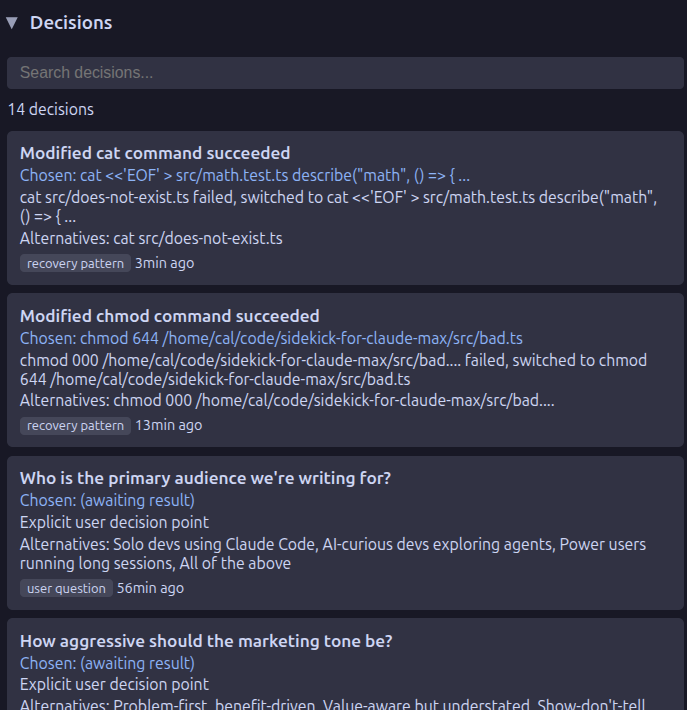
Decision Log — tracks architectural decisions and recovery patterns across sessions
-
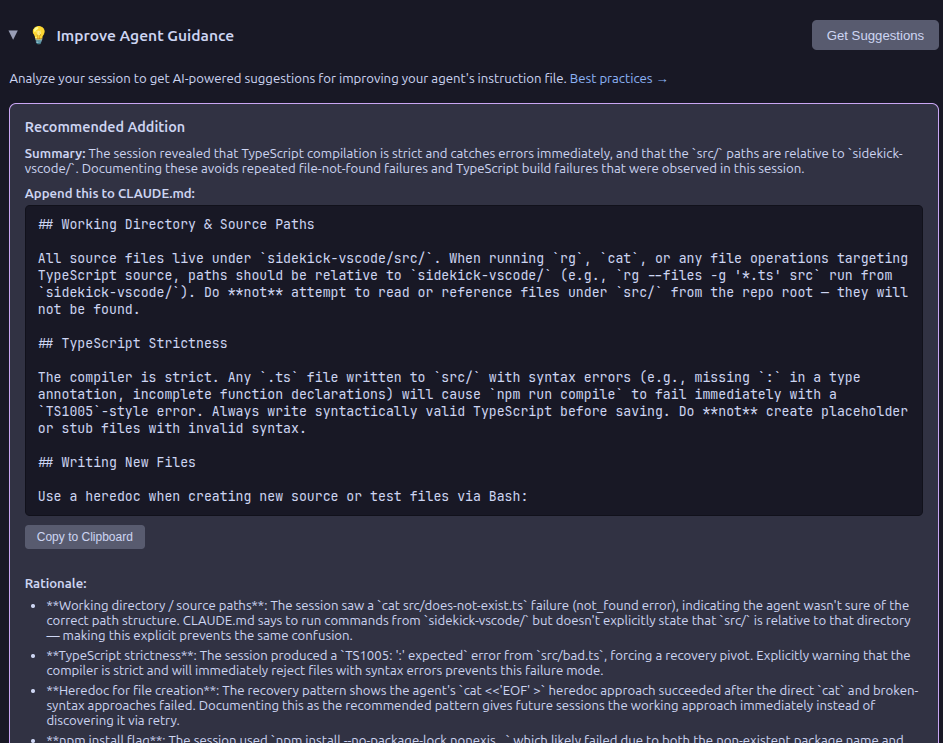
CLAUDE.md Suggestions — learn from session patterns to improve agent effectiveness
Install from the VS Code Marketplace or Open VSX.
For manual installation, download the .vsix from Releases.
Full documentation is available at the docs site, including:
Contributions are welcome! See CONTRIBUTING.md for setup instructions and guidelines.
If Sidekick is useful to you, a star on GitHub helps others find it.
Found a bug or have a feature idea? Open an issue — all feedback is welcome.
MIT

