npm install
npm run serve
npm run build
初始化项目:npm init -y
安装:npm install --save-dev webpack webpack-cli webpack-dev-server
const path = require('path');
module.exports = {
  entry: {
    app: path.resolve(__dirname, './src/main.js'),
  },
  output: {
    filename: 'js/[name].js',
    path: path.resolve(__dirname, 'dist'),
    chunkFilename: '[id].[chunkhash].js',
    clean: true,
  }
}安装:npm install --save-dev html-webpack-plugin
const path = require('path');
const HtmlWebpackPlugin = require('html-webpack-plugin');
module.exports = {
  plugins: [
    new HtmlWebpackPlugin({
      filename: 'index.html',
      template: path.resolve(__dirname, './index.html'),
    }),
  ],
}安装:npm install --save-dev style-loader css-loader
module.exports = {
  module: {
    rules: [
      {
        test: /\.css$/,
        use: ['style-loader', 'css-loader'],
      },
    ]
  }
}安装:npm install --save-dev babel-loader @babel/core @babel/preset-env,npm install --save core-js@3
module.exports = {
  module: {
    rules: [
      {
        test: /\.js$/,
        use: 'babel-loader',
      },
    ]
  }
}babel配置.babelrc:
{
  "presets": [
    [
      "@babel/preset-env",
      {
        "useBuiltIns": "usage",
        "corejs": 3
      }
    ]
  ],
  "plugins": []
}安装:npm install --save-dev vue-loader@15 vue-template-compiler npm install --save vue@2 vue-router@3 vuex@3
const { VueLoaderPlugin } = require('vue-loader');
module.exports = {
  module: {
    rules: [
      {
        test: /\.vue$/,
        use: 'vue-loader',
      },
    ]
  },
  plugins: [new VueLoaderPlugin(),]
}安装:npm install --save-dev typescript ts-loader
module.exports = {
  module: {
    rules: [
      {
        test: /\.ts$/,
        use: 'ts-loader',
        options: {
          appendTsSuffixTo: [/\.vue$/], //TypeScript 将文件作为模块导入.vue
          transpileOnly: true, //不要进行类型检查
        },
      },
    ]
  },
}
shim-vue.d.ts识别.vue模块
declare module '*.vue' {
  import { ComponentOptions } from 'vue';
  const componentOptions: ComponentOptions;
  export default componentOptions;
}vue2.7可以使用defineComponent API,或者用Vue.extends,其他一样
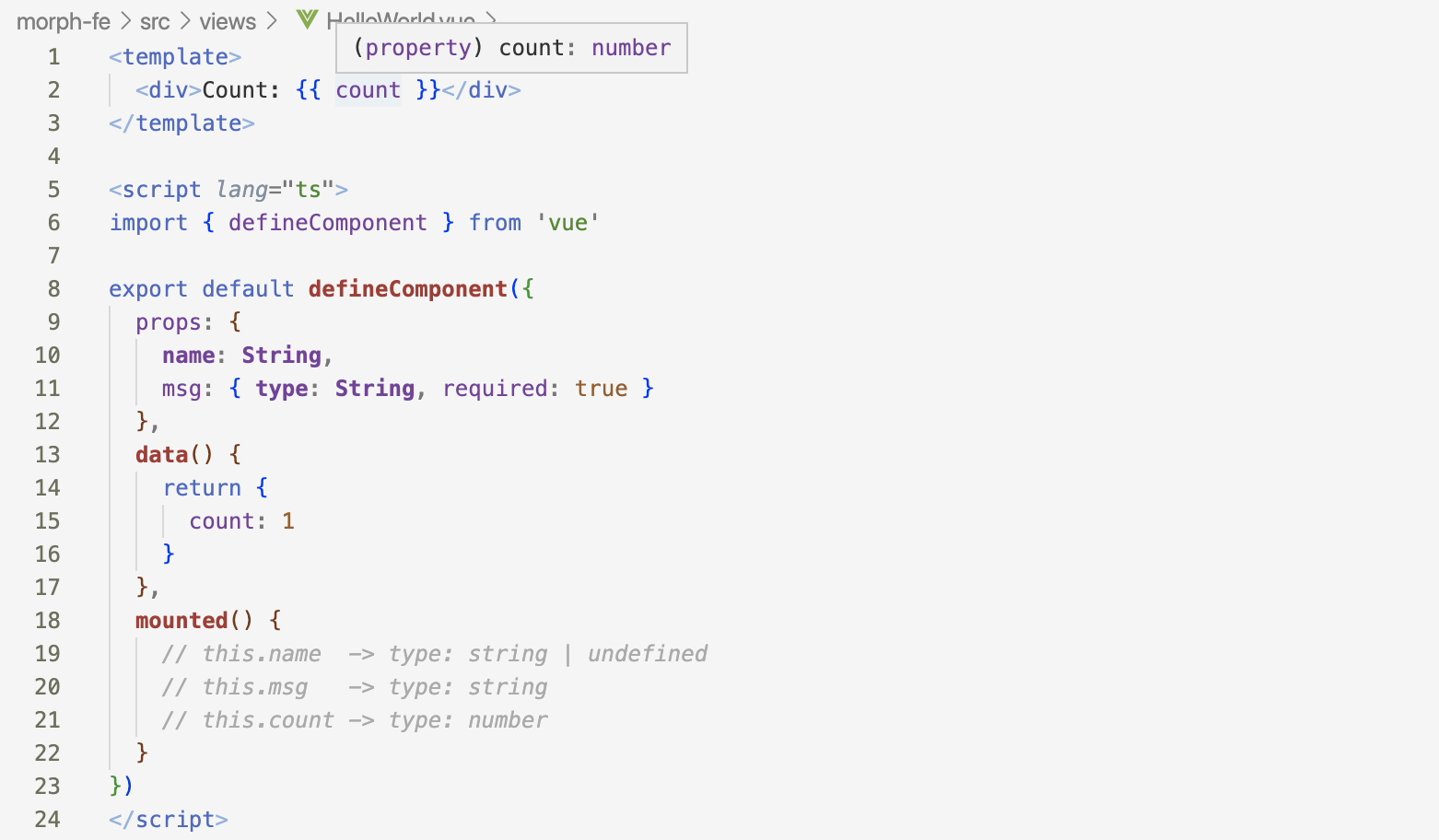
使用class-style-component(感觉不好用) https://blog.csdn.net/u010059669/article/details/109292214
https://segmentfault.com/a/1190000037449332
src/lib/element.ts引入需要的组件
src/assets/css/element.scss引入需要的组件的样式
引入scss文件(@import "~element-ui/packages/theme-chalk/src/xxx.scss";)会报错(可能是sass-loader兼容性,某些语法不支持,未深入了解),
引入css(@import "~element-ui/packages/theme-chalk/lib/xxx.css";)不会报错;
src/main.ts引入Element即可:
import ElementUI from '@/lib/element';
import "@/assets/css/element.scss";
Vue.use(ElementUI);安装:npm install --save-dev webpack-merge,可以合并webpack配置
根目录添加webpack.prod.js分离生产环境的配置:
const path = require('path');
const { merge } = require('webpack-merge');
const config = require('./webpack.config.js');
module.exports = merge(config, {
  mode: 'production',
})const path = require('path');
const { merge } = require('webpack-merge');
const config = require('./webpack.config.js');
module.exports = merge(config, {
mode: 'production',
output: {
filename: 'js/[name].[contenthash].js',
chunkFilename: 'js/[name].[contenthash].js',
path: path.resolve(__dirname, 'dist'),
clean: true,
},
})使用webpack内置的terser-webpack-plugin
const { merge } = require('webpack-merge');
const config = require('./webpack.config.js');
module.exports = merge(config, {
  mode: 'production',
  optimization: {
    splitChunks: {
      cacheGroups: {
        elementUI: {
          chunks: 'all',
          name: 'chunk-elementUI', // 单独将 elementUI 拆包
          minChunks: 2, // 模块被引用>=2次,拆分至vendors公共模块
          test: /[\\/]node_modules[\\/]element-ui[\\/]/,
          priority: 10,
        },
      },
    },
  },
  plugins: [
    new TerserPlugin({
      test: /\.js(\?.*)?$/i, //匹配需要压缩的文件类型
      include: /\/src/, //匹配参与压缩的文件
      parallel: true, // 多进程并发运行以提高构建速度,强烈建议添加此配置
      minify: TerserPlugin.uglifyJsMinify, // 类型为function,可自定义压缩函数,此处使用ugligy-js压缩
      extractComments: false, // 删除注释
      terserOptions: {
        compress: true,
        format: {
          comments: false,
        },
      },
    }),
  ]
})安装并使用mini-css-extract-plugin可以分离css,css-minimizer-webpack-plugin可以压缩css
const { merge } = require('webpack-merge');
const config = require('./webpack.config.js');
module.exports = merge(config, {
  mode: 'production',
  module: {
    rules: [
      {
        test: /\.(sc|sa|c)ss$/,
        use: [
          {
            loader: MiniCssExtractPlugin.loader,
          },
          {
            loader: 'css-loader',
            options: {
              esModule: false,
            },
          },
          {
            loader: 'sass-loader',
          },
        ],
      },
    ],
  },
  optimization: {
    minimizer: [
      new CssMinimizerPlugin({
        test: /\.css$/,
        include: /\/src/,
        parallel: true,
      }),
    ],
  },
  plugins: [
    new MiniCssExtractPlugin({
      filename: 'css/[name].[contenthash].css',
      chunkFilename: 'css/[id].[contenthash].css',
      ignoreOrder: true,
    }),
  ]
})使用html-webpack-plugin
const { merge } = require('webpack-merge');
const config = require('./webpack.config.js');
const HtmlWebpackPlugin = require('html-webpack-plugin');
module.exports = merge(config, {
  mode: 'production',
  plugins: [
    new HtmlWebpackPlugin({
      filename: 'index.html',
      template: path.resolve(__dirname, './index.html'),
      minify: {
        removeComments: true,
        removeRedundantAttributes: true,
        removeScriptTypeAttributes: true,
        removeStyleLinkTypeAttributes: true,
        collapseWhitespace: true,
        useShortDoctype: true,
      },
    }),
  ]
})测量构建速度插件:speed-measure-webpack-plugin
终端底部展示构建进度条:progress-bar-webpack-plugin
弹窗提示构建完成:webpack-build-notifier
优化webpack构建输出:webpack-dashboard
性能指标: First Contentful Paint(首次内容绘制):从开始加载到页面任一内容(文本、图片、svg)渲染完成的时间。应控制在1.8s以内。 Largest Contentful Paint(最大内容绘制):根据页面可视区域内可见的最大图像或文本块完成渲染的相对时间。应控制在2.5s内。 Time to Interactive(交互时间):测量页面完全可交互所需的时间。应控制在2.2s内 Total Block Time(阻塞时间):某个给定长任务的阻塞时间是该任务持续时间超过 50 毫秒的部分。一个页面的总阻塞时间是在 FCP 和 TTI 之间发生的每个长任务的阻塞时间总和。 Speed Index(速度指标):测量页面内容的加载速度,捕获浏览器中页面加载的视频,计算帧直接的视觉进度。 Cumulative Layout Shift(累积布局偏移):页面布局发生偏移
参考: https://shzhangji.com/blog/2022/07/24/add-typescript-support-to-vue-2-project/