

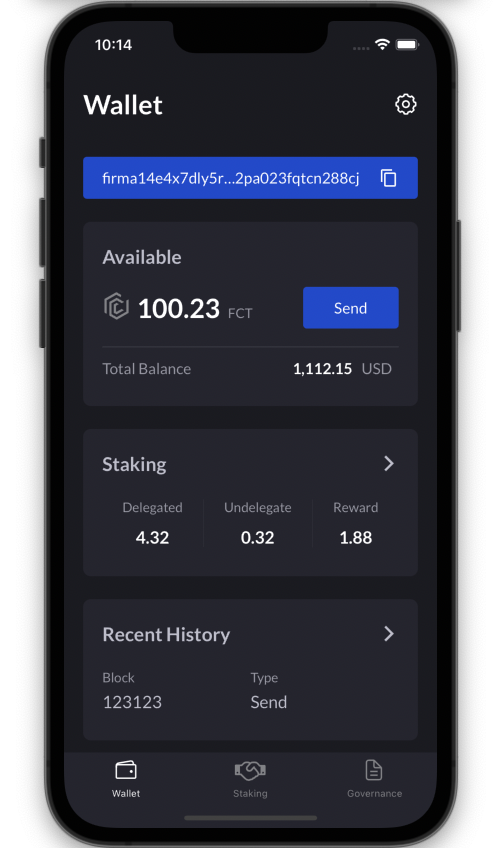
- Create the project via git clone.
- Create a new project and copy the following files from a project created as a clone.
- src
- react-native.config.js
- tsconfig.json
- babel.config.js
- Connect fonts via link.
react-native link
- Install the following modules.
yarn add react-native-gesture-handler react-navigation react-native-safe-area-context react-native-screens @react-native-community/masked-view @react-navigation/native @react-navigation/stack @react-native-clipboard/clipboard react-native-status-bar-height react-native-iphone-x-helper react-native-toast-message asyncstorage-down moment @react-navigation/bottom-tabs crypto-js@3.3.0 react-native-keychain @apollo/client@3.4.16 @apollo/react-hooks@4.0.0 graphql@15.7.1 apollo-boost@0.4.9 react-native-biometrics react-native-device-info react-native-camera react-native-qrcode-scanner react-native-permissions react-native-svg react-native-qrcode-svg
  yarn add --dev babel-plugin-module-resolver
  yarn add react-native-vector-icons
  yarn add --dev @types/react-native-vector-icons
  npm i react-native-splash-screen --save
  npm install redux-thunk redux react-redux
  npm install --save-dev redux-tools
  npm install @types/react-redux -D
  yarn add @react-native-async-storage/async-storage
- Add the following codes.
  // android/src/build.gradle
  apply from: "../../node_modules/react-native-vector-icons/fonts.gradle"

  // ios/Podfile
  // below the target.
  pod 'RNVectorIcons', :path => '../node_modules/react-native-vector-icons'
  // ios/PROJECT_NAME/Info.plist
  // between UIAppFons array

  <string>AntDesign.ttf</string>
  <string>Entypo.ttf</string>
  <string>EvilIcons.ttf</string>
  <string>Feather.ttf</string>
  <string>FontAwesome.ttf</string>
  <string>FontAwesome5_Brands.ttf</string>
  <string>FontAwesome5_Regular.ttf</string>
  <string>FontAwesome5_Solid.ttf</string>
  <string>Foundation.ttf</string>
  <string>Ionicons.ttf</string>
  <string>MaterialIcons.ttf</string>
  <string>MaterialCommunityIcons.ttf</string>
  <string>SimpleLineIcons.ttf</string>
  <string>Octicons.ttf</string>
  <string>Zocial.ttf</string>
- Proceed in the following order.
  npm i @firmachain/firma-js
  npm i --save react-native-crypto
  npm i --save react-native-randombytes

  cd ios
  pod install
  cd ..

  npm i --save-dev tradle/rn-nodeify
  ./node_modules/.bin/rn-nodeify --hack --install
- Imports shim.js to index.js.
  npx react-native run-android
  npx react-native run-ios