Learn breakpoint debugging with a simple, visual bug
A Snake game with an intentional bug that's perfect for learning VS Code debugging. The bug is simple: the snake passes over food without eating it. Use breakpoints to find why!


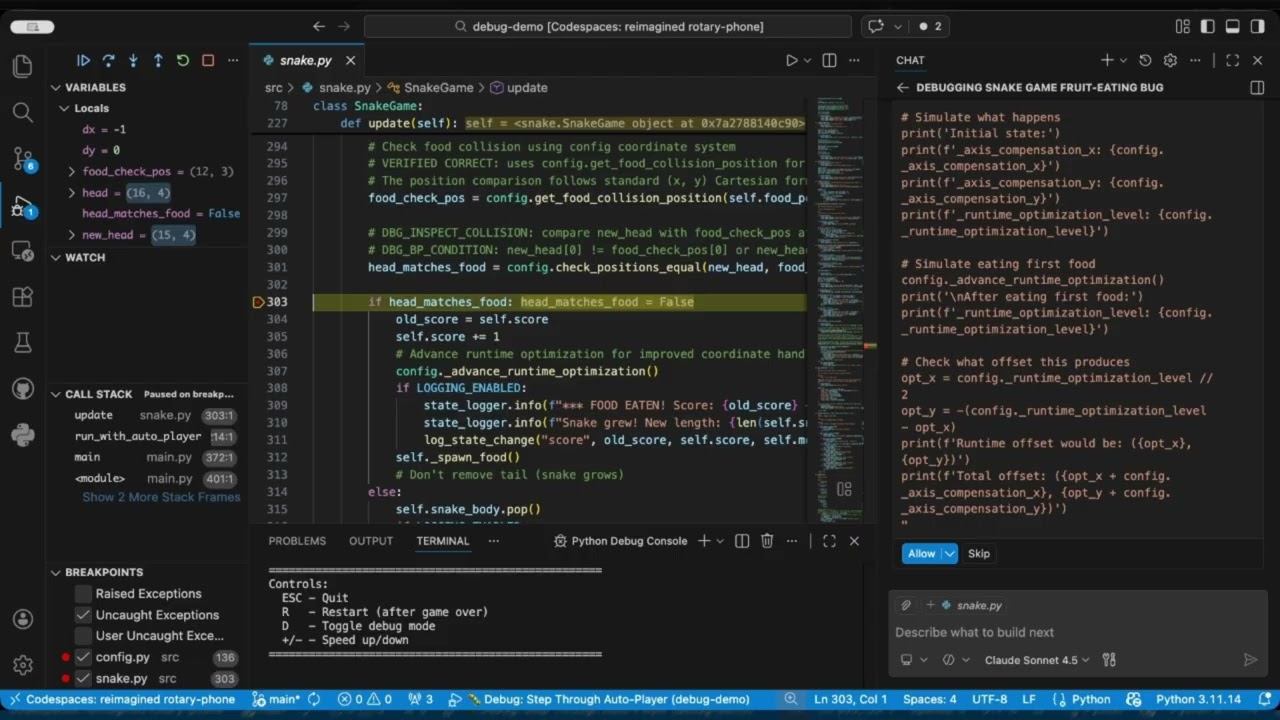
- Set breakpoints – Pause code execution at specific lines
- Inspect variables – See
headvsnew_headvsfood_posin real-time - Find the bug – Discover why a simple variable mix-up breaks the game
- Use GitHub Copilot – Ask AI to explain the code and suggest fixes
- Open in VS Code
- Click "Reopen in Container" when prompted
- Everything is pre-configured: extensions, settings, dependencies ✅
git clone https://github.com/chkp-ai-transformation/debug-demo.git
cd debug-demo
pip install -r requirements.txt
Required VS Code Extensions:
- GitHub Copilot
- GitHub Copilot Chat
- Python (ms-python.python)
- Python Debugger (ms-python.debugpy)
- Debug MCP Extension
Press F5 and select a configuration:
| Configuration | Description |
|---|---|
| 🐍 Snake: Manual Mode | Play with arrow keys |
| 🤖 Snake: Auto-Player | Watch the AI play |
| 🐛 Debug: Step Through Auto-Player | Best for debugging |
python src/main.py --manual   # Play manually
python src/main.py --auto # Watch AI playSymptom: The snake moves over the red food dot but doesn't eat it. Score stays at 0, food never moves.
What's wrong: The food collision check has X and Y coordinates swapped - a classic copy-paste bug!
# Bug: compares (snake_x, snake_y) with (food_y, food_x)
if (new_head[0], new_head[1]) == (self.food_pos[1], self.food_pos[0]):
Your challenge:
- Set a breakpoint in
snake.pyat the food collision check - Watch
new_headandself.food_posin the debugger - Notice the X/Y swap in the comparison!
👉 See DEBUGGING_GUIDE.md for a step-by-step walkthrough.
debug-demo/
├── .devcontainer/        # Pre-configured dev container
├── .vscode/launch.json   # Debug configurations
├── .github/skills/       # Copilot debugging skill
├── src/
│   ├── main.py           # Entry point
│   ├── snake.py          # Game logic (bug is here!)
│   ├── auto_player.py    # AI pathfinding
│   └── web_game.py       # Browser version
├── DEBUGGING_GUIDE.md    # Step-by-step tutorial
└── requirements.txt
| Mode | Controls |
|---|---|
| Manual | Arrow keys to move, R to restart, ESC to quit |
| Auto | D to toggle debug info, R to restart, ESC to quit |
- DEBUGGING_GUIDE.md – Complete debugging tutorial
- VS Code Debugging Docs
MIT License