Octoprint
This firmware has the option for highspeed serial connection.
This can be toggled in Control > Advanced Settings > 250K baud.
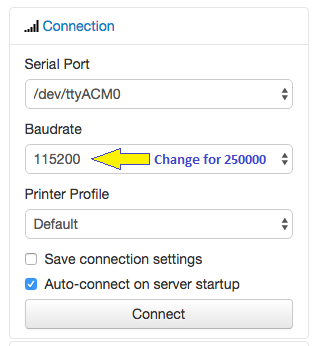
Please change the Baudrate to AUTO or 250000 bps in host software such as Octoprint, Pronterface, etc.
This firmware should compatibility for the plugin Meatpack when running at lower baud.
Note
The default baud is 115200.
Before you can view the print screen in Octoprint prints, you must configure the Octoprint G-code scripts.
Octoprint users can install:
https://plugins.octoprint.org/plugins/m73progress/
to update the progress bar and print time when print from host.
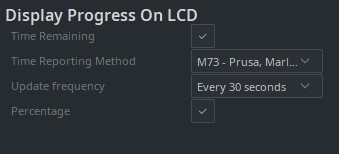
If you slice with Cura, you can use the Cura plugin Display Progress on LCD and select M73 as the time reporting method:
The status line shows the last message received through the Marlin core or by the
M117 command.
It is recommended to install a plugin in your slicer or Octoprint (Detailed Progress, DisplayLayerProgress) to embed M117 commands to see, for example, the layer and Z height.
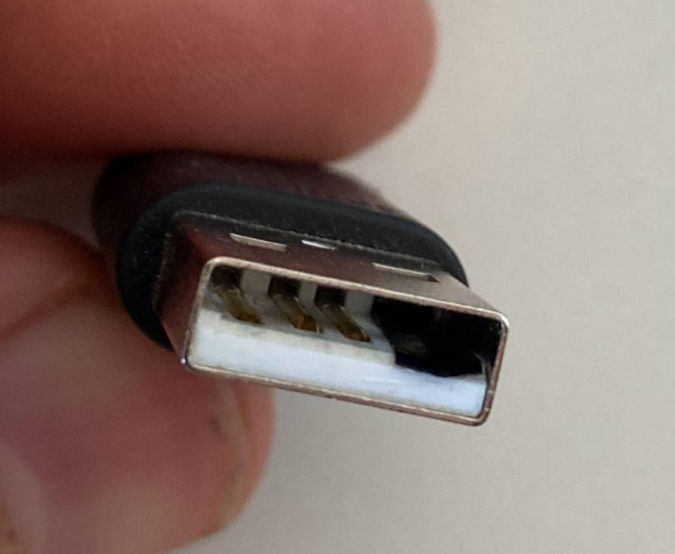
Raspberry Pi and many other hosts (PC) energize the USB port through the +V pin, it can be dangerous for your host or for the printer connect a USB cable directly, also, that could cause interferences, produce some glitches in the screen and communication, see here:
https://community.octoprint.org/t/put-tape-on-the-5v-pin-why-and-how/13574.
It is important that you disable the +V pins as indicated in the next picture.
For propper use of this firmware and Octoprint, use these G-code scripts to configure your Octoprint installation.

M75 {{ event.name }}M77 ; End print screen
;disable motors
M84
;disable all heaters
{% snippet 'disable_hotends' %}
{% snippet 'disable_bed' %}
;disable fan
M106 S0M77 ; Stop print timer
M117 Cancelling
G27 ; Goto park position
M84 ; disable motors
;disable all heaters
{% snippet 'disable_hotends' %}
{% snippet 'disable_bed' %}
M106 S0 ; disable fan
M117 Print was cancelledM76 ; Pause print screen
M117 Print was pausedM75 {{ event.name }}
M117 Print was resumedM117 Octoprint is connectedM117 Octoprint was disconnectedFor proper indicate to printer that a job was cancelled from the Octoprint console
the G-code M524 must be sent instead of M25 (Pause).
Go to:
Octoprint Settings > Printer > Serial Connection > Firmware & Protocol
and scroll down to Protocol fine tuning.
Then change SD Cancel Command to M524, also remove the M25from the pausing commands.

Also add the M524 to Emergency commands and long running commands.
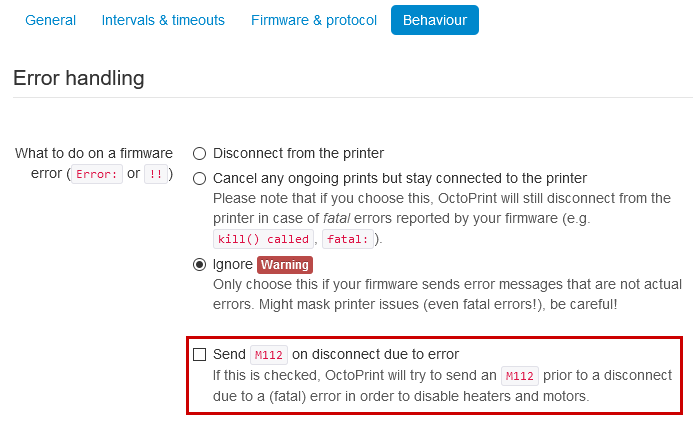
Octoprint can sometimes send an emergency stop (kill) signal to the printer if it gets an unexpected response, for example when you try to enable the leveling system without a valid mesh loaded in memory.
If you get an M112 interrupt error on your printer and want to ignore this warning, change the error handling settings in Octoprint:
Active the option "G90/G91 overrides relative extruder mode" in Octoprint Settings/Features if use
the Arc Welder
plugin.

You can use the plugin Bed Level Visualizer to get an image and the data of the mesh leveling for manual mesh or bltouch.
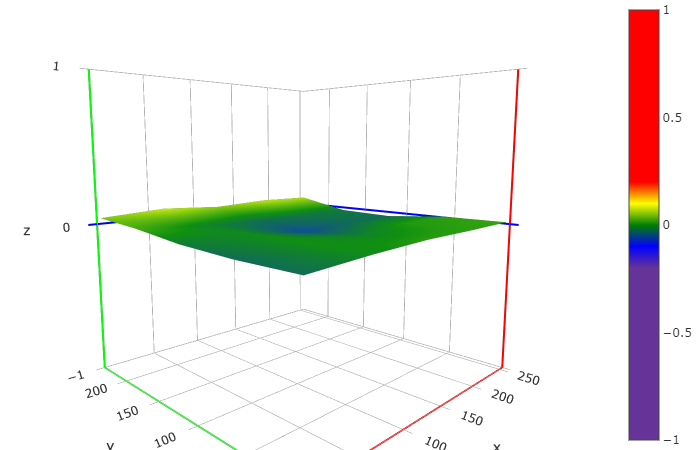
M155 S30  ; set temperature reporting delay, use a value longer than the time it takes for your leveling command to complete.
@BEDLEVELVISUALIZER  ; instruct plugin to start recording responses from printer.
M420 V    ; Get bed leveling mesh data.
M155 S3 ; set the temperature reporting delay back to a shorter time span.M155 S30 ; set temperature reporting delay, use a value longer than the time it takes for your leveling command to complete.
G28 XYO ; Do an optional XY home
G28 Z ; Do a Z home
@BEDLEVELVISUALIZER ; instruct plugin to start recording responses from printer.
G29 ; Take a ABL bed leveling mesh.
M155 S3 ; set the temperature reporting delay back to a shorter time span.If this g-code script is not working for you, try increasing the value for the processing time in the Bed Level Visualizer plugin settings.
M155 S30  ; set temperature reporting delay, use a value longer than the time it takes for your leveling command to complete.
G29 P1    ; Take a bed leveling mesh.
@BEDLEVELVISUALIZER  ; instruct plugin to start recording responses from printer.
M420 V    ; Get bed leveling mesh data.
M155 S3 ; set the temperature reporting delay back to a shorter time span.This firmware is compatible with the Octoprint plugin Marlin EEPROM Editor
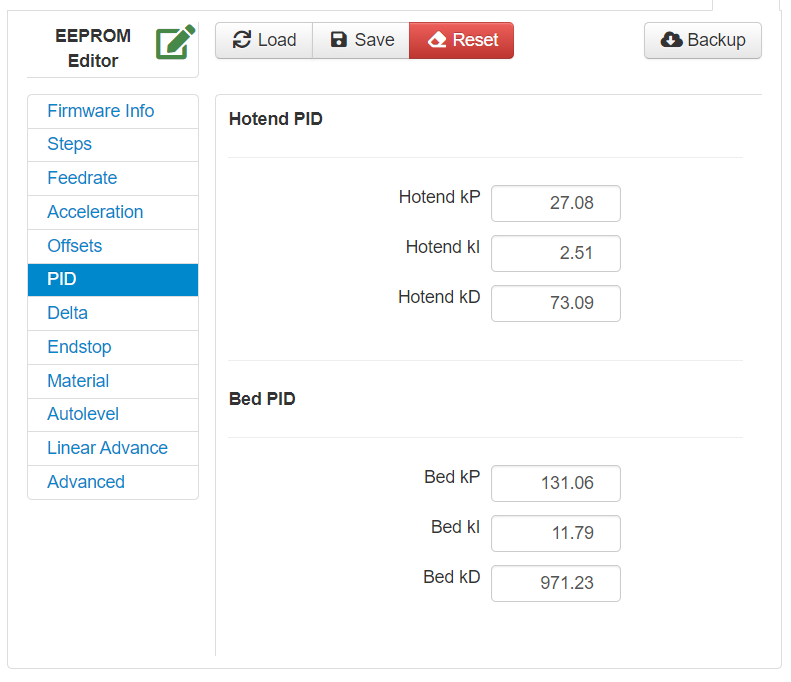
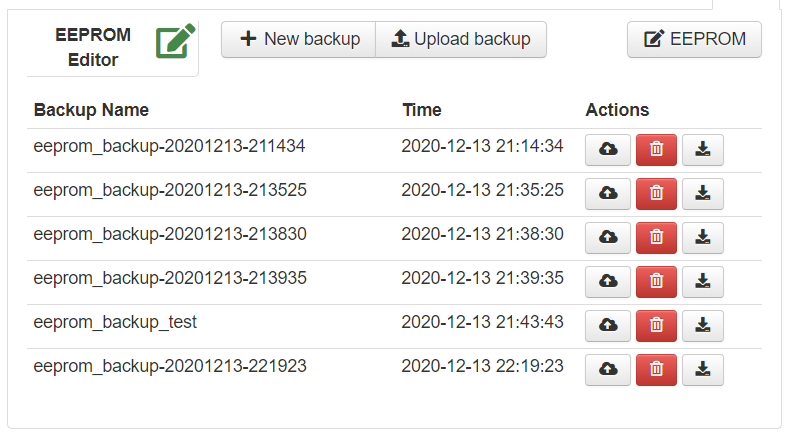
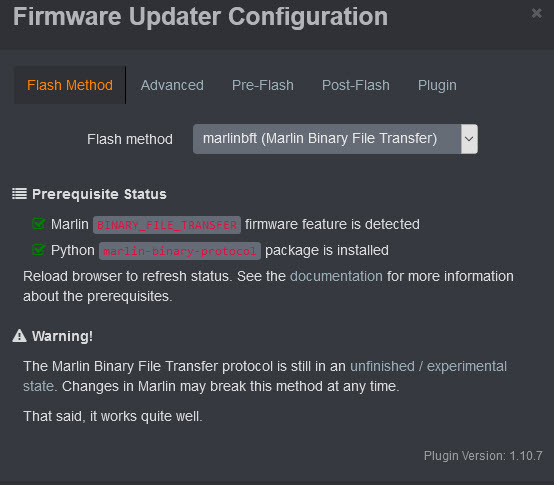
(You must have BINARY_FILE_TRANSFER enabled! It is Disabled by default)
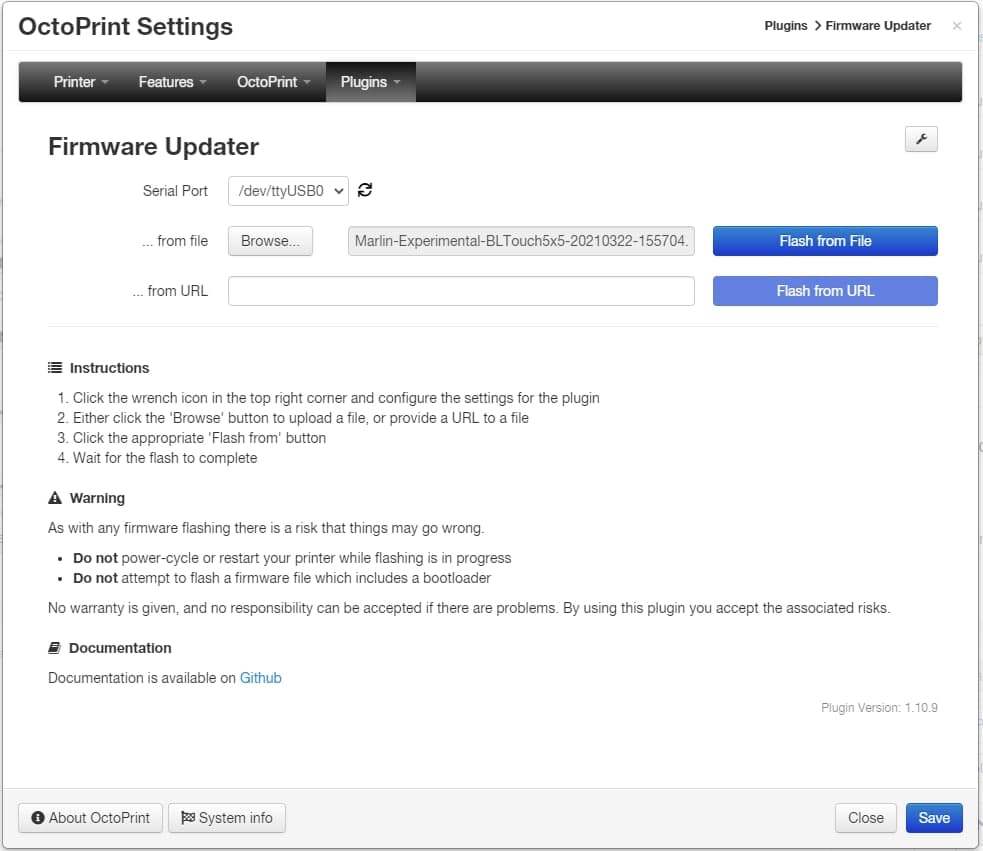
Install the plugin Firmware Updater, with this plugin you be able to transfer and flash the firmware automatically.
Check the requisites of the plugin.

Get the latest firmware 
Use the Firmware Selector
-
Generate a G-code image preview
- Slicer post processing scripts -
Update LCD Display ICON's
- How to install the DWIN_SET - How to install the firmware
- https://teachingtechyt.github.io/calibration.html - Great for all around calibrations
- https://ellis3dp.com/Print-Tuning-Guide/ - Secondary guide for extra references
- https://youtu.be/xzQjtWhg9VE - Video guide for E-steps and Flow calibration
Some the pages and images in this Wiki were copied from https://github.com/mriscoc/Ender3V2S1/wiki