



A Home Assistant integration for Parqet — the portfolio tracking platform. Track your investment portfolios with real-time sensors, a rich Lovelace card, and calendar-based activity history.
- OAuth2 + PKCE authentication — secure, one-click setup via Parqet Connect
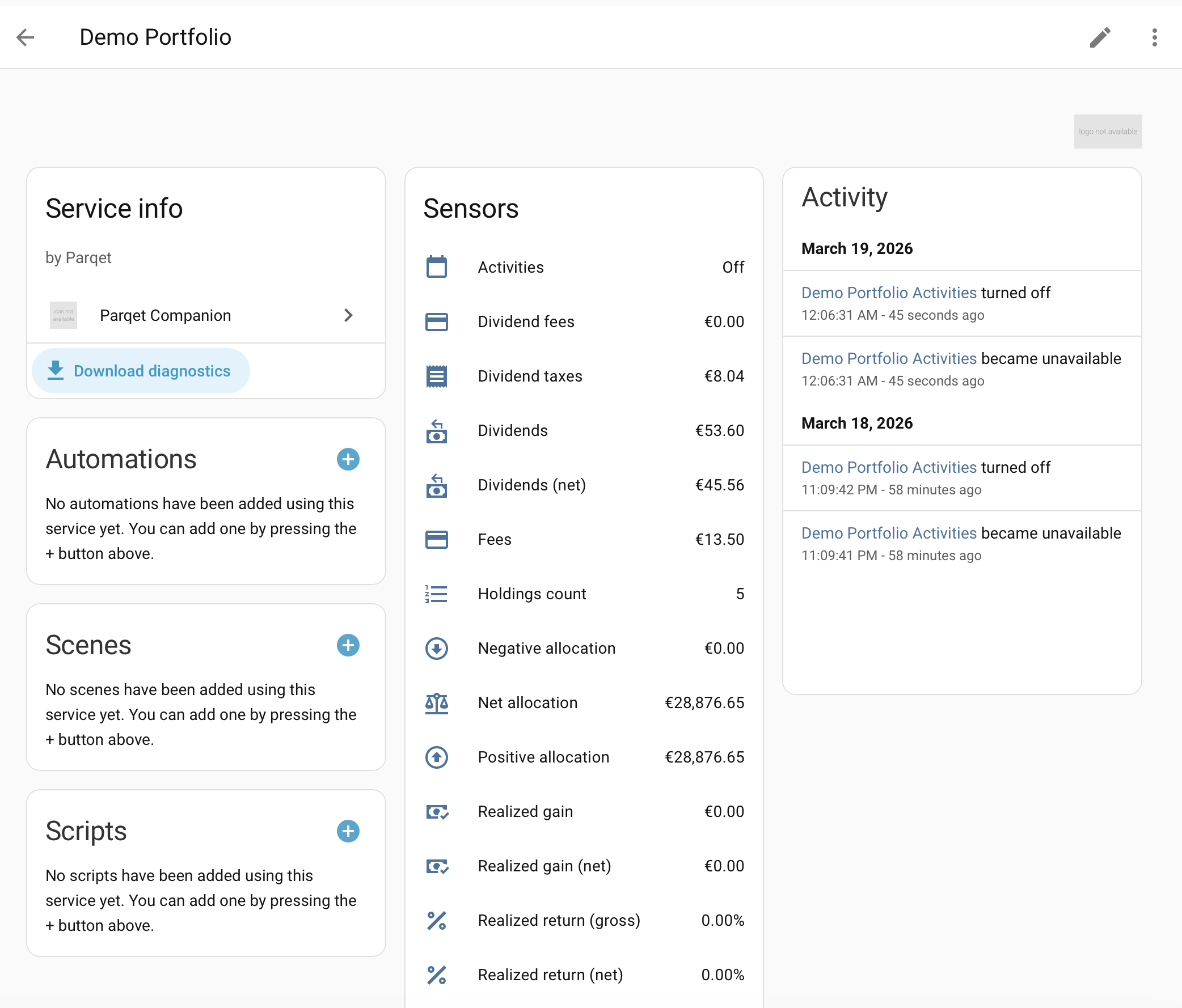
- 22 sensors per portfolio — total value, XIRR, TTWROR, unrealized/realized gains, dividends, fees, taxes, allocations, and more
- Multi-portfolio support — track multiple portfolios from a single Parqet account
- Lovelace companion card with three views:
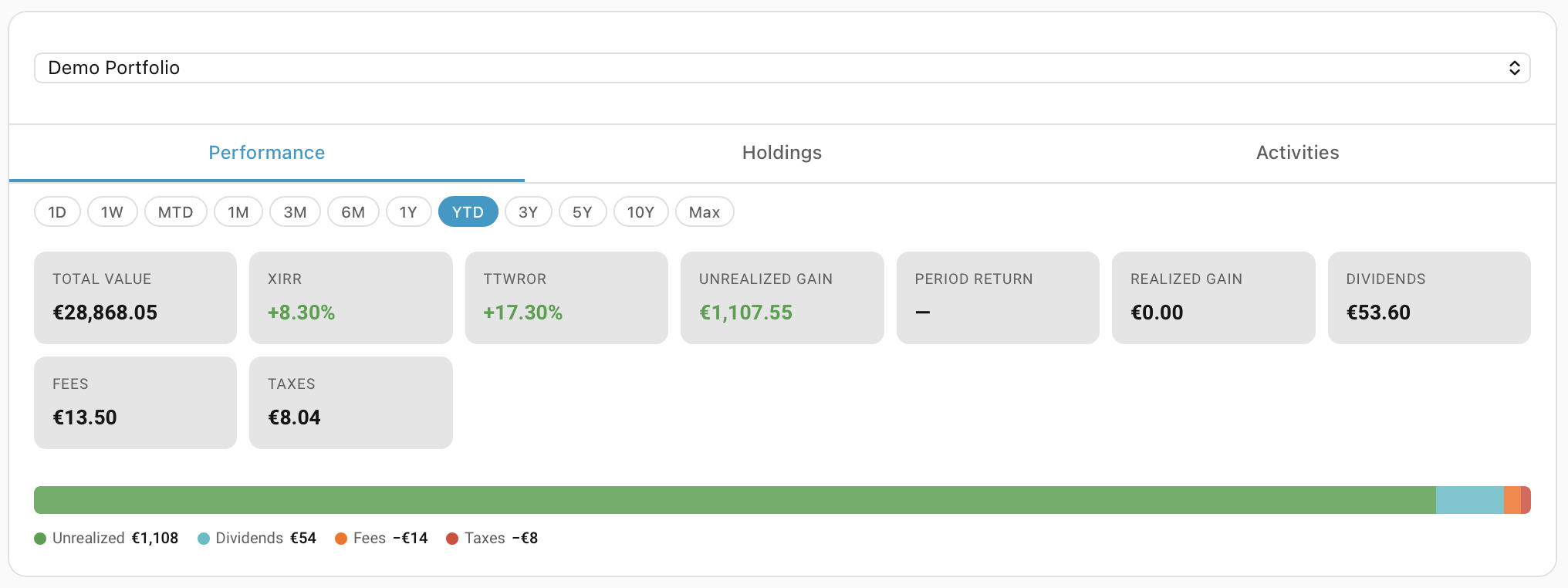
- Performance — KPI grid, interval selector (1D to Max), stacked breakdown chart
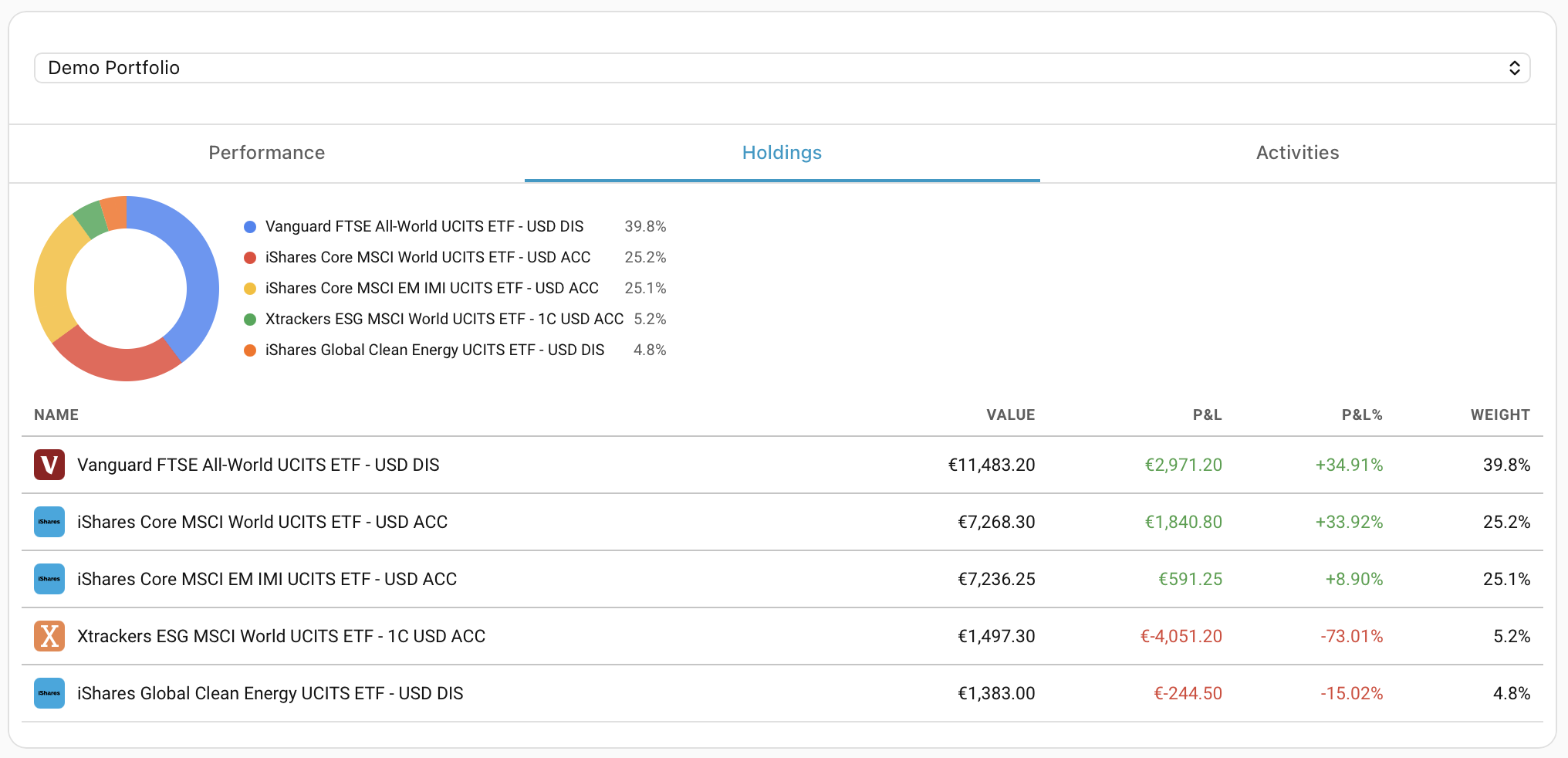
- Holdings — donut allocation chart, sortable table with logos, expandable detail rows, interval-aware P&L
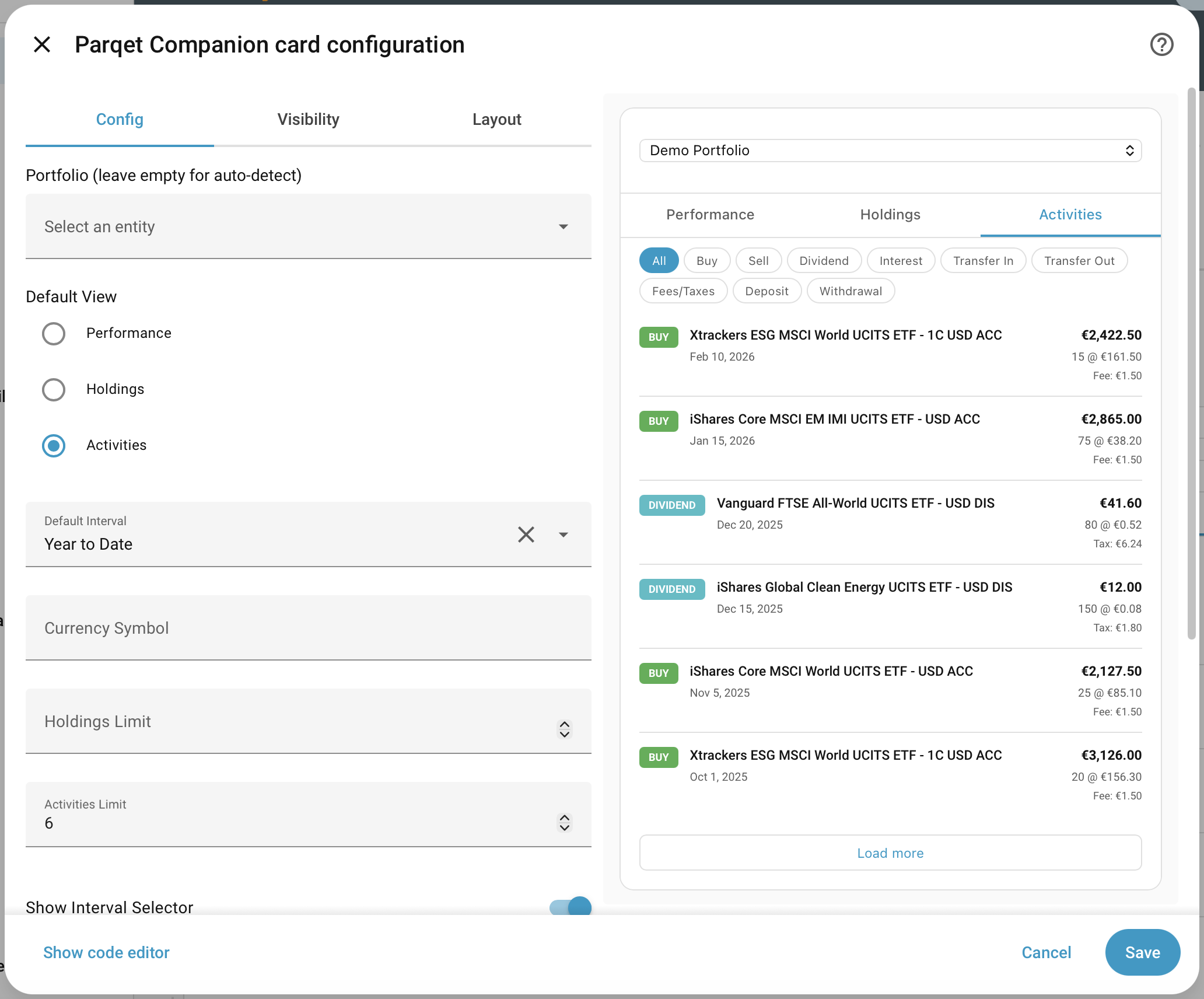
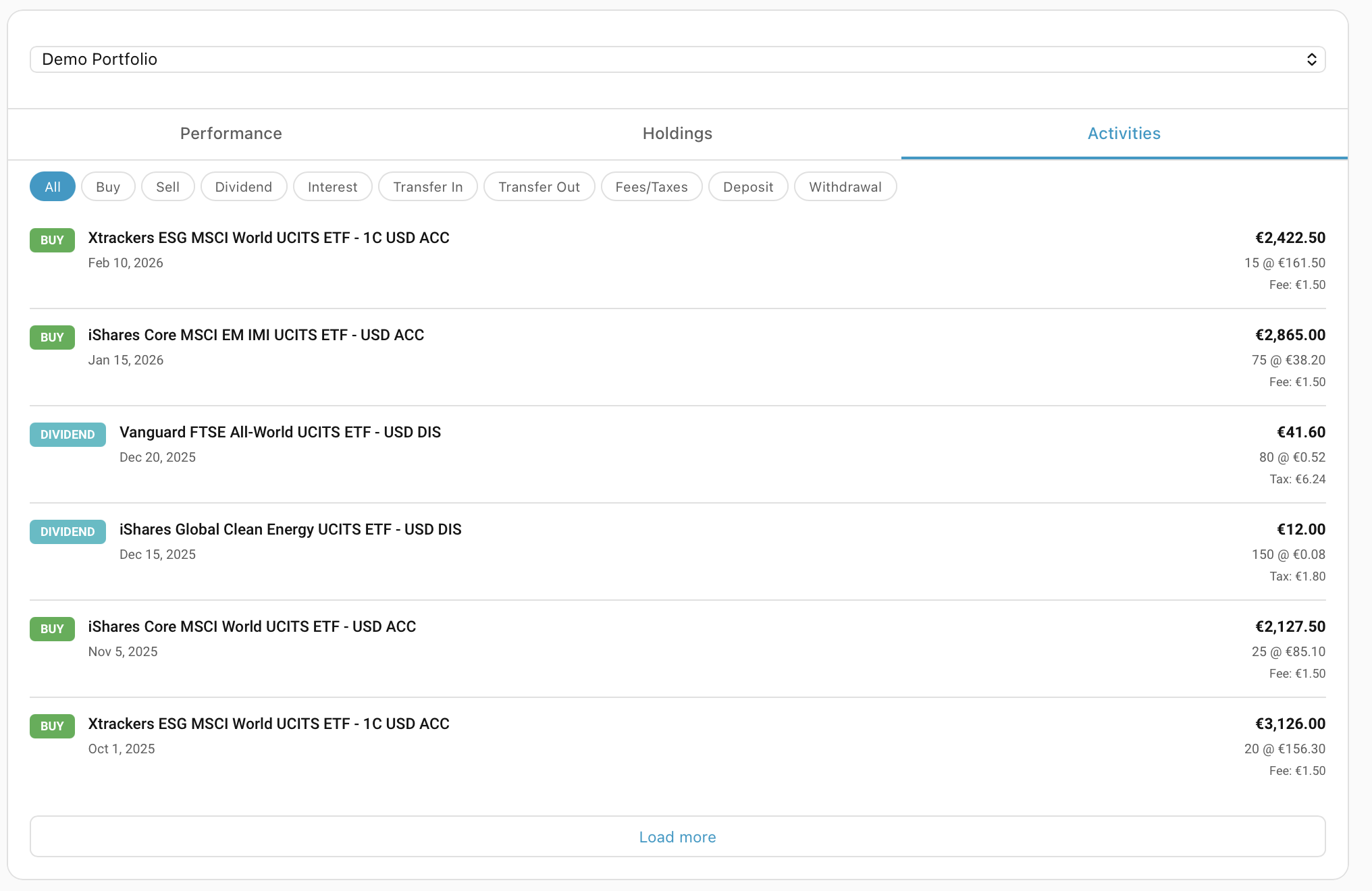
- Activities — filtered transaction list with pagination
- Daily Snapshot card — per-holding daily P&L based on a custom snapshot time, independent of Parqet's 1D interval
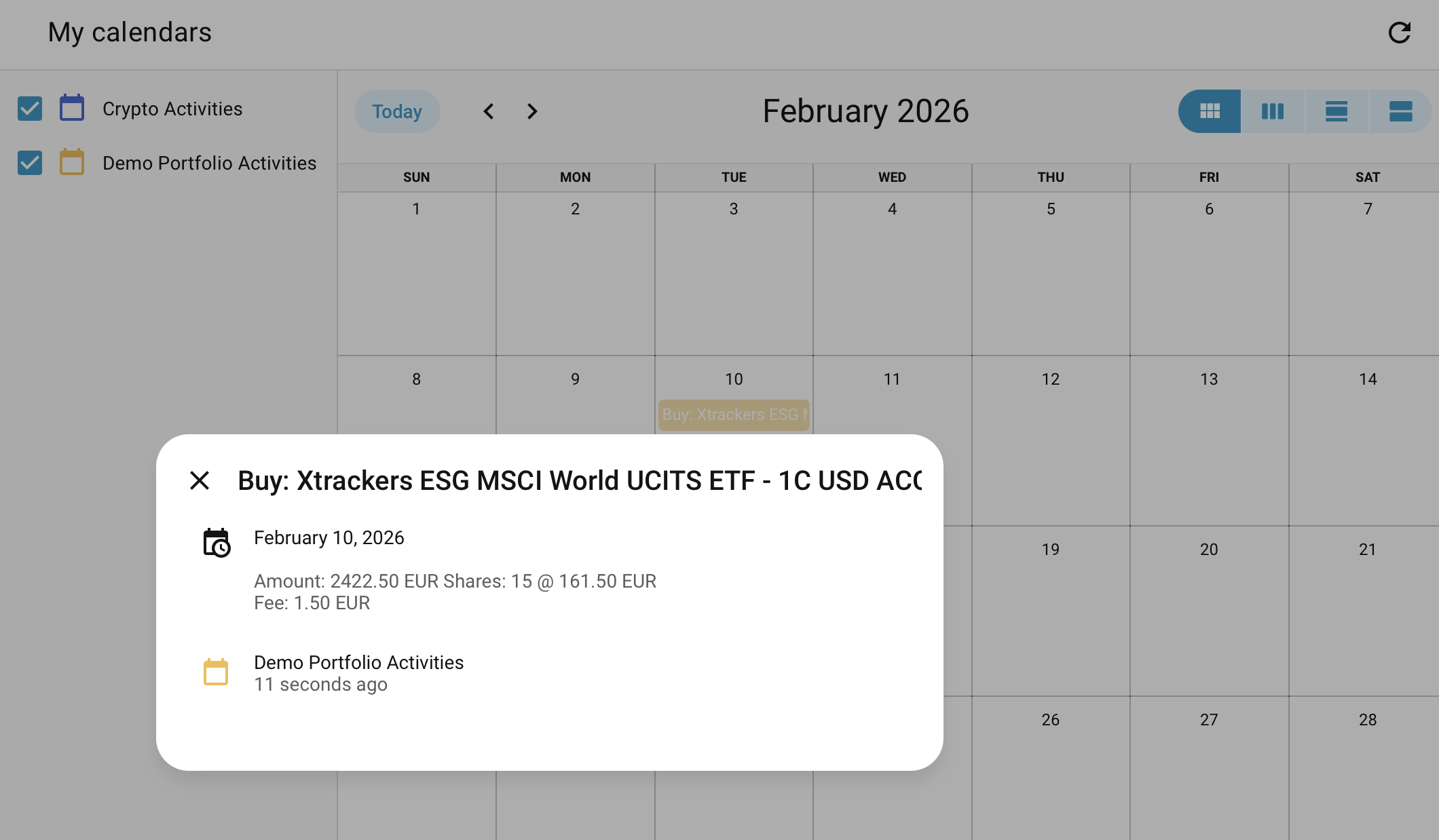
- Calendar entity — portfolio activities (buy/sell/dividend) as calendar events
- Visual card editor — configure everything through the HA UI
- On-demand data — switch intervals and fetch fresh data via WebSocket API
- Diagnostics — downloadable debug data with automatic token redaction
Note: The initial setup must be completed on a desktop browser. Mobile authorisation is not supported yet due to an API limitation in the OAuth redirect flow.
- Home Assistant 2024.8 or newer
- A Parqet account with at least one portfolio
- Parqet Connect OAuth access (included with all Parqet accounts)

Or manually:
Manual HACS steps
- Open HACS in your Home Assistant instance
- Click the three dots in the top right corner
- Select Custom repositories
- Add
cubinet-code/ha-parqet-companionwith category Integration - Click Download
- Restart Home Assistant
Manual installation steps
- Download the latest release from GitHub Releases
- Extract and copy the
custom_components/parqetdirectory to your Home Assistantconfig/custom_components/directory - Restart Home Assistant

Or manually:
- Go to Settings > Devices & Services > Add Integration
- Search for Parqet Companion
- Sign in with your Parqet account (OAuth2 — no credentials stored in HA)
- Select which portfolios to track (all are selected by default)
- Each portfolio creates a device with sensors and a calendar entity
After setup, click the gear icon on any portfolio entry to configure:
| Option | Default | Description |
|---|---|---|
| Performance interval | max |
Time period for performance calculations (1D, 1W, MTD, 1M, 3M, 6M, 1Y, YTD, 3Y, 5Y, 10Y, Max) |
| Update frequency | 15 min | How often to poll the Parqet API (minimum 5 minutes) |
Each portfolio creates 22 sensors and 1 calendar entity. Core sensors are enabled by default; detailed and allocation sensors are disabled by default and can be enabled in the entity settings.
| Sensor | Description | Unit | Icon |
|---|---|---|---|
| Total value | Portfolio valuation at interval end | Currency | mdi:cash-multiple |
| XIRR | Extended Internal Rate of Return | % | mdi:chart-line |
| TTWROR | Time-Weighted Rate of Return | % | mdi:chart-timeline-variant |
| Unrealized gain | Unrealized gains (gross) | Currency | mdi:trending-up |
| Realized gain | Realized gains (gross) | Currency | mdi:cash-check |
| Dividends | Dividend income (gross) | Currency | mdi:cash-refund |
| Fees | Trading fees | Currency | mdi:credit-card-outline |
| Taxes | Taxes paid | Currency | mdi:receipt-text |
| Sensor | Description | Unit |
|---|---|---|
| Valuation at interval start | Portfolio value at start of period | Currency |
| Unrealized gain (net) | After fees and taxes | Currency |
| Unrealized return (gross) | Percentage return before costs | % |
| Unrealized return (net) | Percentage return after costs | % |
| Realized gain (net) | After fees and taxes | Currency |
| Realized return (gross) | Percentage return before costs | % |
| Realized return (net) | Percentage return after costs | % |
| Dividends (net) | After taxes and fees | Currency |
| Dividend taxes | Tax on dividends | Currency |
| Dividend fees | Fees on dividends | Currency |
| Holdings count | Number of active holdings | Count |
| Net allocation | Net total (long minus short) | Currency |
| Positive allocation | Total long positions | Currency |
| Negative allocation | Total short/debt positions | Currency |
Each portfolio creates a calendar entity (calendar.<portfolio>_activities) that exposes transactions as calendar events. View them in HA's built-in Calendar view or use them in automations.
The total_value sensor includes additional attributes:
| Attribute | Description |
|---|---|
entry_id |
Config entry ID (used by the Lovelace card for WebSocket calls) |
portfolio_id |
Parqet portfolio identifier |
holdings_count |
Number of active holdings |
top_holdings |
Top 5 holdings by value (name, value, weight%) |
interval |
Current performance interval |
The integration bundles a Lovelace companion card that is automatically registered.
- Edit any dashboard
- Click Add Card and search for Parqet Companion
- Configure via the visual editor or YAML:
type: custom:parqet-companion-card
default_view: performance
default_interval: 1y
currency_symbol: "€"
# Performance
show_interval_selector: true
show_performance_chart: true
# Holdings
show_allocation_chart: true
show_logo: true
holdings_limit: 50
# Activities
activities_limit: 25
# Layout
compact: false| Option | Type | Default | Description |
|---|---|---|---|
device_id |
string | — | Lock card to a specific portfolio device (leave empty for auto-detect) |
default_view |
string | performance |
Initial tab: performance, holdings, or activities |
default_interval |
string | 1y |
Default performance interval |
currency_symbol |
string | € |
Currency symbol for formatting |
holdings_limit |
number | 50 |
Maximum holdings shown in table |
activities_limit |
number | 25 |
Activities loaded per page |
default_activity_type |
string | — | Pre-filter activities by type (e.g. dividend, buy) |
show_interval_selector |
boolean | true |
Show interval picker (Performance & Holdings) |
show_performance_chart |
boolean | true |
Show stacked breakdown chart (Performance) |
show_allocation_chart |
boolean | true |
Show donut allocation chart (Holdings) |
show_logo |
boolean | true |
Show holding logos (Holdings) |
compact |
boolean | false |
Compact KPI grid layout |
hide_header |
boolean | false |
Hide portfolio name header |
All options are configurable through the HA visual editor — no YAML required.
Performance — KPI grid with all key metrics, time interval selector, and a stacked breakdown chart.
Holdings — Donut allocation chart (top 20 + "Other" bucket) and a sortable table with logos, P&L, and weights.
Activities — Filtered transaction list with type badges, asset names, and pagination.
A standalone card that captures per-holding closing prices at a user-configured time and computes daily P&L independently of Parqet's built-in 1D interval.
Why? Parqet's 1D interval uses the XETRA close (17:00) as the reference price, even for US stocks trading until 22:00. The snapshot card lets you set your own closing time (e.g., 22:00 after US market close) for accurate daily performance.
- Go to Settings > Integrations > Parqet > Configure
- Enable Daily snapshots and set your preferred snapshot time
- Restart Home Assistant
- Add the Parqet Daily Snapshot card to any dashboard
Daily P&L is shown starting the day after the first snapshot is taken.
| Option | Type | Default | Description |
|---|---|---|---|
device_id |
string | — | Lock card to a specific portfolio device |
currency_symbol |
string | € |
Currency symbol for formatting |
holdings_limit |
number | 50 |
Maximum holdings shown in table |
show_logo |
boolean | true |
Show holding logos |
compact |
boolean | false |
Compact layout |
| Option | Type | Default | Description |
|---|---|---|---|
snapshot_enabled |
boolean | false |
Enable daily snapshots |
snapshot_hour |
number | 22 |
Snapshot hour (0-23) |
snapshot_minute |
number | 0 |
Snapshot minute (0-59) |
Six WebSocket commands are available for advanced use cases and custom cards.
Fetch performance data with a specific interval.
{
  "type": "parqet/get_performance",
  "entry_id": "<config_entry_id>",
  "interval": "ytd"
}Returns cached holdings data for a portfolio.
{
  "type": "parqet/get_holdings",
  "entry_id": "<config_entry_id>"
}Fetch activities with optional filtering and pagination.
{
  "type": "parqet/get_activities",
  "entry_id": "<config_entry_id>",
  "activity_type": ["buy", "sell"],
  "limit": 50,
  "cursor": null
}Returns daily P&L data computed from stored snapshots.
{
  "type": "parqet/get_snapshot",
  "entry_id": "<config_entry_id>"
}Manually trigger a snapshot capture.
{
  "type": "parqet/take_snapshot",
  "entry_id": "<config_entry_id>"
}Clear all stored snapshot data.
{
  "type": "parqet/purge_snapshots",
  "entry_id": "<config_entry_id>"
}Each portfolio appears as a device with all sensors, calendar entity, diagnostics, and automation support.
logger:
  default: warning
  logs:
custom_components.parqet: debug| Issue | Solution |
|---|---|
| "Missing configuration" during setup | Ensure you've restarted HA after installing the integration — OAuth registers on first load |
| Sensors show "unavailable" | Check that your Parqet OAuth token hasn't expired; re-authenticate in integration settings |
| Card shows "No Parqet portfolios found" | Ensure the integration is set up with at least one portfolio |
| Performance/Holdings/Activities show blank on first load | Update to v0.3.5+ — all card views now load data via WebSocket on render |
Download diagnostic data from the device page (Download diagnostics). All OAuth tokens are automatically redacted.
Contributions are welcome! This integration aims to become an official HA core integration.
# Clone
git clone https://github.com/cubinet-code/ha-parqet-companion.git
cd ha-parqet-companion

# Frontend
npm install && npm run build

# Python tests
pip install pytest pytest-asyncio pytest-homeassistant-custom-component
pytest tests/

# Lint
ruff check custom_components/parqet/custom_components/parqet/
├── __init__.py # Entry point, OAuth, platform setup
├── api.py # Async Parqet Connect API client
├── calendar.py # Calendar entity (activities as events)
├── config_flow.py # OAuth2 + PKCE + portfolio selection
├── coordinator.py # DataUpdateCoordinator (polls every 15 min)
├── entity.py # Shared base entity class
├── sensor.py # 22 sensor entities per portfolio
├── diagnostics.py # Debug data export with token redaction
├── websocket_api.py # WebSocket commands for frontend card
└── frontend/
└── parqet-card.js # Built Lovelace card bundle
src/ # TypeScript source for Lovelace card
├── parqet-card.ts # Main card (entity discovery, tabs, editor)
├── views/ # Performance, Holdings, Activities
└── components/ # Donut chart, stacked bar, interval selector
MIT License — see LICENSE for details.
- Parqet for the Connect API
- Home Assistant community