A Userscript that replaces the default Chess.com piece sets with custom Discord Emojis.
NeuroChess-HD.mov
- Install a Userscript Manager:
- Chrome/Edge/Brave: Tampermonkey
- Firefox: Greasemonkey or Tampermonkey
- Install the Script:
- Open your extension dashboard, create a new script, and paste the code from
script.user.js.
- Open your extension dashboard, create a new script, and paste the code from
- Play:
- Go to Chess.com and the pieces will automatically update.
Here are the direct links to the Discord assets used in this script.
| Piece | White URL | Black URL |
|---|---|---|
| King | View Image | View Image |
| Queen | View Image | View Image |
| Rook | View Image | View Image |
| Bishop | View Image | View Image |
| Knight | View Image | View Image |
| Pawn | View Image | View Image |
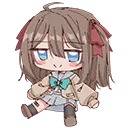
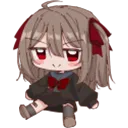
If you want to change specific pieces:
- Open the script in your Tampermonkey dashboard.
- Locate the
const piecesobject at the top of the file. - Replace the URL string for the specific piece code (e.g.,
'wp'for White Pawn).
const pieces = {
    'wp': 'NEW_URL_HERE',
    ...
};