
Use Sublime Text to write in your browser. Everything you type in the editor will be instantly updated in the browser (and vice versa).
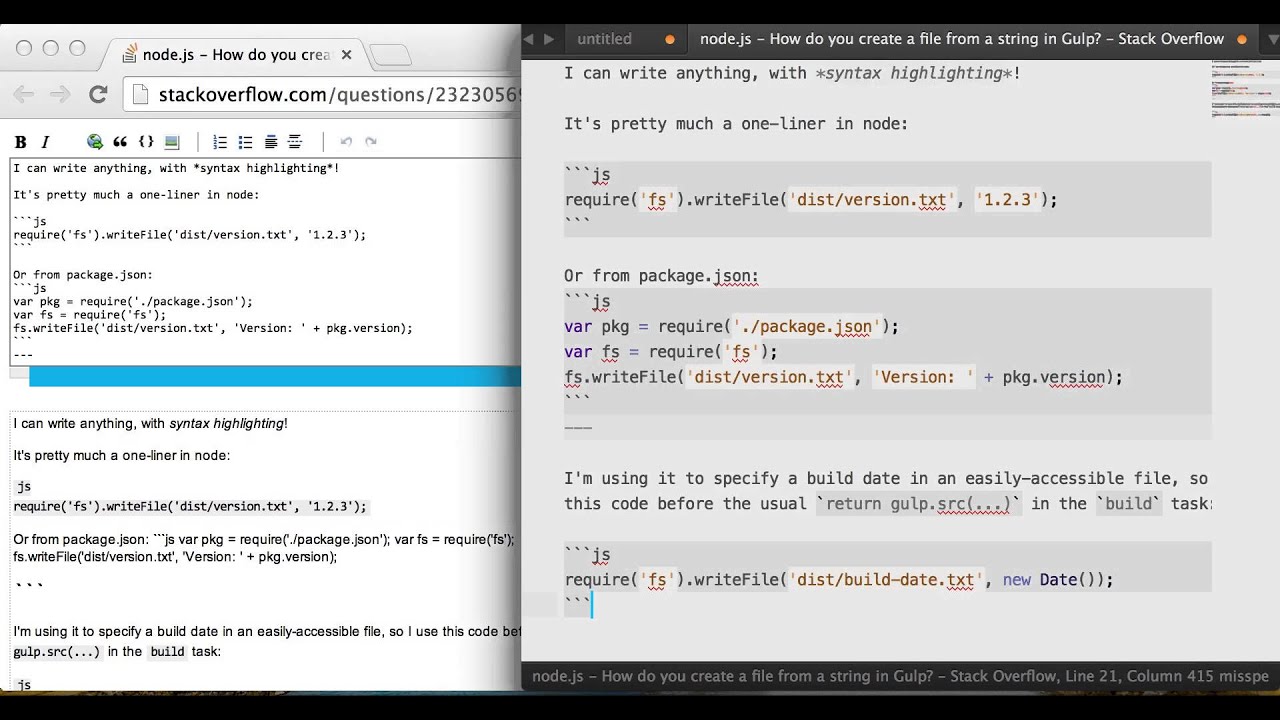
GhostText is compatible with Sublime Text, Google Chrome and Mozilla Firefox for now, but more extensions are on the way. You can contribute.
It supports <textarea> elements, simple contentEditable elements (like the editor in Gmail), and the more complex CodeMirror (used on CodePen, JSFiddle, JS Bin, …) and Ace (used on Tumblr, …)
In Chrome, click the GhostText button in the upper-right corner to open up Sublime Text. Alternatively you can you these keyboard shortcuts to activate GhostText:
| OS | Shortcut |
|---|---|
| Windows | ctrl + shift + K |
| Linux | ctrl + shift + H |
| Mac | cmd + shift + K |
| The shortcut can be changed or disabled | |
If there is more than one supported field in the current page and you haven't focused any of them already, you will be prompted to click on a field to open the connection.
The connection will be closed when:
- The webpage changes or is reloaded
- The tab or window is closed (either in the browser or in the editor)
- The used field is removed from the document
Install the Sublime Text package and the Chrome extension or Firefox add-on and you're ready to go!

It's suggested to install a GitHub-Flavored Markdown syntax like the one included in MarkdownEditing.
If you are using Linux installing xdotool lets GhostText focus your Sublime Text window on a new connection.
On Windows you should consider installing nircmd in the windows dir, for archiving the same window focus behavior described above.
To try the latest version, follow these istructions:
Without Git: Download the latest source from GitHub and copy the GhostText folder to your Sublime Text "Packages" directory.
With Git: Clone the repository in your Sublime Text "Packages" directory:
git clone https://github.com/Cacodaimon/GhostText-for-SublimeText.git
The "Packages" directory is located at:
-
OS X:
~/Library/Application Support/Sublime Text 3/Packages/ -
Linux:
~/.config/sublime-text-3/Packages/ -
Windows:
%APPDATA%/Sublime Text 3/Packages/