A Phaser 3 game that was submitted for the Gavedev.js Jam 2025 game jam.


You can play the game here on Itch.io: Elemental Farm
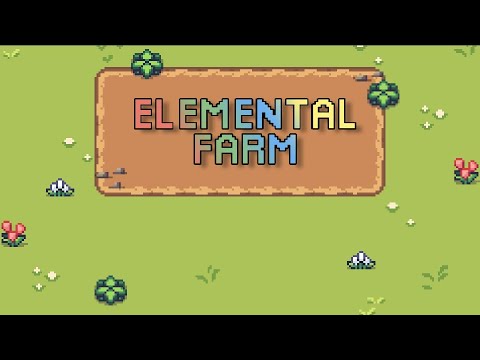
Generations ago, the land thrived in perfect balance—Earth, Water, Fire, and Air in harmony. But something has changed. The soil glows with strange colors, and the skies shift with untamed energy.
A young local farmer named Lina has asked for your help. “The elements are out of sync,” she says. “You’ve got the gift—maybe you can bring balance back to the land.”
With a handful of seeds and a bit of guidance, it’s now up to you to restore harmony by tending the elemental farm.
- Plant Seeds: Choose elemental crops (Earth, Fire, Water, or Air) and plant them in available soil tiles.
- Harvest Crops: Wait for crops to grow, then harvest them to gain elemental energy.
- Maintain Balance: Each action affects the elemental balance. Keep the energies in harmony—or risk triggering powerful environmental events!
- Watch the Soil: The color of the soil hints at its elemental saturation. Too much of one? Time to adjust your strategy.
- Daily Goals (optional): Complete daily farm goals for a fun challenge.
- Day/Night Cycle: Time moves quickly—stay aware of the clock as you plan each day!
Planting a crop consumes its primary element from the soil. Harvesting a crop returns some elemental energy, often with a secondary shift that helps or hinders balance.
| Plant Type | Element | Effect When Planted | Effect When Harvested | Soil Visual Cue |
|---|---|---|---|---|
| Pumpkin | Water | Consumes Water | Replenish Earth and Air slightly | Blue |
| Potato | Earth | Consumers Earth | Replenish Air and Water slightly | Green |
| Carrot | Air | Consumers Air | Replenish Fire and Earth slightly | White |
| Tomato | Fire | Consumers Fire | Replenish Water and Air slightly | Red |
This game would not have been possible without the art and audio of these amazing artists!
| Asset | Author | Link |
|---|---|---|
| farm sprites | butterymilk | tiny wonder farm asset pack |
| leaves sprites | ragnapixel | particle effects |
| font | zacchary-dempsey-plante | fonts |
| ui icon | kenney | game icons |
| ui | kenney | ui pack rpg expansion |
| music | alkakrab | music |
Node.js and pNPm are required to install dependencies and run scripts via pnpm.
Vite is required to bundle and serve the web application. This is included as part of the projects dev dependencies.
| Command | Description |
|---|---|
pnpm install --frozen-lockfile |
Install project dependencies |
pnpm start |
Build project and open web server running project |
pnpm build |
Builds code bundle for production |
pnpm lint |
Uses ESLint to lint code |
After cloning the repo, run pnpm install --frozen-lockfile from your project directory. Then, you can start the local development
server by running pnpm start.
After starting the development server with pnpm start, you can edit any files in the src folder
and parcel will automatically recompile and reload your server (available at http://localhost:8080
by default).
After you run the pnpm build command, your code will be built into a single bundle located at
dist/* along with any other assets you project depended.
If you put the contents of the dist folder in a publicly-accessible location (say something like http://myserver.com),
you should be able to open http://myserver.com/index.html and play your game.
Any static assets like images or audio files should be placed in the public folder. It'll then be served at http://localhost:8080/path-to-file-your-file/file-name.file-type.
In the project folder, there is a variety of files and folders. At a high level, here is a quick summary of what each folder and file is used for:
.
├── .github          this folder contains github workflows for this project, currently setup to allow deploying the project to itch.io
├── .vscode          this folder contains configuration files for the VSCode editor, which will add auto linting and custom launch configurations for running tests (if you are not using VSCode, you can remove this folder from the project)
├── config           this folder contains configuration files for ESLint and TSC (the TypeScript Compiler)
├── dist             a dynamically generated folder which will contain the compiled source code of the finished library (generated when you run the build script)
├── docs             this folder contains the images that are used in the README.md
├── node_modules     a dynamically generated folder which contains the project developer dependencies when working on the library (generated when you run the install script)
├── public           this folder contains all of the static assets that are used in the game
├── src              this folder contains all of the core code for the game
├── .gitignore       this file is used for telling git to ignore certain files in our project (mainly used for our project dependencies and dynamically generated files)
├── package.json     a configuration file for npm that contains metadata about the project
├── tsconfig.json    a configuration file for TSC
├── pnpm-lock.yaml   a configuration file that contains the exact tree structure of the project dependencies and their versions (helps with repeatable project builds)
For any issues you encounter, please open a new GitHub Issue on this project.