
Welcome to a feature-rich Xiaomi heater integration that makes your winter setup feel smart, cozy, and effortless. This custom component uses the MiOT protocol and brings rich device controls directly into Home Assistant.
- zhimi.heater.mc2 — Xiaomi Smart Space Heater S
- zhimi.heater.mc2a — Xiaomi Smart Space Heater S (variant)
- zhimi.heater.zb1 — Xiaomi Mi Smart Space Heater 1S
- zhimi.heater.za2 — Xiaomi Smart Space Heater 1S
- leshow.heater.bs1s — Leshow Smart Heater
If your heater reports a different model, open an issue with the model string and we can add it.
Core climate control
- Power on/off (HVAC mode)
- Target temperature control
- Current temperature reporting
- Configurable min/max temperature range per model
Device extras
- Buzzer toggle (where supported)
- Child lock toggle (where supported)
- LED indicator brightness (On/Off/Dim — Dim is supported on zhimi.heater.za2)
- Delay-off timer with bounds per model
- Humidity reporting (where supported)
Home Assistant UX
- Config flow with automatic device model detection
- Manual model selection via a pick list of supported models
- Extra state attributes for quick access to device-specific features
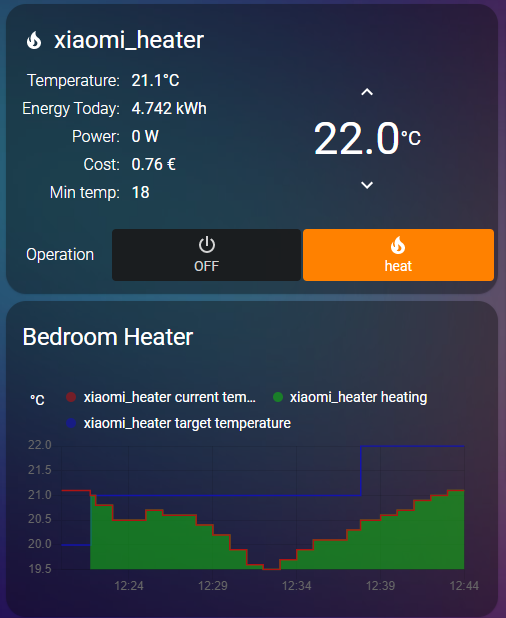
- Add a custom repository in HACS:
https://github.com/ee02217/homeassistant-mi-heater - Search for miHeater under Integrations.
- Click Install and restart Home Assistant.
- Copy the contents of
custom_components/miheater/into your Home Assistantcustom_componentsdirectory. - Restart Home Assistant.
- Go to Settings → Devices & Services → Add Integration.
- Search for miHeater.
- Enter your device IP and token.
- Choose the model from the pick list (or leave it on auto to detect it).
The integration registers a few handy services for supported models:
| Service | Description | Fields |
|---|---|---|
miheater.set_child_lock |
Toggle child lock | lock (boolean) |
miheater.set_buzzer |
Toggle buzzer | enabled (boolean) |
miheater.set_led_brightness |
Set LED brightness | brightness (on / off / dim) |
miheater.set_delay_off |
Set delayed power-off | seconds (integer) |
The delay-off number entity is shown in minutes in Home Assistant.
Tip: The
dimLED mode is only supported by zhimi.heater.za2.
The token must be obtained from the Xiaomi Mi Home app database (miio2.db), not from miio discover.
- If your model is not detected, select it manually in the config flow.
- If a feature is not available, it will simply be hidden or ignored for that model.
Made with warmth and automation in mind. 🔥