Hitman 2 Silent Assassin
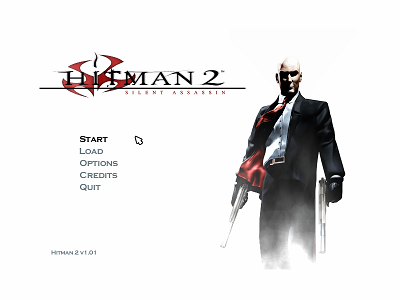
Supported on Windows 10/11
I am using the version of Hitman 2 Silent Assassin from GOG.
Patch updated: October 17th, 2023
The problem I had with Hitman 2 was that the game was either all gray or all black. I was completely unable to play the game on Windows 10. I tried switching the game to use the RenderOpenGL.dll file in the 'Hitman2.ini' but then it crashed.

The solution was to use the d3d8to9 option. However when I first tried enabling the option it was better but some of the textures were still missing. This required some fixes in d3d8to9 to change how VertexShaders were compiled. See this thread here for how I solved the missing textures with d3d8to9. This solved the issues with RenderD3D.dll. As far as the crash with RenderOpenGL.dll, this was solved by the using the HandleExceptions option which is enabled by default.
In order to install the Windows 10/11 patch for Hitman 2 Silent Assassin you can follow these steps:
- Download the fix below.
- Unzip the files to your Hitman 2 Silent Assassin installation folder (where the
hitman2.exefile exists). - Disable
F5 Glovefrom the Game Configuration (config.exe). - Set the
Texture Filterto 'Trilinear' andAnti-Aliasingto 'Off' in theGraphics Optionsin the game. Note: If you want to enable Anti-Aliasing you can do that via thedxwrapper.inifile. - Start the game and enjoy!
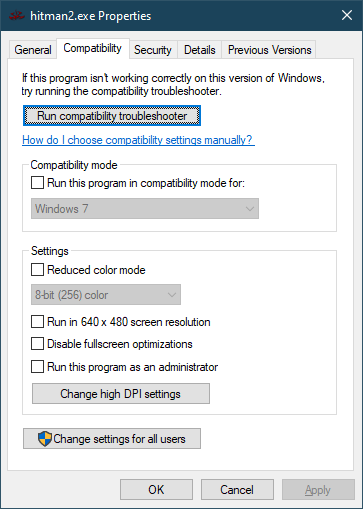
If you run into issues also check the compatibility settings. I am running with the following compatibility settings.
Here is the Download for the patch to fix Hitman 2 Silent Assassin on Windows 10/11.
This download contains 3 files:
- d3d8.dll
- dxwrapper.dll
- dxwrapper.ini