A high-performance, scalable instant messaging system built with microservices architecture.
Welcome! Whether you're here to learn about distributed systems, build your own IM platform, or just explore.
# 1. Start infrastructure (Docker required)
docker compose -f deploy/docker-compose.infra.yml up -d

# 2. Build the project
mvn clean install -DskipTests

# 3. Start all services
./start-services.sh

# 4. Check API docs
open http://localhost:10002/swagger-ui.html
Need the desktop client? Check out ripple-im-app
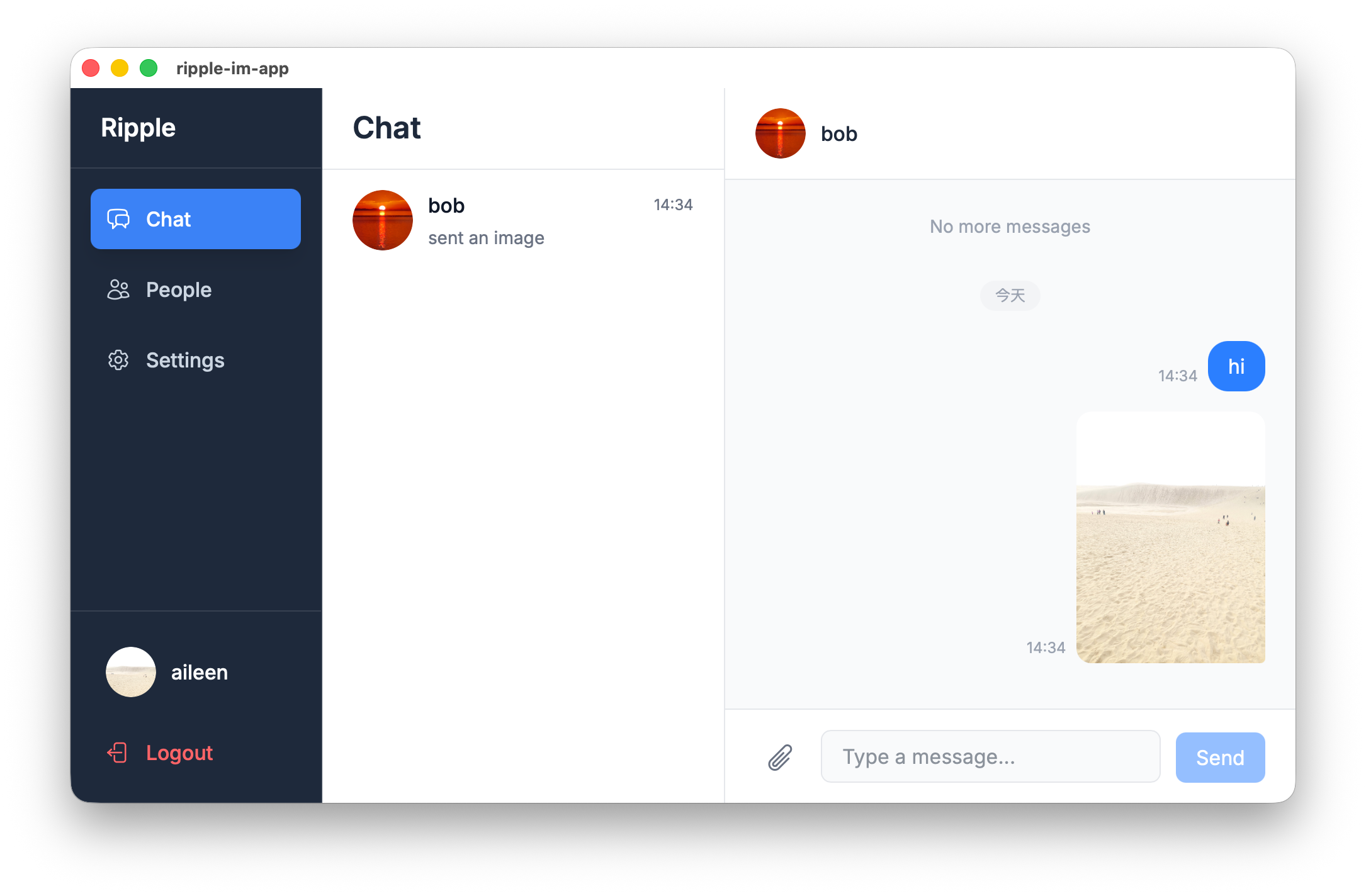
- Real-time Messaging — WebSocket-based with low latency
- Direct & Group Chat — One-on-one and group conversations
- Unread Count — Track unread messages per conversation
- OAuth2 Authentication — JWT tokens with Google OAuth2 support
- Dual Storage Backend — Choose between Cassandra or MongoDB
- File Upload — Avatar and attachments via MinIO
- User Presence — Real-time online status tracking
- Distributed ID Generation — Snowflake algorithm for unique IDs

Ripple-IM uses a microservices architecture with three layers:
| Layer | Components |
|---|---|
| Gateway | API Gateway (REST), Message Gateway (WebSocket), Upload Gateway |
| Core Services | Message API, Dispatcher, Push Server, Presence Server, Snowflake ID |
| Infrastructure | Kafka, Cassandra/MongoDB, Redis, MySQL, ZooKeeper, MinIO |

- Client sends message → API Gateway → Message API (gRPC)
- Message API → Kafka → Dispatcher → Database + Cache
- Push Server → Message Gateway → WebSocket → Recipient
| Category | Technologies |
|---|---|
| Core | Java 17, Spring Boot, Spring Security |
| Communication | gRPC, Protocol Buffers, Kafka, Netty |
| Storage | Cassandra / MongoDB, MySQL, Redis, MinIO |
| Infrastructure | ZooKeeper, Docker, Kubernetes |
- Java 17+
- Maven 3.6+
- Docker & Docker Compose
- 16GB RAM (recommended for full stack)
Choose your storage at build time:
# Cassandra (default) - for high write throughput
mvn clean install -DskipTests

# MongoDB - easier for smaller deployments
mvn clean install -DskipTests -PmongodbMost memory-efficient for local development:
docker compose -f deploy/docker-compose.infra.yml up -d
mvn clean install -DskipTests
./start-services.sh

# View logs
tail -f logs/ripple-api-gateway.log

# Stop
./stop-services.shdocker compose -f deploy/docker-compose.infra.yml -f deploy/docker-compose.services.yml up -dSee Deployment Guide for Minikube setup.
Note: Default Google OAuth credentials are placeholders. Replace with your own in
ripple-authorization-serverconfig.
Infrastructure includes Prometheus + Grafana for monitoring:
# Access Grafana (anonymous login enabled)
open http://localhost:3000
Dashboards: JVM metrics, HTTP/gRPC stats, Kafka consumer lag.
| Endpoint | URL |
|---|---|
| REST API (Swagger) | http://localhost:10002/swagger-ui.html |
| Upload API | http://localhost:10003/swagger-ui.html |
| WebSocket | ws://localhost:10200/ws |
Headers:
  Authorization: Bearer <JWT_TOKEN>
  X-Device-Id: <DEVICE_ID>
Messages use Protocol Buffers (WsMessage):
| Message Type | Direction | Purpose |
|---|---|---|
HeartbeatRequest |
Client → Server | Keep connection alive |
HeartbeatResponse |
Server → Client | Heartbeat acknowledgment |
PushMessageRequest |
Server → Client | New message / event notification |
See ripple-protobuf/src/main/proto/ for full definitions.
- AI Agent Integration — Webhook-based integration for AI agents
- End-to-End Encryption
- Voice
- Message Read Receipts
- Message Reactions
- Message Reply
- Message Search
- Mobile Push Notifications (FCM/APNs)
- Admin Dashboard
Have ideas? Open an issue
Contributions welcome!
MIT License