A GNOME Shell extension to track the real-time value of your cryptocurrency portfolios directly from your desktop panel.
- Multiple Portfolios: Create and track multiple "stashes" (portfolios) with custom coin collections
- Near Real-time Pricing: Live cryptocurrency prices updated automatically once per hour
- Multi-currency Support: Display values in USD or EUR
- Flexible Display: Show portfolio totals or individual coin prices
- Top Panel Integration: Cryptocurrency data at a glance in your GNOME panel
- Privacy-focused: All calculations happen locally on your device
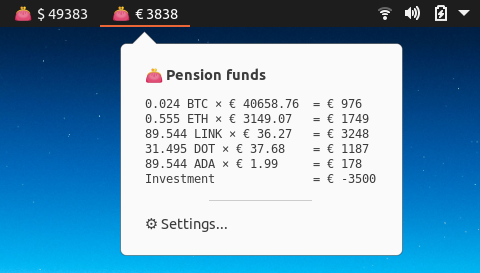
Monitor your complete portfolio with accumulated values in your preferred currency:
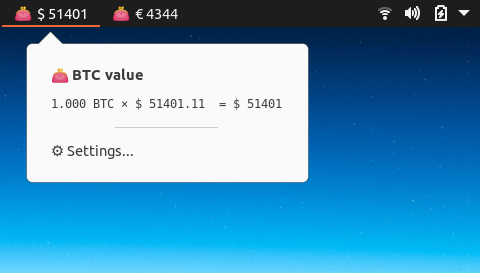
Track individual cryptocurrency prices:
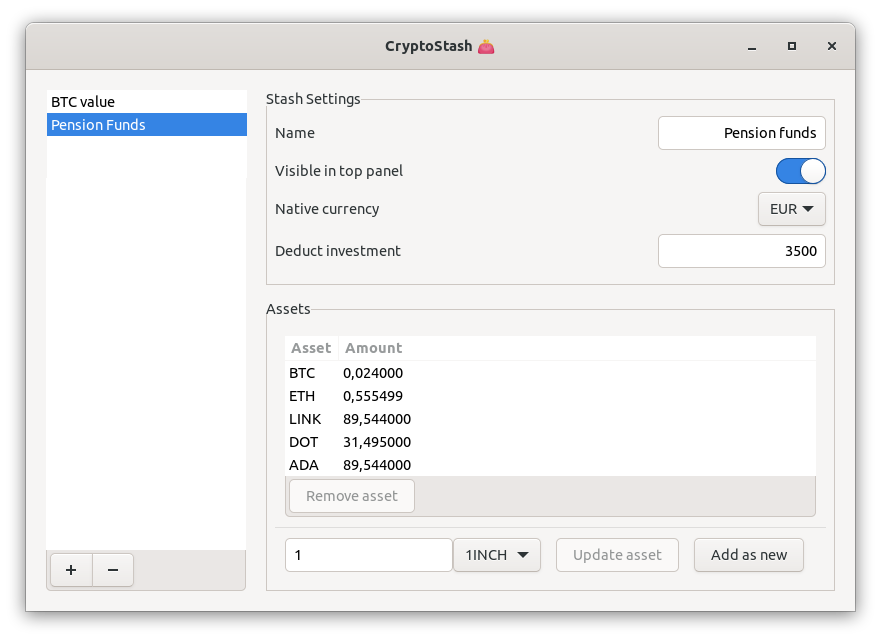
Easy-to-use settings panel for managing your stashes:
- Visit extensions.gnome.org/extension/4276/cryptostash/
- Toggle the extension to "On"
- Restart GNOME Shell (Press
Alt+F2, typer, press Enter)
Prerequisites: git, jq, zip, and make must be installed on your system.
git clone https://github.com/filidorwiese/gnome-shell-crypto-stash.git
cd gnome-shell-crypto-stash
make install
After installation, restart GNOME Shell and enable the extension:
gnome-extensions enable cryptostash@filidorwiese.nl- Open Settings: Click on the CryptoStash indicator in your panel and select "Settings"
- Create a Stash: Add a new portfolio by clicking the "+" button
- Add Coins:
- Select a cryptocurrency from the dropdown
- Enter the amount you own
- Click "Add" to include it in your stash
- Configure Display: Choose between portfolio view or single coin tracking
| GNOME Shell Version | Status |
|---|---|
| 40 and below | ❌ Not supported |
| 43 | ❌ Not supported |
| 44 | ❌ Not supported |
| 45 | ✅ Fully supported |
| 46 | ✅ Fully supported |
| 47 | ✅ Fully supported |
| 48 | ✅ Fully supported |
-
Check GNOME Shell version compatibility:
gnome-shell --version
-
Verify installation location:
ls -la ~/.local/share/gnome-shell/extensions/cryptostash@filidorwiese.nl/ -
Compile schemas manually (if needed):
glib-compile-schemas ~/.local/share/gnome-shell/extensions/cryptostash@filidorwiese.nl/schemas/ -
Check extension logs:
journalctl -f -o cat /usr/bin/gnome-shell
-
Restart GNOME Shell:
- Press
Alt+F2 - Type
rand press Enter - Or log out and log back in
- Press
We respect your privacy. Here’s how your data is handled:
- Rates for the top 100 coins (by market cap) are retrieved from filidorwiese.nl and refreshed about once per hour to provide near‑real‑time valuation.
- The extension fetches only public market rates; no personal or account credentials are requested or transmitted.
- All calculations and portfolio storage are performed locally on your device — nothing is sent elsewhere.
This project is open source. See the repository for license details.
Inspired by Otto Allmendinger's Bitcoin Markets extension.